pengenalan
This manual provides comprehensive instructions for the assembly, operation, maintenance, and troubleshooting of your FLEXISPOT One-Piece Electric Standing Desk. Please read this manual thoroughly before assembly and use to ensure proper function and safety. Keep this manual for future reference.

Image: The FLEXISPOT One-Piece Electric Standing Desk, featuring a black desktop and black frame, set up with a laptop and monitor.
Persediaan dan Perhimpunan
Your FLEXISPOT Electric Standing Desk is designed for straightforward assembly. The desk ships in two separate packages, which may arrive at different times. Please ensure all components are present before beginning assembly.
Alat yang Diperlukan (Tidak Termasuk):
- Electric drill (recommended for faster assembly)
Langkah Perhimpunan:
- Buka bungkusan semua komponen dan sahkan terhadap senarai bahagian yang disediakan dalam panduan pemasangan berasingan.
- Attach the desk legs to the desktop frame. The main bracket and motor are pre-attached for convenience.
- Secure the desktop to the frame. The desktop is a single, seamless piece, 1 inch thick, providing enhanced stability.
- Connect the control panel and power cables according to the wiring diagram in the assembly guide.
- Install any optional accessories, such as the headphone hooks, if desired.
Penting: Always follow the detailed assembly instructions included in your product packaging. Ensure all screws are tightened securely to prevent instability. Do not exceed the maximum weight recommendation of 132 pounds.

Imej: Dari dekat view highlighting the seamless, one-piece desktop with rounded edges, emphasizing its solid construction.
Arahan Operasi
The FLEXISPOT Electric Standing Desk features an intuitive control panel for easy height adjustment and memory presets.
Pelarasan Ketinggian:
- Gunakan Up dan Bawah arrow buttons on the control panel to adjust the desk height.
- Meja boleh dilaraskan daripada ketinggian minimum 28.1 inci hingga ketinggian maksimum 45.7 inci.
- The motor operates quietly, under 50 dB, ensuring minimal disruption to your workspace.
Pratetap Memori:
The desk includes four programmable memory height presets, allowing you to save and recall your preferred sitting and standing positions instantly.
- Laraskan meja pada ketinggian yang diingini menggunakan butang Atas/Bawah.
- Tekan ke 'M' button (or similar memory set button, refer to your control panel diagram).
- Tekan segera salah satu butang pratetap bernombor (1, 2, 3, atau 4) to save the current height to that position.
- Untuk mengingat semula ketinggian yang disimpan, hanya tekan butang pratetap bernombor yang sepadan. Meja akan bergerak secara automatik ke kedudukan yang disimpan.

Imej: A terperinci view of the smart control panel, showing the LED display for height, up/down buttons, and four memory preset buttons.

Image: A visual representation of the desk's height adjustment range, indicating minimum (28.1 inches) and maximum (45.7 inches) heights.
Penyelenggaraan
Penyelenggaraan yang kerap memastikan jangka hayat dan prestasi optimum meja berdiri anda.
- Pembersihan: Lap desktop dan bingkai dengan lembut, damp kain. Elakkan pembersih yang melelas atau bahan kimia keras yang boleh merosakkan kemasan.
- Pengurusan Kabel: Periodically check and organize cables to prevent tangles and ensure smooth operation during height adjustments.
- Had Berat: Do not exceed the maximum weight capacity of 132 pounds. Overloading can strain the motor and frame.
- Keadaan Persekitaran: Keep the desk away from direct heat sources and excessive moisture.
- Pemeriksaan Pengikat: Periksa semua skru dan pengikat sekali-sekala untuk memastikan ia kekal ketat. Ketatkan semula jika perlu.
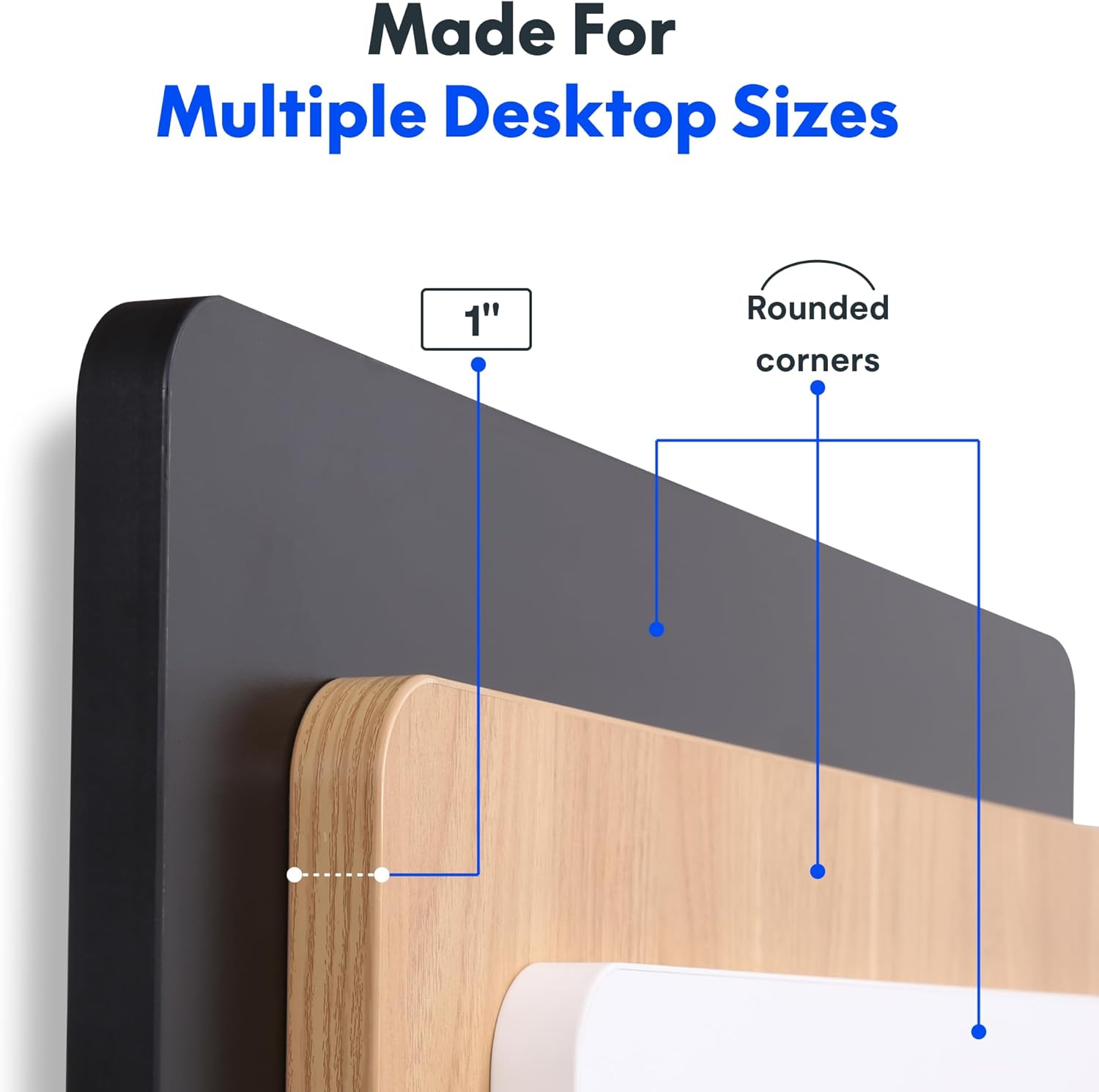
Image: The desk in operation, illustrating its smooth and quiet movement, ideal for maintaining concentration.
Menyelesaikan masalah
If you encounter issues with your FLEXISPOT Electric Standing Desk, refer to the following common problems and solutions.
Meja Tidak Melaraskan Ketinggian:
- Sambungan Kuasa: Ensure the power cord is securely plugged into both the desk and a working electrical outlet.
- Sambungan Kabel: Check all cables connecting the control panel to the motor and power supply for secure connections.
- Lebihan beban: Verify that the weight on the desk does not exceed the maximum capacity of 132 pounds. Remove excess weight and try again.
- Prosedur Tetapan Semula: Consult your specific assembly guide for any factory reset procedures for the control panel.
Bunyi Luar Biasa Semasa Pelarasan:
- Clicking Sound: A clicking sound, particularly when lowering, may indicate an issue with the motor or leg mechanism. Ensure the desk is not overloaded. If the issue persists, contact customer support.
- Bergoyang-goyang: Ensure all assembly screws are tightly secured. Check that the desk is on a level surface.
Jika langkah-langkah ini tidak menyelesaikan masalah, sila rujuk bahagian jaminan dan sokongan untuk bantuan lanjut.
Spesifikasi
Detailed specifications for the FLEXISPOT One-Piece Electric Standing Desk (48x24 inch model).

Image: A diagram illustrating the key dimensions of the desk: 48 inches in width, 24 inches in depth, and a 1-inch desktop thickness.
| Ciri | Perincian |
|---|---|
| Jenama | FLEXISPOT |
| Model | One-Piece Electric Standing Desk 48x24 |
| Dimensi Desktop (W x D) | 48 inci x 24 inci |
| Ketebalan Desktop | 1 inci |
| Julat Pelarasan Tinggi | 28.1 inci (min) hingga 45.7 inci (maks) |
| Tahap Kebisingan Motor | Di bawah 50 dB |
| Pratetap Memori | 4 |
| Kapasiti Berat Maksimum | 132 paun |
| Bahan Bingkai | Keluli Aloi |
| Bahan Desktop | Kayu Kejuruteraan |
| warna | Atasan Hitam + Bingkai Hitam |
| Ciri Khas | One-Piece Desktop, Headphone Hook |
| Perhimpunan Diperlukan | ya |

Imej: Dari dekat view of the desk's underside, highlighting the two convenient headphone hooks for storage.
Maklumat Waranti
FLEXISPOT provides the following warranty for your Electric Standing Desk:
- Bingkai, Motor dan Bahagian Mekanikal: Waranti terhad 5 tahun.
- Komponen elektronik: Waranti terhad 2 tahun.
This warranty covers defects in materials and workmanship under normal use. Please retain your proof of purchase for warranty claims. For specific terms and conditions, refer to the warranty documentation included with your product or visit the official FLEXISPOT webtapak.
Sokongan Pelanggan
For further assistance, technical support, or warranty claims, please contact FLEXISPOT customer service. You can typically find contact information on the official FLEXISPOT webtapak atau melalui peruncit tempat anda membeli produk tersebut.
Apabila menghubungi sokongan, sila sediakan maklumat berikut:
- Product Model: One-Piece Electric Standing Desk 48x24
- ASIN: B0DRFZWN7X
- Tarikh Pembelian
- Penerangan terperinci mengenai masalah ini
Lawati Kedai FLEXISPOT di Amazon untuk mendapatkan lebih banyak maklumat produk dan sumber sokongan.


