1. Pengenalan
Terima kasih kerana membeliasing the ZEBRONICS Sound Feast 55 Portable Bluetooth Speaker. This manual provides detailed instructions for the proper use, setup, and maintenance of your device. Please read this manual carefully before operation to ensure optimal performance and longevity of your speaker.
The Sound Feast 55 is designed to deliver powerful audio with its 14W RMS output, dual 5.7cm drivers, and dual passive radiators for enhanced bass. It features multiple connectivity options including Bluetooth v5.3, USB, microSD, AUX, and a built-in FM radio. Enjoy hands-free calls, vibrant RGB lighting, and up to 10 hours of playback on a single charge. The TWS function allows for pairing two speakers for a true stereo experience.

Imej 1.1: The speaker on a wooden surface, illustrating its dual 5.7cm drivers and 14W RMS output for dynamic sound.

Imej 1.2: The speaker near water, highlighting its deep bass capabilities and dual passive radiators.
2. Kandungan Pakej
- ZEBRONICS Sound Feast 55 Speaker - 1 unit
- Charging cable (Type-C) - 1 unit
- QR Code Guide - 1 unit
3. Produk Lebihview
Biasakan diri anda dengan komponen dan kawalan pembesar suara.

Imej 3.1: Depan view of the ZEBRONICS Sound Feast 55 speaker, showcasing its cylindrical design and control panel.
Panel Kawalan dan Port:

Imej 3.2: Top panel showing media and volume controls, and an end view highlighting the RGB light mode and fabric finish.

Imej 3.3: belakang view displaying the multi-connectivity ports: TF (microSD) card slot, USB port, AUX input, and Type-C charging port.
- Butang Kuasa: Tekan dan tahan untuk menghidupkan/mematikan kuasa.
- Butang Main/Jeda: Tekan untuk memainkan atau menjeda muzik.
- Jilid Naik / Laluan Seterusnya: Tekan pendek untuk kelantangan, tekan lama untuk trek seterusnya.
- Turunkan Volume / Lagu Sebelumnya: Tekan pendek untuk kelantangan turun, tekan lama untuk trek sebelumnya.
- Butang Mod (M): Press to switch between Bluetooth, USB, MicroSD, AUX, and FM radio modes.
- Butang Lampu RGB: Press to cycle through RGB light modes or turn them off.
- mikrofon: Untuk panggilan bebas tangan.
- Slot Kad TF: Untuk main balik kad MicroSD.
- Port USB: Untuk main balik pemacu USB.
- Pelabuhan AUX: Untuk input audio berwayar.
- Port Pengecasan Jenis-C: Untuk mengecas pembesar suara.
4. Persediaan
4.1 Mengecas Speaker
Sebelum penggunaan pertama, cas sepenuhnya pembesar suara. Gunakan kabel pengecas Jenis-C yang disediakan.
- Connect the Type-C end of the charging cable to the speaker's charging port.
- Connect the USB-A end of the cable to a 5V DC power adapter (not included) or a computer's USB port.
- Lampu penunjuk pengecasan akan menyala semasa pengecasan dan padam setelah dicas sepenuhnya.
Charging time is approximately 2.5 hours. A full charge provides up to 10 hours of playback at 50% volume with LED lights off.
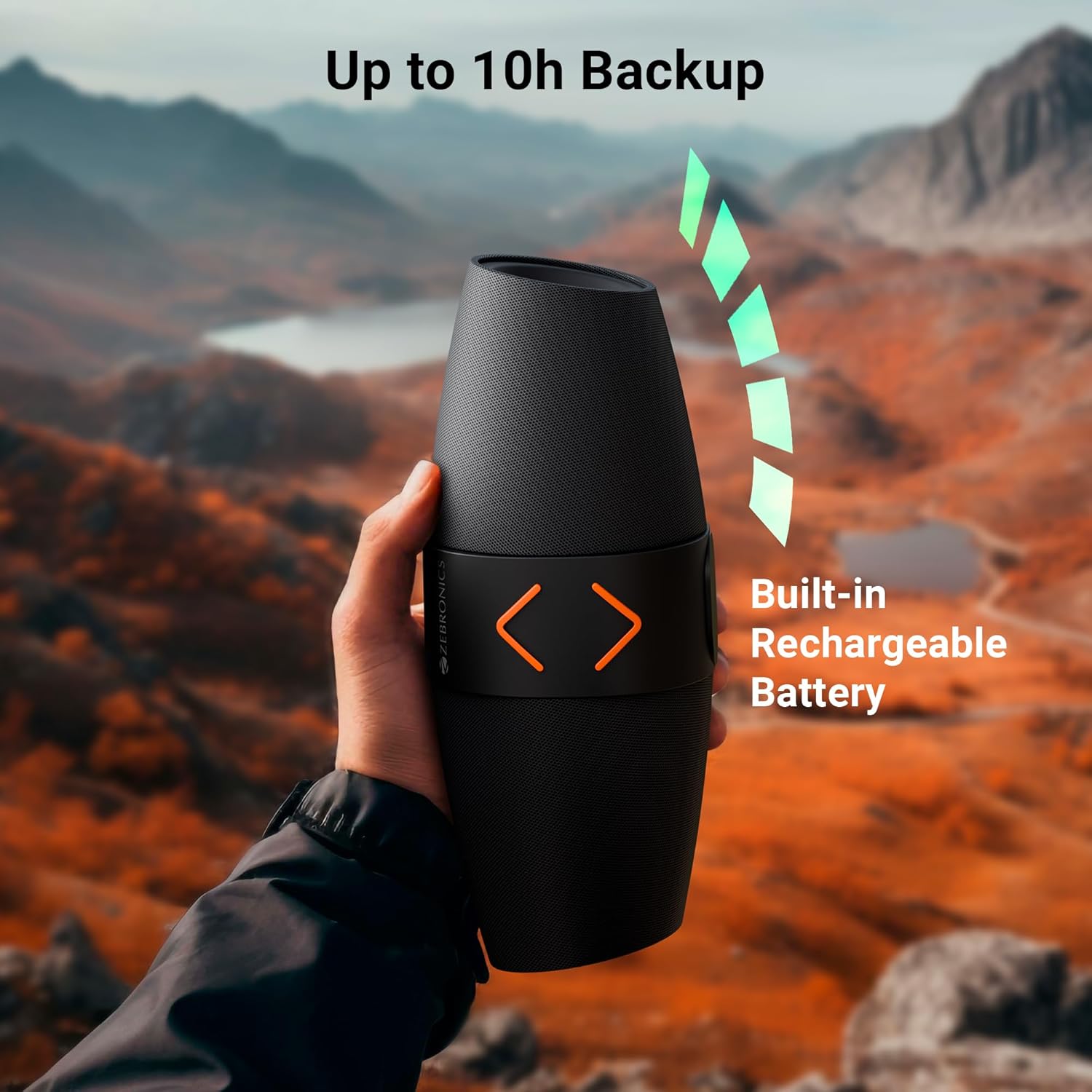
Imej 4.1: The speaker being held outdoors, illustrating its portability and highlighting the built-in rechargeable battery and up to 10 hours of backup.
4.2 Hidupkan/Mati Kuasa
- Untuk menghidupkan kuasa, tekan dan tahan butang Kuasa sehingga anda mendengar gesaan yang boleh didengar.
- Untuk mematikan kuasa, tekan dan tahan butang Kuasa sekali lagi sehingga anda mendengar gesaan yang boleh didengar.
4.3 Berpasangan Bluetooth
- Hidupkan pembesar suara. Ia akan memasuki mod gandingan Bluetooth secara automatik, ditunjukkan oleh lampu LED yang berkelip.
- Pada peranti mudah alih anda, dayakan Bluetooth dan cari peranti yang tersedia.
- Select "ZEB-SOUND FEAST 55" from the list of devices.
- Once paired, you will hear a confirmation tone, and the LED light will stop flashing.
The speaker will automatically reconnect to the last paired device if it is within range and Bluetooth is enabled.
4.4 Penggandingan Stereo Tanpa Wayar Sebenar (TWS)
TWS allows you to connect two ZEB-SOUND FEAST 55 speakers for a stereo audio experience.
- Ensure both ZEB-SOUND FEAST 55 speakers are powered on and in Bluetooth mode, but not connected to any device.
- On one of the speakers (this will be the primary speaker), press and hold the Play/Pause button for a few seconds. You will hear a prompt indicating TWS pairing mode.
- Kedua-dua pembesar suara akan bersambung secara automatik antara satu sama lain. Sebaik sahaja disambungkan, anda akan mendengar nada pengesahan.
- Sekarang, sambungkan peranti mudah alih anda ke pembesar suara utama melalui Bluetooth seperti yang diterangkan dalam bahagian 4.3.
- Audio kini akan dimainkan dalam stereo melalui kedua-dua pembesar suara.

Imej 4.2: Top image shows the speaker on a desk with a phone displaying a call, indicating the call function. Bottom image shows two speakers paired, illustrating the TWS function for stereo sound.
5. Arahan Operasi
5.1 Pemilihan Mod
Tekan ke Mod (M) button to cycle through available input modes: Bluetooth, USB, MicroSD, AUX, and FM Radio.
5.2 Mod Bluetooth
- Ensure the speaker is paired with your device (refer to section 4.3).
- Mainkan audio daripada peranti anda yang disambungkan.
- Use the speaker's Play/Pause, Volume Up/Next Track, and Volume Down/Previous Track buttons to control playback.
5.3 USB/MicroSD Mode
- Insert a USB drive or MicroSD card into the respective port.
- Pembesar suara akan bertukar kepada mod USB atau MicroSD secara automatik dan mula memainkan audio files. Jika tidak, tekan Mod (M) button to select the correct mode.
- Use the speaker's Play/Pause, Volume Up/Next Track, and Volume Down/Previous Track buttons to control playback.
5.4 Mod AUX
- Connect an audio device (e.g., smartphone, MP3 player) to the speaker's AUX port using a 3.5mm audio cable (not included).
- Tekan ke Mod (M) butang untuk memilih mod AUX.
- Control playback from your connected audio device. Volume can be adjusted on both the speaker and the connected device.
Mod Radio 5.5 FM
- Tekan ke Mod (M) butang untuk memilih mod Radio FM.
- To auto-scan and save available FM channels, press the Play/Pause button once. The speaker will scan and store channels.
- Use the Volume Up/Next Track and Volume Down/Previous Track buttons to navigate between saved channels.
5.6 Fungsi Panggilan
- When a call comes in during Bluetooth mode, press the Play/Pause button to answer the call.
- Tekan butang Main/Jeda sekali lagi untuk menamatkan panggilan.
- Tekan dan tahan butang Main/Jeda untuk menolak panggilan masuk.
5.7 Mod Cahaya RGB
- Press the RGB Light button to cycle through different light modes.
- Continue pressing the button to turn the RGB lights off.
6. Penyelenggaraan
- Pembersihan: Use a soft, dry cloth to clean the speaker. Do not use harsh chemicals or abrasive cleaners.
- Storan: Simpan pembesar suara di tempat yang sejuk dan kering jauh dari cahaya matahari langsung dan suhu yang melampau.
- Penjagaan Bateri: Untuk memanjangkan hayat bateri, elakkan daripada menyahcas sepenuhnya pembesar suara dengan kerap. Mengecasnya dengan kerap, walaupun tidak digunakan untuk tempoh yang lama.
- Pendedahan Air: Pembesar suara ini tidak kalis air. Elakkan pendedahan kepada air atau kelembapan berlebihan.
- Pengendalian: Do not drop, disassemble, or attempt to repair the speaker yourself. This may void the warranty and cause damage.
7. Penyelesaian masalah
| Masalah | Kemungkinan Punca | Penyelesaian |
|---|---|---|
| Speaker tidak dihidupkan. | Bateri lemah. | Cas pembesar suara sepenuhnya. |
| Tidak boleh berpasangan melalui Bluetooth. | Bluetooth tidak didayakan pada peranti; pembesar suara tidak dalam mod berpasangan; terlalu jauh dari peranti. | Ensure Bluetooth is enabled. Put speaker in pairing mode. Move device closer to speaker (within 10 meters). |
| Tiada bunyi. | Kelantangan terlalu rendah; mod yang dipilih salah; peranti tidak memainkan audio. | Increase speaker and device volume. Ensure correct input mode (BT, USB, mSD, AUX, FM) is selected. Verify audio is playing on the source device. |
| Sambutan FM yang lemah. | Isyarat lemah. | Move the speaker to a location with better signal reception. Re-scan channels. |
| Gandingan TWS gagal. | Pembesar suara sudah disambungkan ke peranti; prosedur pemasangan yang salah. | Ensure both speakers are disconnected from other devices. Follow TWS pairing steps precisely (section 4.4). |
8. Spesifikasi
| Nama Model | JAMUAN BUNYI ZEB 55 |
| Kuasa Output (RMS) | 14 Watt |
| Saiz Pemandu | Dual 5.7 cm |
| Versi Bluetooth | v5.3 |
| Pilihan Kesambungan | Bluetooth, USB, MicroSD, AUX, FM Radio |
| Masa Main Semula | Up to 10 hours (at 50% volume, LED off) |
| Masa Mengecas | Lebih kurang 2.5 jam |
| Jenis Pengecasan | Jenis-C |
| Respons Kekerapan | 18 KHz |
| Dimensi Produk (D x W x H) | 13.7D x 29.2W x 19H Sentimeter |
| Berat Barang | 678 Gram |
| Ciri-ciri | Dual Passive Radiators, Call Function, RGB Light Modes, TWS Function |
9. Maklumat Keselamatan
- Jangan dedahkan pembesar suara kepada suhu yang melampau, cahaya matahari langsung atau nyalaan api terbuka.
- Elakkan daripada menjatuhkan atau menundukkan pembesar suara kepada impak yang kuat.
- Do not immerse the speaker in water or expose it to rain or excessive moisture.
- Jauhkan pembesar suara daripada kanak-kanak dan haiwan peliharaan.
- Gunakan hanya kabel pengecasan yang disediakan atau setara yang diperakui.
- Do not attempt to disassemble, repair, or modify the speaker. This may result in electric shock, fire, or product damage.
- Lupuskan produk ini secara bertanggungjawab mengikut peraturan tempatan. Jangan buang bersama sisa rumah.
10. Waranti dan Sokongan
The ZEBRONICS Sound Feast 55 comes with a limited warranty. Please refer to the warranty card included in your package or visit the official ZEBRONICS webtapak untuk terma dan syarat jaminan terperinci.
For technical support, service, or inquiries, please contact ZEBRONICS customer service through their official webtapak atau maklumat hubungan yang diberikan dalam dokumentasi produk anda.
Pengeluar: AJZ Industries Pvt. Ltd.
Pengimport: AJZ Industries Pvt. Ltd. Survey No 508/2, Door No 50/2, Inner Ring Road, Madhavaram, Chennai - 600060


