1. Pengenalan
Thank you for choosing the Xech BreezX Rechargeable Table Fan. This compact and versatile fan is designed to provide powerful, quiet, and portable cooling with added features like oscillation, tilt adjustment, and an integrated night light. Please read this manual carefully before use to ensure proper operation and maintenance.
2. Arahan Keselamatan
- Do not insert fingers or any objects into the fan grill when the fan is operating.
- Keep the fan away from water or other liquids to prevent electric shock.
- Do not use the fan in extremely hot or humid environments.
- Pastikan kipas diletakkan di atas permukaan yang stabil dan rata untuk mengelakkannya daripada terbalik.
- Jauhkan daripada kanak-kanak dan haiwan peliharaan.
- Hanya gunakan kabel USB-C yang disediakan untuk mengecas.
- Do not attempt to disassemble or repair the fan yourself. Contact customer support for assistance.
- Unplug the fan before cleaning or when not in use for extended periods.
3. Kandungan Pakej
- Xech BreezX Rechargeable Table Fan
- Kord Pengecas USB-C
- Manual Pengguna
4. Produk Lebihview
The Xech BreezX fan combines powerful airflow with portability and smart features for your comfort.

Figure 4.1: Xech BreezX Rechargeable Table Fan (Front View)

Figure 4.2: Wide 100° Oscillation and 90° Vertical Tilt for comprehensive air circulation.
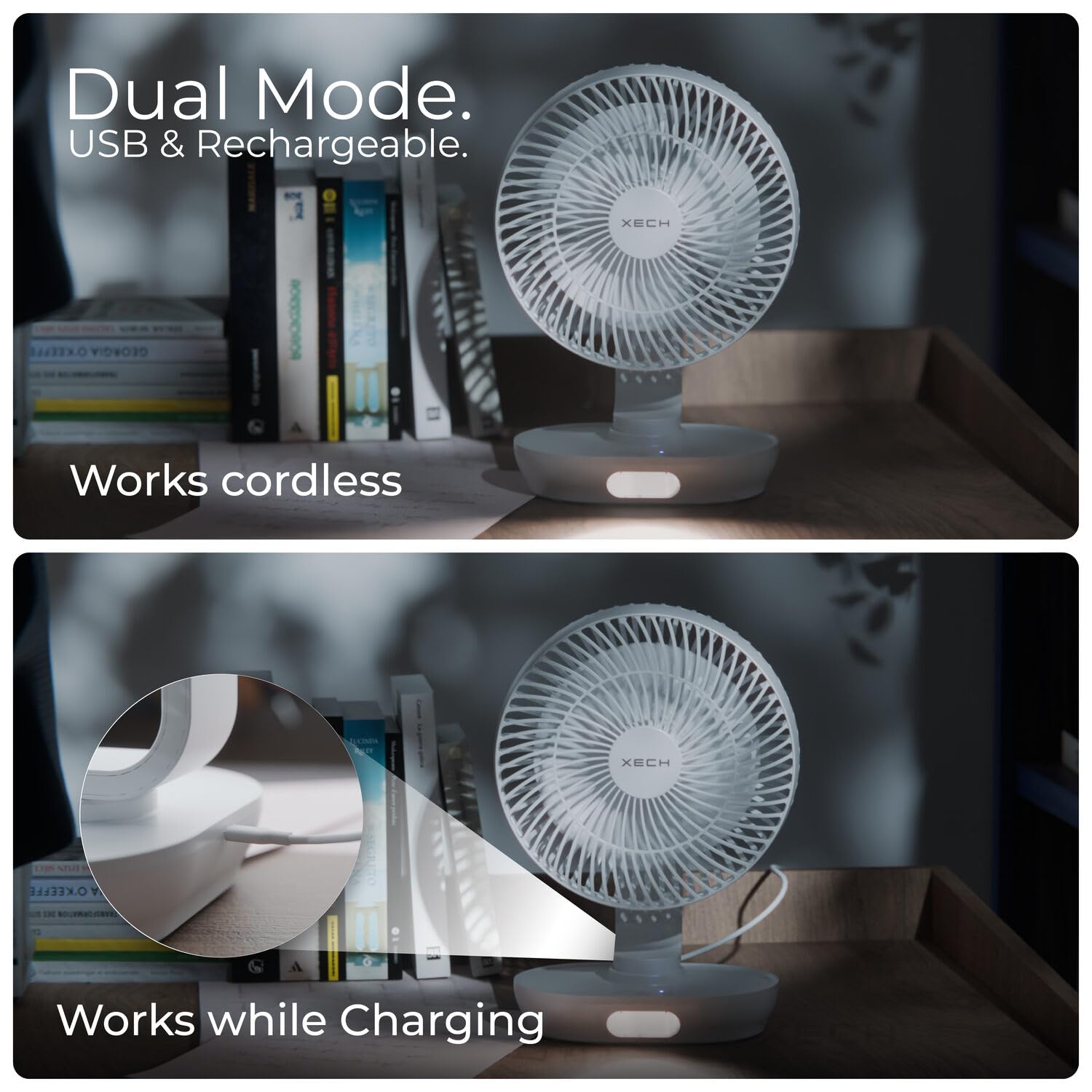
Figure 4.3: Dual Mode operation allows the fan to work cordless or while charging via USB-C.

Figure 4.4: Super-Quiet Brushless Motor ensures whisper-quiet operation, ideal for sleep or study.
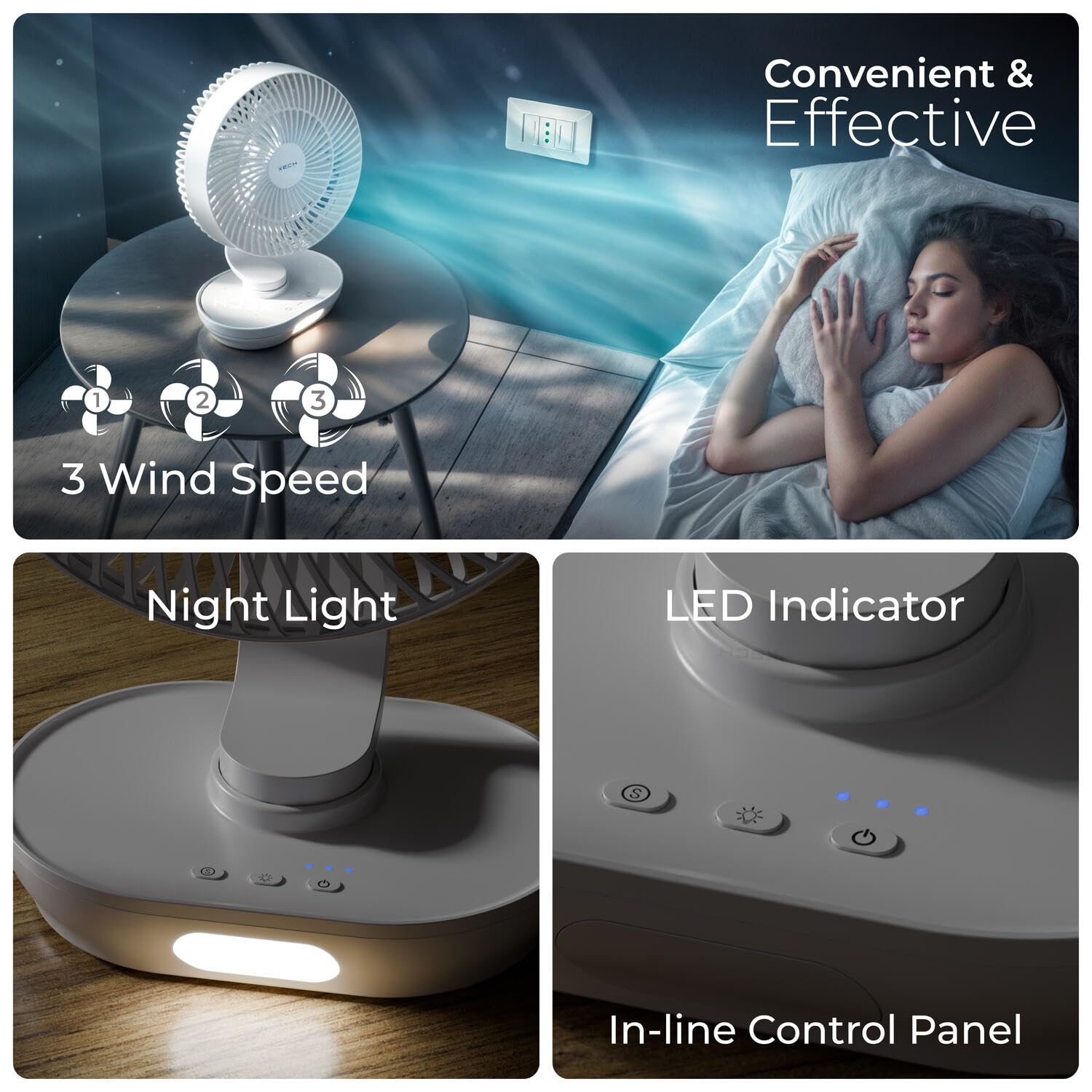
Figure 4.5: In-line Control Panel with buttons for power, speed, oscillation, and night light, along with LED indicators.

Figure 4.6: Engineered for Convenience: Features replaceable rechargeable batteries, easy-to-clean fan grills, an energy-efficient 2200 RPM motor, and aerodynamic fan blades.
5. Persediaan
- Bongkar: Tanggalkan kipas dan semua aksesori daripada pembungkusan dengan berhati-hati.
- Caj Permulaan: Before first use, fully charge the fan using the provided USB-C cable. Connect the USB-C end to the fan's charging port and the USB-A end to a compatible USB power adapter (not included) or computer USB port. The LED indicator will show charging status.
- Battery Installation (if applicable): The fan comes with pre-installed rechargeable batteries. If replacement is needed, open the battery compartment at the base and insert new compatible batteries, ensuring correct polarity.
- penempatan: Letakkan kipas pada permukaan yang stabil dan rata.
6. Arahan Operasi
- Hidupkan/Mati Kuasa: Tekan butang Kuasa (U) pada panel kawalan untuk menghidupkan atau mematikan kipas.
- Laraskan Kelajuan Kipas: While the fan is on, press the Speed button (ikon kipas) repeatedly to cycle through 3 wind speeds (Low, Medium, High).
- Fungsi ayunan: Tekan butang Ayunan (ikon ayunan) to activate or deactivate the 100° automatic oscillation.
- Laraskan Sudut Kecondongan: Manually adjust the fan head up or down to achieve the desired 90° vertical tilt angle.
- Cahaya Malam: Tekan butang Lampu (ikon mentol lampu) to turn the LED night light on or off. Some models may have multiple brightness levels; press repeatedly to cycle through them.
7. Penyelenggaraan
- Membersihkan Kipas: Pastikan kipas dimatikan dan dicabut plag sebelum dibersihkan.
- Grill and Blades: The front grill and blades are removable for easy cleaning. Gently twist or unclip the front grill (refer to product diagrams if available) to access the blades. Wipe the blades and grill with a soft, damp kain. Jangan gunakan pembersih atau pelarut yang melelas.
- Luaran: Lap bahagian luar kipas dengan kain lembut dan kering.
- Storan: When not in use for extended periods, store the fan in a cool, dry place, away from direct sunlight and moisture.
8. Penyelesaian masalah
| Masalah | Kemungkinan Punca | Penyelesaian |
|---|---|---|
| Kipas tidak dihidupkan. | Bateri habis. | Charge the fan using the USB-C cable. |
| Butang kuasa tidak ditekan dengan betul. | Ensure the Power button is pressed firmly. | |
| Aliran udara yang lemah. | Kelajuan kipas ditetapkan terlalu rendah. | Meningkatkan kelajuan kipas. |
| Fan grill or blades are dirty. | Clean the fan grill and blades as per maintenance instructions. | |
| Kipas membuat bunyi yang luar biasa. | Obstruction in the fan blades. | Turn off and unplug the fan, then check for any obstructions and remove them carefully. |
| Kipas tidak berada di atas permukaan yang stabil. | Letakkan kipas pada permukaan yang rata dan stabil. | |
| Lampu malam tidak berfungsi. | Night light function is off. | Press the Light button to turn it on. |
| Bateri terlalu rendah. | Charge the fan. |
9. Spesifikasi
| Ciri | Perincian |
|---|---|
| Jenama | Xech |
| Nama Model | BreezX (X-803) |
| Reka Bentuk Kipas Elektrik | Kipas Meja |
| Sumber Kuasa | Dikuasakan Bateri |
| Dimensi Produk | 12.5D x 20W x 30.5H Sentimeter |
| Ciri Khas | Portable, Quiet Operation, LED Light, Adjustable Tilt, Oscillating |
| Tahap Kebisingan | 58 dB |
| Wattage | 6 Watt |
| Bilangan Bilah | 3 |
| Panjang Bilah | 200 Milimeter |
| Kelajuan | 2200 RPM |
| Voltage | 5 Volt |
| Jenis Suis | Butang Tekan |
| Berat Barang | 575 Gram |
| Jenis Penyambung | USB Jenis C |
| Kebolehgunaan semula | Boleh dicas semula |
| Bilangan Tahap Kuasa | 3 |
| Negara Asal | China |
10. Waranti dan Sokongan
The Xech BreezX fan is manufactured by XECH Technologies Pvt Ltd. For any warranty claims, technical support, or service inquiries, please contact XECH Technologies Pvt Ltd directly. Please retain your proof of purchase for warranty validation.
For further assistance, please visit the official Xech store on Amazon or contact their customer service channels.


