pengenalan
The Celly FLIP3WH are compact, wireless in-ear earbuds designed for comfortable use with mobile phones, tablets, and computers. They feature integrated microphones for calls and media control, utilizing Bluetooth 5.2 technology for a stable connection. This manual provides essential instructions for setting up, operating, and maintaining your earbuds.
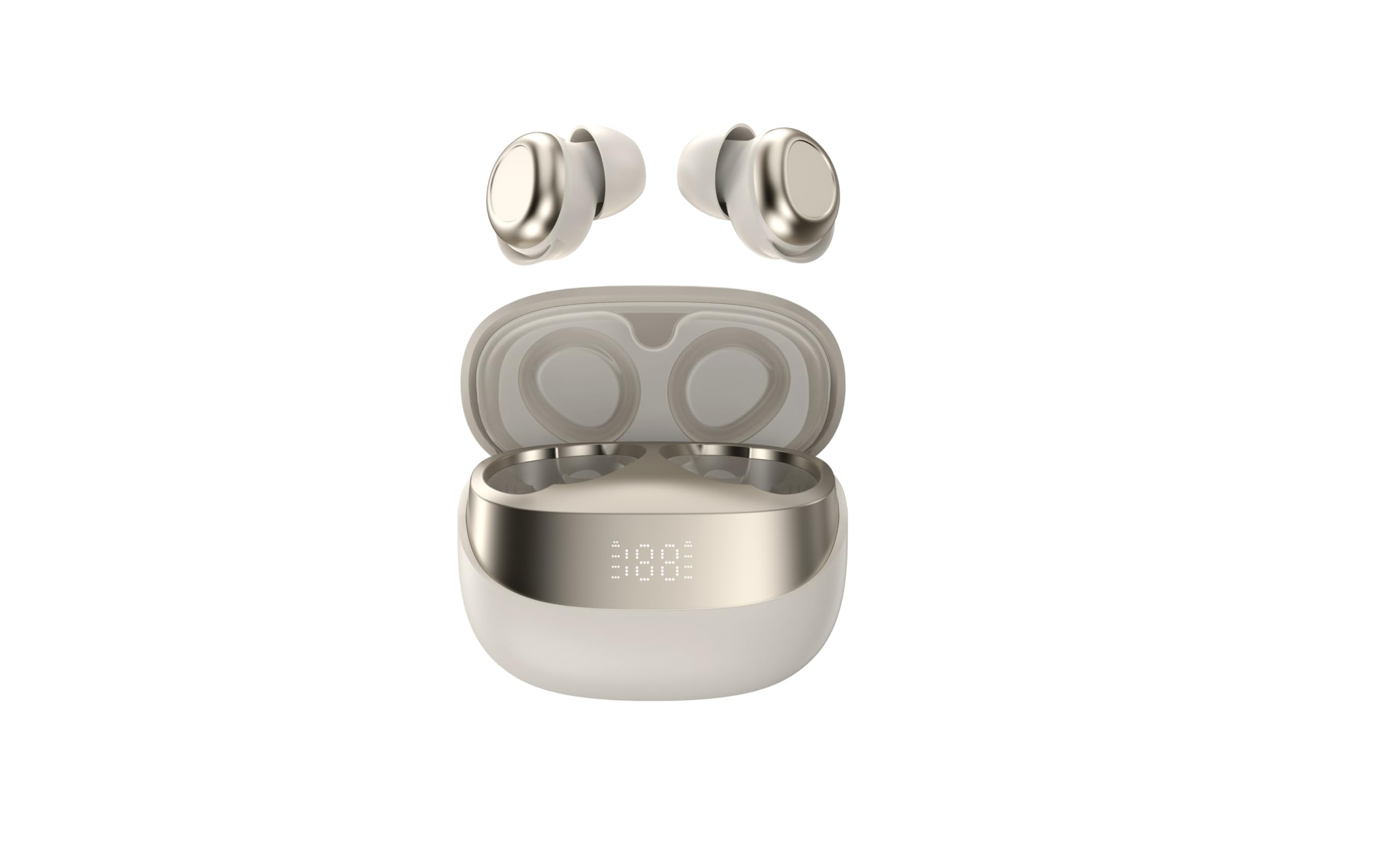
Image showing the Celly FLIP3WH wireless Bluetooth earbuds, highlighting their compact in-ear design and white color.
Produk Selesaiview
The Celly FLIP3WH earbuds offer a secure in-ear fit and connect wirelessly via Bluetooth 5.2, providing a stable connection up to 12 meters. They include an integrated microphone for hands-free calls and remote controls for volume and music playback. The lightweight design, weighing 33 grams, ensures comfort during extended use.
- In-Ear Design: Secure and comfortable fit.
- Bluetooth 5.2: Stable wireless connectivity up to 12 meters.
- Mikrofon Bersepadu: Untuk panggilan bebas tangan.
- Kawalan Jauh: For calls, volume, and music playback.
- ringan: Weighs 33 grams for extended comfort.
Persediaan
Mengecas Fon Telinga
Before first use, fully charge your Celly FLIP3WH earbuds. Connect the charging cable to the earbuds and a compatible USB power source. The charging indicator will show the charging status. A full charge typically takes approximately 1.5 to 2 hours.
Berpasangan dengan Peranti
To connect your Celly FLIP3WH earbuds to a mobile phone, tablet, or computer:
- Ensure the earbuds are charged and powered on. They should automatically enter pairing mode, indicated by a flashing LED light.
- Aktifkan Bluetooth pada telefon mudah alih, tablet atau komputer anda.
- Cari untuk available Bluetooth devices in your device's Bluetooth settings.
- Select 'Celly FLIP3WH' from the list of found devices to initiate pairing.
- Once connected, the earbuds will indicate successful pairing with an audible prompt or a solid LED light.
Beroperasi
Hidupkan/Mati Kuasa
- Hidupkan kuasa: Press and hold the multi-function button for approximately 3 seconds until you hear an audible prompt and the LED indicator lights up.
- Matikan: Press and hold the multi-function button for approximately 5 seconds until you hear an audible prompt and the LED indicator turns off.
Main balik Muzik
- Main/Jeda: Tekan butang pelbagai fungsi sekali.
- Lagu Seterusnya: Tekan dua kali butang berbilang fungsi.
- Trek Sebelumnya: Tekan tiga kali butang berbilang fungsi.
Pengurusan Panggilan
- Jawab/Tamatkan Panggilan: Tekan butang pelbagai fungsi sekali.
- Tolak Panggilan: Tekan dan tahan butang pelbagai fungsi selama 2 saat.
Kawalan Kelantangan
Adjust the volume directly from your connected device. Some earbuds may feature dedicated volume buttons; refer to the product diagram for specific controls if available.
Penyelenggaraan
Pembersihan
Gently wipe the earbuds with a soft, dry, lint-free cloth. Do not use abrasive cleaners, solvents, or immerse the earbuds in water, as they are not water-resistant. Regularly clean the ear tips to ensure optimal sound quality and hygiene.
Penyimpanan
Store the earbuds in a cool, dry place away from direct sunlight, extreme temperatures, and humidity. When not in use for extended periods, charge them periodically (e.g., once every three months) to maintain battery health and prevent deep discharge.
Menyelesaikan masalah
- Fon telinga tidak berpasangan:
- Pastikan Bluetooth diaktifkan pada peranti anda dan fon telinga berada dalam mod berpasangan.
- Check if the earbuds are sufficiently charged.
- Cuba mulakan semula kedua-dua fon telinga dan peranti anda.
- Pastikan fon telinga belum disambungkan ke peranti lain.
- Tiada bunyi:
- Periksa tahap kelantangan pada kedua-dua fon telinga dan peranti anda yang disambungkan.
- Pastikan fon telinga dipasangkan dengan betul dan disambungkan ke peranti anda.
- Try playing different audio sources or applications.
- Poor audio quality or disconnections:
- Pastikan tiada halangan fizikal antara fon telinga dan peranti anda.
- Bergerak lebih dekat ke peranti anda untuk mengurangkan potensi gangguan.
- Check for other active Bluetooth devices in the vicinity that might cause interference.
Spesifikasi
| Jenama | Celly |
| Model | FLIP3WH |
| Ketersambungan | Bluetooth 5.2 |
| Julat Tanpa Wayar | Sehingga 12 meter |
| Hayat Bateri (Main Semula Muzik) | Sehingga 6 jam |
| Hayat Bateri (Bersedia) | Sehingga 30 jam |
| Respons Kekerapan | 20-20,000 Hz |
| Berat badan | 33 gram |
| Mikrofon | Bersepadu |
| Tahan Air | Tidak |
| warna | putih |
Waranti dan Sokongan
For detailed warranty information, technical support, and customer service, please refer to the documentation provided with your purchase or visit the official Celly webtapak. Simpan bukti pembelian anda untuk sebarang tuntutan waranti.


