pengenalan
This manual provides detailed instructions for the setup, operation, and maintenance of your Weofly Nova Active Noise Cancelling Headphones. Please read this manual thoroughly before using the product to ensure optimal performance and longevity.
Apa yang ada dalam Kotak
Upon unboxing your Weofly Nova headphones, please verify that all the following components are included:
- Weofly Nova Over-Ear Headphones
- Kabel Pengecas USB-A ke USB-C
- 3.5mm AUX Cable (USB-C to 3.5mm TRS)
- Manual Pengguna

Image: The Weofly Nova Active Noise Cancelling Headphones in Sliver, showcasing reka bentuk mereka.
Produk Selesaiview
The Weofly Nova headphones are designed for comfort and high-quality audio, featuring Active Noise Cancellation and Bluetooth 5.4 connectivity.

Image: A woman wearing the Weofly Nova headphones, illustrating their lightweight and stylish design. The headphones weigh only 130g.

Image: Two pairs of Weofly Nova headphones, one in brown and one in white, highlighting their distinct aesthetic and color options.
Ciri-ciri Utama:
- Pembatalan Bunyi Aktif (ANC): Advanced technology to reduce ambient noise.
- Bluetooth V5.4: For faster and more stable wireless connections.
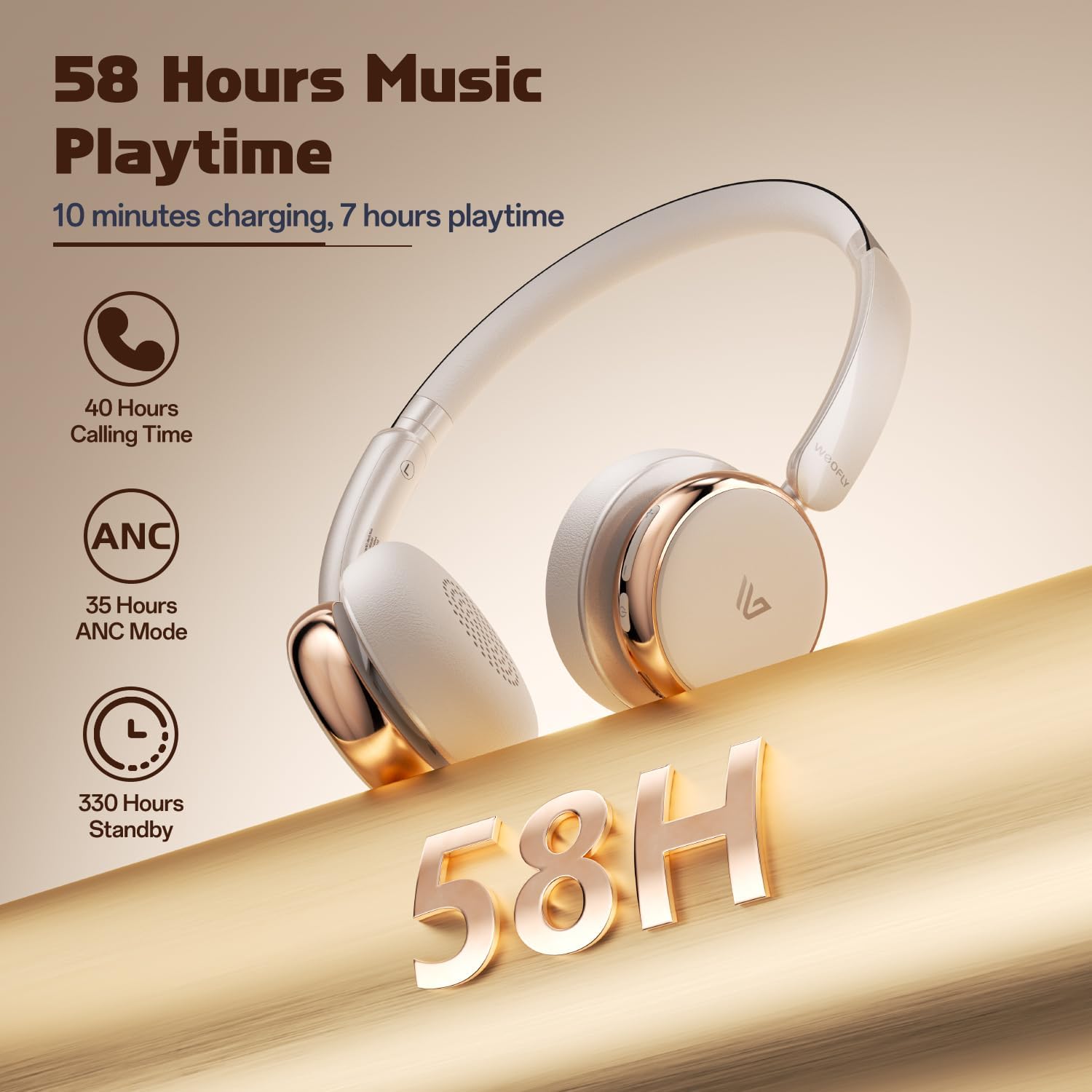
- Hayat Bateri yang Panjang: Up to 58 hours of music playtime on a single charge.
- Reka bentuk yang selesa: Ultra-soft memory protein earcups and adjustable headband.
- Bunyi Kesetiaan Tinggi: 40mm dynamic drivers for clear audio with rich bass.
- Kesambungan Pelbagai Peranti: Connect to two smart devices simultaneously.
Video: Tamatview of the Weofly Nova Active Noise Cancelling Headphones, demonstrating their features and design.
Arahan Persediaan
1. Mengecas Fon Kepala
Before first use, fully charge your Weofly Nova headphones. A full charge takes approximately 2 hours.
- Connect the USB-C end of the charging cable to the headphone's charging port.
- Sambungkan hujung USB-A kepada penyesuai kuasa USB yang serasi (tidak disertakan) atau port USB komputer.
- Lampu penunjuk akan menunjukkan status pengecasan dan padam atau bertukar warna apabila dicas sepenuhnya.

Image: The Weofly Nova headphones being charged via a USB-C cable, illustrating the fast charging capability.
2. Menghidupkan/Mematikan
- Untuk Menghidupkan: Tekan dan tahan butang Kuasa sehingga lampu penunjuk berkelip.
- Untuk Mematikan: Tekan dan tahan butang Kuasa sehingga lampu penunjuk padam.
3. Berpasangan Bluetooth
The headphones support quick pairing. The first time you power them on, they will automatically enter pairing mode.
- Pastikan fon kepala dimatikan.
- Press and hold the Power button for approximately 5 seconds until the indicator light flashes blue and red alternately, indicating pairing mode.
- Pada peranti anda (telefon pintar, tablet, komputer riba), dayakan Bluetooth dan cari peranti yang tersedia.
- Select "Weofly Nova" from the list of devices.
- Sebaik sahaja disambungkan, lampu penunjuk akan bertukar menjadi biru pekat atau biru berkelip perlahan-lahan.
The headphones can connect to two devices simultaneously. To connect a second device, repeat the pairing process. The headphones will automatically switch between devices for calls or media playback.

Image: An illustration showing the Weofly Nova headphones connecting to a laptop and a smartphone via advanced Bluetooth 5.4, highlighting faster transmission and stable connection.
Arahan Operasi
1. Pembatalan Bunyi Aktif (ANC)
The Weofly Nova headphones feature Active Noise Cancellation to minimize ambient sounds.
- To Activate/Deactivate ANC: Press the dedicated ANC button on the earcup. An audible prompt will confirm the status.

Image: A woman wearing Weofly Nova headphones while focused on her laptop, demonstrating the effectiveness of ANC in reducing distractions.
2. Main balik Muzik
Control your music directly from the headphones:
- Main/Jeda: Tekan butang Pelbagai fungsi sekali.
- Lagu Seterusnya: Tekan dan tahan butang Naik Kelantangan.
- Trek Sebelumnya: Tekan dan tahan butang Kurangkan Kelantangan.
- Kelantangan: Tekan butang Kelantangan Naik sebentar.
- Perlahankan suara: Tekan butang Kelantangan Turun sebentar.
3. Pengurusan Panggilan
Urus panggilan telefon dengan mudah:
- Jawab/Tamatkan Panggilan: Tekan butang Pelbagai fungsi sekali.
- Tolak Panggilan: Tekan dan tahan butang Berbilang fungsi selama 2 saat.
- Dail Semula Nombor Terakhir: Tekan dua kali butang Berbilang fungsi.
4. Pembantu Suara
Activate your device's voice assistant:
- Aktifkan Pembantu Suara: Tekan tiga kali butang Berbilang fungsi.

Image: A multi-panel image illustrating the comfort of the headphones during travel, and the functionality of voice assistance and built-in microphone for hands-free calls.
5. Mod Permainan
For reduced latency during gaming, activate Game Mode:
- Activate/Deactivate Game Mode: Press and hold the Multi-function button for 2 seconds (while not on a call or playing music).
6. Sambungan Berwayar
Use the provided 3.5mm AUX cable for a wired connection:
- Connect the USB-C end of the AUX cable to the headphone's USB-C port.
- Connect the 3.5mm end to your audio source's headphone jack.
- Fon kepala akan bertukar secara automatik kepada mod berwayar.
Penyelenggaraan
To ensure the longevity and optimal performance of your Weofly Nova headphones, follow these maintenance guidelines:
- Pembersihan: Gunakan kain lembut dan kering untuk membersihkan fon kepala. Jangan gunakan pembersih atau pelarut yang melelas.
- Storan: Simpan fon kepala di tempat yang sejuk dan kering jauh dari cahaya matahari langsung dan suhu yang melampau.
- Elakkan Kelembapan: Jangan dedahkan fon kepala kepada air atau kelembapan berlebihan.
- Tangani dengan Berhati-hati: Elakkan daripada menjatuhkan atau meletakkan fon kepala kepada kesan yang kuat.
Menyelesaikan masalah
If you encounter issues with your Weofly Nova headphones, refer to the following common solutions:
| Masalah | Penyelesaian |
|---|---|
| Fon kepala tidak dihidupkan | Ensure the headphones are fully charged. Connect to a power source and allow to charge for at least 30 minutes before attempting to power on again. |
| Tidak boleh berpasangan dengan peranti | Ensure headphones are in pairing mode (flashing blue/red). Turn off and on your device's Bluetooth. Move headphones closer to the device. Clear previous Bluetooth connections on your device. |
| Tiada suara atau kelantangan rendah | Check headphone and device volume levels. Ensure headphones are properly connected via Bluetooth or AUX cable. Test with a different audio source. |
| ANC tidak berfungsi dengan berkesan | Ensure ANC is activated. Adjust headphone fit to ensure a good seal around your ears. ANC is most effective against low-frequency, constant noise. |
| Sambungan terputus-putus | Ensure no obstacles are between the headphones and your device. Move away from other wireless devices that may cause interference. Ensure headphones are fully charged. |
Spesifikasi
Technical details for the Weofly Nova Active Noise Cancelling Headphones:
- Nama Model: Nova
- Teknologi Ketersambungan: Wayarles (Bluetooth)
- Teknologi Komunikasi Tanpa Wayar: Bluetooth 5.4
- Jenis Pemacu Audio: Pemacu Dinamik 40mm
- Kawalan Bunyi: Pembatalan Bunyi Aktif
- Hayat Bateri: Up to 58 hours (music playtime), 40 hours (talk time), 35 hours (ANC mode)
- Masa Pengecasan: Lebih kurang 2 jam
- Kapasiti Bateri: 500mAh
- Berat Barang: 0.26 Kilogram (9.1 auns)
- Peletakan Telinga: Atas Telinga
- Peranti Serasi: Cellphones, Tablets, Laptops, Smart Speakers
Imej: A terperinci view of the Weofly Nova earcup, emphasizing the 40mm dynamic driver responsible for high-fidelity sound quality.

Image: The Weofly Nova headphones prominently displaying '58H', signifying their extended battery life of 58 hours for music playback.
Waranti dan Sokongan
Weofly products come with a standard manufacturer's warranty. For specific warranty details, please refer to the warranty card included in your product packaging or visit the official Weofly website. For technical support, troubleshooting assistance, or any inquiries regarding your Weofly Nova headphones, please contact Weofly customer service through the contact information provided on our webtapak atau dalam dokumentasi produk anda.


