1. Panduan Persediaan
1.1 Kandungan Pakej
Sebelum anda mula, pastikan semua item terdapat dalam pakej anda:
- Unit Pangkalan
- 3 Telefon bimbit tanpa wayar
- 3 Penyesuai AC
- Tali Talian Telefon
- 3 NiMH Batteries
- Pendakap Pelekap Dinding
- Abridged User’s Manual
- Panduan Mula Pantas

Image: The VTech CS5329-3 cordless phone system, showing the main base unit and three cordless handsets with their charging cradles.
1.2 Pemasangan Bateri
Each cordless handset requires a NiMH battery for operation. To install:
- Buka penutup petak bateri di belakang telefon bimbit.
- Sambungkan palam pek bateri dengan selamat ke dalam bicu di dalam petak.
- Letakkan pek bateri ke dalam petak.
- Tutup penutup petak bateri.
1.3 Menyambung Unit Pangkalan
Connect the base unit to your telephone line and a power outlet:
- Palamkan satu hujung kord talian telefon ke dalam bicu TEL LINE di bahagian belakang unit asas.
- Palamkan hujung satu lagi kord talian telefon ke dalam bicu dinding telefon.
- Palamkan hujung kecil penyesuai AC ke dalam bicu POWER di bahagian belakang unit asas.
- Plug the large end of the AC adapter into a wall outlet not controlled by a wall switch.
1.4 Handset Charging
Place each handset in its respective charging cradle or the main base unit. The handsets will begin charging automatically. Allow at least 10-12 hours for the initial charge before first use to ensure optimal battery performance.
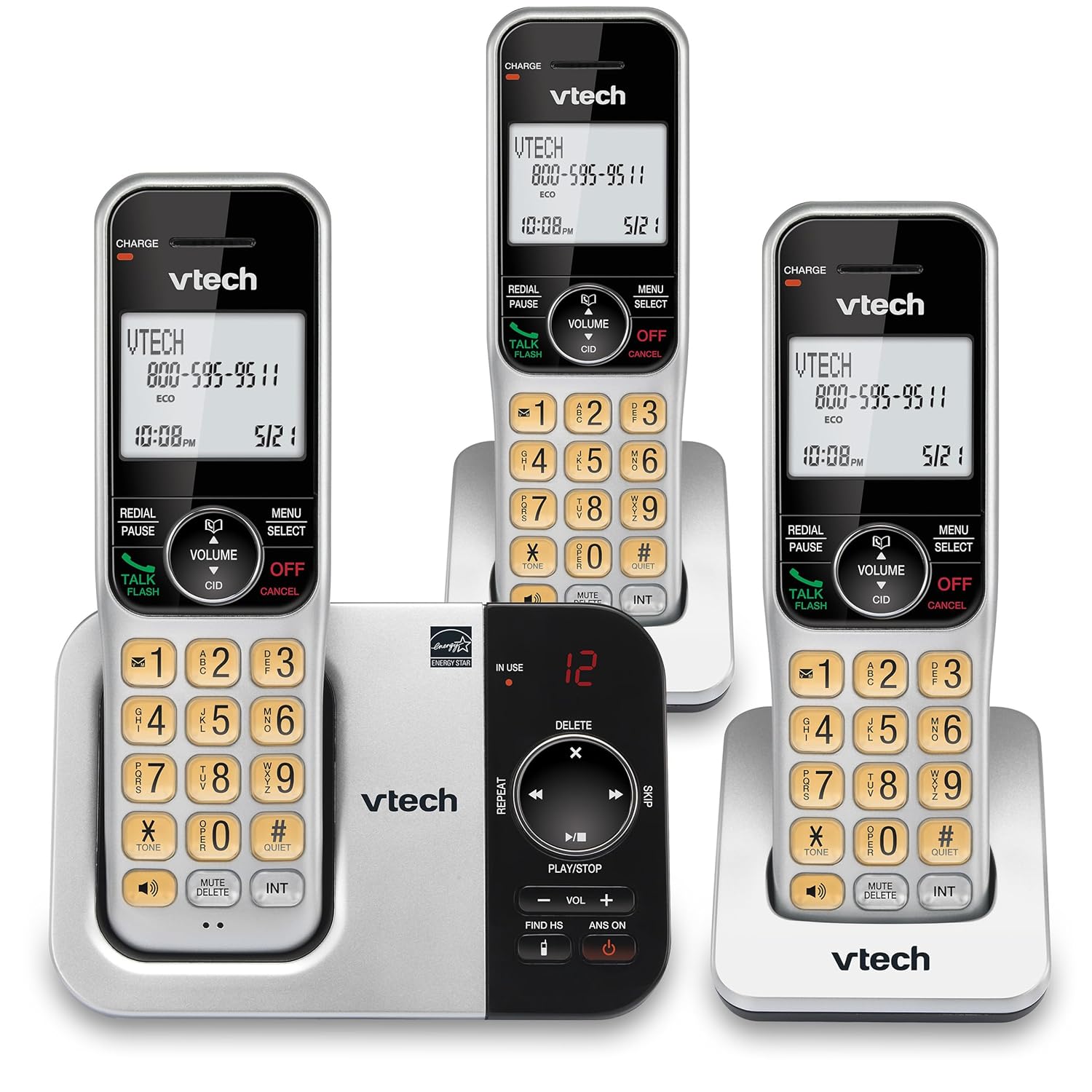
Imej: Alternatif view of the VTech CS5329-3 phone system, highlighting the compact design of the handsets and charging cradles.
2. Arahan Operasi
2.1 Membuat dan Menerima Panggilan
Untuk membuat panggilan, tekan butang BICARA / FLASH button, then dial the number. To receive a call, simply lift the handset from the cradle or press any key (except MATI/BATAL).
Sistem Jawapan Digital 2.2
The integrated digital answering system offers up to 23 minutes of recording time for incoming messages, announcements, and memos. You can play back messages directly from the base unit or any handset. The lighted display on the handset indicates the number of new messages waiting.
2.3 Full Duplex Speakerphone
Enjoy clear, natural conversations with the full-duplex handset speakerphone. This feature allows both parties to speak and be heard simultaneously, enhancing call quality and participation.
2.4 ID Pemanggil
Caller ID entries are displayed on the large, backlit LCD screen of the handset, making it easy to identify callers even in low-light conditions. The screen provides high-contrast text for readability.
2.5 Call Block
Effectively manage unwanted calls by utilizing the Call Block feature. You can input and/or save up to 150 names and numbers in the call block directory to prevent them from ringing through.
2.6 Kebolehkembangan
The VTech CS5329-3 system is expandable up to 5 handsets using only one phone jack. Additional CS5309 accessory handsets (sold separately) can be placed anywhere in your home or office near an outlet, providing flexible and convenient communication throughout your space.

Image: Another perspective of the VTech CS5329-3 phone system, showcasing the sleek design and keypad layout of the handsets.
3. Penyelenggaraan
3.1 Membersihkan Telefon Anda
Lap telefon dan unit asas dengan kain lembut dan sedikitamp kain. Jangan gunakan semburan pembersih atau bahan kimia yang keras, kerana ia boleh merosakkan kemasan atau komponen elektrik.
3.2 Penjagaan Bateri
To maintain optimal battery life, ensure handsets are placed on their charging cradles when not in use. Avoid exposing batteries to extreme temperatures.
4. Penyelesaian masalah
If you experience issues with your VTech CS5329-3 phone system, try the following common troubleshooting steps:
- Tiada Nada Dail: Ensure the telephone line cord is securely connected to both the base unit and the wall jack. Check if other phones in your home have a dial tone.
- Tiada Kuasa: Verify that the AC adapter is properly plugged into the base unit and a working electrical outlet.
- Kualiti Bunyi Lemah: Bergerak lebih dekat ke unit asas. Pastikan tiada objek logam besar atau peranti elektronik lain yang mengganggu isyarat.
- Telefon bimbit Tidak Mengecas: Make sure the handset is properly seated in the charging cradle and the charging contacts are clean.
- Sistem Penjawab Tidak Merakam: Check the recording time available. Ensure the answering system is turned ON.
For more detailed troubleshooting, refer to the Abridged User’s Manual included in your package.
5. Spesifikasi
| Ciri | Perincian |
|---|---|
| Dimensi Produk | 5.54 x 7.31 x 2.99 inci; 2.36 paun |
| Nombor Model Item | CS5329-3 |
| Bateri | 3 bateri AAA diperlukan. (termasuk) |
| Pengeluar | VTech |
| warna | Perak/ Hitam |
| Jenis Telefon | Tanpa wayar |
| bahan | plastik |
| Sumber Kuasa | Elektrik Bertali |
| Jenis Sistem Menjawab | digital |
| Berat Barang | 1.07 Kilogram |
| Peranti Serasi | PSTN Landline Connections |
6. Waranti dan Sokongan
Your VTech CS5329-3 Cordless Phone System is covered by a manufacturer's warranty. Please refer to the warranty information provided in your Abridged User’s Manual for specific terms and conditions.
For technical support, product registration, or to purchase additional accessories, please visit the official VTech website or contact their customer service. Contact details can typically be found in your product documentation or on the VTech brand store page.
Untuk maklumat lanjut, anda boleh melawati Kedai VTech di Amazon.


