pengenalan
Welcome to the user manual for your AeroCool D301A Mid-Tower Gaming PC Case. This manual provides essential information for setting up, operating, maintaining, and troubleshooting your new PC case. Please read this manual thoroughly before installation and use to ensure optimal performance and longevity of your system.
Produk Selesaiview
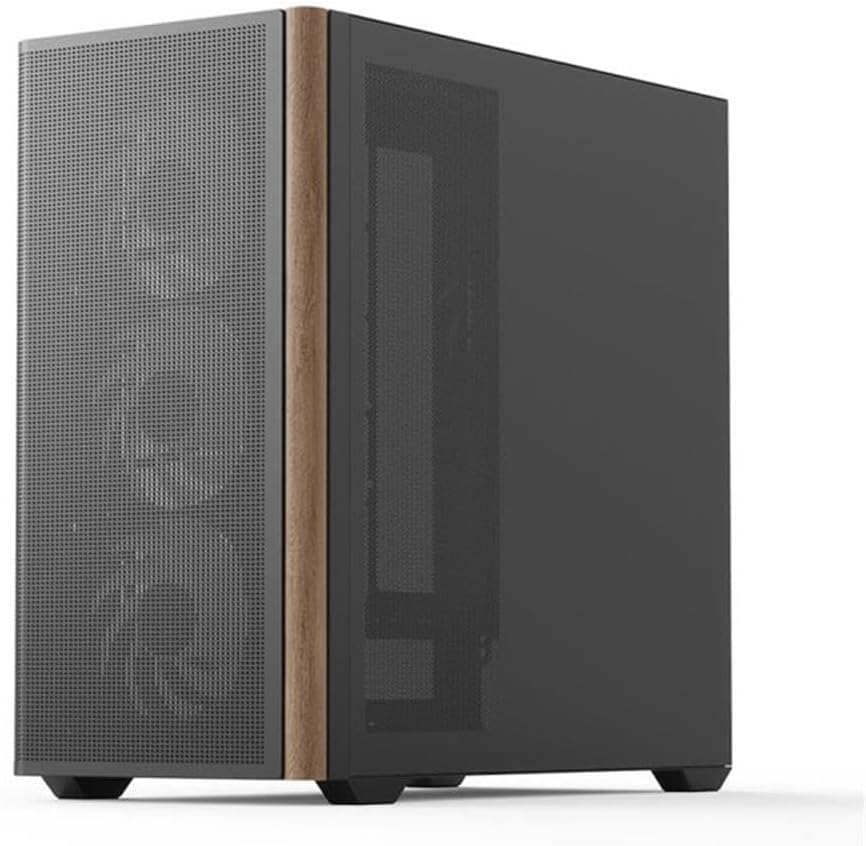
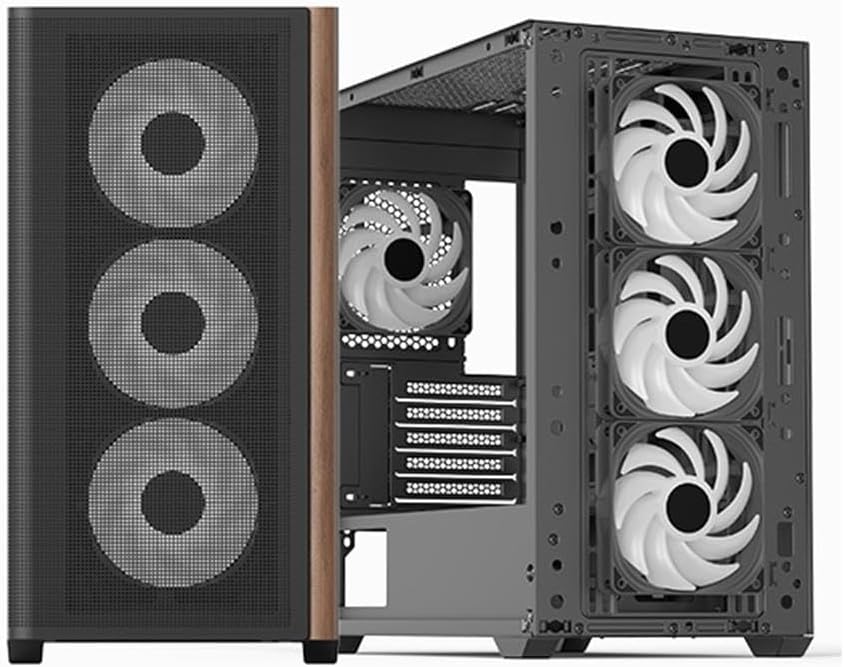
The AeroCool D301A is a compact yet spacious mid-tower case designed for gaming PCs, featuring optimized airflow with a wooden mesh front panel and pre-installed RGB fans. It supports Micro-ATX motherboards and offers excellent compatibility for various components.
Ciri-ciri Utama
- Aliran Udara Dioptimumkan: Wooden mesh front panel for superior ventilation.
- Peminat prapasang: Includes 4 RGB fans for immediate cooling and aesthetic appeal.
- Keserasian Papan Induk: Supports ASUS and MSI M-ATX motherboards.
- Ketersambungan: Features USB Type-C port.
- Reka bentuk: Slim design with metal and wood accents.
Komponen dan Susun Atur




Sokongan Penyejukan


Panduan Persediaan
Membongkar
Carefully remove the PC case from its packaging. Inspect for any damage during transit. Retain the original packaging for future transport or warranty claims.
Pemasangan Komponen
Pemasangan Papan Induk:
Secure your Micro-ATX motherboard to the standoffs provided. Ensure all screws are tightened appropriately.Pemasangan Unit Bekalan Kuasa (PSU):
Install your PSU in the designated rear-mount area.Pemasangan Pemacu Storan:
Mount your SSDs/HDDs in the available drive bays.Pemasangan Kad Grafik (GPU) dan Kad Pengembangan:
Install your GPU and other expansion cards into the PCIe slots.Pengurusan Kabel:
Utilize the cable routing options behind the motherboard tray to ensure clean cable management and optimal airflow.
Menyambung Peranti
Connect your monitor, keyboard, mouse, and other peripherals to your motherboard's I/O ports.
Arahan Operasi
Menghidupkan
After all components are installed and cables are connected, press the power button located on the front I/O panel to start your system.
RGB Fan Control
The pre-installed RGB fans can be controlled via your motherboard's RGB software (compatible with ASUS and MSI RGB sync technologies) or a dedicated fan controller if included with your specific model. Refer to your motherboard manual for detailed RGB software instructions.
Penyelenggaraan dan Penjagaan
Pembersihan
Regularly clean the dust filters located on the front, top, and bottom of the case to maintain optimal airflow and prevent dust buildup. Use a soft cloth for external surfaces and compressed air for internal components.
Pengoptimuman Aliran Udara
Ensure that the case has adequate clearance around it for proper air circulation. Avoid blocking the front mesh panel or any fan vents.
Menyelesaikan masalah
Tiada Kuasa
- Check if the PSU is properly connected to the wall outlet and the motherboard.
- Ensure the power button cable is correctly connected to the motherboard's front panel header.
Kipas Tidak Berputar / RGB Tidak Menyala
- Verify that all fan power cables are securely connected to the motherboard or fan controller.
- Check RGB headers for proper connection.
- Ensure RGB software is correctly installed and configured.
Isu Terlalu Panas
- Clean all dust filters and fans.
- Verify fan orientation for proper airflow (intake/exhaust).
- Pastikan tiada kabel yang menghalang aliran udara di dalam bekas.
Spesifikasi Teknikal
| Ciri | Spesifikasi |
|---|---|
| Jenama | Aerocool |
| Pengeluar | AeroCool |
| Model | ACCS-MA03043.11 |
| Nama Model | D301A-G-BK-v2 |
| Dimensi Produk | 54 x 51 x 30 cm |
| Berat Produk | 6.95 kg |
| Peranti Serasi | ASUS and MSI m-ATX motherboards |
| Ciri-ciri lain | Wood accents, RGB lighting |
| Bilangan Port USB | 3 |
| Jenis Bahan | Metal with Wood accents |
| Keserasian Papan Induk | ATX mikro |
| Jenis Kes | Mid-Tower |
| Penggunaan yang Disyorkan | Permainan |
| warna | Hitam |
| bahan | Metal with Wood accents |
| Jenis Pemasangan Bekalan Kuasa | Pemasangan Belakang |
| Kaedah Penyejukan | Udara |
| Warna Pencahayaan | RGB |
Waranti dan Sokongan
For warranty information and technical support, please refer to the official Aerocool webtapak atau hubungi peruncit tempatan anda. Simpan bukti pembelian anda untuk sebarang tuntutan jaminan.
Sumber Dalam Talian:


