Produk Selesaiview
The EDYELL C8 Max is a versatile motorcycle Bluetooth intercom headset designed for enhanced communication and recording during rides. It integrates Bluetooth 5.3 technology for clear audio, a 1080P HD camera for video recording, and an intercom system for rider-to-rider communication. The device is built with durability in mind, featuring IPX5 waterproofing and a lightweight, robust construction.

Imej: Selesaiview of the EDYELL C8 Max Motorcycle Bluetooth Headset highlighting its key features such as 1080P camcorder, IPX6 waterproofing, fast charging, music sharing, 600m communication range, 40-hour battery life, TF card support, and AI voice assistant.
Kandungan Pakej
Before installation, please verify that all items listed below are present in your package:

Image: Detailed diagram illustrating the various components included in the EDYELL C8 Max package, such as the main unit, speakers, microphone, mounting hardware, and accessories.
- Motorcycle Bluetooth Headset C8 Max x1
- Hard microphone speakers x1
- 360 degree rotating clip x1
- Clamping base x1
- Microphone Velcro x2
- Speaker Velcro x2
- Double-sided adhesive paper for clip x3
- Speaker Booster Pad x2
- Kabel Data x1
- Manual Pengguna x1
- 64G TF Card x1 (Note: Product specifications mention up to 256GB expandable storage, but package lists 64G TF Card)
- Fastening screws x2
- Mounting Wrench x1
Persediaan dan Pemasangan
The EDYELL C8 Max is designed for easy installation on various helmet types. Follow these steps to properly mount and connect your device:
1. Memasang Fon Kepala
Choose between the 360-degree rotating clip or the clamping base for mounting. Ensure the chosen method provides a secure fit to your helmet. The device is compatible with most helmet designs.

Image: Illustration of the EDYELL C8 Max headset's compatibility with different helmet styles.
2. Pemasangan Pembesar Suara dan Mikrofon
Attach the hard microphone speakers inside your helmet using the provided Velcro pads. Position the speakers directly over your ears for optimal audio quality. Secure the microphone near your mouth, ensuring it is not obstructed.
3. Memasukkan Kad TF
Locate the TF memory card slot on the device. Insert the provided 64GB TF card (or your own up to 256GB) for video recording and storage. Ensure it is inserted correctly until it clicks into place.
Arahan Operasi
Familiarize yourself with the device's controls and functions for a seamless experience.

Image: Labeled diagram of the EDYELL C8 Max headset showing the location and function of each button and port.
Hidupkan/Mati dan Berpasangan
- Hidupkan/Mati Kuasa: Press and hold the Power button (labeled 4 in the diagram) for approximately 3 seconds.
- Pairing Bluetooth: With the device off, press and hold the Power button until the indicator light flashes rapidly, indicating pairing mode. Cari untuk "C8 Max" on your mobile device's Bluetooth settings and connect.
Komunikasi Interkom
The C8 Max supports two-player real-time intercom communication up to 600 meters in barrier-free outdoor environments.

Image: Visual representation of the 600-meter Bluetooth intercom communication range between two riders.
- Mulakan Interkom: After both devices are paired, a short press of the Intercom button (refer to diagram for specific button, usually a dedicated intercom button or a combination) will initiate communication.
- Perkongsian Muzik: Double-tap the WiFi button (labeled 1 in the diagram) to start sharing music with another paired C8 Max unit.
Phone Calls and Music Playback
- Jawab/Tamatkan Panggilan: Short press the Power button (4) to answer or end a call.
- Tolak Panggilan: Press and hold the Power button (4) to reject an incoming call.
- Pelarasan Kelantangan: Use the Volume Up/Next Song (3) and Volume Down/Previous Song (2) buttons to adjust audio volume.
- Kawalan Muzik: Short press Volume Up (3) for next track, short press Volume Down (2) for previous track.
Rakaman Video
The C8 Max features a 1080P HD camera with a 120-degree wide-angle lens.
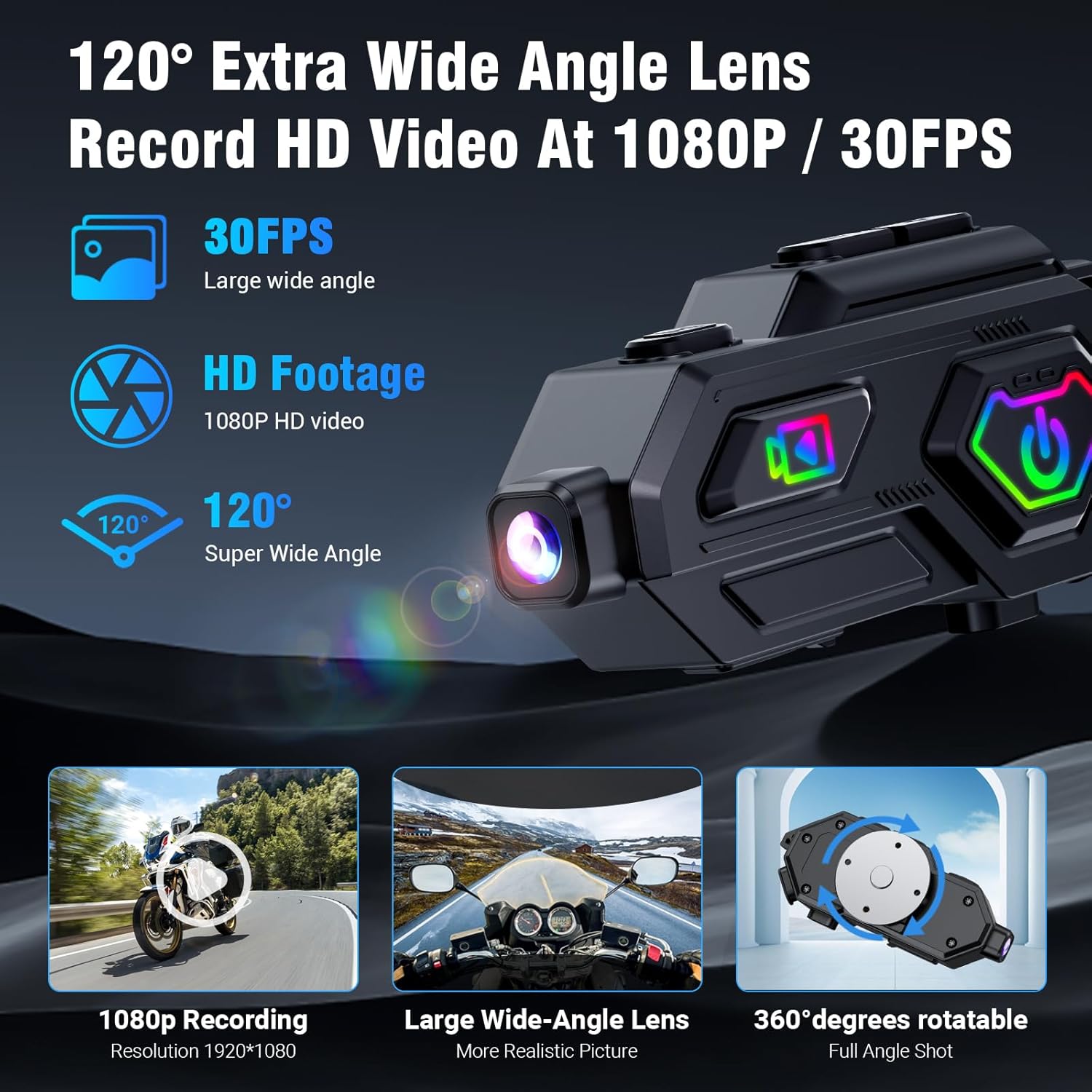
Image: Close-up of the EDYELL C8 Max camera features, including 1080P recording, wide-angle lens, and 360-degree rotation.
- Mula/Hentikan Rakaman: Use the Video Switch button (labeled 10 in the diagram) to start or stop video recording.
- Putaran Kamera: The camera body can rotate 360 degrees to capture various angles.
- Pengesanan Perlanggaran: A built-in accelerometer automatically locks video files in the event of a collision to prevent data loss.
Radio FM
The device includes an FM radio function with automatic channel search.

Image: A rider using the EDYELL C8 Max headset, illustrating the FM radio feature with its frequency range.
- Aktifkan Radio FM: Press the Mode Switching button (3) to switch to FM radio mode.
- Carian Auto: The device will automatically search for available FM channels.
Pembantu Suara AI
Access your smartphone's AI voice assistant directly from the headset.

Image: A rider interacting with the AI voice assistant feature of the EDYELL C8 Max headset, demonstrating voice commands for calls, music, and navigation.
- Aktifkan Pembantu Suara: Press the Voice Assistant/WiFi Switch button (1) once to wake up the AI voice assistant.
Ciri-ciri dan Teknologi
High-Definition Audio and Noise Cancellation
The C8 Max utilizes Bluetooth 5.3 technology and supports AAC/SBC high-definition audio decoding. It features 50mm Mylar speakers for clear sound and digital noise reduction (25dB) to filter ambient noise, ensuring clear communication and an immersive music experience.
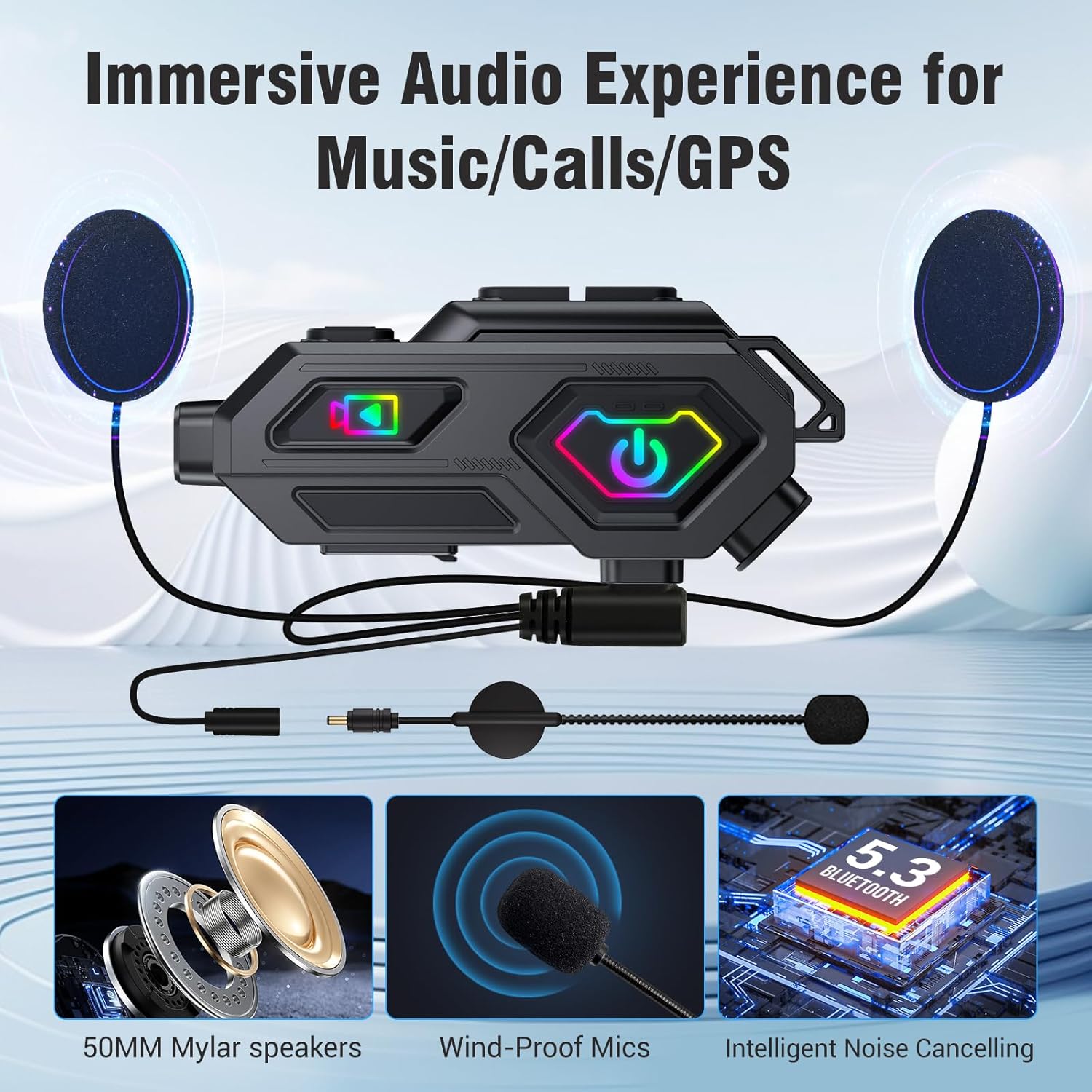
Image: Components of the EDYELL C8 Max audio system, including 50mm speakers, wind-proof microphones, and intelligent noise cancellation.
Jangka Hayat Bateri yang Dipanjangkan dan Pengecasan Pantas
Equipped with a 1500mAh battery, the C8 Max offers up to 40 hours of music playback and 5 hours of video recording. It fully charges in 2.5 hours via Type-C and supports charging while in use, suitable for long journeys.

Image: Battery and charging features of the EDYELL C8 Max, detailing its 1500mAh capacity and usage times for various functions.
Durable and Weatherproof Design
The headset features IPX5 water and dust resistance, allowing it to function reliably in various weather conditions. Its lightweight ABS and silicone body (67.5g) is designed to withstand drops, vibrations, high temperatures, and high humidity.

Image: A helmet with the EDYELL C8 Max headset being used in rainy conditions, demonstrating its IPX5 waterproof design.
Spesifikasi
| Ciri | Perincian |
|---|---|
| Model | C8 Maks |
| Jenama | EDYELL |
| Teknologi Ketersambungan | Wayarles, Bluetooth 5.3 |
| Kawalan Bunyi | Passive Noise Cancellation, Digital Noise Reduction (25dB) |
| Jack Fon Kepala | Tidak Jack |
| bahan | Akrilonitril Butadiene Styrene (ABS), Silikon |
| Berat Barang | 120 Gram |
| Tahap Ketahanan Air | IPX5 Kalis Air |
| Hayat Bateri | 40 Jam (Main Semula Muzik) |
| Masa Mengecas | 2.5 Jam |
| Rakaman Video | 1080P HD, 120° Wide-Angle Lens, 360° Rotatable, Anti-Collision Recorder |
| Penyimpanan | Supports up to 256GB expandable storage (64GB TF Card included) |
| Julat Interkom | Up to 600 meters (barrier-free outdoor environments) |
| Radio FM | Yes, with automatic channel search |
| Peranti Serasi | Helmets (Universal compatibility) |
| Sumber Kuasa | 1500mAh Lithium Ion Battery (Rechargeable, Included) |
| Dimensi Produk | 14 x 9.5 x 6 cm |
| Negara Asal | China |
Menyelesaikan masalah
If you encounter any issues with your EDYELL C8 Max headset, please refer to the following common solutions:
- Tiada Kuasa: Ensure the device is fully charged. Connect it to a power source using the provided Type-C cable.
- Tidak Dapat Menggandingkan Bluetooth: Make sure the headset is in pairing mode (rapidly flashing indicator light). Turn off and on your phone's Bluetooth, then try searching again. Ensure no other devices are actively connected to the headset.
- Interkom Tidak Bersambung: Verify both headsets are within the 600-meter range and are not obstructed. Ensure both are in intercom mode.
- Kualiti Audio Lemah: Check speaker placement inside the helmet. Ensure the microphone is positioned correctly and not blocked. Adjust volume levels.
- Isu Rakaman Video: Check if the TF card is inserted correctly and has sufficient free space. Format the TF card if necessary (refer to the full manual for formatting instructions).
- Peranti Tidak Responsif: Try performing a soft reset by pressing and holding the Power button for an extended period (e.g., 10-15 seconds) until the device powers off and then restart it.
Penyelenggaraan
To ensure the longevity and optimal performance of your EDYELL C8 Max headset, follow these maintenance guidelines:
- Pembersihan: Gunakan yang lembut, damp cloth to clean the exterior of the device. Avoid using harsh chemicals or abrasive materials.
- Storan: Simpan alat dengar di tempat yang sejuk dan kering, jauh daripada cahaya matahari langsung dan suhu yang melampau apabila tidak digunakan.
- mengecas: Charge the device regularly, even if not in frequent use, to maintain battery health. Avoid overcharging.
- Pendedahan Air: While IPX5 waterproof, avoid prolonged submersion in water. Ensure all ports are properly sealed before exposure to moisture.
Waranti dan Sokongan
For product support, warranty information, or any inquiries, please contact EDYELL INDIA customer care:
- e-mel: support@fenman.in
- telefon: +91 8882786235
- Waktu Operasi: Isnin hingga Sabtu, 10:00 PG hingga 6:30 PTG (IST)
Sila simpan resit pembelian anda untuk tuntutan waranti.
Video Produk
Watch the official product video for a visual guide on the EDYELL C8 Max features and usage.
Video: Official product demonstration of the EDYELL C8 Max Motorcycle Bluetooth Intercom Headset, showcasing its various functions and benefits.


