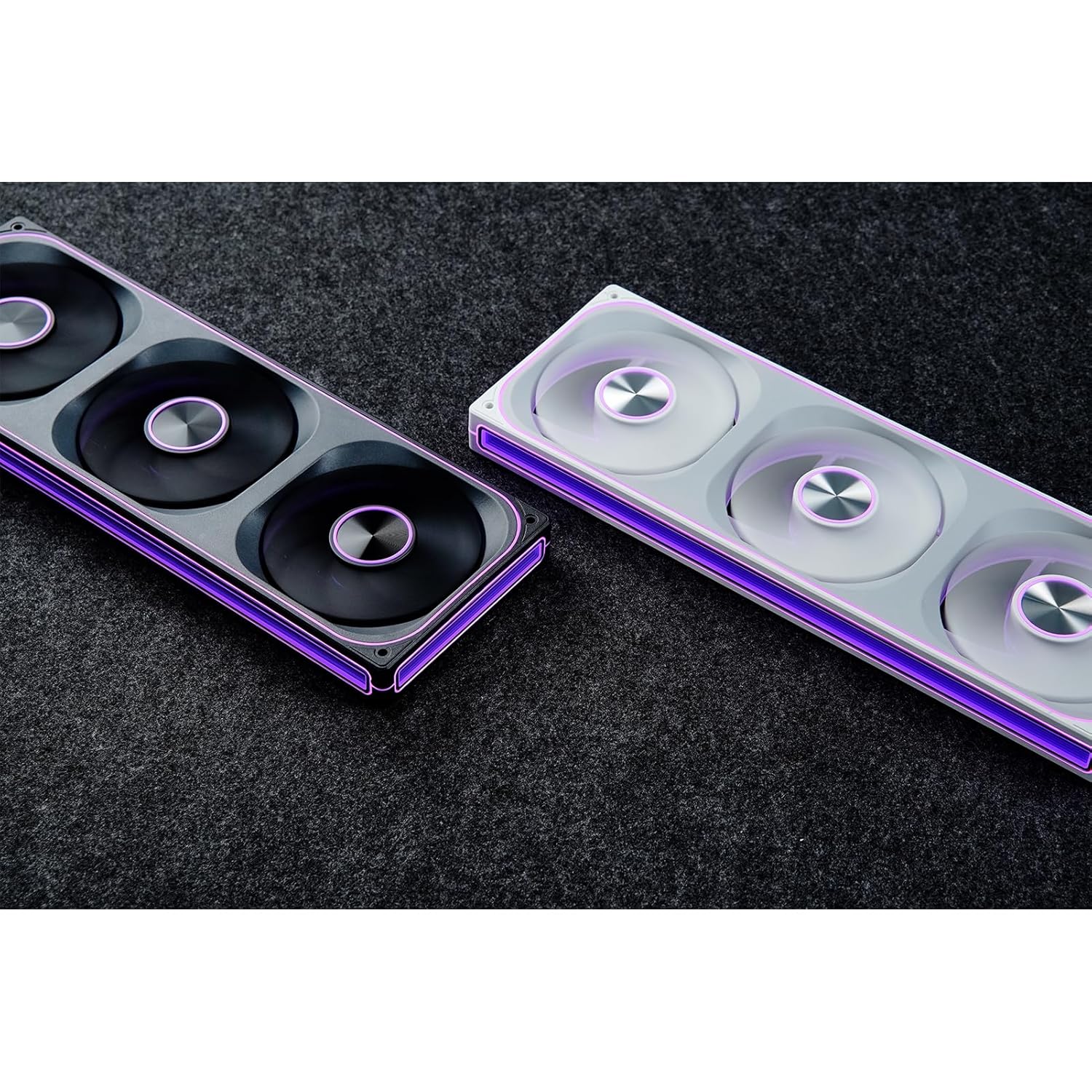
This manual provides detailed instructions for the installation, operation, and maintenance of your JONSBO ZA-240B PC Case Fan. Please read this manual thoroughly before installation and use to ensure proper function and longevity of the product. The JONSBO ZA-240B is an all-in-one unit featuring two 120mm ARGB fans, designed for efficient cooling and customizable lighting within a PC chassis.
2. Maklumat Keselamatan
Pastikan sistem komputer anda dimatikan dan dicabut dari soket dinding sebelum pemasangan atau penyelenggaraan.
Avoid touching the fan blades while the fan is operating.
Handle the fan unit carefully to prevent damage to components or wiring.
Do not expose the product to moisture or extreme temperatures.
Use only compatible power and ARGB connectors as specified. Incorrect connections may cause damage.
Jauhkan daripada kanak-kanak.
3. Kandungan Pakej
Sahkan bahawa semua item terdapat dalam pakej:
JONSBO ZA-240B PC Case Fan Unit (with 2x120mm ARGB Fans)
Skru Pemasangan
Dokumentasi (manual ini)
Image: JONSBO ZA-240B fan unit with its integrated cables for power and ARGB connection.
4. Ciri-ciri Produk
Reka Bentuk Semua-dalam-Satu: Single frame unit integrating two 120mm ARGB fans, simplifying installation and cable management.
ARGB Infinity Mirror: Features 4-sides thousand-layer mirror illusion with 52 lamp beads around the circumference and 18 in the axis for dynamic lighting effects.
Addressable RGB Sync: Direct 3-pin ARGB connection to compatible motherboards for synchronized lighting control and over 16 million color effects.
Kawalan PWM: Quiet and low-noise PWM fan operation with an integrated male/female head for speed regulation.
Aluminum Nameplate: Includes an aluminum CD pattern nameplate for enhanced aesthetics.
Simplified Cabling: One-line connection to the motherboard for both fan power and ARGB lighting.
Imej: Depan view of the JONSBO ZA-240B PC Case Fan showcasing its ARGB lighting and infinity mirror effect.
5. Persediaan dan Pemasangan
Follow these steps to install the JONSBO ZA-240B PC Case Fan into your computer chassis:
Sediakan Sistem Anda: Power off your computer and unplug it from the power outlet. Open your PC case to access the interior.
Kenal pasti Lokasi Pemasangan: Determine the desired mounting location for the fan unit (e.g., top, front, bottom, or side of the case). Ensure there is sufficient clearance.
Pasangkan Unit Kipas dengan Selamat: Align the fan unit with the screw holes in your PC case. Use the provided mounting screws to firmly attach the fan unit to the chassis. Do not overtighten.
Image: JONSBO ZA-240B fan unit installed at the top of a PC case, demonstrating typical mounting.
Connect PWM Cable: Locate an available 4-pin PWM fan header on your motherboard. Connect the 4-pin PWM connector from the fan unit to this header. This allows the motherboard to control fan speed.
Connect ARGB Cable: Locate an available 3-pin 5V Addressable RGB header on your motherboard. Connect the 3-pin ARGB connector from the fan unit to this header. Ensure the arrow on the connector aligns with the +5V pin on the motherboard header to prevent damage. Jangan sambungkan ke pengepala RGB 12V.
Pengurusan Kabel: Route the cables neatly to avoid interference with other components and to improve airflow.
Tutup Sarung dan Hidupkan: Once all connections are secure, close your PC case, plug in the power cable, and power on your system.
6. Operasi
Fan Speed Control (PWM)
The JONSBO ZA-240B fan unit utilizes Pulse Width Modulation (PWM) technology, allowing your motherboard to dynamically adjust fan speeds based on system temperature. This ensures optimal cooling performance while minimizing noise levels. You can configure fan curves through your motherboard's BIOS/UEFI settings or using compatible software provided by your motherboard manufacturer.
Kawalan Pencahayaan ARGB
The Addressable RGB (ARGB) lighting of the ZA-240B can be controlled via your motherboard's ARGB software (e.g., ASUS Aura Sync, MSI Mystic Light Sync, GIGABYTE RGB Fusion, ASRock Polychrome Sync). Ensure your motherboard supports 3-pin 5V ARGB headers. This software allows you to customize lighting effects, colors, and synchronization with other ARGB components in your system.
Image: The JONSBO ZA-240B fan unit displaying its customizable ARGB lighting within a computer system.
7. Penyelenggaraan
Regular maintenance helps ensure optimal performance and extends the lifespan of your fan unit.
Penyingkiran habuk: Periodically clean dust from the fan blades and frame using compressed air or a soft brush. Ensure the system is powered off and unplugged before cleaning.
Pemeriksaan: Occasionally inspect the fan and its cables for any signs of wear, damage, or loose connections.
8. Penyelesaian masalah
Isu
Kemungkinan Punca
Penyelesaian
Kipas tidak berputar
Loose or incorrect PWM cable connection. Insufficient power.
Check the 4-pin PWM cable connection to the motherboard. Ensure the motherboard is supplying power to the fan header.
Pencahayaan ARGB tidak berfungsi
Loose or incorrect ARGB cable connection. Connected to 12V RGB header. Motherboard ARGB software not configured.
Verify the 3-pin ARGB cable is securely connected to a 5V ARGB header. Ensure it is not connected to a 12V RGB header. Check motherboard ARGB software settings.
Fan is too loud
Fan speed set too high. Obstruction.
Adjust fan speed settings in your motherboard's BIOS/UEFI or software. Ensure no cables or objects are obstructing the fan blades.
Prestasi penyejukan yang lemah
Insufficient airflow. Dust buildup. Incorrect fan orientation.
Ensure proper airflow within the case. Clean dust from fans. Verify fan is oriented to push or pull air in the desired direction.
9. Spesifikasi
Ciri
Perincian
Nombor Model
ZA-240B
Saiz Kipas
2 x 120mm (integrated unit)
Fan Thickness
28mm
Kelajuan Putaran
700-2400 RPM (±10%)
Tahap Kebisingan
21.3-37.3 dB(A)
Penyambung Kuasa
4-Pin PWM
Penyambung ARGB
ARGB 3-Pin 5V
Voltage
DC 12 Volts (Fan), 5 Volts (LED)
Wattage
5.16 watts (Fan), 5.80 watts (LED)
Peranti Serasi
Sarung PC
Dimensi (Parsel)
29.97 x 15.75 x 4.19 cm
Berat (Bungkusan)
707.6 g
10. Waranti dan Sokongan
For warranty information and technical support, please refer to the official JONSBO webtapak atau hubungi peruncit anda. Simpan bukti pembelian anda untuk tuntutan waranti.
Dokumen Berkaitan - ZA-240B
Arahan dan Amaran Keselamatan Kipas Jonsbo Dokumen ini menyediakan arahan keselamatan dan amaran penting untuk Kipas Jonsbo, yang meliputi keselamatan mekanikal, keselamatan elektrik, pengudaraan dan penyelenggaraan. Ia bertujuan untuk pengendalian yang selamat dan penggunaan produk yang betul.
Panduan dan Spesifikasi Pemasangan Sarung Komputer Jonsbo D31 Panduan komprehensif untuk sarung komputer Jonsbo D31, meliputi senarai bahagian, spesifikasi casis, pemasangan PSU dan kad grafik, pilihan penyejukan dan keserasian. Mempunyai langkah terperinci untuk membina PC anda.
Sarung PC JONSBO C6: Manual Pengguna dan Panduan Pemasangan Manual pengguna dan panduan pemasangan yang komprehensif untuk sarung PC JONSBO C6. Dokumen ini memperincikan kandungan pakej, pengenalan komponen dan arahan pemasangan langkah demi langkah untuk membina PC anda.
Panduan Pemasangan Sarung PC JONSBO NV10 Panduan pemasangan komprehensif untuk sarung PC JONSBO NV10, memperincikan kandungan pakej, bahagian, penyambung dan arahan pemasangan langkah demi langkah untuk membina komputer anda.
JONSBO N5 NAS Case User Guide Comprehensive user guide for the JONSBO N5 NAS Case, detailing product specifications, parts list, and step-by-step installation instructions for components like power supply, motherboard, storage drives, and cooling.
Panduan Pengguna Kes Kabinet Berasingan JONSBO T9 Panduan pengguna yang komprehensif untuk Bekas Kabinet Berasingan JONSBO T9, yang memperincikan spesifikasi produk, senarai bahagian dan arahan pemasangan langkah demi langkah untuk pembina PC.