pengenalan
This manual provides essential information for the proper setup, operation, and maintenance of your Roland RD-2000 EX 88-key Digital Piano Essentials Bundle. Please read this manual thoroughly before using the product and keep it for future reference.
Maklumat Keselamatan
Untuk memastikan operasi yang selamat, sentiasa patuhi langkah berjaga-jaga berikut:
- Jangan dedahkan unit kepada suhu yang melampau, kelembapan atau cahaya matahari langsung.
- Avoid placing the unit near heat sources or in areas with poor ventilation.
- Do not place objects containing liquids on the unit.
- Gunakan hanya penyesuai kuasa yang ditentukan.
- Jauhkan unit daripada kanak-kanak.
- Putuskan sambungan kord kuasa semasa ribut petir atau apabila tidak digunakan untuk tempoh yang lama.
Kandungan Pakej
Sahkan bahawa semua item yang disenaraikan di bawah disertakan dalam pakej anda:
- Roland RD-2000 EX 88-Key Digital Stage Piano
- Knox Gear Adjustable X-Style Keyboard Bench
- FocusProAudio Adjustable Double X Keyboard Stand
- Pada Stage KSP100 Keyboard Piano Style Sustain Pedal (Black)
- Penyesuai Kuasa
- Rehat Muzik
Persediaan
1. Memasang Penyangga Papan Kekunci
Unfold the FocusProAudio Adjustable Double X Keyboard Stand and adjust it to a comfortable playing height. Ensure all locking mechanisms are securely fastened to provide stable support for the digital piano.

Image: FocusProAudio Adjustable Double X Keyboard Stand, shown in its unfolded position.
2. Setting up the Keyboard Bench
Unfold the Knox Gear Adjustable X-Style Keyboard Bench. Adjust the bench height to your preference. The bench features a 2-inch padded cushion for comfort and rubber-tipped feet for stability.

Image: Knox Gear Adjustable X-Style Keyboard Bench, showing its X-frame design.

Image: Features of the Knox Gear Adjustable X-Style Keyboard Bench, highlighting its adjustability and X-style design.

Image: Close-up of the Knox Gear Adjustable X-Style Keyboard Bench's 2-inch padded cushion.
3. Placing the Digital Piano
Carefully place the Roland RD-2000 EX Digital Piano onto the assembled keyboard stand. Ensure it is centered and stable.

Image: Roland RD-2000 EX 88-key Digital Piano, showcasing its full keyboard and control panel.
4. Connecting the Sustain Pedal
Connect the On Stage KSP100 Keyboard Piano Style Sustain Pedal to the designated pedal input on the rear panel of the RD-2000 EX. This pedal provides sustain control for your playing.
5. Menghidupkan/Mematikan
Connect the power adapter to the DC IN jack on the rear panel of the digital piano, then plug the adapter into a power outlet. Press the power button located on the control panel to turn the unit ON or OFF.

Image: Rear panel of the Roland RD-2000 EX, showing various input/output connections including power, pedal, and audio outputs.
Arahan Operasi
1. Kawalan Asas
The RD-2000 EX features a streamlined control panel for intuitive operation. Adjust the master volume using the dedicated slider. The power button controls the unit's on/off state.
2. Sound Engines and Keybed
The digital piano is equipped with dual sound engines and a PHA-50 Progressive Hammer-action Keybed, providing a realistic piano playing experience. The keybed offers a graded hammer feel, mimicking an acoustic grand piano.
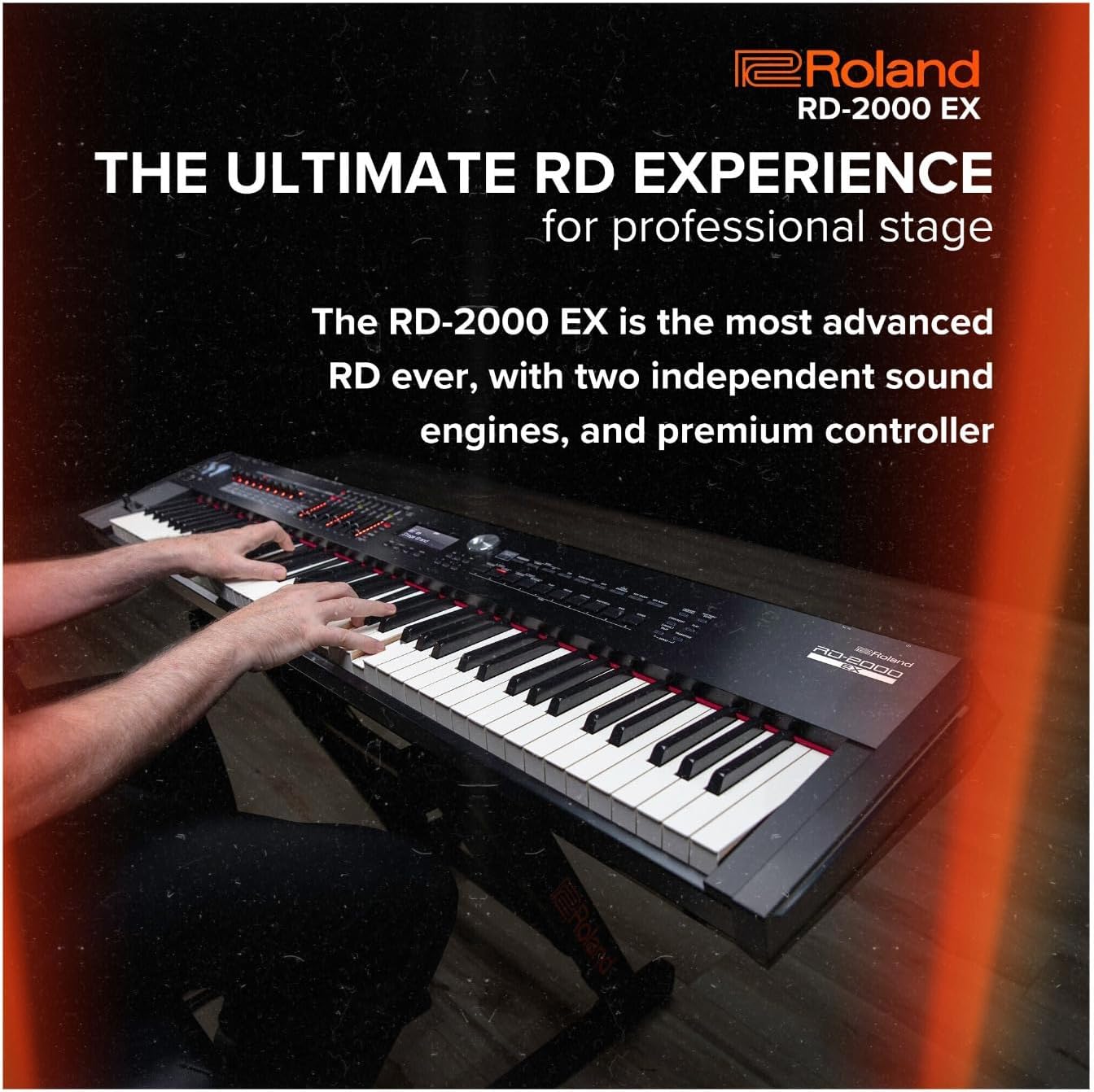
Image: A person playing the Roland RD-2000 EX Digital Piano, demonstrating its use in a performance setting.
3. Pemilihan Bunyi
Access a variety of sounds, including advanced V-Piano modeling technology, for diverse musical expression. The intuitive interface allows for quick selection and customization of tones.
4. Controller Functionality
The RD-2000 EX includes advanced controller functionality, allowing seamless integration with external software and hardware. Utilize the onboard controls for real-time sound manipulation and performance adjustments.
5. USB Audio/MIDI Interface
The piano features an onboard 24-bit/192kHz USB Audio/MIDI Interface. Connect the piano to a computer via USB to record audio and MIDI data, or to use the piano as a MIDI controller for software instruments.
Video Produk Rasmi
Watch this official product video from Roland US for a detailed overview of the RD-2000 EX Digital Stage Piano.
Video: Roland Premium Digital Stage Piano RD-2000 EX. This video provides an in-depth look at the features and capabilities of the digital piano.
Spesifikasi
| Ciri | Perincian |
|---|---|
| Jenama | Roland |
| Nama Model | RD-2000 EX |
| Bilangan Kunci | 88 |
| Keybed Type | PHA-50 Progressive Hammer-action |
| Enjin Bunyi | Dual Sound Engines, V-Piano Modeling |
| Ketersambungan | USB Audio/MIDI Interface (24-bit/192kHz) |
| warna | Hitam |
| Berat Barang | 16 ounces (0.45 kg) - Note: Product description states 1 pound, specification states 16 ounces. |
| Dimensi Produk | 9.1 x 9.1 x 9.1 inci (23.1 x 23.1 x 23.1 cm) |
Penyelenggaraan
To maintain your Roland RD-2000 EX Digital Piano and accessories in optimal condition:
- Pembersihan: Use a soft, dry cloth to wipe the surface of the piano and accessories. For stubborn dirt, slightly dampLap kain dengan air dan detergen ringan, kemudian lap sehingga kering dengan segera. Elakkan pembersih atau pelarut yang kasar.
- Storan: When not in use, cover the piano with a dust cover to protect it from dust and debris. Store in a stable environment away from direct sunlight and extreme temperature changes.
- Pengangkutan: When moving the piano, ensure it is properly secured in a protective case to prevent damage. Disassemble the stand and bench for easier and safer transport.
Menyelesaikan masalah
If you encounter issues with your Roland RD-2000 EX, refer to the following common solutions:
- Tiada Bunyi: Check if the power is on, the volume is turned up, and headphones are not plugged in (unless intended). Ensure all cables (audio, pedal) are securely connected.
- Kunci Tidak Menjawab: Verify the unit is powered on. If specific keys are unresponsive, contact customer support.
- Bunyi Herot: Check the volume levels of the piano and any connected audio equipment. Ensure cables are not damaged and connections are secure.
- Pedal Not Working: Confirm the sustain pedal is correctly plugged into the designated jack on the rear panel.
Waranti & Sokongan
For warranty information and technical support, please refer to the official Roland website or contact your authorized Roland dealer. Keep your purchase receipt as proof of purchase for warranty claims.
Online resources, including FAQs and additional documentation, may be available on the Roland support page.


