1. Maklumat Keselamatan Penting
Please read this entire manual carefully before operating the treadmill. Keep this manual for future reference. Failure to follow these instructions could result in injury or damage to the product.
- Always place the treadmill on a solid, level surface.
- Jauhkan kanak-kanak dan haiwan peliharaan dari treadmill semasa operasi.
- Pakai pakaian senaman dan kasut sukan yang sesuai.
- Ensure the safety key is properly attached to your clothing before starting.
- Jangan kendalikan treadmill jika ia rosak atau tidak berfungsi.
- The maximum user weight capacity for this treadmill is 320 lbs.
- Cabut palam treadmill dari salur keluar kuasa apabila tidak digunakan atau sebelum pembersihan/penyelenggaraan.
2. Komponen yang Disertakan
Sahkan bahawa semua komponen hadir sebelum memulakan pemasangan:
- Treadmill Main Frame
- Manual Pengguna
- Kunci Keselamatan
- Minyak pelincir
- Tool Kit (includes Allen wrenches and screwdriver)
3. Persediaan dan Pemasangan
The BORGUSI CTM5314 treadmill is 90% pre-assembled. Follow these steps for quick setup:
- Langkah 1: Buka dan Letakkan
Open the carton and carefully remove all parts. Place the main frame on a level ground surface. - Step 2: Lock the Upright Frame
Secure the upright frame to the base frame using the provided bolts (70, 51) and lock washers (64). Use the 5# Allen wrench (12) to tighten. - Step 3: Pre-lock the Computer Bracket
First, connect the computer bottom wire with the computer top wire. Then, align the metal plate of the computer bracket with the upright frame hole and pre-lock it using bolts (51) and lock washers (64). - Step 4: Lock the Computer Bracket
Hold the computer bracket with one hand and fold it in the direction of the arrow. Fully secure the computer bracket onto the upright frame using the remaining bolts and the 5# Allen wrench. - Step 5: Lock the Rollers
Attach the rollers (23) to the main frame using the bolts (51) and lock washers (55, 67). Use the 5# Allen wrench (12). - Step 6: Secure the Back End Caps
Attach the back end caps (21, 22) to the main frame using the bolts (60) and the wrench with screwdriver (76). - Step 7: Secure the Bottom Covers
Secure the bottom covers (30, 36) onto the upright frame using the bolts (77) and the wrench with screwdriver (76). - Step 8: Secure the Bottle Cage
Secure the bottle cage onto the right upright frame using the bolts (77) and the wrench with screwdriver (76).
Video: BORGUSI CTM5314 Treadmills Installation Guide. This video demonstrates the step-by-step assembly process for the treadmill.

Image: The treadmill's elevated console design and folding capability for space-saving storage.
4. Arahan Operasi
Familiarize yourself with the treadmill's functions for an effective workout.
4.1 Operasi Asas
- Hidupkan/Mati Kuasa: Connect the power cord to a grounded outlet. Press the power button on the console to turn the treadmill on or off.
- Kunci Keselamatan: Always attach the safety key clip to your clothing before starting. The treadmill will not operate without the safety key in place. Pulling the safety key will immediately stop the treadmill in an emergency.
- Mula/Berhenti: Press the 'START' button to begin your workout. The belt will start moving at a low speed. Press the 'STOP' button to gradually slow down and stop the belt.
4.2 Pelarasan Kelajuan dan Condongan
- Kawalan Kelajuan: Use the '+' and '-' buttons on the console or handrails to adjust the speed from 0.5 MPH to 10 MPH. Quick speed buttons (e.g., 3, 6, 9 MPH) are also available for instant changes.
- Condong Automatik: Use the 'INCLINE +' and '-' buttons to adjust the incline from 0% to 15%. Quick incline buttons (e.g., 3%, 6%, 9%) are available for rapid changes.
4.3 Preset Programs and App Connectivity
- Program Pratetap: The treadmill features 36 built-in preset programs (P1-P36), as well as unique L and U programs with 8 levels of intensity. Select a program using the 'PROGRAM' button and press 'START' to begin.
- Apl Bluetooth: Connect your device via Bluetooth to the treadmill to use compatible fitness apps such as KINOMAP, Zwift, and Fitshow. These apps allow for customized workouts, virtual routes, and tracking of your progress.
4.4 Monitoring Your Workout
- Paparan LCD: The upgraded backlit LCD panel displays key metrics including Time, Speed, Distance, Calories Burned, Incline, and Heart Rate.
- Pemantau Kadar Jantung: Grip the heart rate sensors on the handrails to monitor your pulse during your workout.
Video: BORGUSI CTM5314 Auto Treadmill Overview. This video highlights the key features and operational aspects of the treadmill, including speed, incline, and program functions.
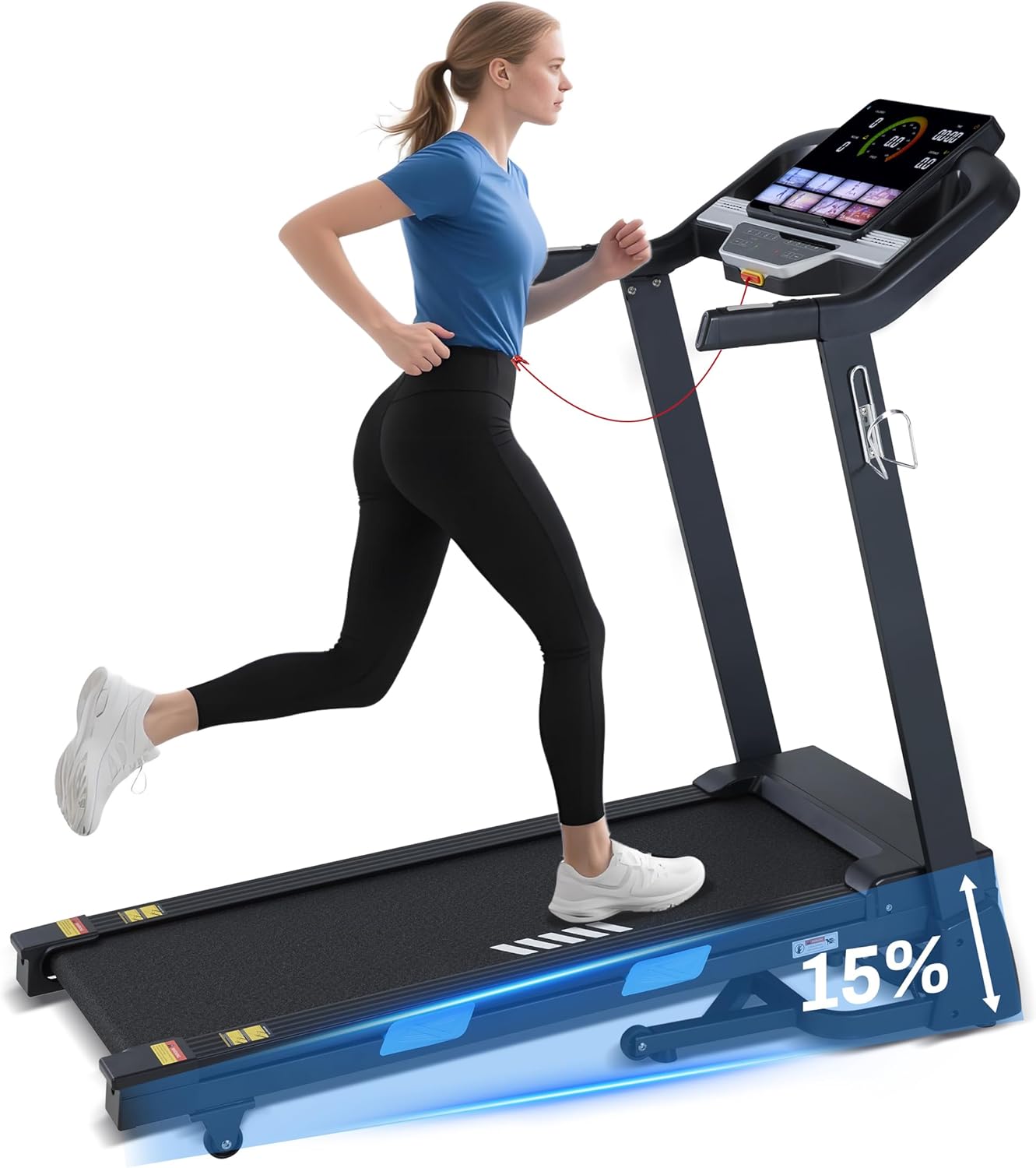
Image: The treadmill in use, showcasing its auto-incline capability.

Imej: Terperinci view of the upgraded LCD display, providing real-time workout data.
5. Penyelenggaraan
Penyelenggaraan tetap memastikan umur panjang dan prestasi optimum treadmill anda.
- Pembersihan: Lap permukaan treadmill dengan iklanamp kain selepas setiap penggunaan. Elakkan menggunakan pembersih yang kasar.
- Pelinciran: The running belt requires periodic lubrication to reduce friction. Refer to the specific instructions in the included lubricant packaging for frequency and application method.
- Pelarasan Tali Pinggang: If the running belt becomes off-center or slips, refer to the detailed instructions in the full user manual for proper adjustment.
- Storan: When not in use, the treadmill can be folded vertically to save space. Ensure it is securely locked in the folded position.
6. Penyelesaian masalah
Bahagian ini membincangkan isu biasa yang mungkin anda hadapi dengan treadmill anda.
| Masalah | Kemungkinan Punca | Penyelesaian |
|---|---|---|
| Treadmill tidak bermula | Kord kuasa tidak dipasang; Kunci keselamatan tiada di tempatnya; Suis kuasa dimatikan. | Ensure power cord is securely plugged in; Insert safety key fully; Turn on the power switch. |
| Selipar tali pinggang berjalan | Tali pinggang terlalu longgar; Pelinciran tidak mencukupi. | Adjust belt tension (refer to full manual); Apply lubricant as per instructions. |
| Error Code E01 (Driver communication failure) | Loose connection between upper and lower control boards. | Unplug the treadmill, check and re-connect all system wires. If the issue persists, contact customer support. |
| Unusual noise or burning smell | Motor issue; Belt friction; Loose components. | Immediately stop the treadmill and unplug it. Check for any visible damage or loose parts. Do not operate and contact customer support. |
For issues not listed here or if solutions do not resolve the problem, please contact BORGUSI customer support.
7. Spesifikasi Produk
| Spesifikasi | Perincian |
|---|---|
| Jenama | BORGUSI |
| Nama Model | CTM5314 |
| Dimensi Produk (D x W x H) | 55.3" x 26.2" x 52.1" |
| Folded Size (D x W x H) | 33.1" x 26.2" x 52.2" |
| Berat Barang | 110 paun |
| bahan | Keluli Aloi |
| Kelajuan Maksimum | 10 Batu sejam |
| Kelajuan Minimum | 0.5 Batu sejam |
| Kuasa Kuda Maksimum | 3.5 HP |
| Peratus Kecondongan Maksimumtage | 15% |
| Cadangan Berat Maksimum | 320 paun |
| Dimensi Permukaan Berjalan | 45.5" x 16.5" |
| Bilangan Program | 36 Preset Programs (plus L and U programs) |
| Teknologi Ketersambungan | Bluetooth (KINOMAP, Zwift, Fitshow App compatible) |
| Jenis Paparan | Upgraded LCD Panel |
| Penyerapan Kejutan | 10+4 Silicone Shock Absorbers |

Image: Visual representation of the treadmill's robust 320 lbs weight capacity and 15% auto incline.

Image: The spacious running platform, measuring 45.5 inches in length and 16.5 inches in width.

Image: Illustration of the 10+4 silicone shock absorption system designed to reduce impact.
8. Waranti dan Sokongan
Your BORGUSI CTM5314 Treadmill comes with a 1 Year Parts Protection Plan. This warranty covers manufacturing defects in materials and workmanship under normal use and service.
For warranty claims, technical support, or any questions regarding your product, please refer to the contact information provided in your product packaging or visit the official BORGUSI webtapak.


