1. Pengenalan
This manual provides comprehensive instructions for the installation, operation, and maintenance of your Lloyd's LC-1388 4MP Indoor/Outdoor IP Camera Set. This intelligent security camera system offers remote monitoring and full control via your smartphone, featuring 180° horizontal movement, an integrated LED light, and a 4MP resolution for clear video and images. Designed for both indoor and outdoor use with an IP65 rating, it includes advanced detection capabilities, color night vision, two-way communication, and an integrated siren. Please read this manual thoroughly before use to ensure proper functionality and safety.
2. Kandungan Pakej
Verify that all items listed below are present and in good condition upon opening the package.
- 2 x Lloyd's LC-1388 4MP IP Cameras
- 2 x Kabel USB
- 2 x AC/DC Adapters
- 2 x Pendakap Pemasangan
- Screws and Wall Plugs (for mounting)
- Panduan Pengguna (dokumen ini)
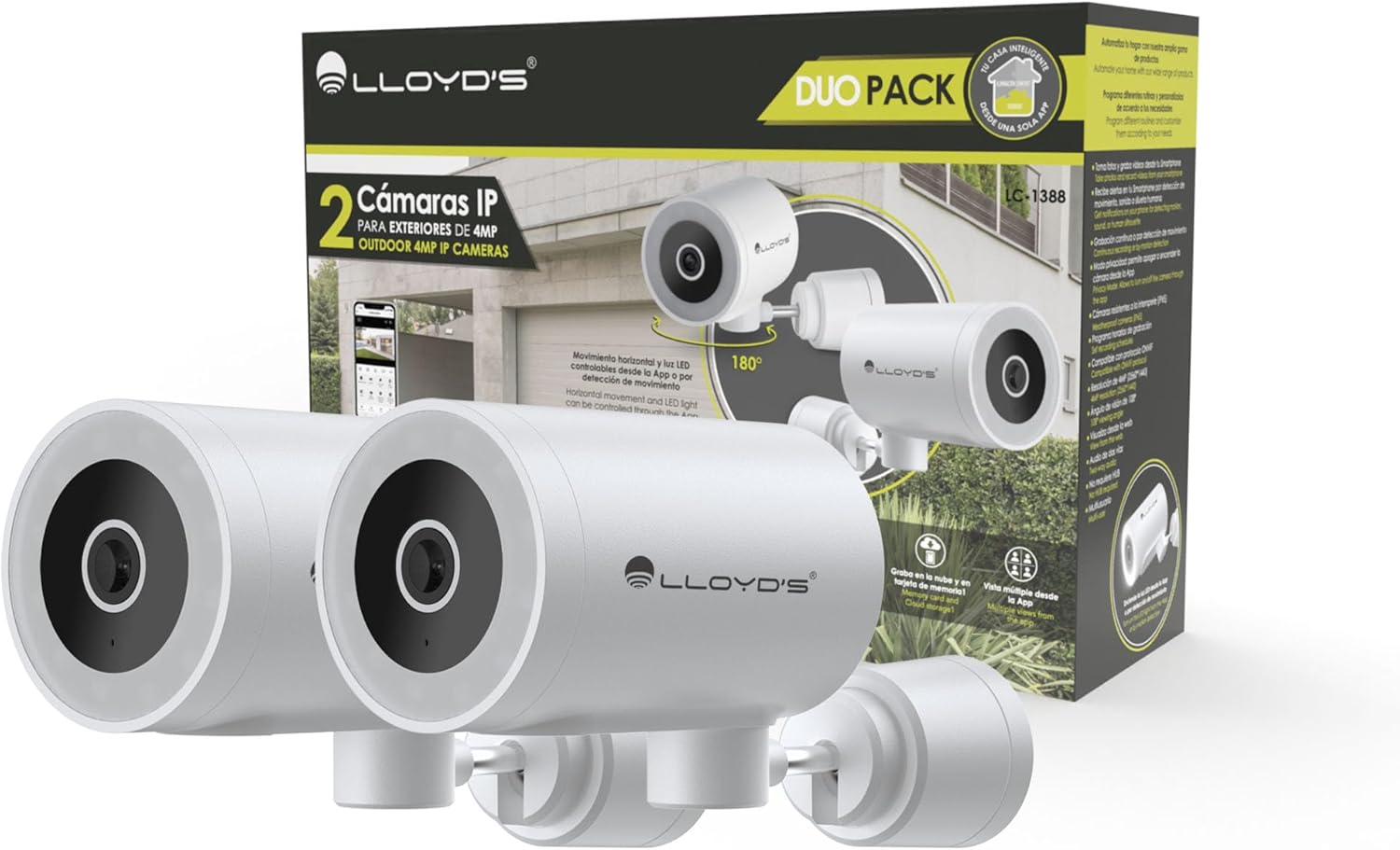
Image: The Lloyd's LC-1388 IP Camera Set, showing the product packaging and the two included cameras.
3. Maklumat Keselamatan
- Pastikan bekalan kuasa voltage matches the camera's requirements (5V DC).
- Do not expose the camera to extreme temperatures, humidity, or direct sunlight for prolonged periods.
- Elakkan meletakkan kamera berhampiran medan elektromagnet yang kuat.
- For outdoor installation, ensure all connections are properly sealed to maintain the IP65 weather resistance.
- Jauhkan daripada kanak-kanak.
- Jangan cuba membuka atau membaiki kamera sendiri. Hubungi kakitangan servis yang berkelayakan.
4. Persediaan
4.1 Pemasangan
The Lloyd's LC-1388 camera is designed for wall mounting and can be used both indoors and outdoors (IP65 rated).
- Pilih Lokasi: Pilih lokasi yang menyediakan keperluan viewing angle and is within range of your 2.4 GHz Wi-Fi network. For outdoor use, ensure the location offers adequate protection from direct impact and extreme weather conditions.
- Pemasangan:
- Use the included mounting bracket as a template to mark drill holes on the wall.
- Gerudi lubang dan masukkan palam dinding.
- Pasangkan pendakap pelekap pada dinding menggunakan skru yang disediakan.
- Attach the camera to the mounting bracket. Adjust the camera angle as needed.
- Sambungan Kuasa: Connect the USB cable to the camera and the AC/DC adapter, then plug the adapter into a power outlet. The camera will power on.

Imej: Sisi view of the camera, showing its compact design.
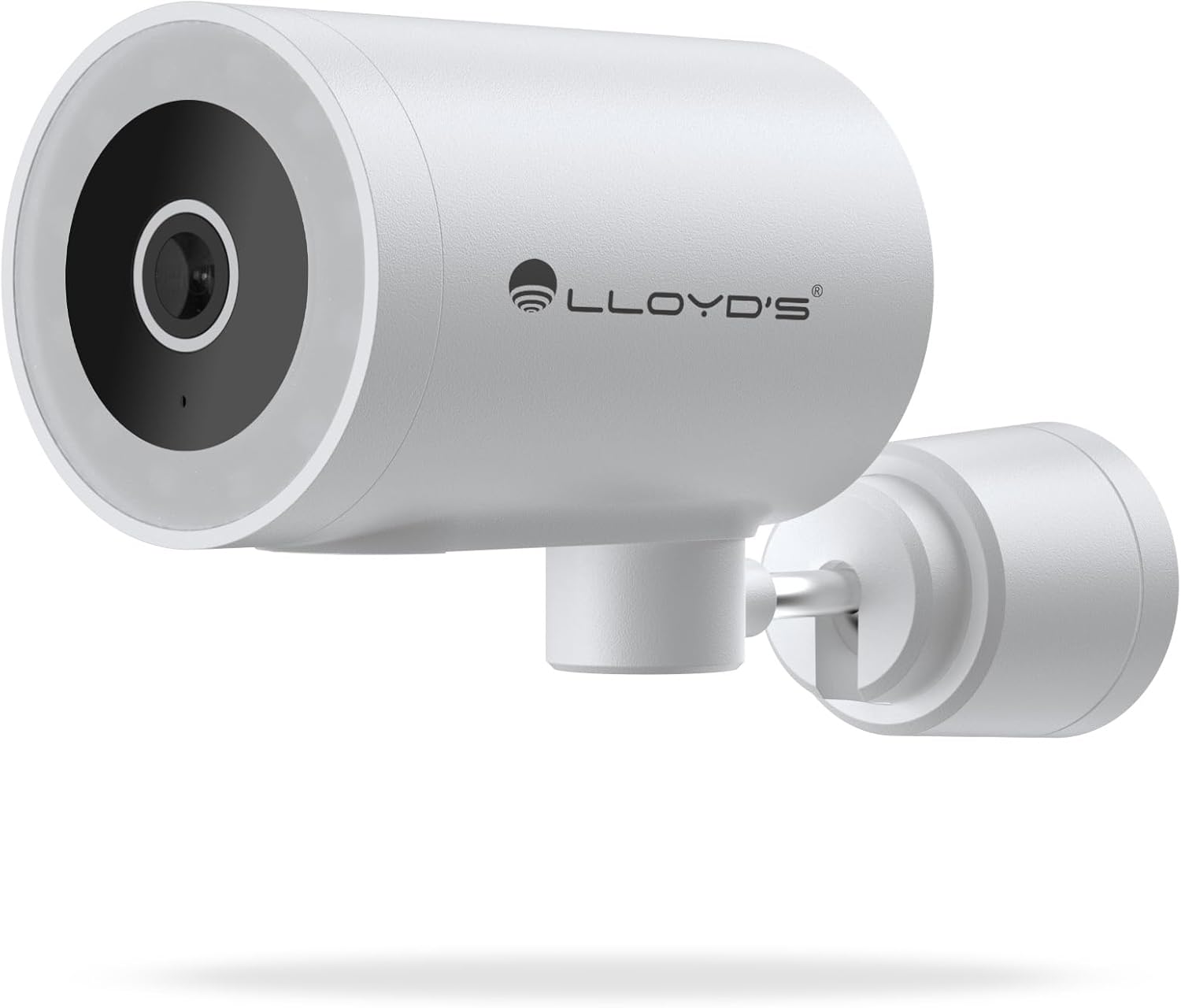
Imej: Depan view of the camera, highlighting the lens and sensor.

Image: Icons indicating the camera's suitability for both outdoor and indoor environments.
4.2 Muat Turun Apl dan Berpasangan
The camera operates via a dedicated smartphone application. Ensure your smartphone is connected to a 2.4 GHz Wi-Fi network.
- Muat turun Apl: Cari untuk "Lloyd's Smart" or similar in your device's app store (compatible with iOS 11.0+ and Android 5.0+).
- Buat Akaun: Buka apl dan ikut arahan pada skrin untuk mendaftar akaun baharu atau log masuk jika anda sudah memilikinya.
- Tambah Peranti:
- Ketik ikon "+" atau "Tambah Peranti" dalam aplikasi.
- Select "Security Camera" or the specific camera model (LC-1388).
- Follow the app's instructions to put the camera into pairing mode (usually indicated by a flashing LED).
- Enter your 2.4 GHz Wi-Fi network details when prompted.
- Scan the QR code displayed on your phone screen with the camera lens, or follow alternative pairing methods if provided by the app.
- Setelah disambungkan, namakan kamera anda dan lengkapkan persediaan.

Image: The Lloyd's app interface demonstrating multiple camera views, customizable detection zones, push notifications, and integration with voice assistants.
5. Mengendalikan Kamera
5.1 Langsung View dan Kawalan
- Pemantauan Jauh: Access live video feed from your smartphone app, web browser, or compatible smart TV (requires Chromecast / Fire TV Stick with voice remote).
- Pergerakan Mendatar: Control the camera's 180° horizontal pan directly from the app to adjust the viewkawasan ing.
- Kawalan Lampu LED: Turn the integrated LED light on or off via the app. The light can also be configured to activate upon motion detection.
- Komunikasi Dua Hala: Use the built-in microphone and speaker to communicate with individuals near the camera from your smartphone.

Image: The camera illustrating its 180-degree horizontal tracking function, suitable for indoor or outdoor use (IP65), with two-way audio and multiple views daripada apl.

Image: A smartphone screen showing the "Multiple views from the App" feature, allowing simultaneous monitoring of several cameras.

Image: A user monitoring the camera feed on a television, demonstrating compatibility with smart assistants for voice control and viewing.
5.2 Mod Penglihatan Malam
The camera offers three night vision modes up to 10 meters:
- Mod Automatik: The camera automatically switches between infrared and color night vision based on ambient light conditions.
- Mod Inframerah: Provides clear black and white video in complete darkness using infrared LEDs.
- Mod Warna: Utilizes the integrated LED lights to provide full-color night vision, even in low-light environments.

Image: Icons representing the camera's night vision capabilities and 4MP image resolution.
5.3 Pengesanan dan Amaran
- Pengesanan Pergerakan: Receive alerts on your smartphone when motion is detected.
- Pengesanan Bunyi: Get notifications for unusual sounds.
- Human Body Detection: Advanced detection to specifically identify human presence, reducing false alarms.
- Zon Pengesanan Boleh Disesuaikan: Tentukan kawasan tertentu dalam kamera view to monitor and receive alerts for.
- Siren Bersepadu: The 90 dB siren can be activated manually via the app or automatically upon detection of an event.

Image: Icons illustrating the camera's notification system, integrated siren, and motion detection capabilities.
5.4 Pilihan Rakaman
- Rakaman Berterusan: Record video continuously.
- Event-Based Recording: Record only when motion, sound, or human detection is triggered.
- Storan:
- Kad MicroSD: Supports up to 128GB microSD cards (not included) for local storage.
- Storan Awan: Cloud recording is available with a subscription (sold separately).
- Penjadualan: Program specific recording schedules and alert reception times via the app.
5.5 Integrasi Rumah Pintar
- Pembantu Suara: Compatible with Amazon Echo Show and Google Nest Hub. Supports Siri Shortcuts via routines created in the app.
- Lloyd's Smart Ecosystem: Create routines to trigger actions with other Lloyd's smart products.
- Keserasian ONVIF: Integrate the 4MP camera with various video surveillance equipment such as NVRs and hybrid DVRs using the ONVIF protocol.
6. Penyelenggaraan
- Pembersihan: Lap kanta dan badan kamera dengan lembut menggunakan kain lembut dan kering. Jangan gunakan bahan kimia yang keras atau pembersih yang kasar.
- Kemas kini Firmware: Semak aplikasi secara berkala untuk kemas kini perisian tegar yang tersedia bagi memastikan prestasi dan keselamatan yang optimum.
- Kitaran Kuasa: Jika kamera mengalami masalah, cuba cabut plagnya daripada sumber kuasa selama 10 saat dan kemudian pasangkannya semula.
7. Penyelesaian masalah
| Masalah | Kemungkinan Punca | Penyelesaian |
|---|---|---|
| Kamera tidak bersambung ke Wi-Fi | Incorrect Wi-Fi password; Camera too far from router; Only 5 GHz Wi-Fi network available. | Verify password; Move camera closer to router; Ensure you are connecting to a 2.4 GHz Wi-Fi network. |
| Tiada suapan video | Camera is offline; Power issue; Network problem. | Check power connection; Restart camera; Verify Wi-Fi connection; Check internet connectivity. |
| Amaran gerakan tidak diterima | Motion detection disabled; App notifications turned off; Detection zone not configured. | Enable motion detection in app; Allow app notifications; Configure detection zones. |
| Kualiti imej yang lemah | Dirty lens; Low light conditions (in non-color night vision mode); Network bandwidth issues. | Clean the lens; Switch to Color Night Vision if applicable; Ensure stable Wi-Fi connection. |
8. Spesifikasi
| Ciri | Perincian |
|---|---|
| Nombor Model | LC-1388 |
| Jenama | Lloyd's |
| Resolusi Tangkapan Video | 4MP (2560x1440p) |
| Resolusi Video Berkesan | 16.9 |
| Kadar Bingkai | 15 bingkai sesaat |
| Teknologi Ketersambungan | Wireless (Wi-Fi 2.4 GHz), ONVIF |
| Protokol Wi-Fi | 2.4 GHz |
| Jenis Pemasangan | Wall Mount (Screw-in) |
| Persekitaran Penggunaan | Indoor, Outdoor (IP65 Water Resistant) |
| Julat Penglihatan Malam | Sehingga 10 meter |
| Viewsudut | 108 Darjah |
| Ciri Khas | Two-way audio, Motion detector, Local recording, Built-in light, HD resolution, Night vision, Horizontal tracking, Integrated siren |
| Peranti Serasi | Smartphone, Tablet, Web |
| Jenis Pengawal | Amazon Alexa, Android, Google Assistant, Tuya, iOS |
| Sumber Kuasa | Corded Electric (5V DC, 5 Watts) |
| bahan | Akrilonitril Butadiena Stirena (ABS) |
| Dimensi (LxWxH) | 8.48 x 6.2 x 15.98 cm |
| Berat badan | 596 g |
| Negara Asal | China |
9. Waranti dan Sokongan
For warranty information, please refer to the documentation provided with your purchase or contact Lloyd's customer support. For technical assistance or further inquiries, please visit the official Lloyd's webtapak atau hubungi bahagian perkhidmatan pelanggan mereka.
Pengeluar: Zutto Technologies S.A. de C.V.