pengenalan
This manual provides essential information for the setup, operation, and maintenance of your NIMO 15.6" FHD IPS Business Gaming Laptop. Designed for both productivity and light gaming, this laptop features an AMD Ryzen 5 6600H processor, 32GB DDR5 RAM, and a 1TB PCIe SSD, ensuring fast performance and ample storage. Please read this manual thoroughly to ensure proper use and longevity of your device.
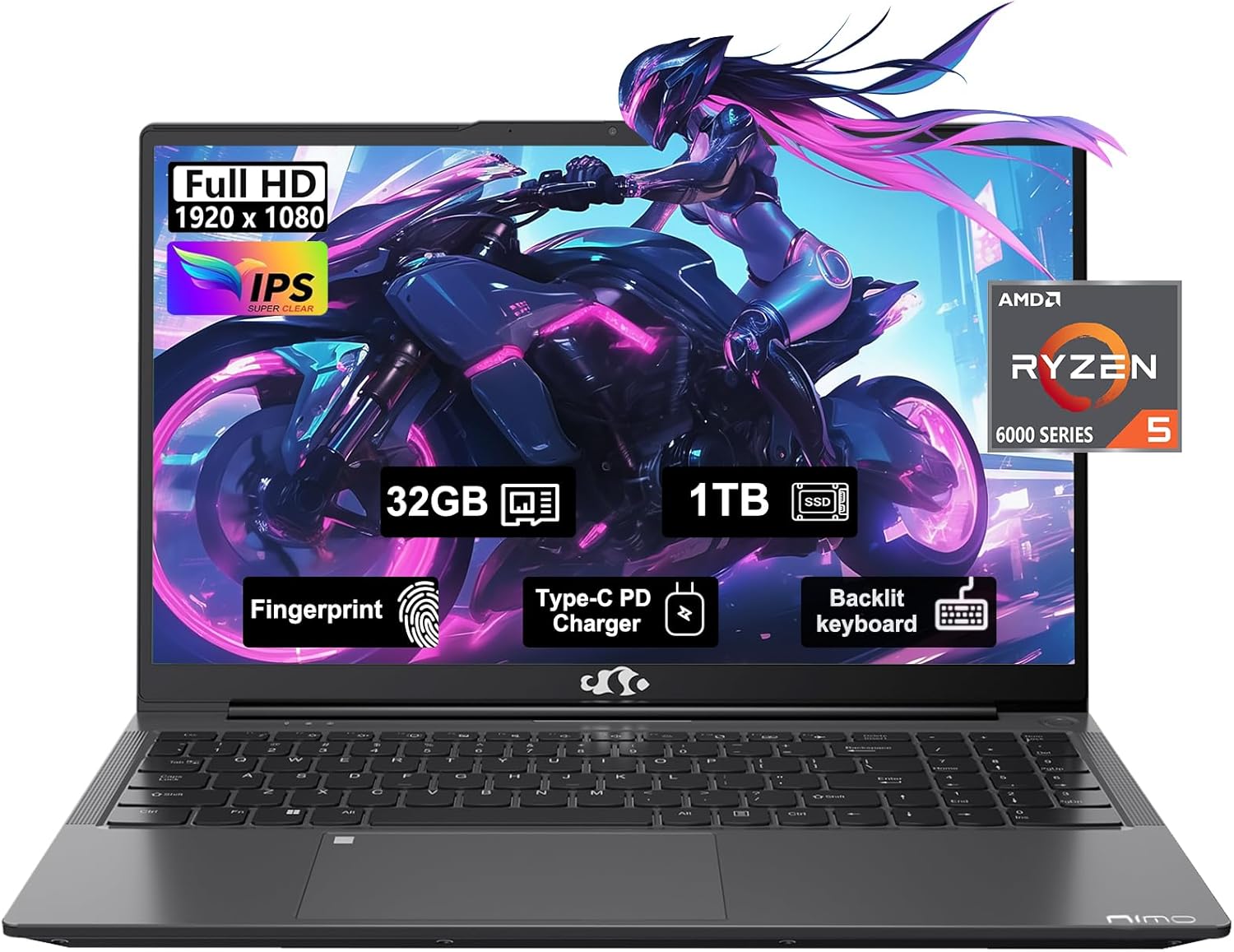
Figure 1: NIMO 15.6" FHD IPS Business Gaming Laptop overview.
Persediaan
1. Unboxing dan Pemeriksaan Awal
Keluarkan semua komponen dari pembungkusan dengan berhati-hati. Kotak itu hendaklah mengandungi:
- 1 x Nimo N153 Laptop
- 1 x Type-C 100W PD Fast Charger
- 1 x Manual Pengguna
Periksa komputer riba dan aksesori untuk sebarang tanda kerosakan. Jika mana-mana komponen hilang atau rosak, hubungi sokongan pelanggan dengan segera.
2. Hidupkan dan Pengecasan Awal
Before first use, it is recommended to fully charge the laptop.
- Connect the Type-C 100W PD Fast Charger to the laptop's Type-C port (Multifunction) and to a power outlet.
- The charge LED indicator will illuminate. Allow the laptop to charge until the LED indicates a full charge.
- Tekan butang kuasa untuk menghidupkan komputer riba.

Figure 2: Connecting the Type-C 100W PD Fast Charger.
3. Persediaan Sistem Pengendalian (Windows 11)
Follow the on-screen prompts to complete the initial setup of Windows 11. This typically includes:
- Memilih kawasan dan reka letak papan kekunci anda.
- Menyambung ke rangkaian Wi-Fi.
- Log masuk dengan atau mencipta akaun Microsoft.
- Menyediakan PIN atau kata laluan.
- Configuring privacy settings.
Mengendalikan Komputer Riba Anda
1. Papan Kekunci dan Pad Sentuh
The NIMO laptop features a full-size backlit keyboard and a large touchpad for comfortable and efficient input.
- Papan Kekunci Bercahaya Belakang: Use the function keys (Fn + F-key combination, typically F3 or F4) to adjust keyboard backlight brightness.
- Pad sentuh: Menyokong gerak isyarat berbilang sentuhan untuk navigasi. Rujuk tetapan Windows untuk penyesuaian.
- Pembaca Cap Jari: Located on the touchpad, allows for secure login via Windows Hello.

Figure 3: Laptop keyboard layout with backlit keys and integrated fingerprint reader.
2. Pelabuhan dan Ketersambungan
Your NIMO laptop is equipped with various ports for versatile connectivity:
- Port USB 2.0: 1 port for connecting peripherals.
- Port USB 3.0: 2 ports for high-speed data transfer.
- Type-C Ports (Multifunction): 2 ports supporting power delivery (PD) and data.
- Port HDMI: Untuk menyambung ke paparan luaran.
- Jack fon kepala: Untuk output audio.
- Slot Kad Mikro SD: Untuk mengembangkan storan atau memindahkan data daripada kad memori.
- Slot Kunci Kensington: Untuk keselamatan fizikal.
- Kesambungan Tanpa Wayar: Supports Wi-Fi 802.11a/b/g/n/ac and Bluetooth 5.2.

Gambar 4: Lebihview of laptop ports for various connections.
3. Paparan
The laptop features a 15.6" FHD IPS (1920x1080) Anti-Glare Display with an 85% screen-to-body ratio. This display is designed to provide clear visuals and reduce eye strain during extended use.

Figure 5: The 15.6-inch Full HD IPS display.
4. Prestasi
Powered by an AMD Ryzen 5 6600H processor (6 Cores, 12 Threads, up to 4.5 GHz) and 32GB DDR5 RAM, the laptop delivers robust performance for business tasks, content creation, and light gaming. The integrated AMD Radeon 660M GPU handles graphics processing efficiently.

Figure 6: AMD Ryzen 5 6600H processor, central to the laptop's performance.
The 1TB PCIe SSD provides fast boot times and rapid data access, enhancing overall system responsiveness.
Penyelenggaraan
1. Membersihkan Komputer Riba Anda
- Gunakan kain lembut dan tidak berbulu sedikit dampdiisi dengan air atau pembersih skrin untuk membersihkan paparan.
- Untuk papan kekunci dan casis, gunakan kain lembut. Elakkan bahan kimia yang keras atau bahan yang melelas.
- Use compressed air to clear dust from vents and ports periodically.
2. Kemas Kini Perisian
Regularly check for and install Windows updates and driver updates to ensure optimal performance and security.
- Pergi ke Tetapan > Kemas Kini Windows to check for OS updates.
- Visit the NIMO support webtapak untuk kemas kini pemandu terkini.
3. Pengurusan Storan
To maintain performance, regularly manage your 1TB SSD storage:
- Padam yang tidak perlu files dan aplikasi.
- Gunakan storan awan untuk saiz yang besar files.
- Periodically run Disk Cleanup (built-in Windows tool).
4. Penjagaan Bateri
Untuk memaksimumkan jangka hayat bateri:
- Elakkan suhu yang melampau.
- Do not leave the laptop plugged in at 100% charge for extended periods if not in use.
- Calibrate the battery occasionally by fully discharging and recharging it.
5. Peningkatan Memori dan Storan
The NIMO laptop supports dual-channel memory upgrades (up to 2 x 16GB DDR5 RAM) and features an upgradable PCIe SSD. Consult a qualified technician for hardware upgrades to avoid voiding your warranty.
Menyelesaikan masalah
Bahagian ini menangani isu biasa yang mungkin anda hadapi.
Laptop Does Not Power On
- Pastikan pengecas disambungkan dengan selamat pada komputer riba dan soket kuasa yang berfungsi.
- Sahkan alur keluar kuasa berfungsi dengan memasang peranti lain.
- Cuba tahan butang kuasa selama 15-20 saat untuk melakukan tetapan semula keras.
- Jika bateri habis sepenuhnya, biarkan ia mengecas sekurang-kurangnya 30 minit sebelum cuba menghidupkan.
Screen Remains Blank
- Check if the laptop is powered on (listen for fan noise or look for indicator lights).
- Connect an external monitor via the HDMI port to check if the display output works.
- Mulakan semula komputer riba.
Prestasi Perlahan
- Tutup aplikasi yang tidak perlu berjalan di latar belakang.
- Semak dan pasang sebarang kemas kini Windows yang belum selesai.
- Ensure there is sufficient free space on your SSD.
- Jalankan imbasan virus.
Isu Ketersambungan Wi-Fi
- Pastikan Wi-Fi didayakan dalam tetapan Windows.
- Mulakan semula penghala dan modem anda.
- Kemas kini pemacu penyesuai rangkaian wayarles anda.
- Lupakan rangkaian dan sambung semula.
Untuk isu yang tidak diliputi di sini, sila rujuk bahagian Waranti dan Sokongan untuk maklumat hubungan.
Spesifikasi
| Ciri | Perincian |
|---|---|
| Jenama | NIMO |
| Nama Model | Nimo N153G |
| Saiz Skrin | 15.6 Inci |
| Resolusi Skrin | 1920 x 1080 pixels (FHD IPS Anti-Glare) |
| Pemproses | AMD Ryzen 5 6600H (6 Teras, 12 Benang, sehingga 4.5 GHz) |
| RAM | 32GB DDR5 (Dual-channel, upgradable to 2x16GB) |
| Pemacu Keras | 1TB PCIe SSD |
| Pemproses bersama Grafik | AMD Integrated graphics (Radeon 660M GPU) |
| Sistem Operasi | Windows 11 |
| Jenis Wayarles | 802.11a/b/g/n/ac (Wi-Fi 5), Bluetooth 5.2 |
| Pelabuhan | 1x USB 2.0, 2x USB 3.0, 2x Type-C (Multifunction), 1x HDMI, 1x Headphone Jack, 1x Micro SD Slot |
| Ciri Khas | Fingerprint Reader, HD Audio, Backlit Keyboard, Numeric Keypad |
| Sumber Kuasa | Battery Powered, Type-C 100W PD Fast Charger |
| Purata Hayat Bateri | 5 Jam |
| Berat Barang | 6 paun |
| Dimensi Produk | 14.07 x 8.98 x 0.76 inci |
| warna | Kelabu Angkasa |
Waranti dan Sokongan
Waranti Pengeluar
Your NIMO laptop is covered by a comprehensive Waranti Pengeluar 2 Tahun offered by Nimo Direct Inc. This warranty covers defects in materials and workmanship under normal use.
Additionally, Nimo Direct Inc. offers 90-Day Hassle-Free Returns. If you encounter any concerns or issues with your product within this period, please contact customer support for assistance with resolution or replacement.
Hubungi Sokongan
For technical assistance, warranty claims, or return inquiries, please contact NIMO customer support. Refer to the contact information provided on the official NIMO webtapak atau dokumentasi yang disertakan dengan produk anda.
Please have your product model number (Nimo N153) and purchase details ready when contacting support.


