1. Pengenalan
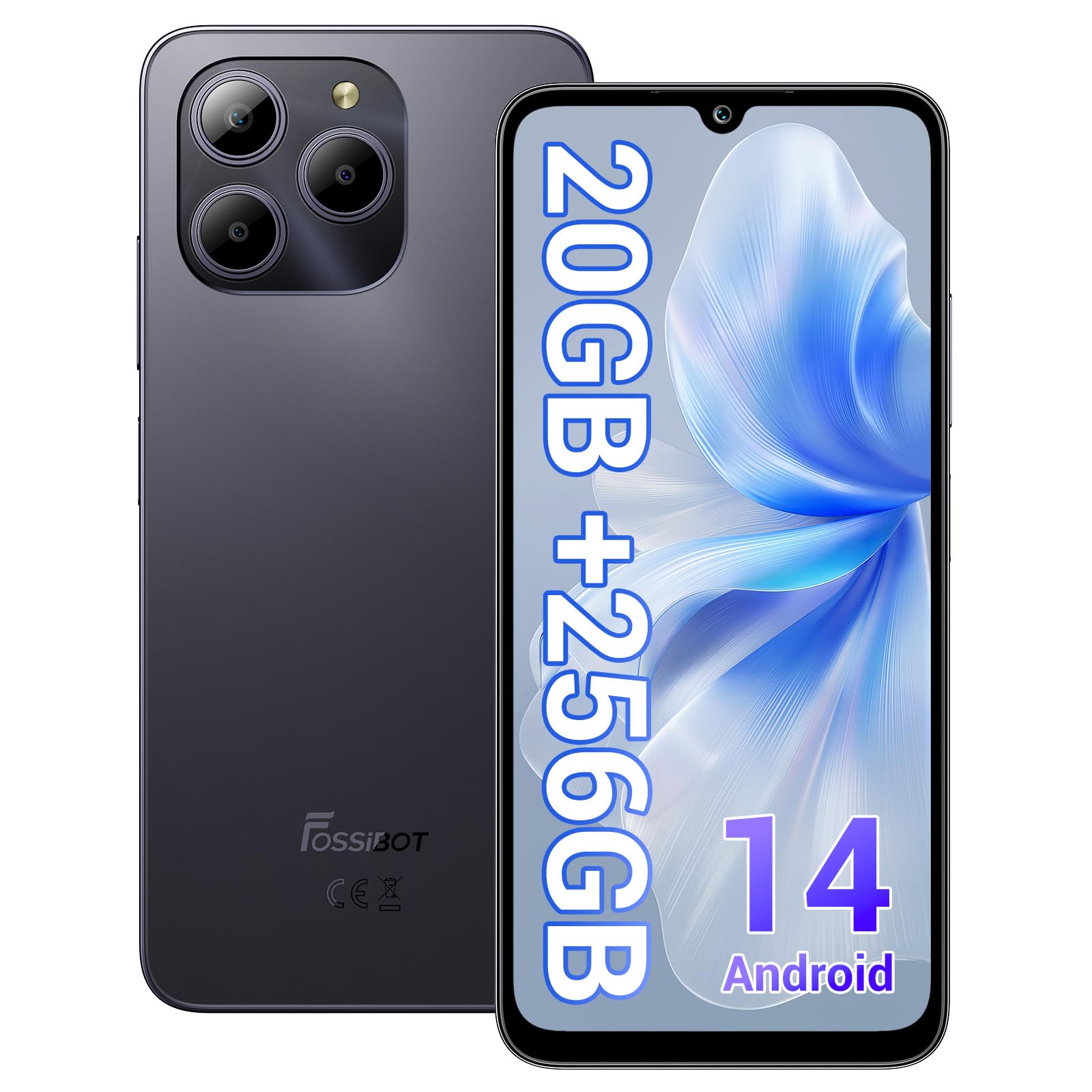
Welcome to the FOSSIBOT S2 Smartphone user manual. This guide provides essential information for setting up, operating, maintaining, and troubleshooting your new device. The FOSSIBOT S2 is an unlocked smartphone featuring Android 14, a 6.72-inch FHD+ display, a 50MP main camera, a 5000mAh battery, and advanced security features like Face ID and a fingerprint sensor.
2. Maklumat Keselamatan
- Keselamatan Bateri: Do not attempt to replace the battery yourself. Use only FOSSIBOT-approved chargers and cables. Avoid exposing the device to extreme temperatures or direct sunlight.
- Tahan Air: This device is not waterproof. Avoid exposure to liquids.
- Perlindungan Pendengaran: Elakkan mendengar berpanjangan pada tahap kelantangan tinggi untuk mengelakkan kerosakan pendengaran.
- Keselamatan Memandu: Jangan gunakan telefon semasa memandu. Sentiasa utamakan keselamatan jalan raya.
- Pelupusan: Dispose of the device and its accessories responsibly according to local regulations. Do not dispose of with household waste.
3. Kandungan Pakej
Sahkan bahawa semua item terdapat dalam pakej produk anda:
- FOSSIBOT S2 Smartphone
- Pin Kad SIM
- Kabel USB Jenis-C
- Pengecas 18W
- Manual Pengguna/Kad Waranti
- Sarung TPU

4. Peranti Lebihview
Familiarize yourself with the physical components of your FOSSIBOT S2 smartphone.

- Depan: 6.72-inch FHD+ display, 16MP front camera, earpiece.
- belakang: 50MP main camera, LED flash, fingerprint sensor (side-mounted).
- Sisi: Power button, volume buttons, SIM/SD card tray, USB Type-C port, 3.5mm audio jack.
5. Persediaan
5.1 Memasukkan Kad SIM dan SD
- Cari dulang kad SIM di sisi peranti anda.
- Insert the provided SIM ejector tool into the small hole next to the tray and press gently until the tray pops out.
- Place your Nano-SIM cards (up to two) and/or a microSD card (for storage expansion up to 1TB) into the designated slots on the tray. Ensure the gold contacts face downwards.
- Masukkan semula dulang dengan berhati-hati ke dalam telefon sehingga ia berbunyi klik pada tempatnya.

5.2 Menghidupkan dan Persediaan Awal
- Press and hold the Power button until the FOSSIBOT logo appears.
- Ikut gesaan pada skrin untuk memilih bahasa anda, menyambung ke rangkaian Wi-Fi dan menyediakan akaun Google anda.
- You will be guided through setting up security features such as a PIN, pattern, fingerprint, and Face ID.
6. Mengendalikan Peranti Anda
6.1 Paparan
The FOSSIBOT S2 features a 6.72-inch FHD+ In-cell display with a resolution of 1080 x 2400 pixels, providing clear and vibrant visuals.

6.2 Prestasi
Powered by the MediaTek G85 Octa-Core processor and 20GB RAM (8GB physical + 12GB virtual), the FOSSIBOT S2 delivers smooth performance for multitasking, gaming, and streaming. It includes 256GB of internal storage, expandable up to 1TB with a TF card.

Kamera 6.3
Capture high-quality photos and videos with the 50MP AI main camera and take clear selfies with the 16MP front camera. The camera system supports various modes for different shooting scenarios.

6.4 Bateri dan Pengecasan
The FOSSIBOT S2 is equipped with a 5000mAh battery, providing extended usage time. It supports 18W fast charging via the Type-C port.
6.5 Ciri Keselamatan
Unlock your device securely using the side-mounted fingerprint sensor or Face ID recognition.

6.6 Ketersambungan
The FOSSIBOT S2 supports dual 4G SIM cards for reliable network coverage. It also includes NFC for contactless payments and GPS/GLONASS/Galileo/Beidou for accurate navigation.

6.7 Sistem Pengoperasian Android 14
Experience the latest features and security enhancements with Android 14, offering improved privacy controls, smarter battery management, and a customizable user interface.

7. Penyelenggaraan
- Kemas Kini Perisian: Semak dan pasang kemas kini sistem secara kerap untuk memastikan prestasi dan keselamatan yang optimum.
- Pembersihan: Gunakan kain lembut dan tidak berbulu untuk membersihkan skrin dan badan telefon. Elakkan bahan kimia yang keras.
- Penjagaan Bateri: To prolong battery life, avoid fully discharging the battery frequently. Charge the device before it drops below 20%.
- Pengurusan Storan: Kosongkan secara berkala yang tidak perlu files dan apl untuk mengekalkan kelajuan peranti dan mengosongkan storan.
8. Penyelesaian masalah
If you encounter issues with your FOSSIBOT S2, refer to the following common solutions:
- Peranti Tidak Dihidupkan: Pastikan bateri dicas. Sambungkan telefon ke pengecas selama sekurang-kurangnya 15 minit, kemudian cuba hidupkan semula.
- Apl Ranap/Pembekuan: Close background apps. Clear the cache of the problematic app or reinstall it. If the issue persists, perform a factory reset (back up data first).
- Isyarat Rangkaian Lemah: Check if your SIM card is properly inserted. Ensure you are within network coverage. Restart the device.
- Bateri Habis Cepat: Reduce screen brightness, disable unused features like Wi-Fi, Bluetooth, and GPS when not needed. Check battery usage in settings to identify power-hungry apps.
- Fingerprint/Face ID Not Working: Ensure your fingers are clean and dry for fingerprint recognition. For Face ID, ensure your face is well-lit and unobstructed. Re-register your fingerprint or face if necessary.
For more complex issues, please contact FOSSIBOT customer support.
9. Spesifikasi
| Ciri | Spesifikasi |
|---|---|
| Nama Model | S2 |
| Sistem Operasi | Android 14 |
| Pemproses | MediaTek Helio G85 Octa-Core (2 GHz) |
| RAM | 20 GB (8GB fizikal + 12GB maya) |
| Storan Dalaman | 256 GB |
| Storan Boleh Dikembangkan | Sehingga 1TB melalui kad TF |
| Saiz Paparan | 6.72 Inches FHD+ In-cell |
| Resolusi Paparan | 1080 x 2400 piksel |
| Kamera Belakang | 50MP |
| Kamera Depan | 16MP |
| Kapasiti Bateri | 5000mAh |
| Mengecas | 18W Fast Charging (Type-C) |
| Ketersambungan | Dual 4G SIM, Wi-Fi, Bluetooth, NFC |
| Navigasi | GPS, GLONASS, Galileo, Beidou |
| Keselamatan | Fingerprint Sensor, Face ID |
| Bicu Audio | 3.5 mm |
| Dimensi | 6.57 x 3.03 x 0.34 inci |
| Berat badan | 1.04 paun |
10. Waranti dan Sokongan
Your FOSSIBOT S2 smartphone comes with a standard manufacturer's warranty. Please refer to the included Warranty Card in your package for specific terms and conditions, including warranty duration and coverage details.
For technical support, service inquiries, or to access additional resources, please visit the official FOSSIBOT website or contact their customer service department. Contact information can typically be found on the Warranty Card or the FOSSIBOT brand store page.
Sokongan dalam talian: Visit the FOSSIBOT Store on Amazon


