1. Maklumat Keselamatan Penting
- Jangan buka atau ubah suai fon telinga atau bekas pengecas.
- Jauhkan peranti daripada suhu, kelembapan dan cecair yang melampau.
- Elakkan pendedahan berpanjangan kepada paras volum tinggi untuk mengelakkan kerosakan pendengaran.
- Gunakan hanya kabel pengecasan yang disediakan atau diperakui.
- Buang produk secara bertanggungjawab mengikut peraturan tempatan.
2. Kandungan Pakej
Sila semak kandungan pakej semasa dibuka:
- Wireless Earbuds (2)
- Sarung Pengecasan (1)
- Kabel Pengecas Jenis-C (1)
- Manual Pengguna (1)

Image: Contents of the Jxrev J51 Wireless Earbuds package.
3. Produk Lebihview
The Jxrev J51 Wireless Earbuds offer a high-quality audio experience with advanced features. They are designed for comfort and convenience, suitable for various activities.
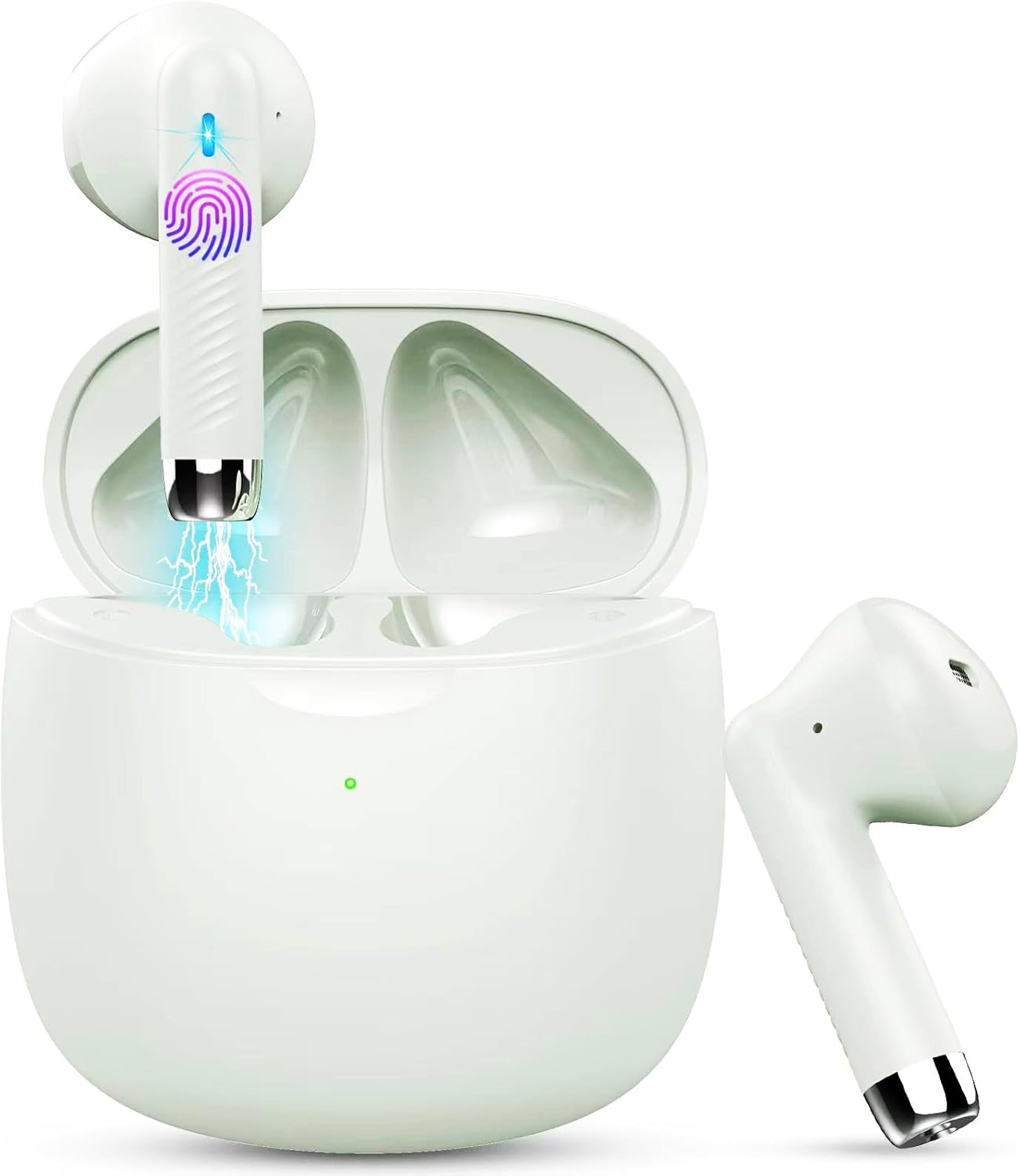
Image: Jxrev J51 Wireless Earbuds and their charging case.
Ciri-ciri Utama:
- Teknologi Bluetooth 5.4: Provides a stable and fast wireless connection.
- Pemacu Dinamik 13mm: Menghasilkan audio yang jelas dengan bass yang dipertingkatkan.
- Penilaian Kalis Air IP7: Resistant to sweat and splashes, ideal for sports.
- Kawalan Sentuh: Intuitive control for music, calls, and voice assistant.
- Reka bentuk ringan: Each earbud weighs approximately 3g for comfortable wear.

Image: Illustration of the 13mm dynamic driver for audio quality.

Imej: Dalaman view of an earbud showcasing the Bluetooth chip for stable connectivity.
4. Persediaan dan Penggunaan Pertama
4.1 Mengecas Sarung dan Fon Telinga
- Caj Permulaan: Sebelum penggunaan pertama, cas sepenuhnya sarung pengecas dan fon telinga.
- Sambungkan Kabel: Insert the Type-C charging cable into the charging port on the case and connect the other end to a USB power source.
- Penunjuk Pengecasan: The indicator light on the charging case will show the charging status. A full charge typically takes about 1 hour for the case.
- Pengecasan fon telinga: Letakkan fon telinga ke dalam bekas pengecas. Ia akan mula dicas secara automatik.

Image: Charging case with earbuds, illustrating USB-C charging and battery capacity.
4.2 Berpasangan dengan Peranti Anda
Fon telinga ini mempunyai padanan satu langkah untuk kemudahan.
- Hidupkan kuasa: Buka bekas pengecas. Fon telinga akan dihidupkan secara automatik dan memasuki mod berpasangan.
- Aktifkan Bluetooth: Pada telefon pintar atau peranti lain yang didayakan Bluetooth anda, pergi ke tetapan Bluetooth dan hidupkan Bluetooth.
- Pilih Peranti: Look for 'J51' in the list of available devices and select it to connect.
- Pengesahan: Sebaik sahaja disambungkan, anda akan mendengar gesaan audio dan fon telinga akan sedia untuk digunakan.
- Penyambungan Semula Automatik: After the initial pairing, the earbuds will automatically connect to the last paired device when taken out of the case.

Image: Visual guide for one-step Bluetooth pairing with a smartphone.
5. Arahan Operasi
5.1 Memakai Fon Telinga
The J51 earbuds are designed for an ergonomic and secure fit.
- Kenal pasti Kiri/Kanan: Locate the 'L' and 'R' markings on each earbud.
- Sisipkan: Masukkan fon telinga perlahan-lahan ke dalam saluran telinga anda.
- Melaraskan: Rotate the earbud slightly until it feels comfortable and secure. The lightweight design ensures minimal pressure.

Image: Demonstrating the lightweight and ergonomic fit of the earbuds.
5.2 Kawalan Sentuhan
The earbuds feature touch-sensitive areas for easy control of various functions.

Image: Comprehensive guide to earbud touch controls.
| Tindakan | Earbud Kiri (L) | Earbud Kanan (R) |
|---|---|---|
| Main/Jeda | Klik dua kali | Klik dua kali |
| Lagu Seterusnya | T/A | Tahan 2 saat |
| Lagu Sebelumnya | Tahan 2 saat | T/A |
| Kelantangan Kurang | Klik tunggal | T/A |
| Kelantangan Naik | T/A | Klik tunggal |
| Jawab/Tamatkan Panggilan | Klik dua kali | Klik dua kali |
| Tolak Panggilan | Tahan 2 saat | Tahan 2 saat |
| Aktifkan Pembantu Suara | Klik tiga kali | Klik tiga kali |
5.3 Mono Mode (Single Earbud Use)
You can use either the left or right earbud independently. Simply take one earbud out of the charging case, and it will automatically connect to your device. The other earbud can remain in the case or be used by another person in 'Sharing mode' if desired.
5.4 Binaural Mode (Both Earbuds Use)
For stereo sound, use both earbuds. They will automatically pair with each other and your device when removed from the charging case.

Image: Depiction of Mono and Twin (Binaural) usage modes.
5.5 Pembantu Suara
Triple-click either earbud to activate your device's voice assistant (e.g., Siri, Google Assistant).

Image: Activating the voice assistant feature.
6. Penyelenggaraan dan Penjagaan
6.1 Pembersihan
- Bersihkan fon telinga dan bekas pengecas dengan kerap menggunakan kain yang lembut, kering dan tidak berbulu.
- Jangan gunakan pembersih yang melelas, alkohol atau pelarut kimia.
- Ensure charging contacts on both earbuds and case are clean and dry for optimal charging.
6.2 Rintangan Air (IP7)
The Jxrev J51 earbuds are IP7 waterproof, meaning they are protected against temporary immersion in water. This makes them suitable for workouts and use in light rain.
- Jangan sengaja merendam fon telinga di dalam air untuk tempoh yang lama.
- Sarung pengecas tidak kalis air. Pastikan ia kering.
- Pastikan fon telinga benar-benar kering sebelum meletakkannya semula ke dalam bekas pengecas untuk mengelakkan kerosakan.

Image: Earbuds demonstrating IP7 waterproof capability.
6.3 Penyimpanan
Apabila tidak digunakan, simpan fon telinga dalam bekas pengecasnya untuk melindunginya dan memastikan ia dicas.
7. Penyelesaian masalah
If you encounter any issues, please refer to the following common solutions:
- Fon telinga tidak berpasangan antara satu sama lain: Place both earbuds back into the charging case, close the lid for a few seconds, then open it again. They should automatically re-sync.
- Fon telinga tidak bersambung ke peranti:
- Pastikan Bluetooth didayakan pada peranti anda.
- Delete 'J51' from your device's Bluetooth history and try pairing again.
- Pastikan fon telinga dicas.
- Tiada bunyi dari satu fon telinga: Place both earbuds back in the case, close the lid, then open it again. Check if both are connected.
- Isu pengecasan:
- Check the charging cable and adapter.
- Pastikan sesentuh pengecasan pada fon telinga dan bekas bersih dan bebas daripada serpihan.
- Kawalan sentuh tidak bertindak balas: Pastikan jari anda bersih dan kering. Cuba mulakan semula fon telinga dengan meletakkannya dalam bekas dan mengeluarkannya semula.
8. Spesifikasi
| Nama Model | J51 |
| Teknologi Ketersambungan | Wayarles (Bluetooth) |
| Versi Bluetooth | 5.4 |
| Julat Bluetooth | Sehingga 15 meter |
| Saiz Pemacu Audio | 13 Milimeter |
| Julat Kekerapan | 20Hz - 20,000Hz |
| Impedans | 40 Ohm |
| Tahap Ketahanan Air | IP7 Kalis Air |
| Berat Earbud | Approx. 3 Grams (each) |
| Hayat Bateri Kes Mengecas | Sehingga 32 Jam (dengan kes) |
| Masa Main Bujang | 6-8 Jam |
| Masa Pengecasan (Kes) | Approx. 1 Hour (USB-C) |
| Jenis Kawalan | Kawalan Sentuh |
| Peranti Serasi | Cellphones, PCs, Tablets, Laptops, TVs |
9. Waranti dan Sokongan
Jxrev products are designed for reliability and performance. For specific warranty details, please refer to the warranty card included in your product packaging or contact Jxrev customer support.
Sokongan Pelanggan:
If you have any questions, concerns, or require technical assistance, please contact Jxrev customer support through the official webtapak atau maklumat hubungan yang diberikan dalam dokumentasi produk anda.


