pengenalan
This manual provides detailed instructions for the assembly, operation, and maintenance of your FLEXISPOT E6 Electric Height Adjustable Standing Desk. Please read this manual thoroughly before assembly and use to ensure proper function and safety. Keep this manual for future reference.

Image: The FLEXISPOT E6 standing desk in a home office setting.
Maklumat Keselamatan
To prevent injury or damage to the desk, please observe the following safety guidelines:
- Sentiasa pastikan meja dipasang dengan betul dan stabil sebelum digunakan.
- Jangan melebihi had berat maksimum 220 lbs (100 kg).
- Keep the work area clear of obstacles to prevent accidents during height adjustment.
- Always use both hands when adjusting the desk height to maintain stability.
- Never leave children unattended near the desk.
- Ensure all cables are properly managed to avoid entanglement during movement.
- Elakkan meletakkan cecair terus pada panel kawalan atau berhampiran komponen elektrik.

Image: Anti-collision system diagram.
Persediaan dan Perhimpunan
Follow these steps to assemble your FLEXISPOT E6 standing desk. It is recommended to have assistance for certain steps due to the weight of components.
1. Buka Pembungkusan Komponen
Carefully unpack all components and verify against the parts list provided in your packaging. Ensure all parts are present and undamaged.
2. Pasang Bingkai
Begin by assembling the crossbeams and pedestals. Ensure screws are aligned with square holes in the cross member and pressed tightly. Pre-tighten all screws for installing the cross beams, then tighten them simultaneously.
Video: FLEXISPOT E6 Essential Standing Desk Installation Guide. This video demonstrates the step-by-step assembly process for the desk frame and desktop attachment.
3. Attach the Desktop
Carefully place the desktop upside down on a soft, clean surface. Position the assembled frame onto the desktop, ensuring proper alignment. The distance between the supporting bracket and the edge of the tabletop should not exceed 200mm. Secure the frame to the desktop using the provided screws. Use a drill for efficiency, but ensure not to overtighten.

Image: The assembled desk with a light wood top and white frame.
4. Install Keypad and Cable Management
Attach the intelligent keypad to the underside of the desktop. Ensure the keypad is on the same side as the adapter bracket and its curved edge is flush with the edge of the table top. Connect all necessary cables (AC power cable, power adaptor, extension cord) to the control box and motors. Utilize the cable clips for organized cable management.
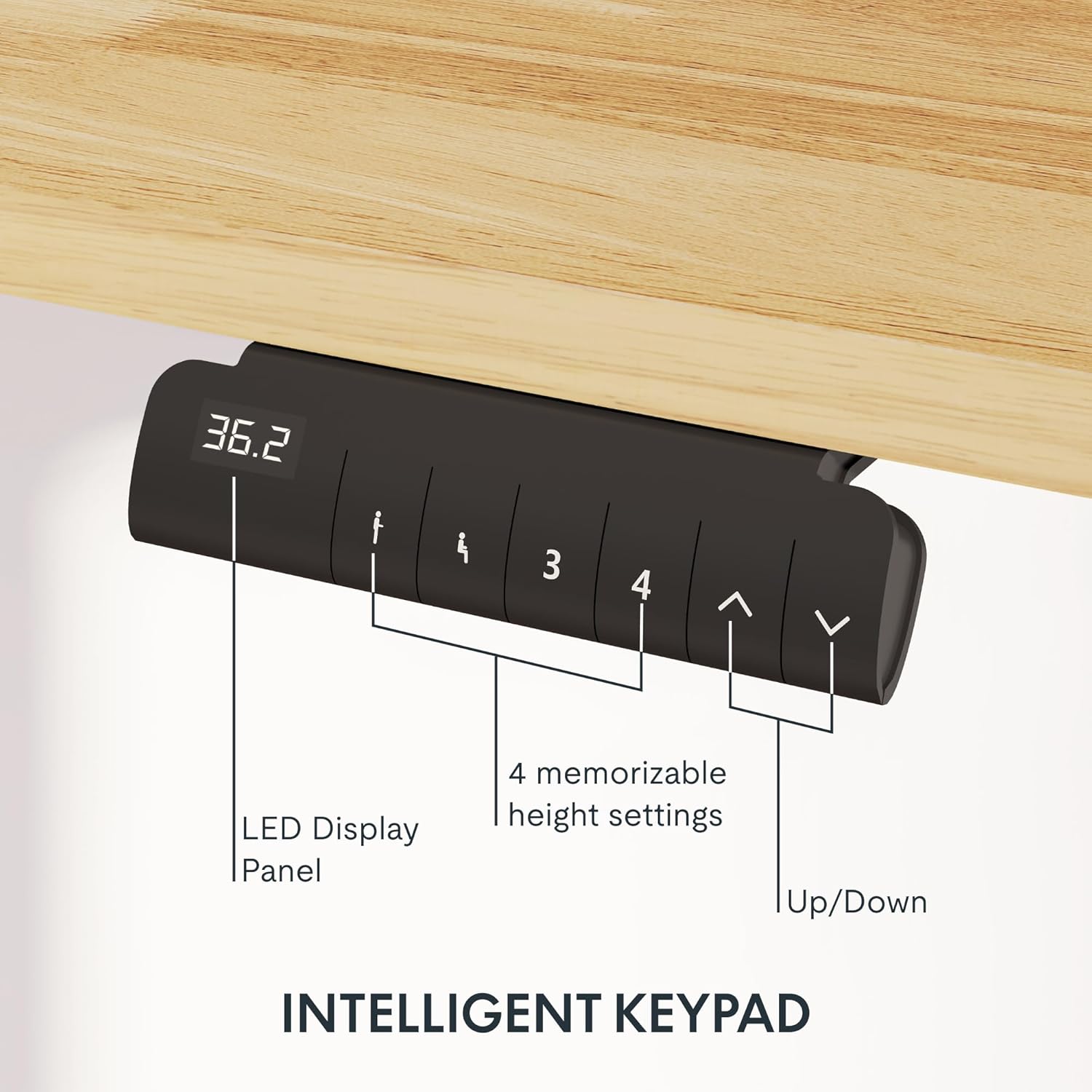
Image: Close-up of the intelligent keypad for height adjustment.
Arahan Operasi
Your FLEXISPOT E6 desk features a dual-motor system for smooth and quiet height adjustments.
Pelarasan Ketinggian
- Gunakan Up dan Bawah arrows on the keypad to manually adjust the desk height.
- The LED display panel will show the current height.
Pratetap Memori
The keypad includes four memorizable height settings for convenience:
- Laraskan meja pada ketinggian yang anda inginkan menggunakan anak panah Atas/Bawah.
- Tekan ke M button (or similar memory set button) followed by a number button (1, 2, 3, or 4) to save the current height to that preset.
- Untuk mengingat semula ketinggian yang disimpan, hanya tekan butang nombor yang sepadan.

Imej: Ilustrasi julat pelarasan ketinggian meja.
Penyelenggaraan
Penyelenggaraan yang kerap memastikan jangka hayat dan prestasi optimum meja berdiri anda.
- Pembersihan: Lap desktop dan bingkai dengan lembut, damp kain. Elakkan pembersih yang melelas atau bahan kimia keras yang boleh merosakkan kemasan.
- Pengurusan Kabel: Periodically check and reorganize cables to prevent tangling or damage, especially after moving the desk.
- Keketatan skru: Occasionally check all screws and bolts to ensure they are securely tightened. Retighten if necessary.
- Pengagihan Berat: Distribute weight evenly across the desktop to prevent strain on the motors and frame.
Menyelesaikan masalah
If you encounter issues with your FLEXISPOT E6 desk, refer to the following common solutions:
- Meja Tidak Bergerak: Check all power connections. Ensure the power adapter is securely plugged into both the wall outlet and the control box.
- Pergerakan tidak sekata: Perform a reset procedure (refer to the specific reset instructions in your packaged manual, as procedures can vary). Ensure no obstacles are impeding movement.
- Kod Ralat: If an error code appears on the LED display, consult the full product manual for specific code meanings and solutions.
- Kebisingan Semasa Operasi: A slight hum is normal for dual motors. Excessive or unusual noise may indicate loose components; check all connections and screws.
For persistent issues, please contact FLEXISPOT customer support.
Spesifikasi
Key specifications for the FLEXISPOT E6 Electric Height Adjustable Standing Desk:
| Ciri | Perincian |
|---|---|
| Jenama | FLEXISPOT |
| Nombor Model | E6 |
| Bahan Desktop | Rubber Solid Wood (FSC-Certified) |
| Bahan Bingkai | logam |
| Dimensi Produk (D x W x H) | 55.1" x 23.6" x 23.6" (at minimum height) |
| Saiz Desktop | 55"x24" (Whole-piece) |
| Ketinggian Minimum | 23.6 inci |
| Ketinggian Maksimum | 48.8 inci |
| Kapasiti Berat Maksimum | 220 paun |
| Jenis Motor | Motor Dwi |
| Tahap Kebisingan | Kurang daripada 45dB |
| Panel Kawalan | Intelligent Keypad with LED Display and 4 Memory Presets |
| Ciri Khas | Anti-collision system, Finger Joint Design |
| Perhimpunan Diperlukan | ya |
| Alat Disyorkan untuk Perhimpunan | Pemutar skru |
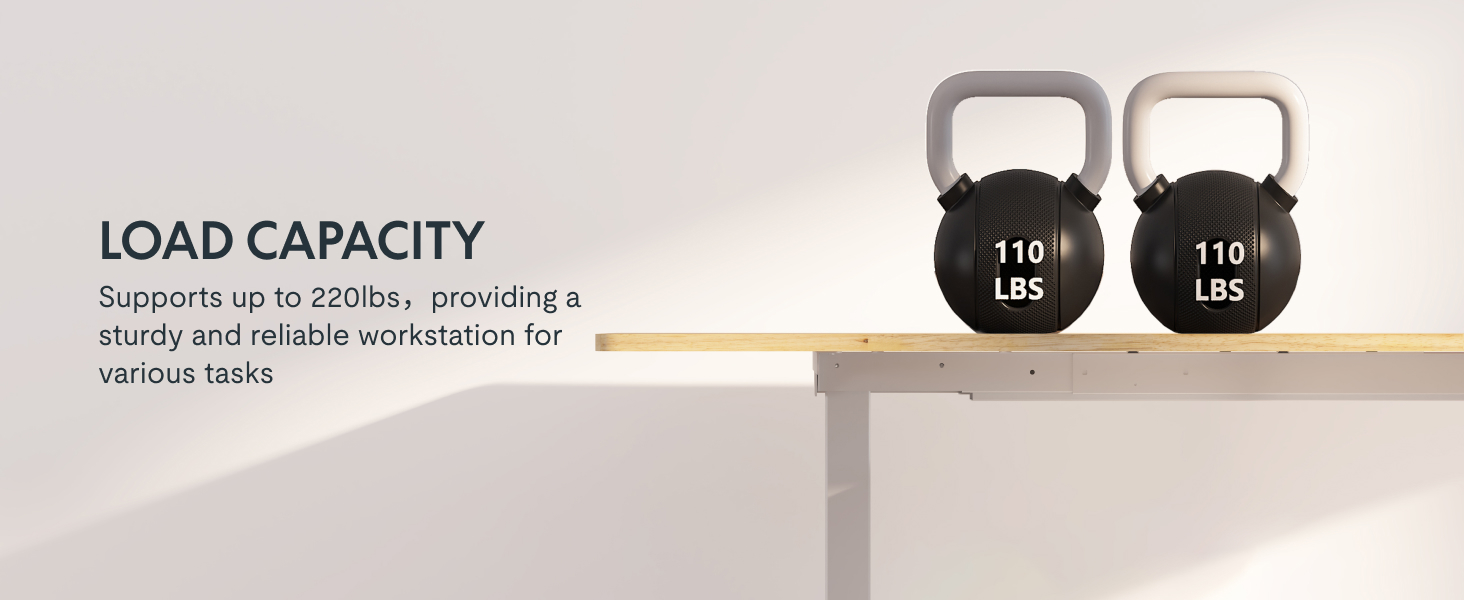
Image: Desk illustrating its 220 lbs maximum load capacity.
Waranti dan Sokongan
FLEXISPOT provides comprehensive warranty coverage for your peace of mind:
- Perlindungan 5 Tahun: Applies to the desk frame and motors.
- Perlindungan 2 Tahun: Berkenaan dengan panel kawalan dan elektronik.
For any assistance, warranty claims, or product inquiries, please contact FLEXISPOT customer support. You can find contact information on the official FLEXISPOT webtapak atau melalui platform pembelian anda.
Returnable until January 31, 2026.