1. Pengenalan
This manual provides comprehensive instructions for the safe and efficient operation, maintenance, and troubleshooting of your VOLTCRAFT WB-310 Thermal Imager. Please read this manual thoroughly before using the device to ensure proper functionality and to prevent damage or injury.
The VOLTCRAFT WB-310 is a compact thermal imager designed for professional applications in industrial and trade environments. It features a wide temperature measurement range and multiple color scales for versatile use. Its robust design ensures reliable performance even in challenging conditions.
2. Maklumat Keselamatan
Always observe the following safety precautions to prevent personal injury and damage to the device:
- Do not point the thermal imager directly at strong light sources (e.g., sun, lasers) as this may damage the sensor.
- Do not expose the device to extreme temperatures, high humidity, or corrosive environments.
- Gunakan hanya penyesuai kuasa dan aksesori yang dinyatakan.
- Jangan cuba membuka atau mengubah suai peranti. Rujuk semua servis kepada kakitangan yang berkelayakan.
- Jauhkan peranti daripada air dan cecair lain.
- Pastikan pengudaraan yang betul semasa operasi.
3. Produk Lebihview
Familiarize yourself with the components of your VOLTCRAFT WB-310 Thermal Imager.
Depan View
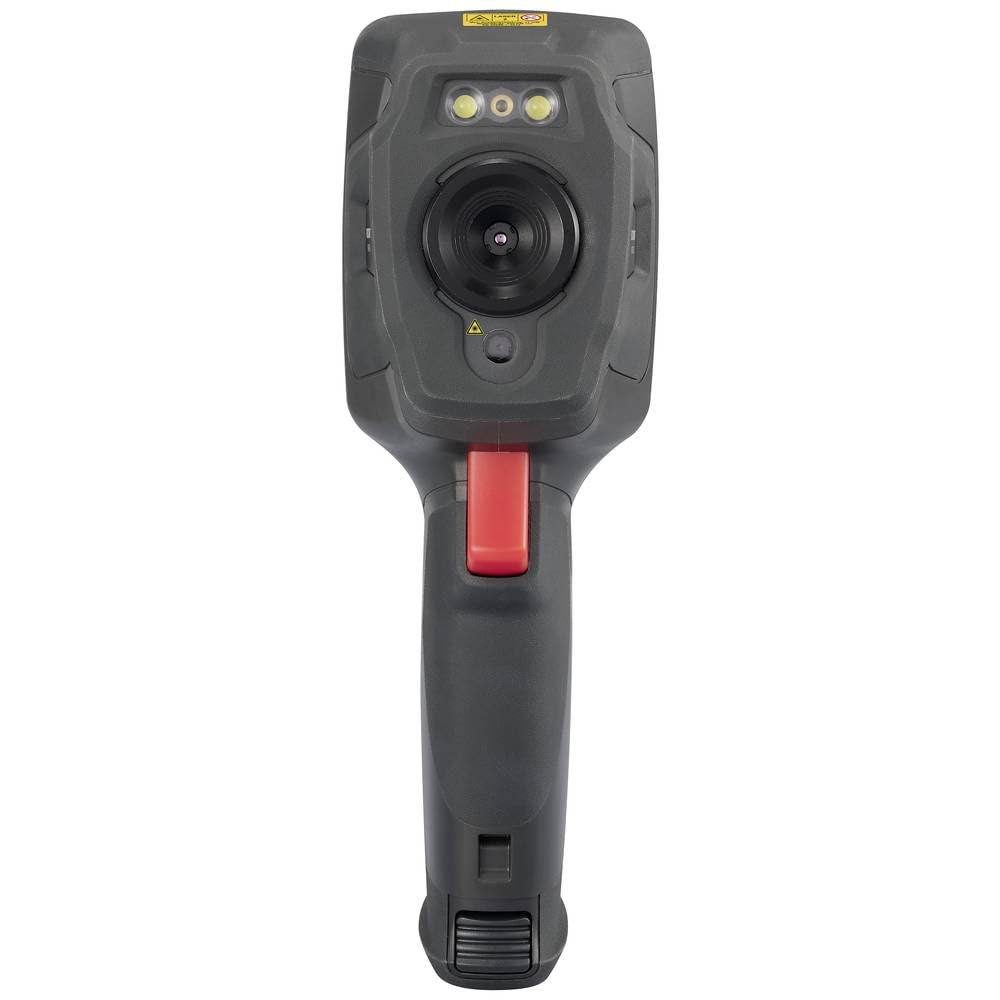
This image displays the front of the WB-310 thermal imager, highlighting the main thermal lens, the integrated visible light camera, and the LED illumination lights located above the lenses. A warning label is visible at the top.
sebelah View (Screen Side)
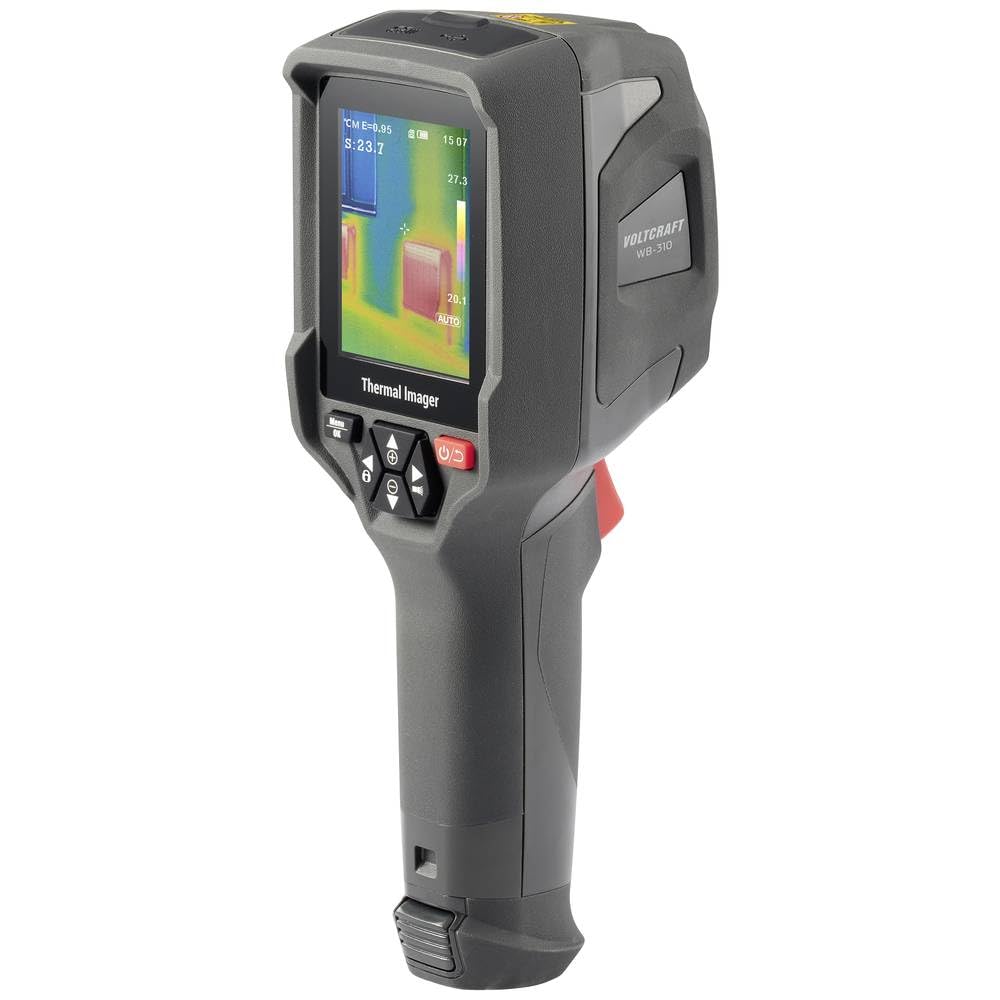
This image shows the side of the WB-310 thermal imager, focusing on the display screen which shows a thermal image with temperature readings. Below the screen are the navigation and power buttons, and the ergonomic handle is clearly visible.
sebelah View (Lens Side)
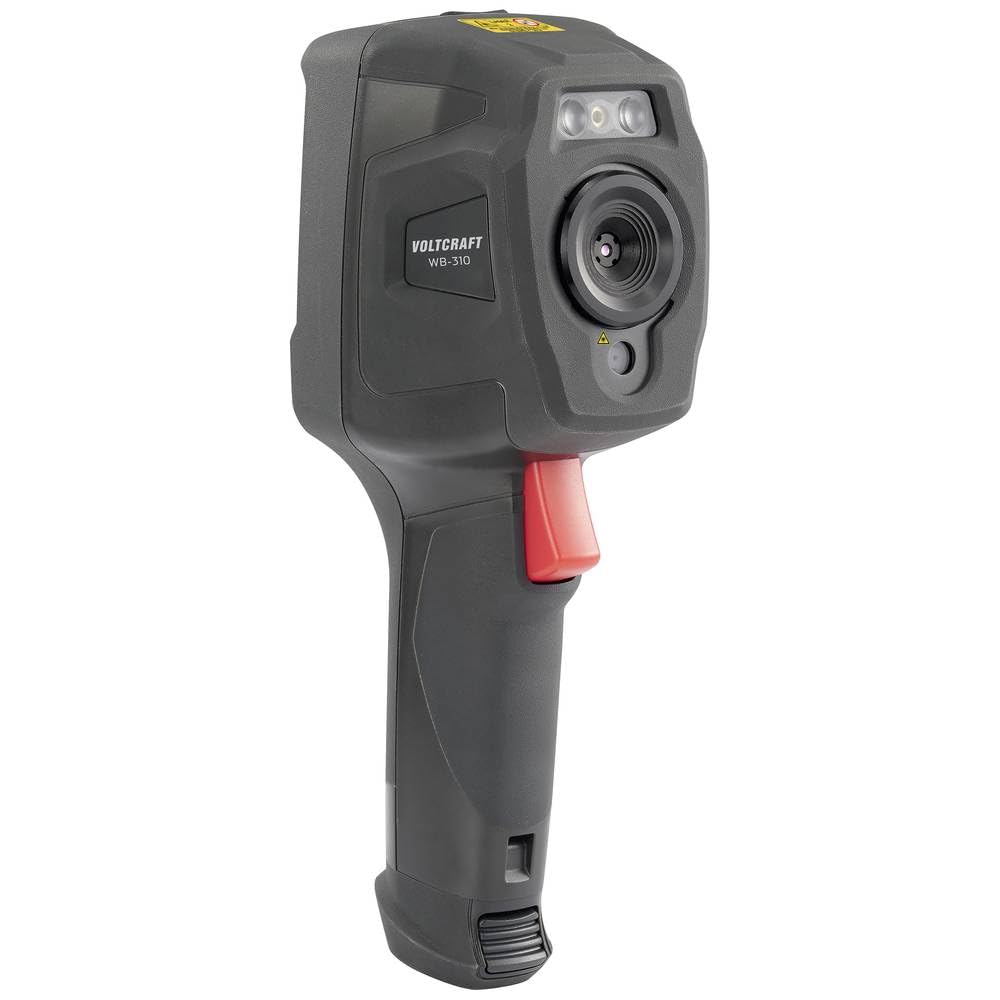
This image presents another side view of the WB-310 thermal imager, highlighting the lens assembly and the red trigger button located on the handle. The "VOLTCRAFT WB-310" branding is visible on the side casing.
belakang View
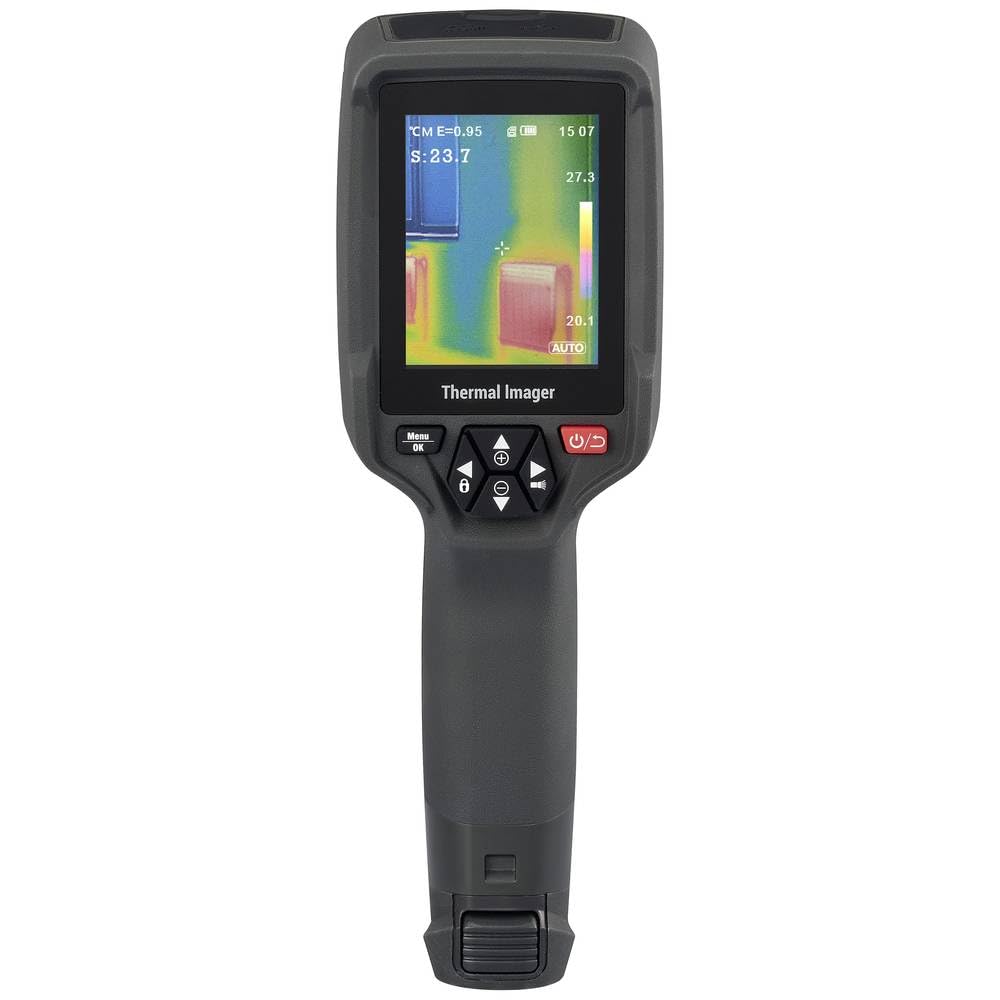
Imej ini menunjukkan bahagian belakang view of the WB-310 thermal imager, primarily featuring the display screen and the array of control buttons beneath it. The ergonomic grip is also prominent.
- Kanta Terma
- Kamera Cahaya Kelihatan
- Pencahayaan LED
- Skrin Paparan
- Navigation Buttons (Up, Down, Left, Right, OK/Menu)
- Butang Kuasa
- Butang Pencetus
- Micro-SD Card Slot (under protective cover)
- USB-C Port (under protective cover)
4. Persediaan
4.1. Mengecas Bateri
The device is powered by an internal rechargeable battery. Before first use, fully charge the battery using the provided USB-C cable and a compatible power adapter.
- Connect the USB-C cable to the port on the device (usually located under a protective cover).
- Sambungkan hujung kabel yang satu lagi ke sumber kuasa USB (cth, port USB komputer, penyesuai dinding).
- The charging indicator on the device will illuminate during charging and turn off when fully charged.
4.2. Inserting the Micro-SD Card
The WB-310 requires a micro-SD card (not included) to save thermal images and data. Ensure the device is powered off before inserting or removing the card.
- Locate the micro-SD card slot, typically under a protective rubber cover on the side or bottom of the device.
- Gently insert the micro-SD card with the contacts facing down until it clicks into place.
- Untuk mengeluarkan, tolak kad masuk sedikit sehingga ia keluar.
5. Arahan Operasi
5.1. Menghidupkan/Mematikan
Tekan dan tahan butang Butang Kuasa (usually marked with a power symbol) for a few seconds to turn the device on or off.
5.2. Pengukuran Asas
- Point the thermal imager at the object or area you wish to measure.
- The display will show the thermal image in real-time.
- The central spot meter will indicate the temperature at the center of the screen.
- Tekan ke Butang Pencetus to capture and save the current thermal image to the micro-SD card.
5.3. Navigasi Menu
Gunakan Butang Menu / OK to access the main menu. Use the Butang Navigasi (Up, Down, Left, Right) to scroll through options and adjust settings. Press Menu / OK again to confirm selections or exit a submenu.
5.4. Key Settings
- Emisiviti: Adjust this setting based on the material being measured for accurate temperature readings. Common values are provided in the specifications section.
- Palet Warna: Select from eight available color scales (e.g., Iron, Rainbow, Black-Hot, White-Hot) to visualize temperature differences.
- Unit Suhu: Tukar antara Celsius (°C) dan Fahrenheit (°F).
- Mod Gambar: Choose between thermal image, visible light image, or fusion modes (picture-in-picture, overlay) if available.
6. Penyelenggaraan
6.1. Membersihkan Peranti
- Lap badan peranti dengan kain lembut,amp kain. Jangan gunakan pembersih atau pelarut yang melelas.
- Untuk kanta dan skrin, gunakan kain dan larutan pembersih kanta khusus untuk mengelakkan calar.
- Ensure the device is powered off and disconnected from any power source before cleaning.
6.2. Penjagaan Bateri
- Recharge the battery regularly, even if the device is not in use, to maintain battery health.
- Elakkan menyahcas sepenuhnya bateri dengan kerap.
- Simpan peranti di tempat yang sejuk dan kering apabila tidak digunakan untuk tempoh yang lama.
6.3. Kemas Kini Perisian Tegar
Check the official VOLTCRAFT website periodically for available firmware updates. Follow the instructions provided with the update package carefully.
7. Penyelesaian masalah
| Masalah | Kemungkinan Punca | Penyelesaian |
|---|---|---|
| Peranti tidak dihidupkan. | Bateri dinyahcas. | Cas bateri sepenuhnya. |
| Device freezes or is unresponsive. | Ralat perisian. | Perform a soft reset by holding the power button for 10 seconds. If problem persists, contact support. |
| Bacaan suhu tidak tepat. | Tetapan emisiviti yang salah. | Adjust emissivity according to the material being measured. Ensure the lens is clean. |
| Tidak boleh menyimpan imej. | Micro-SD card full or not inserted correctly. | Check micro-SD card insertion. Delete old files or replace card. Ensure card is formatted correctly. |
8. Spesifikasi
| Ciri | Spesifikasi |
|---|---|
| Model | VOLTCRAFT WB-310 (VC-14452015) |
| Julat Pengukuran Suhu | -20 ° C hingga +550 ° C (-4 ° F hingga +1022 ° F) |
| Bolometer Matrix Resolution | 160 x 120 piksel |
| Kepekaan Terma (NETD) | 50 mK |
| Kadar Bingkai | 25 Hz |
| Paparan | 71 mm (2.8") LCD, 320 x 240 pixels |
| Ketersambungan | WiFi, USB-C |
| Penyimpanan | Slot kad Micro-SD |
| Dimensi (L x W x H) | Lebih kurang 23.5 x 10.1 x 7.55 cm |
| Berat badan | lebih kurang 840 g |
| Bekalan Kuasa | Bateri boleh dicas semula dalaman |
9. Waranti dan Sokongan
VOLTCRAFT products are designed for reliability and performance. For warranty information and technical support, please refer to the official VOLTCRAFT webtapak atau hubungi pengedar tempatan anda.
Untuk bantuan lanjut, sila layari VOLTCRAFT Store on Amazon or consult the contact information provided with your product packaging.


