1. Pengenalan
This manual provides detailed instructions for the setup, operation, and maintenance of your ATTACK SHARK X98PRO Wireless Mechanical Keyboard. The X98PRO features tri-mode connectivity (Bluetooth, 2.4GHz wireless, USB-C wired), hot-swappable switches, a customizable TFT screen, and a multi-function CNC knob, designed for both gaming and productivity across various operating systems.
2. Kandungan Pakej
- ATTACK SHARK X98PRO Mechanical Keyboard
- USB-C to USB-A Braided Cable
- Penerima Tanpa Wayar 2.4GHz
- Penarik Kekunci
- Penarik Suis
- Manual Pengguna (dokumen ini)
3. Keyboard Layout and Components
The X98PRO features a compact 98-key layout, integrating a numeric keypad while maintaining a smaller footprint than a full-size keyboard. Key components include:
- Skrin TFT 1.14 inci: Located above the numeric keypad, this screen displays various information and allows for customization.
- CNC Multi-Function Knob: Positioned next to the TFT screen, this knob controls volume, brightness, RGB effects, and connection modes.
- Port USB-C: Untuk sambungan berwayar dan pengecasan.
- 2.4GHz Wireless Receiver Storage: Typically located in a dedicated slot on the keyboard for safekeeping.


4. Persediaan
4.1. Mengecas Papan Kekunci
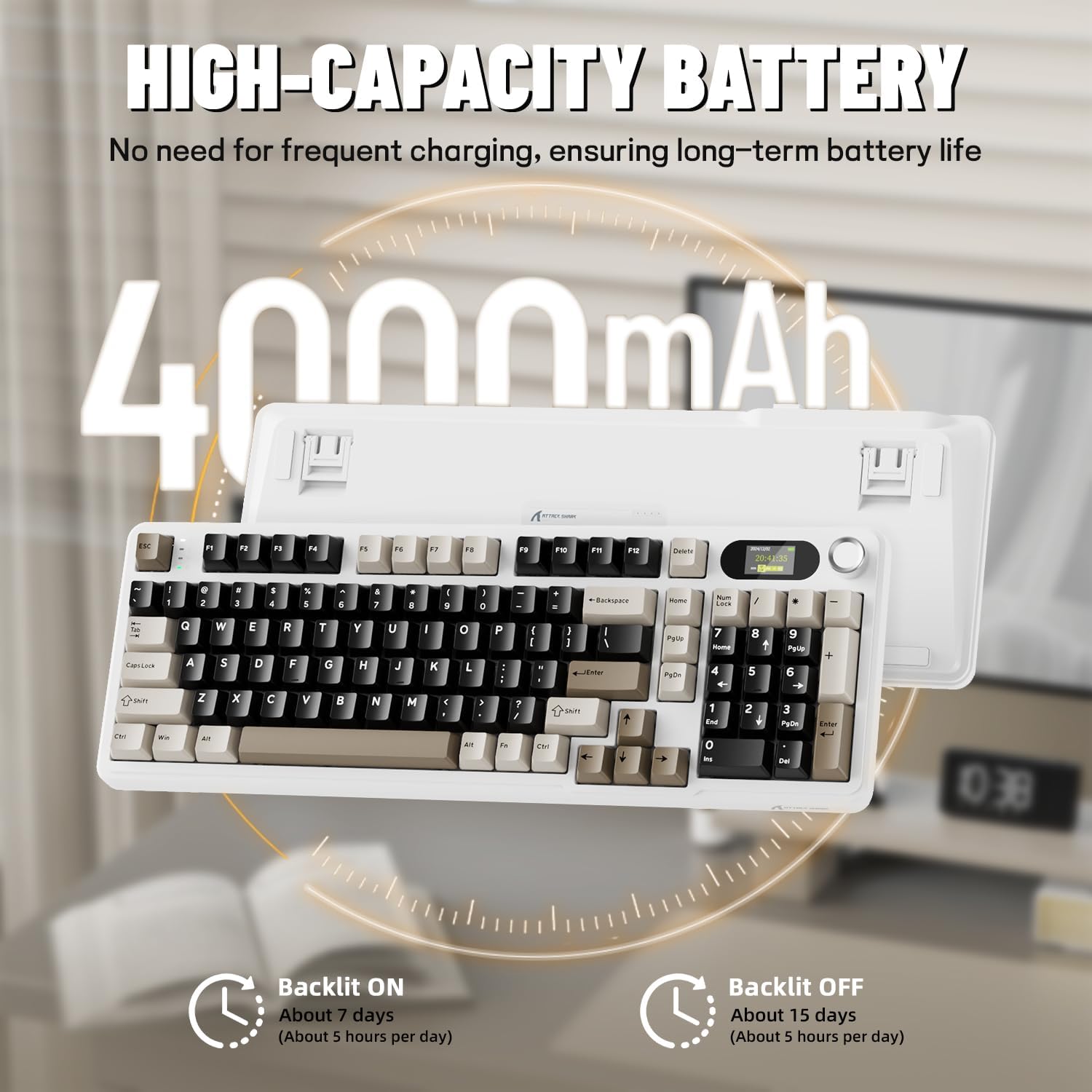
Before first use, it is recommended to fully charge the keyboard. Connect the provided USB-C cable to the keyboard's USB-C port and the other end to a USB-A power source (e.g., computer, wall adapter). The TFT screen will indicate charging status. The keyboard features a 4000mAh battery for extended wireless use.
4.2. Mod Kesambungan
The X98PRO supports three connection modes:
- Mod Berwayar USB-C: Sambungkan papan kekunci terus ke peranti anda menggunakan kabel USB-C. Mod ini juga mengecas papan kekunci.
- Mod Wayarles 2.4GHz:
- Insert the 2.4GHz wireless receiver into an available USB port on your computer.
- Switch the keyboard's mode selector to 2.4G. The keyboard should automatically connect.
- Mod Bluetooth 5.0: The keyboard can pair with up to three Bluetooth devices.
- Switch the keyboard's mode selector to Bluetooth.
- Tekan dan tahan fn+1, fn+2, atau fn+3 for 3-5 seconds until the indicator light flashes, indicating pairing mode.
- On your device (PC, Mac, Tablet), search for Bluetooth devices and select "ATTACK SHARK X98PRO" to pair.
- Untuk bertukar antara peranti Bluetooth yang dipasangkan, tekan fn+1, fn+2, atau fn+3 secara ringkas.

4.3. Konfigurasi Awal (Web-based Driver)
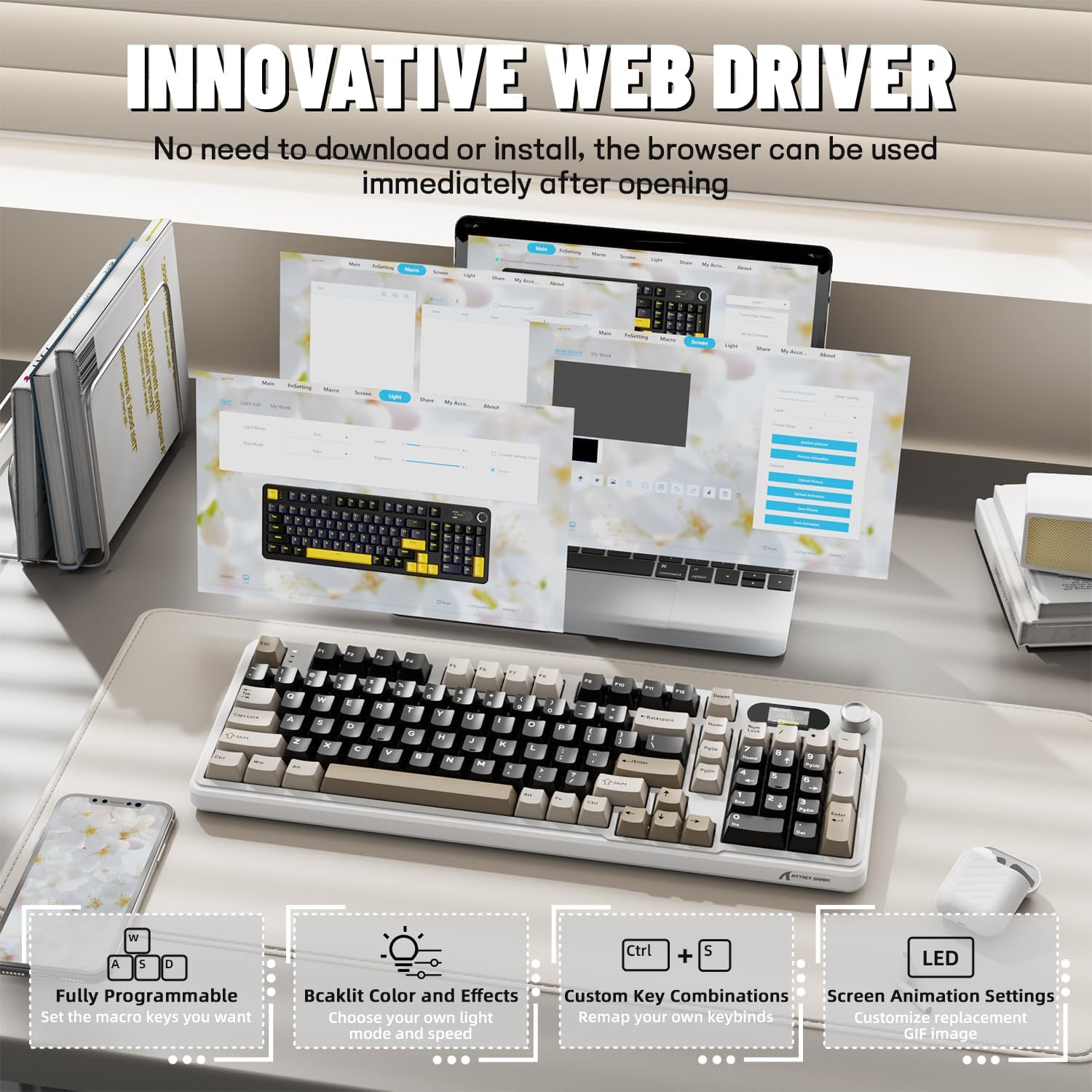
The X98PRO utilizes an intuitive web-based driver for advanced customization. This allows you to edit, upload, and switch display content for the TFT screen, customize RGB lighting, remap keys, and set macros without installing dedicated software. Access the official ATTACK SHARK webtapak untuk web driver interface.
5. Arahan Operasi
5.1. TFT Screen Functions
The 1.14-inch TFT screen can display various information:
- Status Sistem: Connection mode (wired, 2.4G, BT1/2/3), operating system (Win/Mac).
- Hayat Bateri: Real-time battery level.
- Masa: Masa semasa.
- Custom GIFs: Upload personalized animations via the web pemandu.
To navigate the TFT screen menu, rotate the CNC knob to scroll through options and press the knob to confirm a selection.
5.2. CNC Multi-Function Knob
The CNC knob provides intuitive control over several keyboard features:
- Kawalan Kelantangan: By default or after switching, rotate to adjust system volume.
- Kawalan Kecerahan: Laraskan kecerahan lampu latar.
- Kesan RGB: Kitar semula pelbagai kesan pencahayaan RGB.
- Mod Sambungan: Switch between wired, 2.4GHz, and Bluetooth modes.
To switch the knob's function (e.g., between volume and RGB control), press Fn + Tombol (press the knob down).
5.3. Lampu Belakang RGB
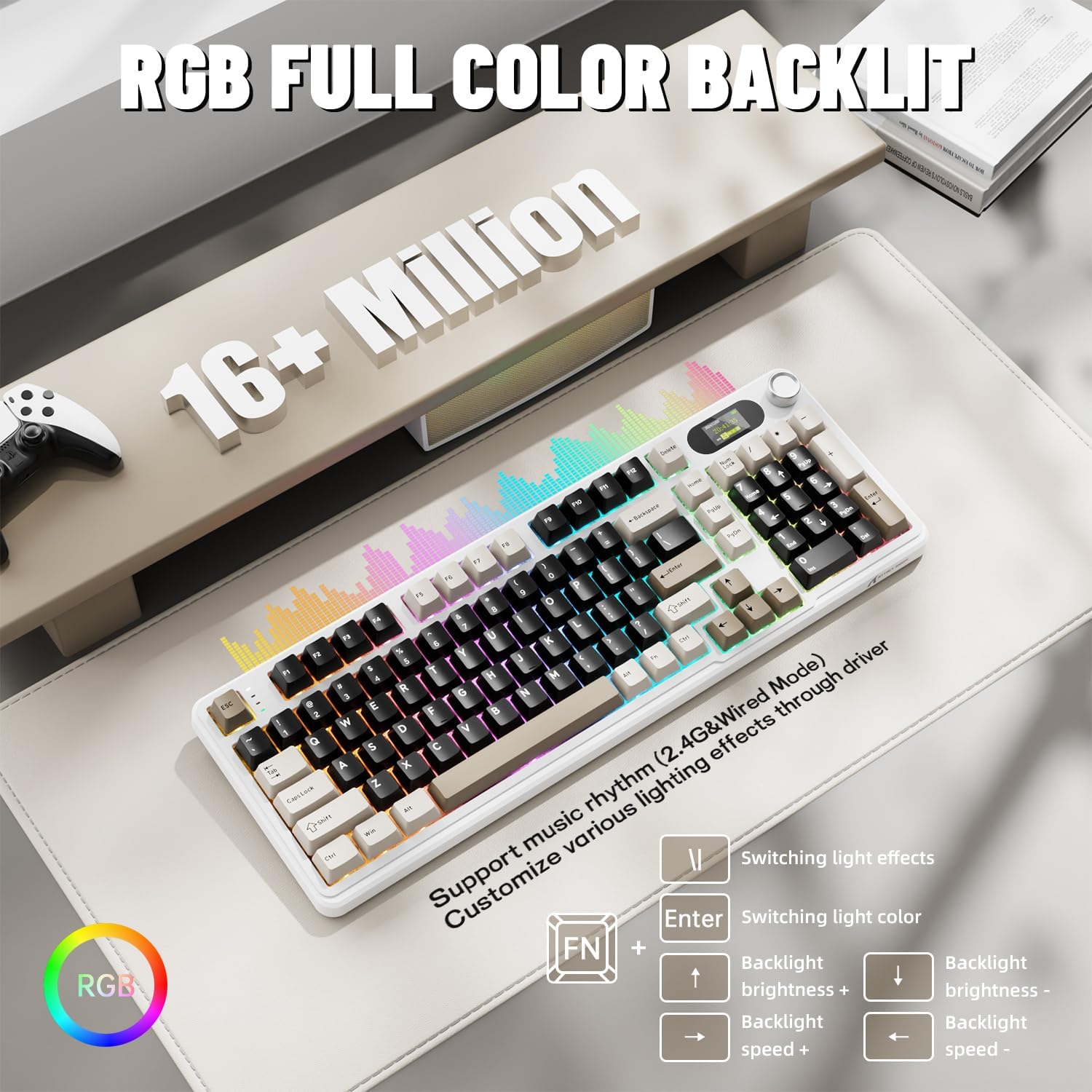
The X98PRO features full RGB backlighting with multiple effects. Control options include:
- Kesan Lampu Bertukar: Tekan Fn + Enter.
- Switching Light Color: Tekan Fn + \|.
- Kecerahan Lampu Latar: Tekan Fn + Anak Panah Atas (peningkatan) atau Fn + Anak Panah Bawah (menurun).
- Kelajuan Lampu Latar: Tekan Fn + Anak Panah Kiri (penurunan) atau Fn + Anak Panah Kanan (meningkatkan).
Further customization of RGB lighting, including per-key lighting and custom profiles, is available through the web-pemandu berasaskan.
5.4. Suis Boleh Tukar Panas
The X98PRO features a hot-swappable PCB, allowing you to easily change mechanical switches without soldering. It is compatible with most 3-pin and 5-pin mechanical switches.
- Using the provided switch puller, carefully grip the switch and pull it straight up to remove it.
- Sejajarkan pin suis baharu dengan lubang pada PCB. Pastikan pin lurus.
- Gently press the new switch into place until it clicks. Do not force it.

6. Penyelenggaraan
6.1. Pembersihan
- Putuskan sambungan papan kekunci daripada semua sumber kuasa sebelum membersihkannya.
- Gunakan penarik penutup kekunci untuk menanggalkan penutup kekunci bagi pembersihan menyeluruh.
- Wipe the keyboard surface with a soft, damp kain. Elakkan bahan kimia yang keras.
- Gunakan udara termampat untuk menghilangkan habuk dan serpihan dari antara kekunci.
6.2. Penggantian Suis dan Penutup Kekunci
Refer to Section 5.4 for instructions on replacing switches. Keycaps can be removed using the provided keycap puller and replaced with compatible sets.
7. Penyelesaian masalah
- Papan kekunci tidak bertindak balas: Ensure the keyboard is charged. Check the connection mode (wired, 2.4G, BT) and ensure it matches your device. For 2.4GHz, ensure the receiver is properly inserted. For Bluetooth, re-pair if necessary.
- TFT screen not updating/syncing: Ensure the keyboard is connected to a device. For time synchronization or custom GIFs, use the web-pemandu berasaskan.
- Hayat bateri pendek: Ensure the keyboard is fully charged. Reduce backlight brightness or disable RGB effects to conserve battery.
- Kunci tidak mendaftar: If a specific key is not working, try removing and re-inserting its switch. If the issue persists, consider replacing the switch.
- Isu penyesuaian: Pastikan anda menggunakan rasmi web-based driver. Clear browser cache or try a different browser if experiencing issues.
8. Spesifikasi
| Jenama | SERANGAN JEUNG |
| Model | X98PRO |
| Teknologi Ketersambungan | 2.4GHz, Bluetooth 5.0, USB-C Wired |
| Penerangan Papan Kekunci | mekanikal |
| Jenis Suis | Linear (Blueberry switches) |
| Panas-Boleh Tukar | Yes (3-pin and 5-pin compatible) |
| Kapasiti Bateri | 4000mAh |
| Ciri Khas | Customizable TFT Display, Multi-Function CNC Knob, RGB Backlit, Gasket Mount |
| Peranti Serasi | Laptop, PC, Tablet (Windows, Mac, Linux) |
| Dimensi | 16.4 x 5.8 x 1.8 inci (anggaran) |
| Berat Barang | 2.9 paun |
9. Waranti dan Sokongan
Untuk maklumat jaminan dan sokongan teknikal, sila rujuk laman web rasmi ATTACK SHARK webtapak atau hubungi perkhidmatan pelanggan mereka. Simpan resit pembelian anda untuk tuntutan waranti.


