1. Pengenalan
This manual provides detailed instructions for the setup, operation, and maintenance of your TUINYO WH-819 Wireless Over-Ear Bluetooth Headphones. Please read this manual thoroughly before using the product to ensure proper function and longevity.
2. Produk Lebihview
The TUINYO WH-819 headphones offer high-fidelity stereo sound, comfortable over-ear design, and versatile connectivity options. They are designed for extended listening periods, featuring a long-lasting battery and a foldable structure for portability.
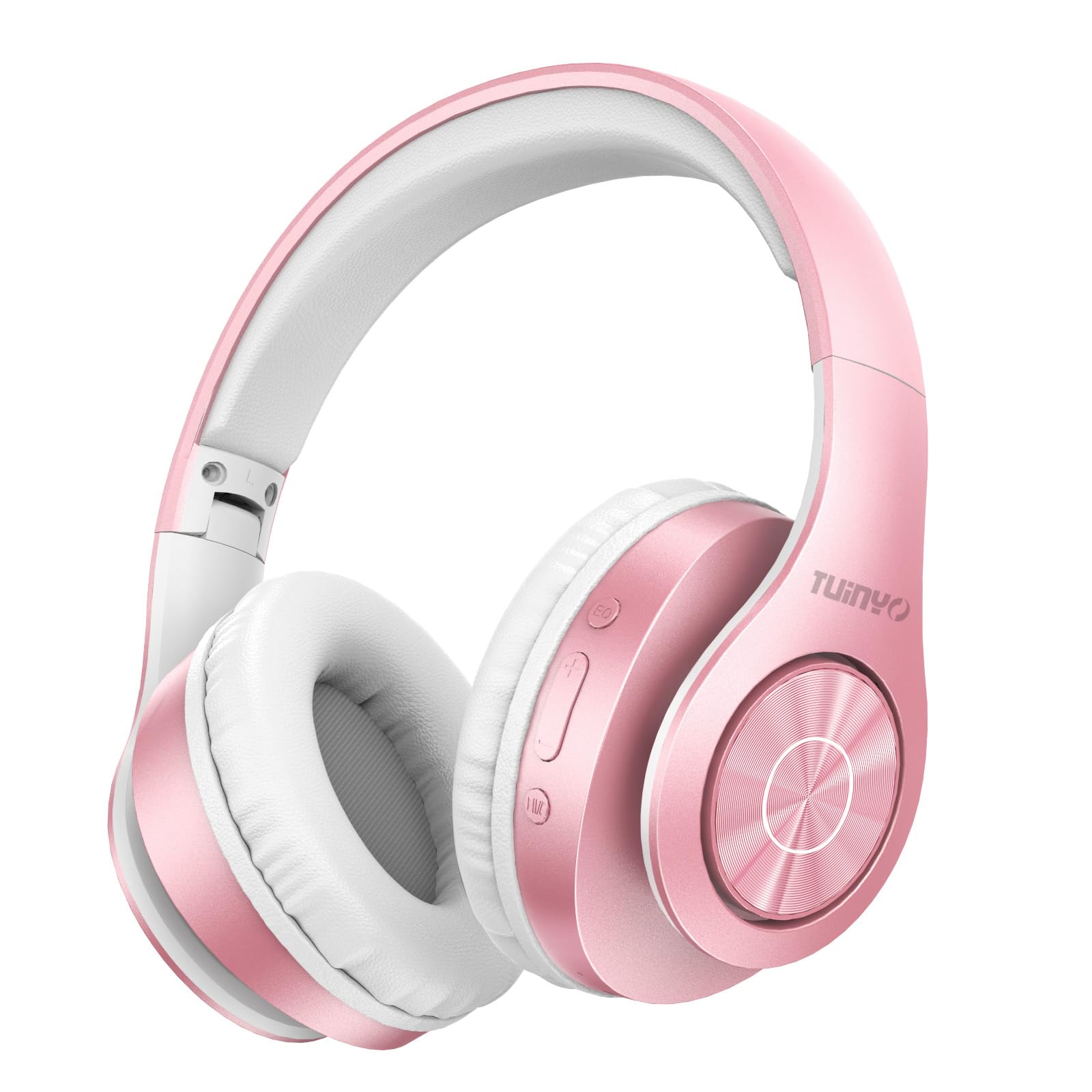
Figure 2.1: TUINYO WH-819 Rose Gold Wireless Over-Ear Bluetooth Headphones.
Video 2.1: Tamatview of the TUINYO wireless Bluetooth headphones, highlighting their design and features.
3. Kandungan Pakej
Pastikan semua item ada dalam pakej:
- TUINYO WH-819 Wireless Over-Ear Bluetooth Headphones
- Kabel Pengecas USB
- Kabel Audio 3.5mm
- Protective Premium Case
- Manual Pengguna

Figure 3.1: Included accessories with the TUINYO WH-819 headphones.
4. Kawalan dan Pelabuhan
Biasakan diri anda dengan kawalan dan port fon kepala:
- Butang Kuasa: Tekan lama untuk hidup/mati. Tekan pendek untuk main/jeda muzik atau jawab/tamatkan panggilan.
- Butang Naik Kelantangan/Trek Seterusnya: Tekan sebentar untuk menaikkan kelantangan. Tekan lama untuk trek seterusnya.
- Kelantangan Turun/Butang Trek Sebelumnya: Tekan sebentar untuk menurunkan kelantangan. Tekan lama untuk trek sebelumnya.
- Butang EQ: Press to cycle through different equalizer modes (Normal, Rock, Pop, Classic, Jazz, Country).
- Bicu Audio 3.5mm: Untuk sambungan berwayar.
- Port Pengecasan USB: Untuk mengecas fon kepala.
- Slot Kad MicroSD: For direct music playback from a MicroSD card.

Rajah 4.1: Terperinci view of headphone controls and features.
Video 4.1: A demonstration of the TUINYO headphones' folding mechanism and button controls.
5. Persediaan
5.1 Mengecas Fon Kepala
- Connect the USB charging cable to the headphone's charging port.
- Connect the other end of the USB cable to a compatible USB power source (e.g., computer, wall adapter).
- Penunjuk LED akan menunjukkan status pengecasan (cth, merah untuk mengecas, biru untuk dicas penuh).
- Pengecasan penuh biasanya mengambil masa 2-2.5 jam.
5.2 Berpasangan Bluetooth
- Pastikan fon kepala dicas sepenuhnya.
- Long press the Power button until the LED indicator flashes blue and red, indicating pairing mode.
- Pada peranti anda (telefon pintar, tablet, komputer riba), dayakan Bluetooth dan cari peranti yang tersedia.
- Select "WH-819" from the list of devices.
- Once connected, the LED indicator will flash blue slowly, and a voice prompt will confirm successful pairing.
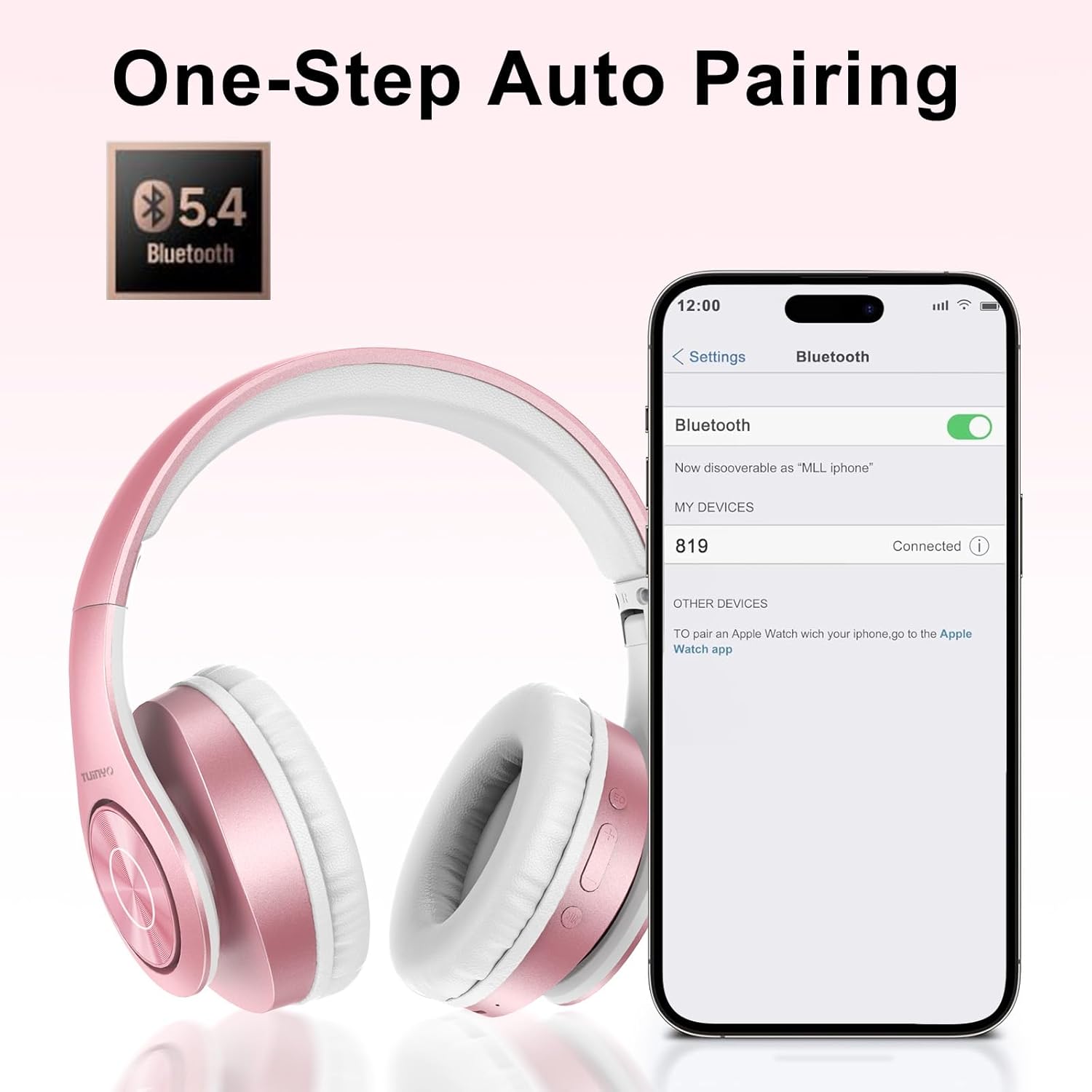
Figure 5.1: Bluetooth pairing process on a smartphone.
6. Arahan Operasi
6.1 Hidupkan/Mati Kuasa
- Hidupkan kuasa: Long press the Power button until the LED indicator lights up blue.
- Matikan: Long press the Power button until the LED indicator turns off.
6.2 Main balik Muzik
- Main/Jeda: Tekan pendek butang Kuasa.
- Lagu Seterusnya: Tekan lama butang Kelantangan Naik.
- Trek Sebelumnya: Tekan lama butang Kurangkan Kelantangan.
- Pelarasan Kelantangan: Tekan sebentar butang Kelantangan Naik atau Kelantangan Turun.
6.3 Pengurusan Panggilan
- Jawab/Tamatkan Panggilan: Tekan pendek butang Kuasa.
- Tolak Panggilan: Tekan lama butang Kuasa.
6.4 Mod EQ
- Press the EQ button to switch between different sound equalizer modes (Normal, Rock, Pop, Classic, Jazz, Country) to optimize your listening experience.
6.5 Mod Berwayar
- Insert the 3.5mm audio cable into the headphone's audio jack and the other end into your audio device.
- The headphones will automatically switch to wired mode, and Bluetooth functionality will be disabled.
6.6 Main Semula Kad MicroSD
- Insert a MicroSD card with MP3 audio files into the MicroSD card slot.
- The headphones will automatically detect the card and begin playing music.
- Use the music playback controls (Play/Pause, Next/Previous Track, Volume) to manage your audio.
7. Penyelenggaraan
- Bersihkan fon kepala dengan kerap menggunakan kain lembut dan kering.
- Elakkan menggunakan pembersih atau pelarut yang kasar.
- Store the headphones in their protective case when not in use to prevent damage.
- Jauhkan daripada suhu dan kelembapan yang melampau.
8. Penyelesaian masalah
| Masalah | Penyelesaian |
|---|---|
| Fon kepala tidak dihidupkan. | Pastikan fon kepala dicas. Sambungkan ke sumber kuasa dan cuba lagi. |
| Tidak boleh berpasangan melalui Bluetooth. | Ensure headphones are in pairing mode (LED flashing blue/red). Turn off and on Bluetooth on your device. Move closer to the device. |
| Tiada bunyi dalam mod Bluetooth. | Check volume levels on both headphones and connected device. Ensure headphones are successfully paired. |
| Tiada bunyi dalam mod berwayar. | Ensure the 3.5mm audio cable is fully inserted into both the headphones and the audio device. Check the audio source. |
| Kad MicroSD tidak dimainkan. | Ensure the MicroSD card is inserted correctly and contains compatible MP3 audio files. |
9. Spesifikasi
| Ciri | Perincian |
|---|---|
| Nama Model | WH-819 |
| Teknologi Ketersambungan | Wayarles (Bluetooth), Berwayar (Bicu 3.5mm) |
| Teknologi Komunikasi Tanpa Wayar | Bluetooth 4.0 |
| Jenis Pemacu Audio | Dynamic Driver (40mm neodymium) |
| Hayat Bateri | Up to 40 hours of music time (800mAh battery) |
| Masa Mengecas | 2-2.5 jam |
| Bentuk alat dengar | Atas Telinga |
| bahan | Plastic, Memory-Protein Earmuffs |
| Berat badan | 13.4 auns |
| Dimensi | 8.5 x 6.22 x 4.25 inci (Pakej) |
| Peranti Serasi | Tablets, Laptops, Desktops, Smartphones, Bluetooth-enabled devices |
| Tahap Ketahanan Air | Bukan Tahan Air |
10. Waranti dan Sokongan
Your TUINYO WH-819 headphones are covered by a 30-day warranty from the date of purchase. For any product inquiries, technical support, or warranty claims, please refer to the contact information provided with your purchase or visit the official TUINYO webtapak.


