1. Pengenalan
This manual provides essential information for the safe and efficient operation of your DARAN NEO 576Wh 600W Portable Solar Generator. Please read this manual thoroughly before using the product and retain it for future reference.
2. Produk Lebihview
The DARAN NEO is a versatile portable power station designed to provide reliable power for various applications, including outdoor activities, emergency backup, and general use. It features a 576Wh LiFePO4 battery, delivering 600W continuous AC power (1200W surge).
2.1 Ciri-ciri Utama
- Kapasiti Tinggi: 576Wh (180,000mAh) LiFePO4 battery.
- Output Kuat: 600W continuous AC power, 1200W surge.
- Pelbagai Pilihan Pengecasan: Supports solar, car, and AC wall charging.
- Pengecasan Cepat: Recharges to 80%+ in approximately 1 hour via 600W AC input.
- Outlet Pelbagai: 1 AC outlet, 2x 100W USB-C PD ports, 1x USB-A QC3.0 port, 1x 12V DC (cigarette lighter-style) port.
- Fungsi UPS: Built-in Uninterruptible Power Supply (UPS) with <10ms switchover for sensitive electronics.
- Bateri Tahan Lama: LiFePO4 battery offers over 3500 charge cycles, maintaining 70% capacity after 10 years.
- Reka Bentuk Mudah Alih: Compact dimensions (12.13"L x 7.72"W x 9.72"H) and a weight of 46.1 lbs.
2.2 Komponen dan Pelabuhan
Biasakan diri anda dengan pelbagai komponen dan port stesen janakuasa anda:
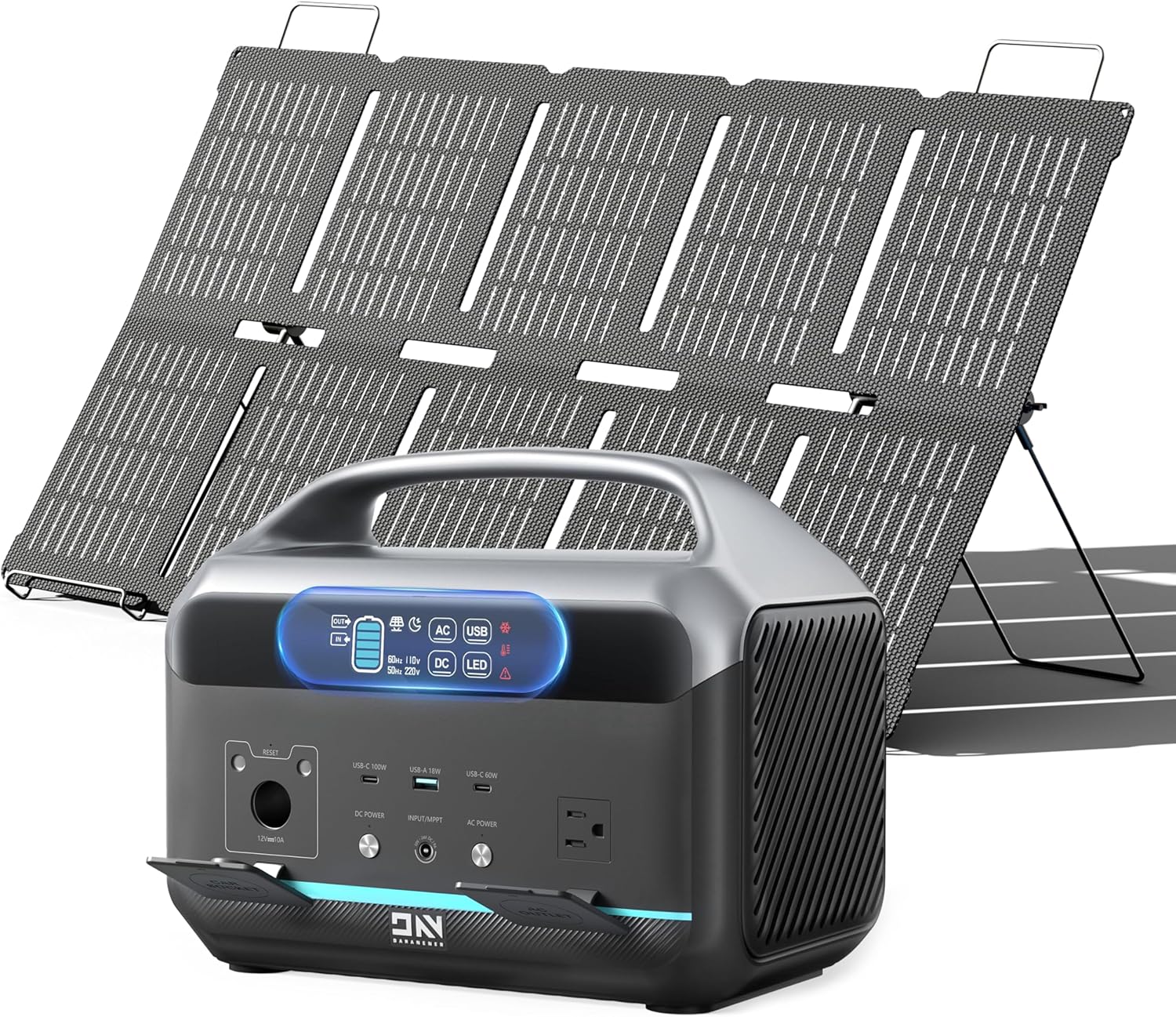
Imej 2.1: The DARAN NEO Portable Power Station shown with an optional solar panel. This image highlights the compact design and the integrated handle for portability.

Imej 2.2: Terperinci view of the DARAN NEO's input and output ports. This includes AC outlets, USB-C and USB-A ports, DC output, and input ports for AC, solar, and car charging.
Video 2.1: Berakhirview of the Daran 600W Portable Power Station, demonstrating its various ports and compact design. This video provides a quick visual guide to the unit's physical features.
3. Persediaan
3.1 Pengecasan Awal
Before first use, fully charge your power station. Connect the provided AC charging cable to the input port on the unit and then to a standard wall outlet. The digital display will indicate the charging status.

Imej 3.1: The DARAN NEO Portable Power Station connected to an AC wall outlet for charging. The display shows the charging progress, indicating a rapid recharge time.
3.2 Menyambung Peranti
Identify the appropriate port for your device (AC, USB-C, USB-A, or DC). Plug your device's charging cable into the corresponding port on the power station.
4. Arahan Operasi
4.1 Menghidupkan/Mematikan
Press and hold the main power button to turn the unit on or off. Individual output sections (AC, DC, USB) have their own power buttons to activate or deactivate them as needed.
4.2 Menggunakan Port Output
- Cawangan AC: Press the "AC ON/OFF" button to activate the AC output. Plug in devices requiring standard wall power (up to 600W).
- Port USB (USB-C, USB-A): Press the "DC ON/OFF" button to activate USB output. Connect your USB-powered devices.
- Output DC (12V): Press the "DC ON/OFF" button to activate the 12V DC output. Use for devices compatible with a car cigarette lighter-style port.
4.3 Paparan LED
Paparan digital memberikan maklumat masa nyata:
- Peratus tahap bateritage.
- Masukkan wattage (charging power).
- Keluaran wattage (power consumption).
- Indicators for AC, DC, USB, and LED light status.
- Warning indicators for temperature or other issues.

Imej 4.1: Illustration of the DARAN NEO's LED screen display, showing various indicators such as battery percentage, input/output power, and status icons.
5. Maklumat Bateri
The DARAN NEO utilizes a Lithium Iron Phosphate (LiFePO4) battery, known for its safety, longevity, and stability.
- Keselamatan yang Dipertingkatkan: LiFePO4 batteries are fireproof, puncture-resistant, and thermal runaway-resistant.
- Jangka Hayat Dilanjutkan: Offers over 3500 charge cycles, retaining approximately 70% of its capacity even after 10 years of use.
- Smart BMS System: Integrated Battery Management System (BMS) provides smart temperature and load control for optimal performance and safety.

Imej 5.1: Visual representation of the internal LiFePO4 battery structure, highlighting its safety features and long lifespan with a smart BMS system.
6. Penggunaan Cthamples
The 576Wh capacity allows for extended operation of various devices. The actual usage time may vary based on device wattage dan kecekapan.

Imej 6.1: Examples of device runtimes with the 576Wh capacity, including audio devices, laptops, and mini-fridges.

Imej 6.2: Demonstrates the power station's ability to power a CPAP machine (80W) for approximately 6.1 hours, along with other devices like WiFi routers, projectors, and lamps.

Imej 6.3: Illustrates the power station's use for outdoor entertainment, powering a DJ controller (100W) for about 4.8 hours, guitars, microphones, and LED lights.
7. Kaedah Mengecas
Your DARAN NEO Portable Power Station can be recharged using three primary methods:
- Saluran Keluar Dinding AC: Connect the provided AC charging cable to the input port and a standard wall outlet. This method offers the fastest recharge, reaching 80%+ in approximately 1 hour.
- Panel Suria (Dijual Secara Berasingan): Connect a compatible 100W solar panel to the solar input port for eco-friendly charging. This is ideal for off-grid situations.
- Car 12V Outlet: Use a compatible car charger to recharge the unit from your vehicle's 12V outlet.

Imej 7.1: Depicts the versatility of the power station, showing it being charged by an AC outlet, solar panel, and car adapter, ensuring power availability anytime, anywhere.
Video 7.1: This video provides a detailed look at the LiFePO4 battery technology and various charging methods for the portable power station, including solar charging capabilities.
8. Langkah-langkah Keselamatan
- Jangan dedahkan unit ini kepada api atau suhu yang melampau.
- Elakkan daripada menjatuhkan atau menyebabkan unit terkena hentakan yang kuat.
- Jauhkan daripada air dan kelembapan.
- Do not disassemble or attempt to repair the unit yourself.
- Pastikan pengudaraan yang betul semasa penggunaan dan pengecasan.
- The built-in UPS (<10ms switchover) protects sensitive electronics like PCs and CPAP machines during power interruptions.
9. Penyelenggaraan
- Pembersihan: Use a dry, soft cloth to clean the exterior of the unit. Do not use liquid cleaners.
- Storan: Store the power station in a cool, dry place away from direct sunlight. For long-term storage, charge the unit to 50-80% every 3-6 months to prolong battery life.
- Penjagaan Bateri: Elakkan menyahcas sepenuhnya bateri dengan kerap.
10. Penyelesaian masalah
| Masalah | Kemungkinan Punca | Penyelesaian |
|---|---|---|
| Unit tidak dihidupkan | Battery fully discharged; Power button not pressed long enough. | Cas unit; Tekan dan tahan butang kuasa selama 3-5 saat. |
| Tiada output daripada port | Output section not activated; Device requires more power than available. | Activate the specific output (AC, DC, USB) button; Check device wattage against unit's output capacity. |
| Pengecasan perlahan | Using a low-power charging method (e.g., car charger vs. AC); Environmental factors. | Use AC wall charger for fastest charging; Ensure optimal conditions for solar charging. |
| Amaran berlebihan | Connected device exceeds unit's output capacity. | Disconnect the high-power device; Use devices within the specified wattage had. |
11. Spesifikasi
| Ciri | Perincian |
|---|---|
| Jenama | DARAN |
| Nama Model | NEO |
| Jenis Bateri | LiFePO4 |
| Kapasiti | 576Wj (180,000mAh) |
| Output AC | 600W (lonjakan 1200W) |
| Output PD USB-C | 2x 100W |
| Output QC3.0 USB-A | 1x Port |
| Keluaran DC | 1x 12V (Cigarette Lighter Style) |
| Input AC | Pengecasan Pantas 600W |
| Input Suria | Compatible with 100W panel (Max 150W) |
| Fungsi UPS | <10ms Switchover |
| Dimensi (L x W x H) | 12.13" x 7.72" x 9.72" |
| Berat badan | 46.1 paun |
| bahan | Plastik, Logam, Aluminium |
12. Waranti dan Sokongan
Your DARAN NEO Portable Solar Generator comes with a Waranti 2 bulan. For any questions or assistance, please contact DARAN customer support. We offer 24-hour Premium Service to ensure a worry-free experience.
For further support, please refer to the contact information provided in your product packaging or visit the official DARAN webtapak.


