1. Pengenalan
Terima kasih kerana membeliasing the ZZB WP-03C Bluetooth Speaker. This portable wireless speaker is designed to deliver clear, loud stereo sound with dynamic lighting effects, suitable for various indoor and outdoor environments. It features IPX5 water resistance, Bluetooth 5.3 connectivity, and multiple playback options.
2. Kandungan Pakej
Sila semak pakej untuk item berikut:
- ZZB WP-03C Bluetooth Speaker
- Kabel Kuasa
- Manual Pengguna (dokumen ini)
3. Produk Lebihview
Biasakan diri anda dengan komponen dan kawalan pembesar suara.

Rajah 3.1: Depan view of the ZZB WP-03C Bluetooth Speaker, showcasing its compact design and integrated light bar.

Rajah 3.2: The speaker demonstrating its IPX5 water resistance, with water splashing around it.
3.1 Kawalan dan Pelabuhan
- Butang Kuasa: Tekan dan tahan untuk menghidupkan/mematikan.
- Butang Naik Kelantangan/Trek Seterusnya: Tekan pendek untuk kelantangan, tekan lama untuk trek seterusnya.
- Kelantangan Turun/Butang Trek Sebelumnya: Tekan pendek untuk kelantangan turun, tekan lama untuk trek sebelumnya.
- Butang Main/Jeda: Press to play or pause music, answer/end calls.
- Butang Mod: Press to switch between Bluetooth, FM Radio, AUX, and TF/SD card modes.
- Butang Cahaya: Press to cycle through light modes or turn lights off.
- Port Pengecasan: Port USB-C untuk mengecas.
- Port AUX-masuk: 3.5mm audio input for wired connections.
- Slot Kad TF/SD: Untuk memainkan muzik terus daripada kad memori.
- mikrofon: Untuk panggilan bebas tangan.
4. Persediaan
4.1 Mengecas Speaker
- Connect the provided power cable to the speaker's charging port.
- Sambungkan hujung kabel yang satu lagi ke penyesuai kuasa USB (tidak disertakan) atau port USB komputer.
- Lampu penunjuk pengecasan akan menyala. Ia akan padam atau berubah warna setelah dicas sepenuhnya.
- Pengecasan penuh biasanya mengambil masa kira-kira 2-3 jam.
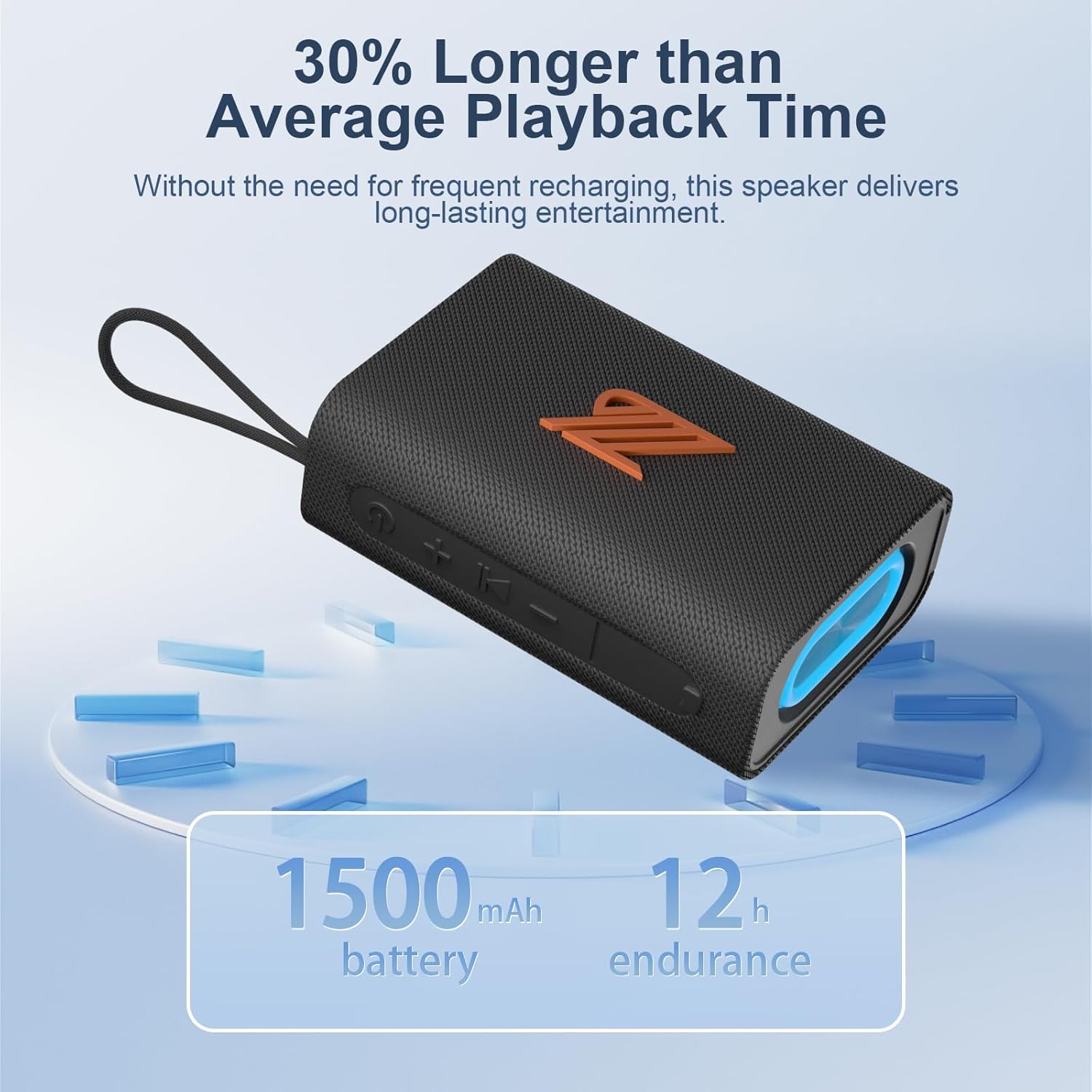
Rajah 4.1: The speaker highlighting its 1500mAh battery, providing up to 12 hours of playback.
4.2 Menghidupkan/Mematikan
- Untuk Menghidupkan: Tekan dan tahan butang Kuasa selama 2-3 saat sehingga anda mendengar gesaan yang boleh didengar dan lampu penunjuk menyala.
- Untuk Mematikan: Tekan dan tahan butang Kuasa selama 2-3 saat sehingga anda mendengar gesaan yang boleh didengar dan lampu penunjuk padam.
5. Arahan Operasi
5.1 Berpasangan Bluetooth
- Ensure the speaker is powered on and in Bluetooth mode (indicated by a flashing blue light). If not, press the Mode button to switch to Bluetooth mode.
- Pada peranti anda (telefon pintar, tablet, dll.), dayakan Bluetooth dan cari peranti yang tersedia.
- Select "ZZB WP-03C" from the list of devices.
- Once paired, the speaker will emit an audible confirmation, and the blue indicator light will stop flashing and remain solid.
- Pembesar suara akan menyambung semula secara automatik ke peranti gandingan terakhir apabila dihidupkan, jika Bluetooth peranti aktif dan dalam julat.

Rajah 5.1: Demonstrating Bluetooth connection between a smartphone and the ZZB WP-03C speaker for music playback.
5.2 Penggandingan Stereo Tanpa Wayar Sebenar (TWS)
To achieve a true stereo sound experience, you can pair two ZZB WP-03C speakers together.
- Pastikan kedua-dua pembesar suara dihidupkan dan tidak disambungkan ke mana-mana peranti Bluetooth.
- On one speaker (this will be the primary speaker), double-press the Power button (or a dedicated TWS button if available, refer to physical controls). You will hear a prompt indicating TWS pairing mode.
- Pembesar suara utama akan mencari pembesar suara sekunder. Setelah disambungkan, kedua-dua pembesar suara akan mengeluarkan bunyi pengesahan.
- Sekarang, sambungkan peranti anda ke pembesar suara utama melalui Bluetooth seperti yang diterangkan dalam Bahagian 5.1.
- Audio kini akan dimainkan dalam stereo melalui kedua-dua pembesar suara.

Rajah 5.2: Two ZZB WP-03C speakers positioned to illustrate True Wireless Stereo (TWS) functionality.
5.3 Playing Music from TF/SD Card
- Insert a TF/SD card (with MP3 audio files) into the designated slot on the speaker.
- The speaker will automatically switch to TF/SD card mode and begin playing music. If not, press the Mode button to select TF/SD card mode.
5.4 Mod AUX-masuk
- Sambungkan satu hujung kabel audio 3.5mm (tidak disertakan) ke port AUX-in pembesar suara.
- Connect the other end to the audio output jack of your non-Bluetooth device.
- The speaker will automatically switch to AUX-in mode. If not, press the Mode button to select AUX-in mode.
Mod Radio 5.5 FM
- Press the Mode button repeatedly until you enter FM Radio mode.
- To auto-scan and save available stations, press the Play/Pause button. The speaker will scan and store stations.
- Use the Volume Up/Down buttons (short press) to navigate between saved stations.
- Untuk penerimaan yang lebih baik, pastikan pembesar suara berada di kawasan terbuka.
5.6 Fungsi Panggilan
- When connected via Bluetooth, incoming calls will be announced.
- Jawab Panggilan: Tekan butang Main/Jeda sekali.
- Tamatkan Panggilan: Tekan butang Main/Jeda sekali semasa panggilan.
- Tolak Panggilan: Tekan dan tahan butang Main/Jeda selama 2 saat.
- Dail Semula Nombor Terakhir: Tekan dua kali butang Main/Jeda.
5.7 Mod Cahaya
The speaker features dynamic LED lights. Press the Light button to cycle through different light patterns or to turn the lights off.
6. Penyelenggaraan
- Pembersihan: Lap pembesar suara dengan lembut, damp kain. Jangan gunakan pembersih atau pelarut yang melelas.
- Tahan Air: The speaker is IPX5 water-resistant, meaning it can withstand splashes and light rain. Do not submerge the speaker in water. Ensure the charging port cover is securely closed when exposed to water.
- Storan: Simpan pembesar suara di tempat yang sejuk dan kering jauh dari cahaya matahari langsung dan suhu yang melampau.
- Penjagaan Bateri: Untuk memanjangkan hayat bateri, cas sepenuhnya pembesar suara sebelum penggunaan pertama dan cas semula sekurang-kurangnya sekali setiap tiga bulan jika tidak digunakan secara berkala.
7. Penyelesaian masalah
| Masalah | Kemungkinan Punca | Penyelesaian |
|---|---|---|
| Speaker tidak dihidupkan. | Bateri lemah. | Cas pembesar suara sepenuhnya. |
| Tidak boleh berpasangan melalui Bluetooth. | Bluetooth tidak didayakan pada peranti; pembesar suara tidak dalam mod berpasangan; terlalu jauh dari peranti. | Ensure Bluetooth is on; put speaker in pairing mode; move device closer (within 40 feet). |
| Tiada bunyi. | Kelantangan terlalu rendah; mod yang dipilih salah; peranti tidak dimainkan. | Increase volume; check mode (Bluetooth, AUX, TF/SD); ensure device is playing. |
| Penerimaan radio FM yang lemah. | Isyarat lemah; gangguan. | Move speaker to an open area; try rescanning stations. |
| Gandingan TWS gagal. | Speakers already paired to another device; too far apart. | Disconnect speakers from other devices; ensure speakers are close to each other during TWS pairing. |
8. Spesifikasi
| Nama Model: | WP-03C |
| Jenama: | ZZB |
| Ketersambungan: | Bluetooth 5.3, AUX-in, TF/SD Card |
| Mod Output Audio: | Stereo |
| Kuasa Keluaran Pembesar Suara: | 20 Watt |
| Tahan Air: | IPX5 |
| Kapasiti Bateri: | 1500 mAh Litium Ion |
| Masa Main Semula: | Sehingga 12 jam (pada kelantangan sederhana) |
| Input Pengecasan: | 5 Volt |
| Julat Bluetooth: | Sehingga 40 kaki (12 meter) |
| Dimensi Produk: | 4.92"D x 3.34"W x 1.77"H (12.5cm x 8.5cm x 4.5cm approx.) |
| Berat Barang: | 0.34 Kilogram (12 auns) |
| Komponen yang Disertakan: | Kabel Kuasa |
9. Maklumat Waranti
The ZZB WP-03C Bluetooth Speaker comes with a limited warranty. Please refer to the warranty card included in your package or contact customer support for details regarding warranty coverage and terms.
10. Sokongan Pelanggan
If you encounter any issues or have questions regarding your ZZB WP-03C Bluetooth Speaker, please contact our customer support team. Contact information can typically be found on the product packaging or on the official ZZB webtapak.


