1. Pengenalan
This manual provides essential instructions for the setup, operation, and maintenance of your GOBOULT Drift+ Smart Watch. Please read this guide thoroughly to ensure proper use and to maximize the device's features.

Image 1.1: The GOBOULT Drift+ Smart Watch.
The GOBOULT Drift+ Smart Watch features a 1.85-inch HD display, Bluetooth calling capabilities, IP68 water resistance, and comprehensive health monitoring functions.

Imej 1.2: Selesaiview of GOBOULT Drift+ Smart Watch features.
2. Apa yang ada di dalam Kotak
Sahkan bahawa semua item berikut disertakan dalam pembungkusan produk anda:
- GOBOULT Drift+ Smart Watch
- Kabel Pengecasan
- Manual Pengguna (dokumen ini)
- Kad Waranti
3. Persediaan
3.1 Pengecasan Awal
Before first use, fully charge your GOBOULT Drift+ Smart Watch. Connect the provided charging cable to the charging port on the back of the watch and to a standard USB power adapter (not included). The watch typically takes approximately 2.5 hours to fully charge.

Image 3.1: Charging the GOBOULT Drift+ Smart Watch.
3.2 Berpasangan dengan Telefon Pintar Anda
- Muat turun aplikasi rasmi GOBOULT daripada gedung aplikasi telefon pintar anda (serasi dengan iOS dan Android).
- Pastikan Bluetooth didayakan pada telefon pintar anda.
- Open the GOBOULT app and follow the on-screen instructions to create an account or log in.
- Select 'Add Device' or a similar option within the app and choose 'Drift+' from the list of available devices.
- Sahkan permintaan pasangan pada telefon pintar dan jam tangan pintar anda.
4. Arahan Operasi
4.1 Navigasi Asas
The GOBOULT Drift+ Smart Watch features a 1.85-inch HD touchscreen display. Swipe left, right, up, or down to navigate through menus and functions. Press the side button to return to the home screen or access the app list.
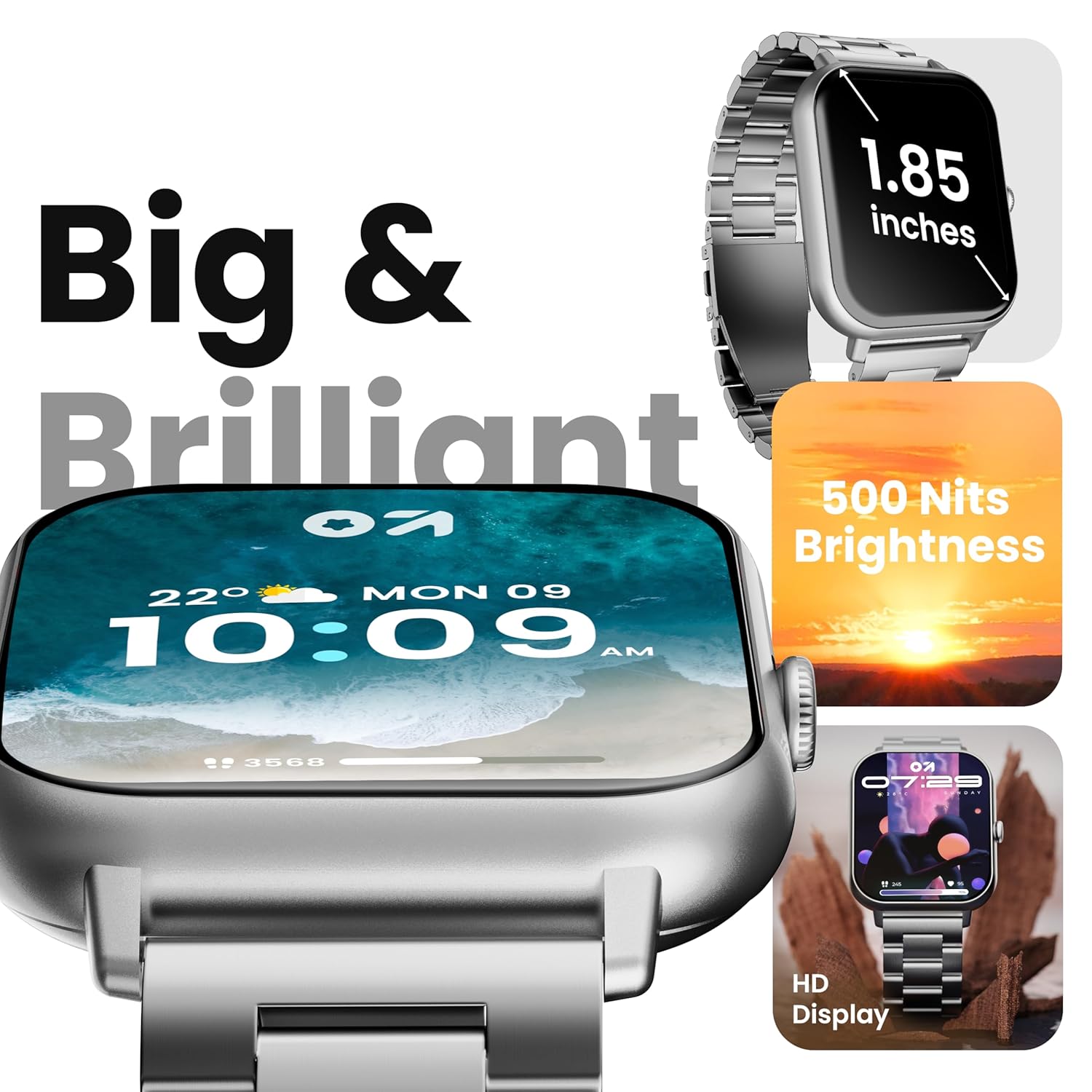
Image 4.1: The 1.85-inch HD display of the smart watch.
4.2 Panggilan Bluetooth
Once paired with your smartphone, the Drift+ Smart Watch allows you to make and receive calls directly from your wrist. The watch is equipped with a built-in speaker and microphone for clear audio communication.
- Menjawab Panggilan: Apabila panggilan masuk, ketik ikon jawapan hijau pada skrin jam tangan.
- Membuat Panggilan: Access the dialer or contacts through the watch menu to initiate a call.

Image 4.2: Bluetooth calling feature in use.
4.3 Menyesuaikan Muka Jam
The watch supports over 150 cloud-based watch faces and custom watch face options. To change your watch face:
- Long-press on the current watch face on your watch.
- Swipe left or right to browse pre-installed watch faces.
- For more options, open the GOBOULT app on your smartphone and navigate to the 'Watch Faces' section to download and apply new designs.

Image 4.3: Customizing watch faces.
4.4 Mod Sukan
The GOBOULT Drift+ offers over 100 sports modes to track various physical activities. To access and use sports modes:
- From the watch's main menu, select the 'Sports' or 'Workout' icon.
- Choose your desired activity from the list (e.g., running, cycling, walking).
- Ketik untuk mula menjejak. Jam tangan akan merekodkan data seperti langkah, jarak, kalori yang dibakar dan kadar denyutan jantung.
- To end a workout, swipe right or press the side button and select 'End'.

Image 4.4: Tracking activities with sports modes.
4.5 Pemantauan Kesihatan
The watch provides comprehensive health insights, including:
- Pemantauan Denyut Jantung 24/7: Menjejaki kadar denyutan jantung anda secara berterusan.
- SpO2 Blood Oxygen Tracking: Mengukur tahap ketepuan oksigen darah.
- Pemantauan Tekanan Darah: Memberikan anggaran bacaan tekanan darah.
- Penjejakan Kitaran Haid Wanita: Membantu mengesan dan meramalkan kitaran haid.
- Drink Water Reminders: Prompts you to stay hydrated.
- Peringatan Sedentari: Encourages movement after periods of inactivity.
Access these features through the health menu on the watch or view detailed data in the GOBOULT app.

Image 4.5: Health monitoring features.
4.6 Pembantu Suara AI
Activate the AI voice assistant on your watch for hands-free assistance. This feature allows you to perform tasks, ask questions, and control certain functions using voice commands. Ensure your watch is connected to your smartphone for full functionality.
4.7 Pemberitahuan Pintar
Receive notifications from your favorite social apps, messages, and calls directly on your watch. Configure notification settings within the GOBOULT app on your smartphone.
5. Penyelenggaraan
5.1 Tahan Air
The GOBOULT Drift+ Smart Watch is IP68 water resistant, meaning it is protected against dust and can withstand immersion in water up to 1.5 meters for up to 30 minutes. It is suitable for daily use, such as hand washing or light rain exposure. However, it is not recommended for swimming, diving, or exposure to hot water/steam.

Image 5.1: IP68 Water Resistance.
5.2 Pembersihan
To clean your smart watch, gently wipe the screen and strap with a soft, damp, lint-free cloth. Avoid using harsh chemicals or abrasive materials, as these can damage the device.
5.3 Penjagaan Bateri
Untuk memanjangkan hayat bateri:
- Elakkan suhu yang melampau.
- Cas jam tangan dengan kerap, tetapi elakkan membiarkannya dicas sepenuhnya atau habis sepenuhnya untuk tempoh yang lama.
- Reduce screen brightness and disable unnecessary features when not in use.
The watch offers up to 7 days of battery life in regular mode, 2-3 days with heavy Bluetooth calling, and an impressive 25 days in standby mode.
6. Penyelesaian masalah
| Isu | Penyelesaian yang Mungkin |
|---|---|
| Tonton tidak dihidupkan | Pastikan jam tangan dicas sepenuhnya. Sambungkannya ke pengecas selama sekurang-kurangnya 30 minit. |
| Tidak dapat dipasangkan dengan telefon pintar | Check if Bluetooth is enabled on your phone. Restart both the watch and phone. Ensure the GOBOULT app is updated. |
| Bluetooth calling not working | Verify that the watch is properly connected for both media and call audio in your phone's Bluetooth settings. Check app permissions. |
| Data kesihatan yang tidak tepat | Ensure the watch is worn snugly on your wrist, not too tight or too loose. Clean the sensors on the back of the watch. Note that smart watch data is for reference and not for medical diagnosis. |
| Hayat bateri pendek | Reduce screen brightness, disable 'Always-On Display' if active, limit frequent heart rate monitoring, and turn off unnecessary notifications. |
7. Spesifikasi
| Ciri | Perincian |
|---|---|
| Nama Model | Drift+ |
| Saiz Paparan | 1.85 Inci HD |
| Kecerahan | 500 Nit |
| Tahan Air | IP68 |
| Jenis Wayarles | Bluetooth 5.1 |
| Keserasian Sistem Pengendalian | iOS, Android |
| Jenis Bateri | Polimer Litium |
| Masa Pengecasan Bateri | lebih kurang 2.5 Jam |
| Penggunaan Biasa Hayat Bateri | Sehingga 7 Hari |
| Heavy Usage (BT Calling) Battery Life | 2-3 Hari |
| Masa Tunggu Sedia | Sehingga 25 Hari |
| Berat Barang | 38 g |
| Komponen yang Disertakan | Jam Tangan Pintar, Kabel Pengecasan, Manual Pengguna, Kad Waranti |
8. Waranti dan Sokongan
Your GOBOULT Drift+ Smart Watch comes with a manufacturer's warranty. Please refer to the included Warranty Card for detailed terms and conditions, including warranty period and coverage.
For technical support, service, or further inquiries, please visit the official GOBOULT website or contact customer service using the information provided on your Warranty Card or the product packaging.
Manufacturer: Exotic Mile Private Limited, Boult Audio, B-67 Wazirpur Industrial Area, New Delhi 110052, India.


