1. Maklumat Keselamatan Penting
Please read this manual carefully before installing, operating, or performing maintenance on your washing machine. Keep this manual for future reference. Always disconnect the appliance from the power supply before cleaning or maintenance.
- Ensure the power supply matches the rating plate specifications.
- Jangan benarkan kanak-kanak bermain dengan perkakas.
- Jangan sekali-kali memaksa pintu terbuka.
- Do not install the appliance in a very damp place or where water may splash.
- Always remove transit bolts before use.
2. Produk Lebihview
The Candy Smart Pro Inverter washing machine is designed for efficient and convenient laundry care. It features a front-loading design, a user-friendly control panel, and smart connectivity.

Depan view of the Candy Smart Pro Inverter washing machine, highlighting its A-10% energy efficiency and Inverter Motor Slim 44cm.
2.1 Panel Kawalan
The control panel allows you to select programs, adjust settings, and monitor the washing cycle. It includes a program dial, a digital display, and various function buttons.

Close-up of the Candy Smart Pro Inverter washing machine's control panel with digital display and program dial.
3. Persediaan dan Pemasangan
3.1 Membongkar
Carefully remove the washing machine from its packaging. The package includes the main unit. Inspect the appliance for any damage during transit.
3.2 Memilih Lokasi
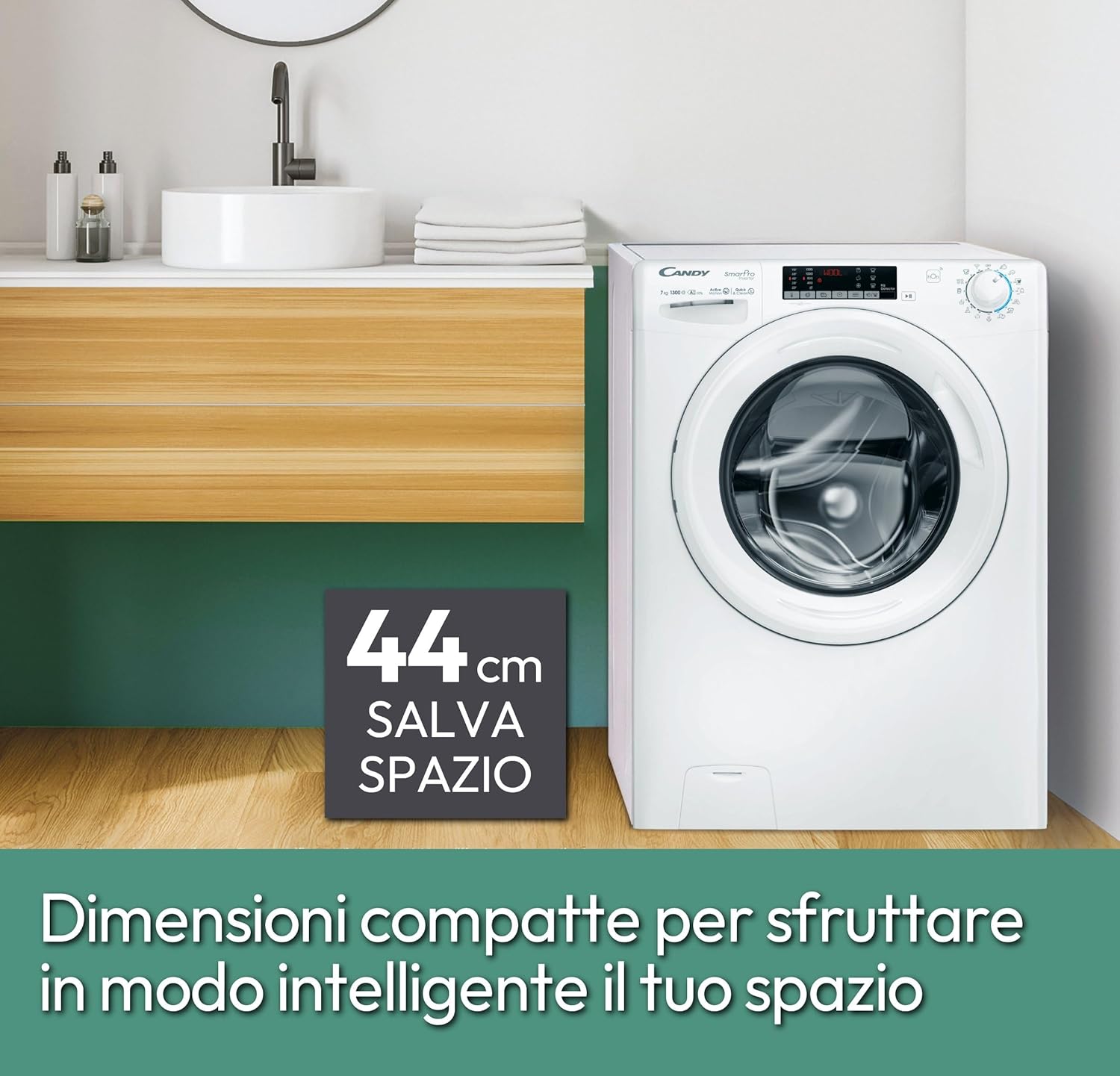
Select a stable, level surface for installation. The compact dimensions of 45P x 60L x 85H cm (44cm slim depth) allow for flexible placement in various spaces, including smaller bathrooms or utility rooms.

The Candy Smart Pro Inverter washing machine placed in a modern bathroom setting, showcasing reka bentuknya yang padat.
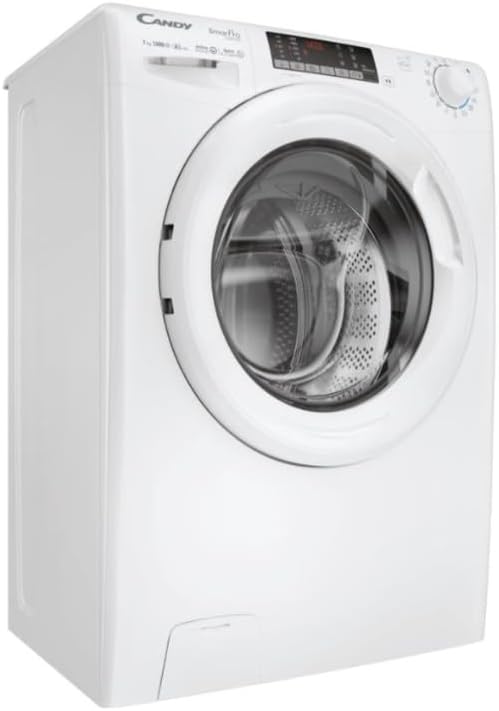
Image highlighting the compact 44cm depth of the washing machine, indicating its space-saving design.
3.3 Menanggalkan Bolt Transit
Before operating the machine, it is crucial to remove all transit bolts located at the rear of the appliance. Failure to do so can cause severe damage during operation.
3.4 Menyambung Air dan Hos Longkang
Connect the water inlet hose to a cold water tap and the drain hose to a suitable drain pipe. Ensure all connections are secure to prevent leaks.
belakang view of the Candy Smart Pro Inverter washing machine, showing hose connections.
3.5 Sambungan Elektrik
Pasangkan kord kuasa ke soket elektrik yang dibumikan. Jangan gunakan kord sambungan atau penyesuai.
4. Arahan Operasi
4.1 Memuatkan Dobi
Open the door and load your laundry into the drum. Do not overload the machine; the maximum capacity is 7 kg. Ensure no items are caught in the door seal before closing.
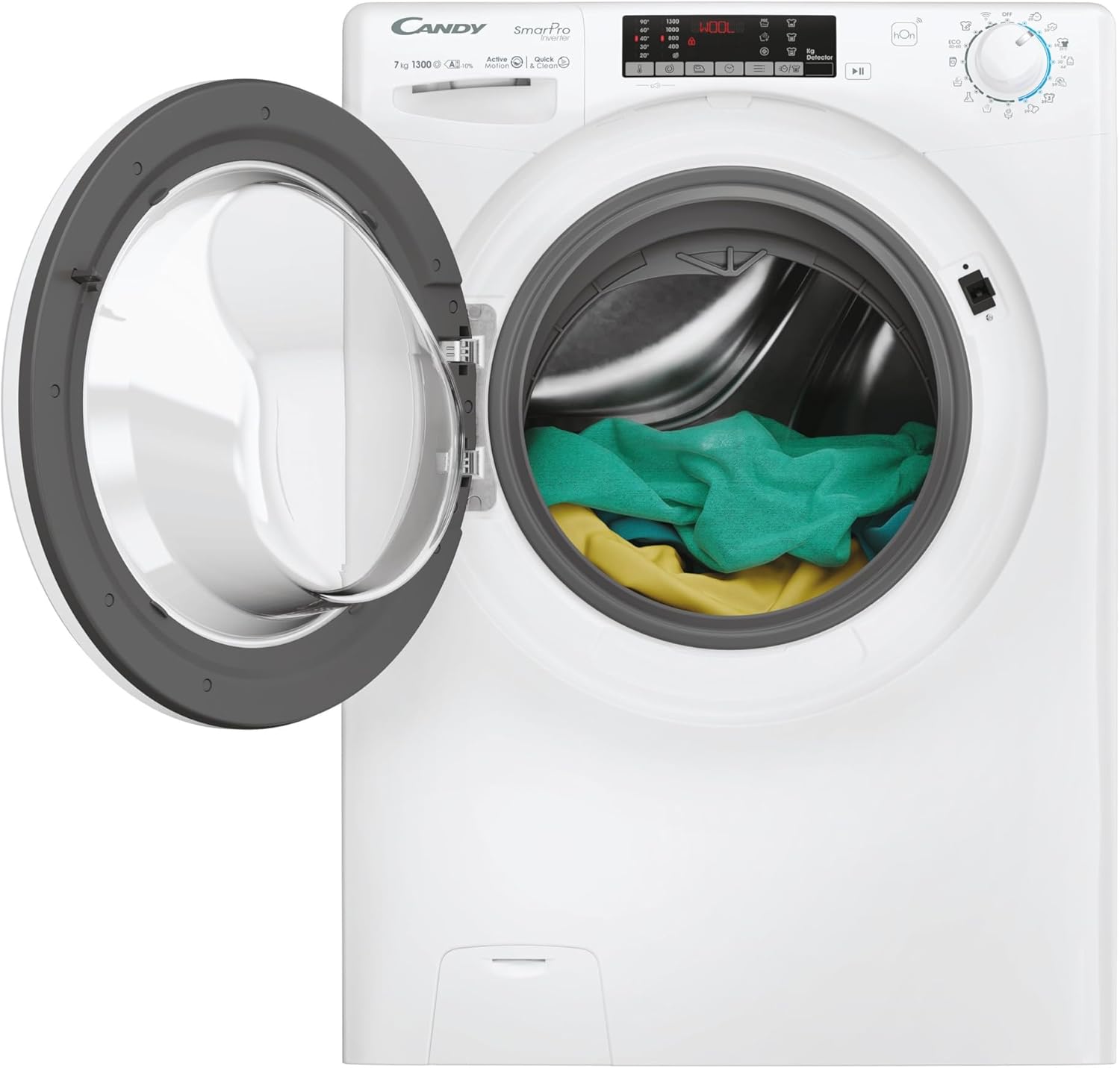
Front-loading washing machine with the door open, showing the drum filled with laundry.
4.2 Menambah Detergen
Pull out the detergent dispenser drawer. Add the appropriate amount of detergent and fabric softener to the designated compartments. The Quick&Clean Technology enhances stain removal by pre-mixing water and detergent.
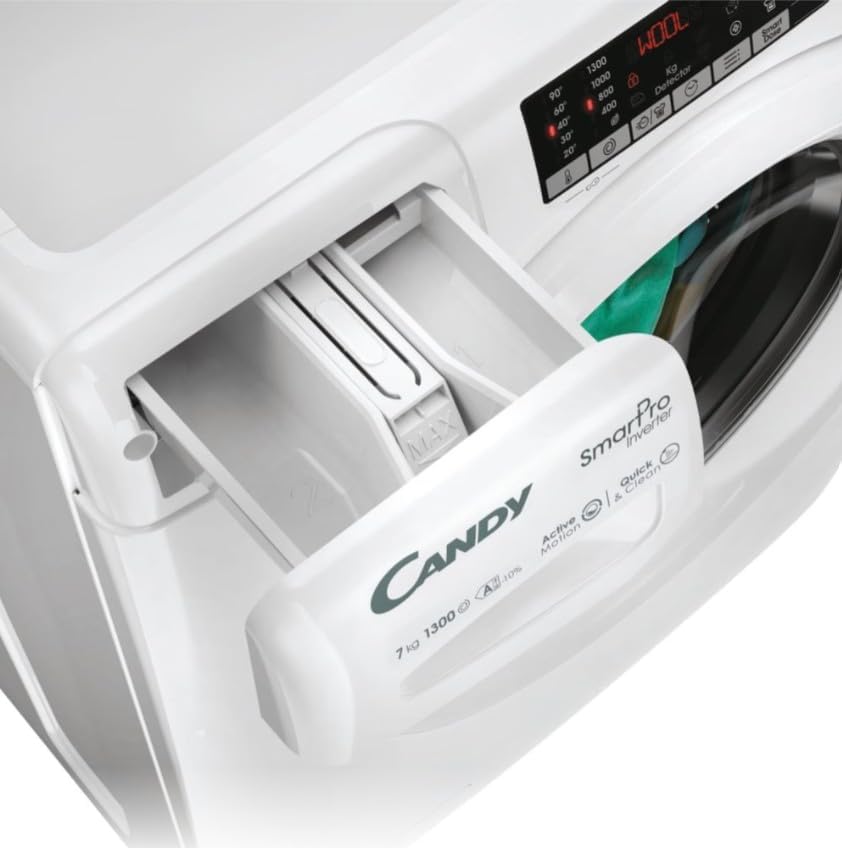
Close-up of the detergent dispenser drawer of the Candy Smart Pro Inverter washing machine.
4.3 Pemilihan Program
Turn the program dial to select one of the 16 available washing programs. The machine offers a complete set of quick cycles, ideal for washing needs in less than an hour.
4.4 Menggunakan Aplikasi hOn
The hOn App allows you to manage your washing machine remotely. You can choose from over 60 additional cycles, monitor energy consumption, and check the appliance's maintenance level for optimal performance.

A person interacting with the hOn application on a smartphone, demonstrating remote control of the washing machine.
5. Penyelenggaraan dan Penjagaan
Penyelenggaraan tetap memastikan jangka hayat dan prestasi optimum mesin basuh anda.
5.1 Membersihkan Laci Detergen
Tanggalkan dan bersihkan laci detergen secara berkala untuk mengelakkan sisa terkumpul. Bilas di bawah air yang mengalir dan keringkan dengan teliti sebelum dipasang semula.
5.2 Membersihkan Dram
Run a maintenance wash cycle (e.g., a hot wash with no laundry and a descaling agent) regularly to clean the drum and prevent odors.
5.3 Membersihkan Penapis
Locate and clean the drain pump filter at the bottom front of the machine every few months to remove lint and small objects.
5.4 Pembersihan Luaran
Lap bahagian luar mesin dengan lembut, damp kain. Elakkan pembersih atau pelarut yang melelas.
6. Penyelesaian masalah
If you encounter issues with your washing machine, refer to the following common problems and solutions. For more detailed diagnostics, consult the hOn App.
- Mesin tidak dihidupkan: Check if the power cord is properly plugged in, the door is fully closed, and the water supply is on.
- No spinning/poor spinning: Ensure the load is balanced. Overloading or an unbalanced load can prevent spinning. Check the drain filter for blockages.
- Getaran berlebihan: Verify that the transit bolts have been removed and the machine is level on the floor.
- Kebocoran air: Check hose connections for tightness and inspect hoses for damage. Ensure the detergent drawer is not overflowing.
- Bunyi luar biasa: Periksa objek asing di dalam dram atau penapis pam.
7. Spesifikasi
Key technical specifications for the Candy Smart Pro Inverter Washing Machine.
| Ciri | Spesifikasi |
|---|---|
| Jenama | gula-gula |
| Nama Model | Smart Pro Inverter |
| Nombor Model Item | CO4 374TWM6/1-S |
| Dimensi Produk (HxWxD) | 85 x 60 x 45 cm |
| Berat badan | 61 kg |
| Kapasiti | 7 Kilogram |
| Penilaian Kecekapan Tenaga | A-10% (10% more efficient than Class A) |
| Kelajuan Putaran Maks | 1300 RPM |
| Tahap Kebisingan | 76 dB |
| Jenis Motor | Speed Drive Inverter |
| Bilangan Program | 16 (plus 60+ via hOn App) |
| Ciri Khas | High Efficiency, Smart Connectivity (hOn App), Quick Cycles, Quick&Clean Technology |
| Kedudukan Capaian | Beban Depan |
| warna | putih |
| Jenis Kawalan | Remote (via hOn App) / Dial |
| Mod Pengendalian | Automatik |
| Komponen yang Disertakan | Unit utama |
| Negara Asal | China |

Diagram illustrating the components of the Speed Drive Inverter motor, emphasizing its efficiency and durability.
8. Waranti dan Sokongan
For information regarding warranty and returns, please refer to the purchase platform's policies. Typically, products are returnable within 14 days of receipt if you change your mind. For defective or damaged products, specific return policies apply.
Specialized customer support is available for assistance with product issues or inquiries. Please contact the seller or manufacturer's customer service for further help.
- Pulangan: Returnable within 14 days of receipt.
- Sokongan Pelanggan: Specialized customer support is available.
- Perkhidmatan Pemasangan: Unpacking and installation services may be available through your retailer.


