pengenalan
Terima kasih kerana membeliasing the DOSS Extreme Boom Pro D100 Bluetooth Speaker. This manual provides essential information for setting up, operating, and maintaining your speaker to ensure optimal performance and longevity. The DOSS Extreme Boom Pro D100 delivers powerful 70W sound with enhanced bass, features beat-sync lights, and is IPX6 waterproof, making it ideal for both indoor and outdoor use.
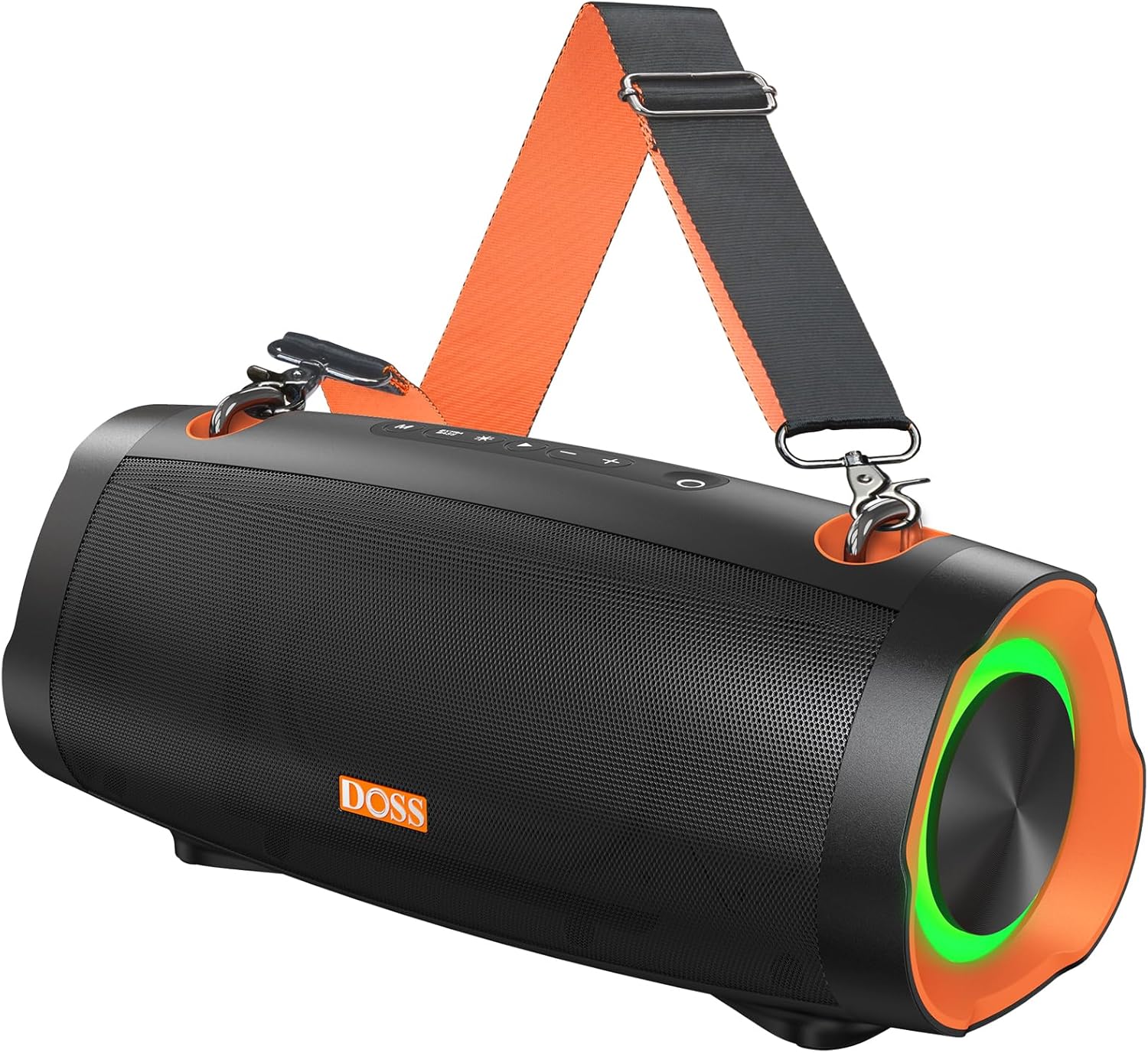
Image: The DOSS Extreme Boom Pro D100 Bluetooth Speaker, showcasing its robust design and integrated shoulder strap for portability.
Kandungan Pakej
Sila semak pakej untuk item berikut:
- DOSS Extreme Boom Pro D100 Bluetooth Speaker
- Kabel Pengecas USB-C
- Tali Bahu Boleh Laras
- Manual Pengguna (dokumen ini)
Produk Selesaiview & Kawalan
Familiarize yourself with the speaker's layout and controls:

Imej: Meletup view illustrating the internal components of the DOSS Extreme Boom Pro D100, highlighting its 70W sound system with full-range drivers and tweeters.
Control Panel (Top View)
- Butang Kuasa: Press and hold to power on/off. Short press to check battery status.
- Butang Bluetooth: Short press to enter Bluetooth pairing mode. Press and hold to disconnect current device.
- Perlahankan suara (-): Tekan pendek untuk mengurangkan kelantangan. Tekan dan tahan untuk trek sebelumnya.
- Butang Main/Jeda: Tekan pendek untuk memainkan/menjeda muzik.
- Kelantangan Naik (+): Tekan pendek untuk meningkatkan kelantangan. Tekan dan tahan untuk trek seterusnya.
- Butang Bass Boost: Short press to activate/deactivate Extra Bass mode.
- Butang Mod Cahaya: Short press to cycle through light modes. Press and hold to turn lights on/off.
- Butang TWS: Tekan untuk memulakan pasangan Stereo Tanpa Wayar Sejati.
Ports (Rear/Side View)
- Port Pengecasan USB-C: Untuk mengecas pembesar suara.
- Port Output USB-A: For using the speaker as a power bank to charge other devices.
- Port AUX-masuk: Untuk sambungan audio berwayar.
Persediaan
1. Mengisi Speaker
Sebelum penggunaan pertama, cas sepenuhnya pembesar suara. Sambungkan kabel pengecas USB-C yang disediakan ke port USB-C pembesar suara dan hujung yang satu lagi ke penyesuai kuasa USB yang serasi (tidak disertakan). Penunjuk LED akan menunjukkan status pengecasan dan dimatikan apabila dicas sepenuhnya.
2. Menghidupkan/Mematikan
Tekan dan tahan butang Butang Kuasa for 2 seconds to turn the speaker on or off. A sound prompt will indicate the power status.
3. Berpasangan Bluetooth
- Hidupkan pembesar suara. Ia akan memasuki mod gandingan Bluetooth secara automatik, ditunjukkan oleh LED biru yang berkelip.
- Dayakan Bluetooth pada peranti anda (telefon pintar, tablet, dll.).
- Select "DOSS Extreme Boom Pro D100" from the list of available devices.
- Once connected, the LED indicator will turn solid blue, and you will hear a confirmation sound.
If the speaker does not appear, ensure it is not connected to another device or press the Bluetooth button to force pairing mode.
Arahan Operasi
Main balik Muzik
- Main/Jeda: Tekan pendek Butang Main/Jeda.
- Kelantangan Naik/Turun: Tekan pendek Jilid + or Isipadu - butang.
- Lagu Seterusnya: Tekan dan tahan butang Jilid + butang.
- Trek Sebelumnya: Tekan dan tahan butang Isipadu - butang.
Mod Bass Tambahan
Tekan ke Butang Bass Boost to toggle the Extra Bass mode on or off. This enhances low frequencies for a deeper, richer sound experience.
Pertunjukan Cahaya Dinamik
The speaker features dynamic LED lights that sync with the music. Short press the Butang Mod Cahaya to cycle through different light patterns. Press and hold the Butang Mod Cahaya to turn the lights on or off.

Image: The DOSS Extreme Boom Pro D100 speaker displaying its dynamic light show, enhancing the atmosphere at a social gathering by a pool.
Pasangan Stereo Tanpa Wayar Sejati (TWS)
You can pair two DOSS Extreme Boom Pro D100 speakers together for an immersive stereo sound experience.
- Pastikan kedua-dua pembesar suara dihidupkan dan tidak disambungkan ke mana-mana peranti Bluetooth.
- On one speaker (this will be the primary speaker), short press the Butang TWS. The speaker will enter TWS pairing mode.
- The primary speaker will automatically search for the secondary speaker. Once connected, you will hear a confirmation sound, and the TWS indicator will illuminate on both speakers.
- Sekarang, sambungkan peranti anda kepada pembesar suara utama melalui Bluetooth seperti yang diterangkan dalam bahagian "Berpasangan Bluetooth".

Image: Two DOSS Extreme Boom Pro D100 speakers positioned outdoors, demonstrating their True Wireless Stereo (TWS) capability for enhanced audio.
Menggunakan sebagai Power Bank
The DOSS Extreme Boom Pro D100 can charge other devices using its built-in battery.
- Connect your device's charging cable to the USB-A output port on the speaker.
- The speaker will automatically begin charging your device.
Note: Using the speaker as a power bank will reduce its audio playback time.
Shoulder Strap Usage
Attach the adjustable shoulder strap to the designated loops on the speaker for convenient portability, especially during outdoor activities like hiking or camping.

Image: A person carrying the DOSS Extreme Boom Pro D100 speaker using its detachable shoulder strap, highlighting its portability for outdoor use.
Penyelenggaraan
Pembersihan
Lap pembesar suara dengan lembut, damp cloth. Do not use harsh chemicals or abrasive cleaners. Ensure all ports are dry before charging or connecting other devices.
Penilaian Kalis Air IPX6
The DOSS Extreme Boom Pro D100 is IPX6 waterproof, meaning it is protected against high-pressure water jets from any direction. It is suitable for use in rainy conditions or near water bodies like pools and beaches. However, it is not designed to be submerged in water. Ensure the charging port cover is securely closed before exposing the speaker to water.

Image: The DOSS Extreme Boom Pro D100 speaker being splashed with water, illustrating its IPX6 waterproof capability, suitable for outdoor environments.
Penyimpanan
Store the speaker in a cool, dry place away from extreme temperatures and direct sunlight. If storing for an extended period, charge the battery to about 50% every few months to preserve battery life.
Menyelesaikan masalah
| Masalah | Kemungkinan Punca | Penyelesaian |
|---|---|---|
| Speaker tidak dihidupkan. | Bateri lemah; Butang kuasa tidak dipegang cukup lama. | Charge the speaker fully. Press and hold the Power button for 2 seconds. |
| Tidak boleh berpasangan melalui Bluetooth. | Speaker is already connected to another device; Bluetooth is off on your device; Speaker is too far from device. | Disconnect from previous device or press Bluetooth button to force pairing. Ensure Bluetooth is enabled on your device. Move speaker closer to device (within 10 meters). |
| Tiada bunyi atau kelantangan rendah. | Volume too low on speaker or device; Speaker not connected properly. | Increase volume on both speaker and connected device. Re-pair Bluetooth connection. |
| Gandingan TWS gagal. | Speakers are too far apart; One speaker is already connected to a Bluetooth device. | Ensure both speakers are within 5 meters of each other. Disconnect any Bluetooth devices from both speakers before initiating TWS pairing. |
| Light show not working. | Lights are turned off; Speaker is in a mode that doesn't support lights. | Press the Light Mode button to cycle through modes or press and hold to turn lights on. |
Spesifikasi
| Ciri | Perincian |
|---|---|
| Nama Model | Extreme Boom Pro D100 |
| Jenis Pembesar Suara | Luar |
| Keluaran Bunyi | 70W RMS (140W Puncak) |
| Ciri Khas | Bass Boost, Beat-Sync Lights, Power Bank Function |
| Teknologi Ketersambungan | Bluetooth |
| Mod Keluaran Audio | Stereo (dengan TWS) |
| Hayat Bateri | Sehingga 24 Jam |
| Penilaian Kalis Air | IPX6 |
| Dimensi Produk | 34.7D x 16.4W x 17.4H Sentimeter |
| Berat badan | 2.39 kg |
| Peranti Serasi | Gaming Console, Karaoke Machine, Laptop, Smartphone, Tablet, Television |
Maklumat Keselamatan
- Jangan dedahkan pembesar suara kepada suhu yang melampau, cahaya matahari langsung atau nyalaan api terbuka.
- Jangan buka, baiki atau ubah suai pembesar suara. Ini akan membatalkan jaminan.
- Jauhkan pembesar suara daripada kanak-kanak dan haiwan peliharaan.
- Gunakan hanya kabel pengecasan yang disediakan atau setara yang diperakui.
- Elakkan daripada menjatuhkan atau menundukkan pembesar suara kepada impak yang kuat.
- Ensure the charging port cover is securely closed when not charging, especially when near water.
Waranti dan Sokongan
DOSS products come with a limited warranty. For detailed warranty information, product support, or technical assistance, please visit the official DOSS webtapak atau hubungi perkhidmatan pelanggan mereka. Simpan resit pembelian anda sebagai bukti pembelian.
Official DOSS Store: Visit the DOSS Store on Amazon


