1. Bermula
1.1. Apa yang ada di dalam Kotak
Sila semak kandungan pakej semasa membuka kotak:
- 1 x artfone G6 Mobile Phone
- 1 x 1300 mAh Battery
- 1 x Kabel Pengecas USB
- 1 x Dok Pengecasan
- 1 x Manual Pengguna
1.2. Pemasangan Bateri
Untuk memasang bateri:
- Tanggalkan penutup belakang telefon.
- Sejajarkan sentuhan bateri dengan terminal telefon.
- Tekan bateri dengan lembut ke tempatnya.
- Pasang semula penutup belakang, pastikan ia berbunyi klik dengan selamat.
1.3. Pemasangan Kad SIM
The artfone G6 supports Nano SIM cards (2G, 3G, or 4G). To install your SIM card:
- Pastikan telefon dimatikan.
- Tanggalkan penutup belakang dan bateri.
- Locate the SIM card slot(s). The phone supports dual SIM.
- Insert the Nano SIM card(s) into the slot(s) with the gold contacts facing down, following the diagram near the slot.
- Pasang semula bateri dan penutup belakang.
1.4. Mengecas Telefon
Before first use, fully charge the phone battery.
- Menggunakan Dok Pengecasan: Place the phone into the charging dock. Connect the USB charging cable to the dock and then to a power adapter.
- Pengecasan USB-C Terus: Connect the USB-C cable directly to the phone's USB-C port and then to a power adapter.
The charging indicator will show the charging status. A full charge typically takes a few hours.
1.5. Menghidupkan/Mematikan
- Untuk Menghidupkan: Press and hold the red 'End Call' button until the screen lights up.
- Untuk Mematikan: Press and hold the red 'End Call' button until the power off options appear, then select 'Power Off'.
2. Operasi Asas
2.1. Pad kekunci Overview
The artfone G6 features a large, backlit keypad for easy dialing and navigation, especially in low-light conditions.

Image: The artfone G6 phone open, displaying its large, easy-to-read keypad.
2.2. Dual Display Functionality
The phone features a 2.4-inch main HD screen and a 1.8-inch external display. The external screen allows you to quickly check the time, date, battery status, and incoming call notifications without opening the phone.

Image: The artfone G6 demonstrating its dual display feature, showing the external screen and the internal screen.
2.3. Membuat dan Menerima Panggilan
- Untuk Membuat Panggilan: Open the phone, dial the number using the keypad, and press the green 'Call' button.
- Untuk Menerima Panggilan: When the phone rings, open the phone and press the green 'Call' button. You can also answer by opening the flip.
- Untuk Menamatkan Panggilan: Press the red 'End Call' button or close the flip.
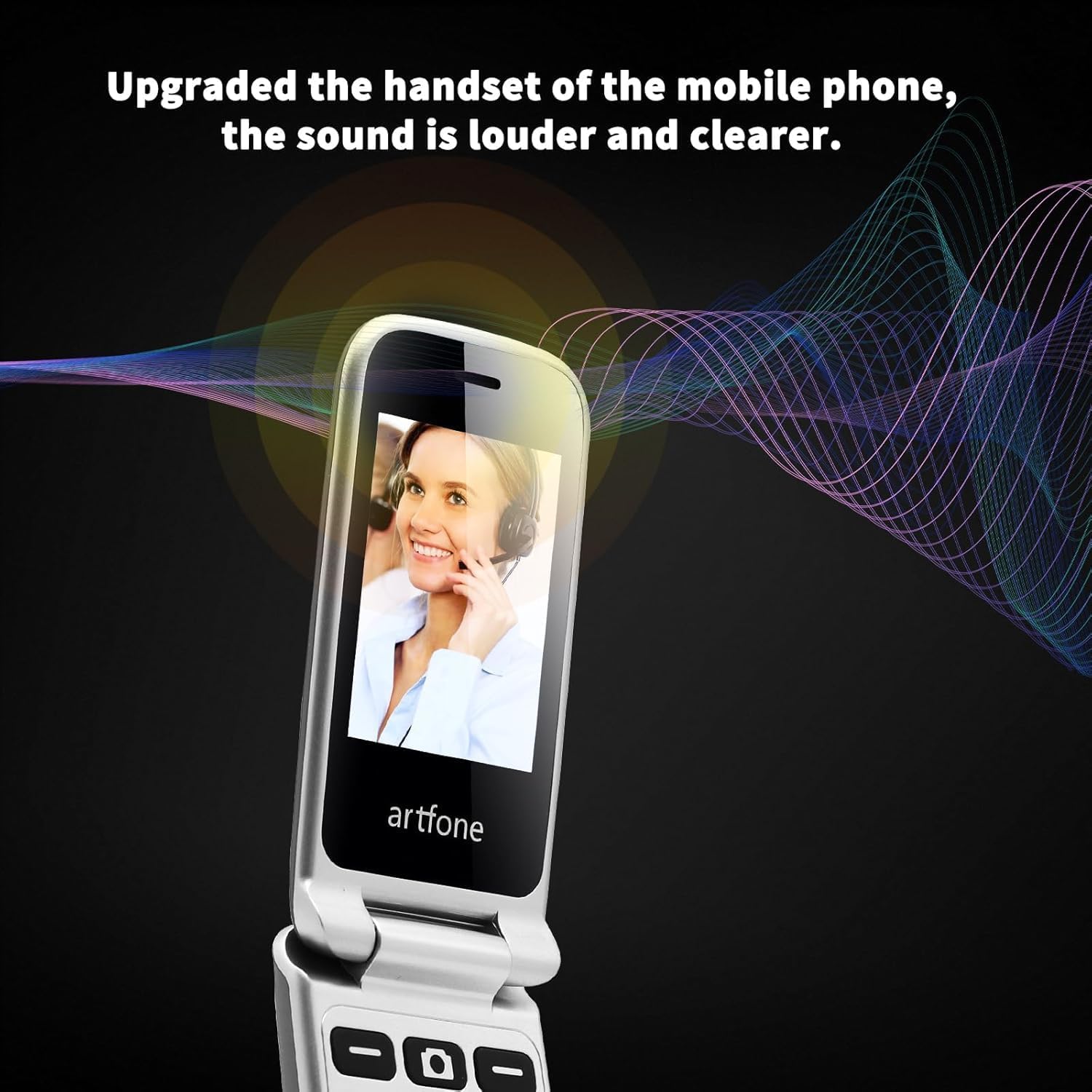
Image: The artfone G6 in use during a call, highlighting its clear audio quality.
2.4. Menghantar dan Menerima Mesej
Navigate to the 'Messages' menu to compose new messages or read incoming ones. Use the keypad to type your message.
2.5. Menggunakan Dail Cepat
The artfone G6 allows you to set up speed dial contacts for quick access to important numbers.
- Go to 'Settings' or 'Contacts' to assign numbers to speed dial keys (e.g., keys 2-9, A, B).
- To use, simply press and hold the assigned speed dial key.
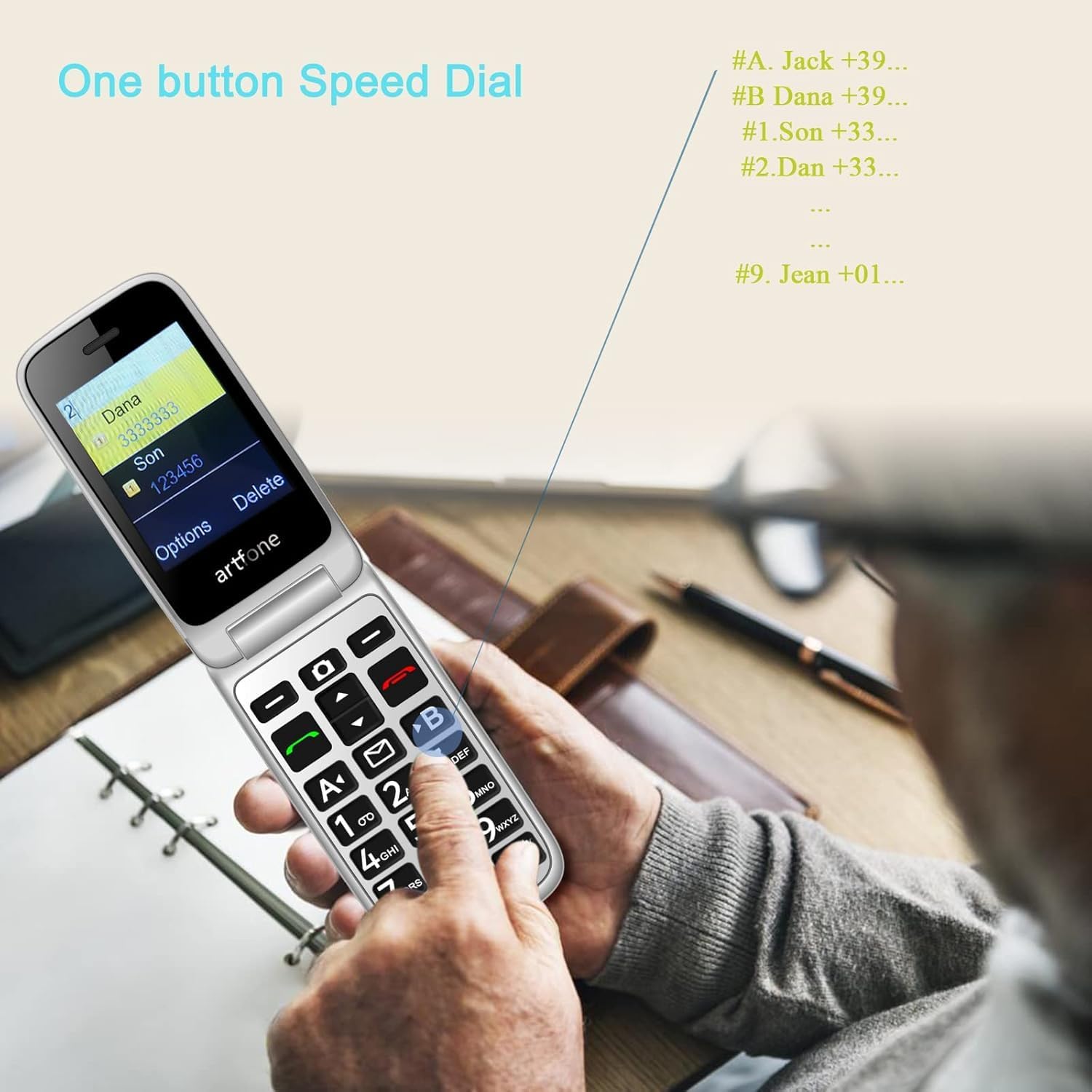
Image: A user activating the speed dial feature on the artfone G6.
2.6. Butang Kecemasan SOS
For enhanced safety, the artfone G6 includes a dedicated SOS button.
- Persediaan: In the 'SOS Settings' menu, you can configure up to five emergency contacts.
- penggunaan: In an emergency, press and hold the SOS button on the back of the phone. The phone will automatically call these numbers in sequence until one answers. It will also send an emergency SMS to these contacts.

Imej: Bahagian belakang view of the artfone G6, showing the SOS emergency button and side controls.
2.7. Time Reporting Feature
The phone offers a multilingual voice time announcement feature, beneficial for users with visual impairments.
- Press the dedicated time reporting button (often located on the side or keypad) to hear the current time announced aloud.

Image: Activating the time reporting feature on the artfone G6.
2.8. Melaraskan Kelantangan
Use the dedicated volume buttons located on the side of the phone to adjust call volume, ringtone volume, and media volume.
2.9. Blacklist Feature
To block unwanted calls, the artfone G6 includes a blacklist feature. You can add up to 50 numbers to this list, preventing them from contacting you.
- Navigate to 'Call Settings' or 'Security Settings' to access and manage the blacklist.
3. Penyelenggaraan
3.1. Penjagaan Am
- Pastikan telefon kering. Kelembapan boleh merosakkan litar elektronik.
- Elakkan suhu yang melampau. Suhu yang tinggi boleh memendekkan jangka hayat peranti elektronik dan merosakkan bateri.
- Jangan jatuhkan, ketuk, atau goncang telefon. Pengendalian kasar boleh memecahkan papan litar dalaman.
- Jangan gunakan bahan kimia yang keras, pelarut pembersih atau detergen kuat untuk membersihkan telefon.
3.2. Pembersihan
Use a soft, dry cloth to wipe the phone's surface. For stubborn dirt, a slightly damp kain boleh digunakan, memastikan tiada cecair memasuki bukaan.
3.3. Penjagaan Bateri
The 1300 mAh battery provides extended talk and standby times. To maximize battery life:
- Avoid overcharging; disconnect the charger once the battery is full.
- If not using the phone for an extended period, store it with a partial charge (around 50%).
4. Penyelesaian masalah
If you encounter issues with your artfone G6, please refer to the following common problems and solutions:
| Masalah | Penyelesaian yang Mungkin |
|---|---|
| Telefon tidak dihidupkan | Pastikan bateri dipasang dan dicas dengan betul. Cuba cas telefon selama sekurang-kurangnya 30 minit. |
| Tidak boleh membuat atau menerima panggilan | Check if the SIM card is properly inserted and activated. Ensure you have network coverage. Verify that the number is not on the blacklist. |
| Kualiti panggilan yang lemah | Move to an area with better network reception. Check the volume settings. |
| Bateri tidak dicas | Check the charging cable and adapter for damage. Ensure the phone is correctly placed in the charging dock or the USB-C cable is fully inserted. |
| SOS button not working | Verify that emergency contacts are correctly set up in the SOS settings. |
Jika masalah berterusan, sila hubungi sokongan pelanggan.
5. Spesifikasi
Detailed technical specifications for the artfone G6:
| Ciri | Perincian |
|---|---|
| Jenama | artfone |
| Nama Model | G6 |
| Sistem Operasi | artfone Mocor RTOS |
| Saiz Skrin Utama | 2.4 Inci |
| External Screen Size | 1.8 Inci |
| Resolusi Skrin | 480 x 320 |
| RAM | 48 MB |
| Kapasiti Storan | 128 MB |
| Model CPU | MTK 8121 |
| Kelajuan CPU | 1000 MHz |
| Kapasiti Bateri | 1300 mAh |
| Ketersambungan | Bluetooth, USB Type C, 3.5 mm Jack |
| Ciri Khas | Dual SIM, Dual Display, SOS Button, Speed Dial, Blacklist |
6. Maklumat Waranti
The artfone G6 comes with a manufacturer's warranty of 2 tahun. Sila simpan bukti pembelian anda untuk tuntutan waranti. Waranti melindungi kecacatan pada bahan dan mutu kerja di bawah penggunaan biasa.
For specific terms and conditions, please refer to the warranty card included in your product packaging or contact artfone customer service.
7. Sokongan
For further assistance, technical support, or inquiries regarding your artfone G6 phone, please visit the official artfone webtapak atau hubungi bahagian perkhidmatan pelanggan mereka. Butiran hubungan biasanya boleh didapati pada pengilang webtapak atau dalam pembungkusan produk.
Always ensure you have your product model number (G6) and purchase details ready when contacting support.


