1. Pengenalan
This manual provides essential instructions for the safe operation and maintenance of your SuperRC L500 Pro 4K GPS Drone. Please read this manual thoroughly before operating the drone to ensure proper usage and to prevent damage or injury. Keep this manual for future reference.
2. Garis Panduan Keselamatan
Operating a drone requires responsibility. Adhere to all local regulations and guidelines for drone usage. Failure to do so may result in legal penalties or property damage.
- Semakan Pra-Penerbangan: Always inspect the drone, remote controller, and batteries for any damage before each flight. Ensure propellers are securely attached.
- Persekitaran Penerbangan: Fly in open areas, away from people, animals, buildings, and power lines. Avoid flying in strong winds, rain, or fog. Maintain a clear line of sight with the drone.
- Keselamatan Bateri: Use only approved batteries and chargers. Do not overcharge or puncture batteries. Discontinue use if batteries show signs of swelling or damage.
- Mengelakkan halangan: While the drone features 360° laser obstacle avoidance, it is not foolproof. Always exercise caution and maintain awareness of your surroundings.
- Cadangan Umur: This product is intended for adults.
3. Kandungan Pakej
Sahkan bahawa semua item terdapat dalam pakej anda:
- SuperRC L500 Pro Drone
- Alat Kawalan Jauh
- Membawa Sarung
- Propellers (Spare set included)
- Skru
- Pemutar skru
- Kabel Jenis-C USB
- Bateri Litium Ion (2 termasuk)
- Manual Pengguna (Dokumen ini)

4. Drone Components
Familiarize yourself with the key parts of your SuperRC L500 Pro drone:
- Lengan boleh dilipat: For compact storage and transport.
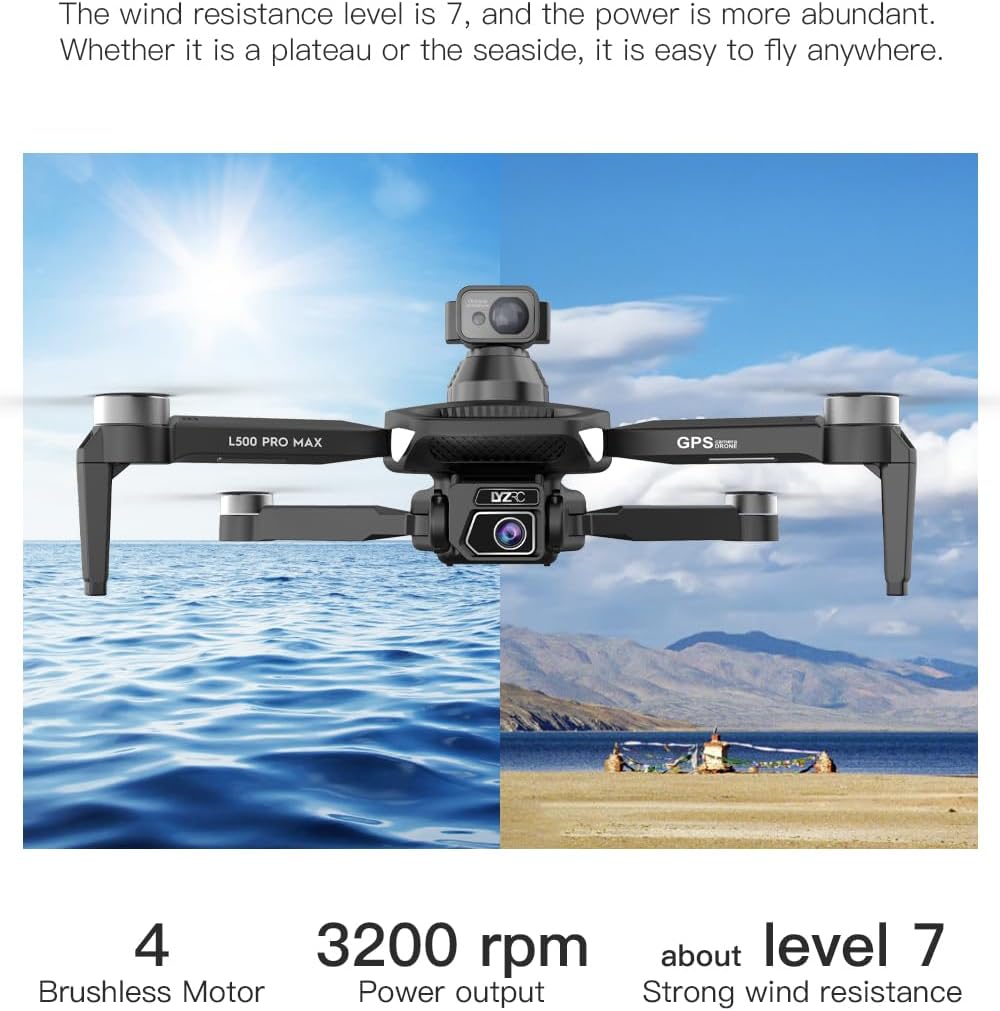
- Motor Tanpa Berus: Provide stable and quiet flight.
- Penjual: Generate lift for flight.
- 4K HD Dual Cameras: Front-facing and downward-facing cameras for aerial photography and video. Electrically adjustable shooting angles.
- 360° Laser Obstacle Avoidance Sensor: Detects obstacles in all directions.
- Modul GPS: Enables precise outdoor positioning and intelligent flight modes.
- Penderia Aliran Optik: Provides stable hovering for indoor flight.
- Bateri Modular: Easy to install and replace.


5. Alat kawalan jauh
The remote controller allows you to operate the drone and access its features. It features a smartphone holder for live video feed and app control.
Refer to the included quick start guide for a detailed diagram of the remote controller buttons and their functions.

6. Pemasangan dan Pengecasan Bateri
6.1 Bateri Dron
- Insert the modular battery into the drone's battery compartment until it clicks into place.
- To remove, press the release button (if present) and slide the battery out.
- Charge the battery using the provided USB Type-C cable and a compatible USB power adapter (not included). The charging indicator will show the charging status.
6.2 Remote Controller Battery
The remote controller typically uses internal rechargeable batteries or standard AA batteries. Refer to the remote controller's specific instructions for battery type and charging/installation procedures.
7. Persediaan Awal
- Mengecas Bateri: Ensure both drone and remote controller batteries are fully charged.
- Dron Terungkap: Carefully unfold the drone arms until they lock into position.
- Pasang Kipas: If not pre-installed, attach propellers according to the markings (A/B) on the propellers and motor arms. Ensure they are secure.
- Hidupkan kuasa: Place the drone on a flat, level surface. Power on the drone, then power on the remote controller.
- Berpasangan: The drone and remote controller should automatically pair. If not, follow the pairing instructions in the quick start guide.
- Sambungan Apl: Download the SuperRC drone app to your smartphone. Connect your phone to the drone's Wi-Fi network (usually named "SuperRC-XXXX"). Open the app to view the live feed and access advanced features.
- Penentukuran GPS: For outdoor flights, ensure the drone acquires sufficient GPS satellites before takeoff. Perform compass calibration as instructed by the app or quick start guide.
8. Arahan Operasi
8.1 Penerbangan Asas
- Berlepas/Mendarat Satu Kunci: Press the dedicated button on the remote or in the app for automatic takeoff and landing.
- Kawalan manual: Use the joysticks on the remote controller to control altitude, direction, and rotation.
- GPS Mode (Outdoor): Provides stable flight and precise positioning, resisting wind.
- Optical Flow Mode (Indoor): Uses a downward-facing camera for stable hovering in environments without GPS signal.
8.2 Mengelak Halangan
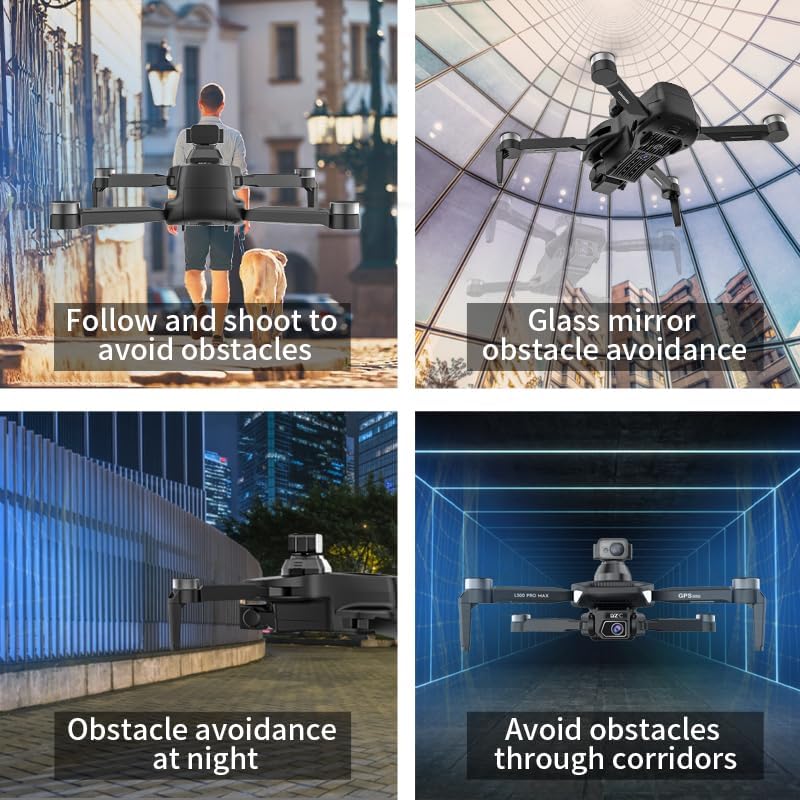
The 360° laser obstacle avoidance system helps prevent collisions by detecting objects in front, rear, left, and right directions. The drone will automatically adjust its flight path to avoid detected obstacles.
8.3 Operasi Kamera
- 4K HD Dual Cameras: Switch between the front and bottom cameras via the remote controller or app.
- Electrically Adjustable Angles: Adjust the camera's tilt angle remotely for optimal shots.
- Tangkapan Foto/Video: Use the dedicated buttons on the remote or in the app to take photos or start/stop video recording.
8.4 Mod Penerbangan Pintar
- Navigasi Titik Laluan: Plan a custom flight path by tapping points on the map in the app. The drone will follow the designated route.
- GPS Follow/Smart Follow: The drone can automatically follow a moving subject (e.g., a person or vehicle) using GPS and visual tracking.
- Penerbangan Orbit: The drone will circle a designated point or subject, capturing 360° footage.
- Image Track: Similar to follow mode, but focuses on tracking a specific image or object.
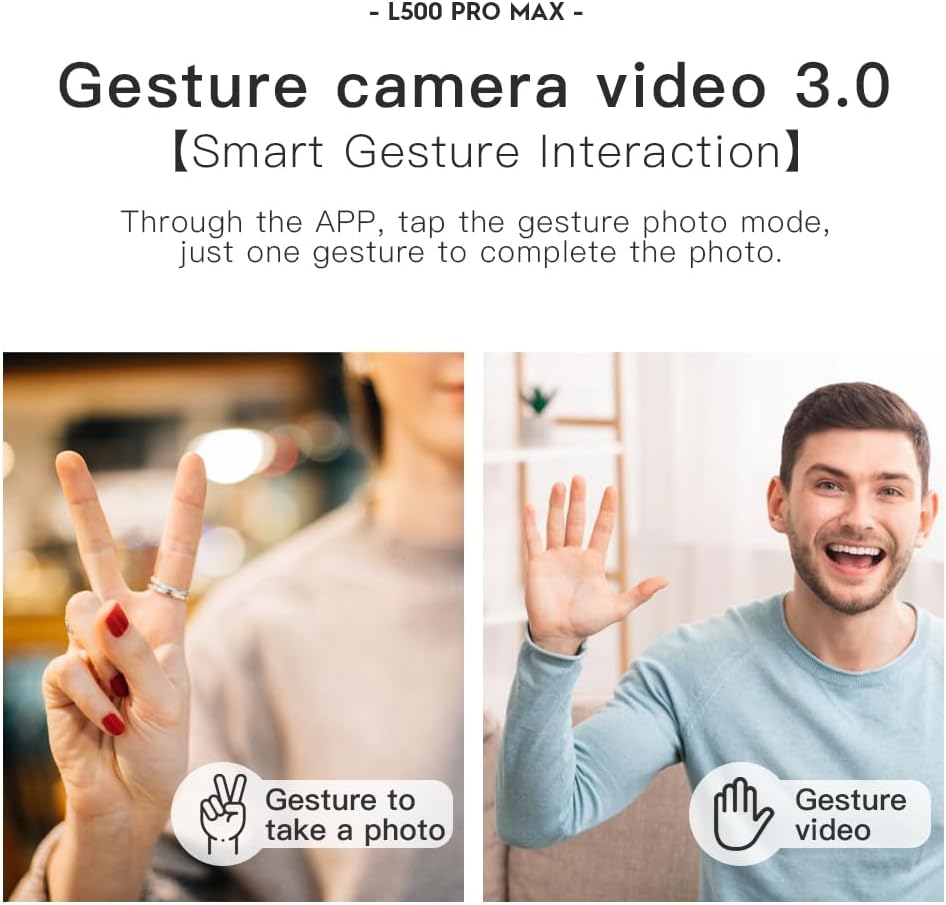
- Kawalan Gerak Isyarat: Use specific hand gestures to trigger photo or video capture.
- 4 Intelligent Return Modes:
- Lost Signal Return: Drone returns to takeoff point if signal is lost.
- Pulangan Bateri Rendah: Drone returns automatically when battery is low.
- Over-Distance Return: Drone returns if it flies beyond the set range.
- One-Tap Return: Manually initiate return to home with a single button press.
9. Penyelenggaraan
- Pembersihan: Use a soft, dry cloth to clean the drone and remote controller. Avoid water or harsh chemicals.
- Pemeriksaan baling-baling: Regularly check propellers for cracks, bends, or damage. Replace damaged propellers immediately using the provided screwdriver and spare parts.
- Storan: Store the drone and accessories in the carrying case in a cool, dry place, away from direct sunlight. Remove batteries if storing for extended periods.
- Penjagaan Bateri: Do not store batteries fully charged or completely depleted. Charge them to about 50-60% for long-term storage.
10. Penyelesaian masalah
| Masalah | Kemungkinan Punca | Penyelesaian |
|---|---|---|
| Drone tidak dihidupkan. | Bateri tidak dicas atau tidak dipasang dengan betul. | Pastikan bateri dicas sepenuhnya dan dimasukkan dengan betul. |
| Drone tidak bertindak balas kepada alat kawalan jauh. | Not paired, low remote battery, or interference. | Re-pair drone and remote. Charge remote battery. Move to an area with less interference. |
| Unstable flight/Drifting. | Improper calibration, strong wind, or damaged propellers. | Perform compass calibration. Fly in calm conditions. Check and replace damaged propellers. |
| Tiada suapan video langsung. | Phone not connected to drone Wi-Fi, or app issue. | Connect phone to drone's Wi-Fi. Restart app and drone. |
| Penghindaran halangan tidak berfungsi. | Sensor blocked or system malfunction. | Ensure sensors are clean and unobstructed. Contact support if issue persists. |
11. Spesifikasi
| Ciri | Perincian |
|---|---|
| Jenama | SuperRC |
| Nama Model | L500Pro |
| Resolusi Tangkapan Video | 1080p (Output), 4K HD (Camera) |
| Teknologi Ketersambungan | Wi-Fi (5G Intelligent System) |
| Jenis Kawalan | Kawalan Jauh, Kawalan Apl |
| Ciri Khas | 360° Laser Obstacle Avoidance, Dual Camera, Brushless Motor, GPS Auto Return, Optical Flow Positioning |
| Berat Barang | 211.6 Gram (7.5 auns) |
| Kapasiti Bateri | 2200 Miliamp Jam (Ion Litium) |
| Masa Penerbangan | Sehingga 25 minit (lebih kurang) |
| Dimensi Produk | 12.5"L x 11.4"W x 3.9"H |
| bahan | plastik |
12. Waranti dan Sokongan
For warranty information, technical support, or service inquiries, please refer to the contact information provided with your purchase or visit the official SuperRC webtapak. Simpan bukti pembelian anda untuk tuntutan waranti.
Anda juga boleh melawat Kedai SuperRC di Amazon untuk maklumat produk tambahan dan sumber sokongan.


