1. Pengenalan
Thank you for choosing the GHodec Grow Light with Stand. This product is designed to provide optimal lighting conditions for your indoor plants at all growth stages, mimicking natural sunlight with its full spectrum output. Please read this manual carefully before assembly and operation to ensure proper use and longevity of your device.
2. Arahan Keselamatan
- Always disconnect the power supply before cleaning or performing any maintenance.
- Do not operate the grow light with a damaged cord or plug. If damaged, contact customer support.
- Jauhkan peranti daripada air atau cecair lain. Jangan gunakan dalam persekitaran basah.
- Ensure the tripod stand is stable on a flat surface to prevent tipping.
- Do not stare directly into the LED lights when they are on, as this may cause eye strain.
- Produk ini adalah untuk kegunaan dalaman sahaja.
- Jauhkan daripada kanak-kanak dan haiwan peliharaan.
3. Kandungan Pakej
Sahkan bahawa semua komponen terdapat dalam pakej:
- 1x Tripod Stand
- 1x Gooseneck Lamp (with 3 light heads and controller)
- 1x Plug Adaptor (USB power adapter)
- 1x Manual Pengguna

Imej: Selesaiview of included components: tripod stand, grow light with goosenecks, 2A adapter, and controller.
4. Pemasangan dan Persediaan
Follow these steps to assemble your GHodec Grow Light:
- Step 1: Set up the Tripod Stand. Unfold the legs of the tripod stand and ensure they are fully extended and stable. Tighten any locking mechanisms if present.
- Step 2: Attach the Grow Light. Screw the grow light unit (with the goosenecks) onto the top of the tripod stand. Turn clockwise until securely fastened.
- Step 3: Adjust Goosenecks. Position the three flexible goosenecks to direct light towards your plants as needed.
- Langkah 4: Laraskan Ketinggian. Longgarkan pelarasan ketinggian clamps on the tripod stand, extend the pole to the desired height (15-47 inches), and then tighten the clamps untuk mengamankannya.
- Langkah 5: Sambungkan Kuasa. Plug the USB connector from the grow light into the provided power adapter, then plug the adapter into a standard electrical outlet.

Image: Visual guide for assembly, showing unfolding the tripod, attaching the light, and positioning the goosenecks.
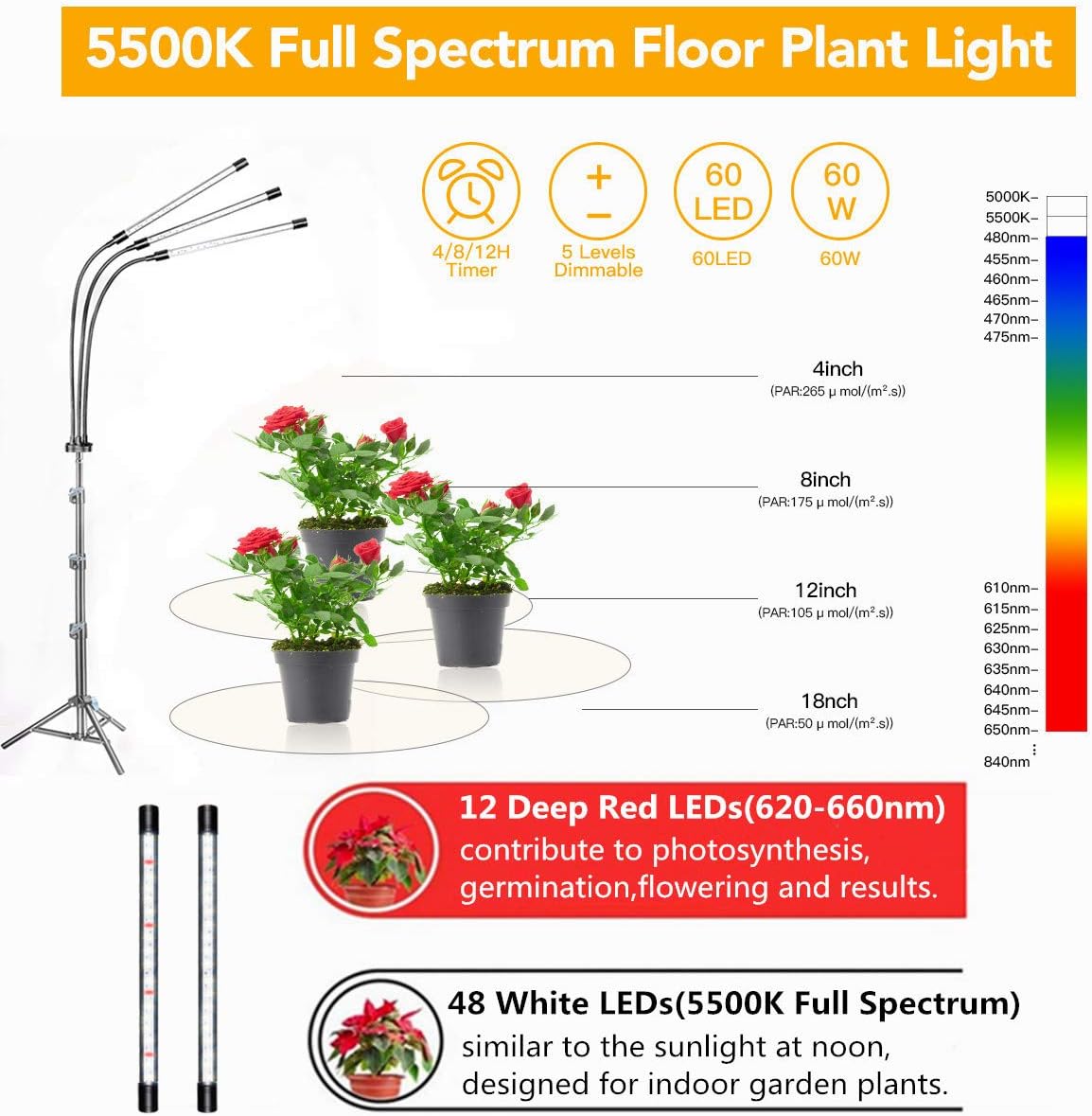
Image: The grow light stand adjusted to different heights (25, 35, and 47 inches) to accommodate various plant sizes.
5. Arahan Operasi
The GHodec Grow Light features an inline controller for easy operation.
5.1. Hidupkan/Mati Kuasa
- Tekan ke Butang Kuasa on the controller to turn the light on or off.
5.2. Penyesuaian Kecerahan
- Gunakan + dan - buttons on the controller to cycle through 5 dimmable brightness levels.

Image: Demonstration of the 5 dimmable levels, showing light intensity at 20%, 40%, and 100% output.
5.3. Fungsi Pemasa
The grow light features an automatic on/off timer. Once set, the light will turn on and off at the same time each day.
- Tekan ke Butang Pemasa to select a duration: 4 hours, 8 hours, or 12 hours.
- The indicator light on the controller will illuminate to confirm the selected timer setting.
- To ensure the timer functions correctly, keep both the "Time Button" and "Power Button" in the ON state.

Image: Explanation of the 4-hour, 8-hour, and 12-hour timer settings and their daily cycle.
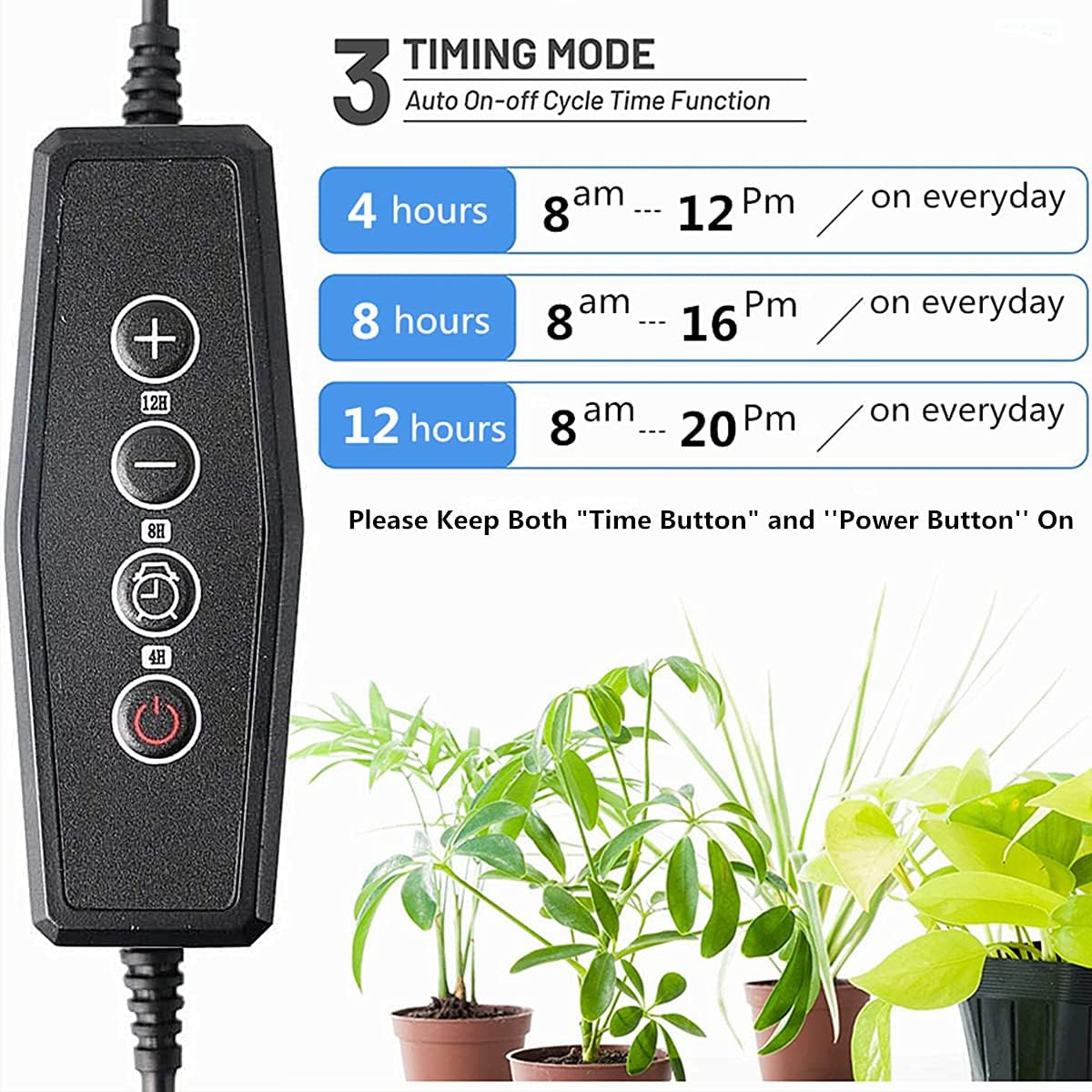
Imej: Terperinci view of the controller with buttons for power, brightness, and timer functions.
5.4. Light Spectrum
The GHodec Grow Light provides a 5500K full spectrum light, similar to natural daylight, suitable for all growth stages of indoor plants. Each LED bar contains 16 white LEDs and 4 red LEDs.
- White LEDs (5500K Full Spectrum): Increase light intensity and enhance photosynthesis, ideal for overall plant growth.
- Red LEDs (620-660nm): Promote flowering, fruiting, and seed germination.
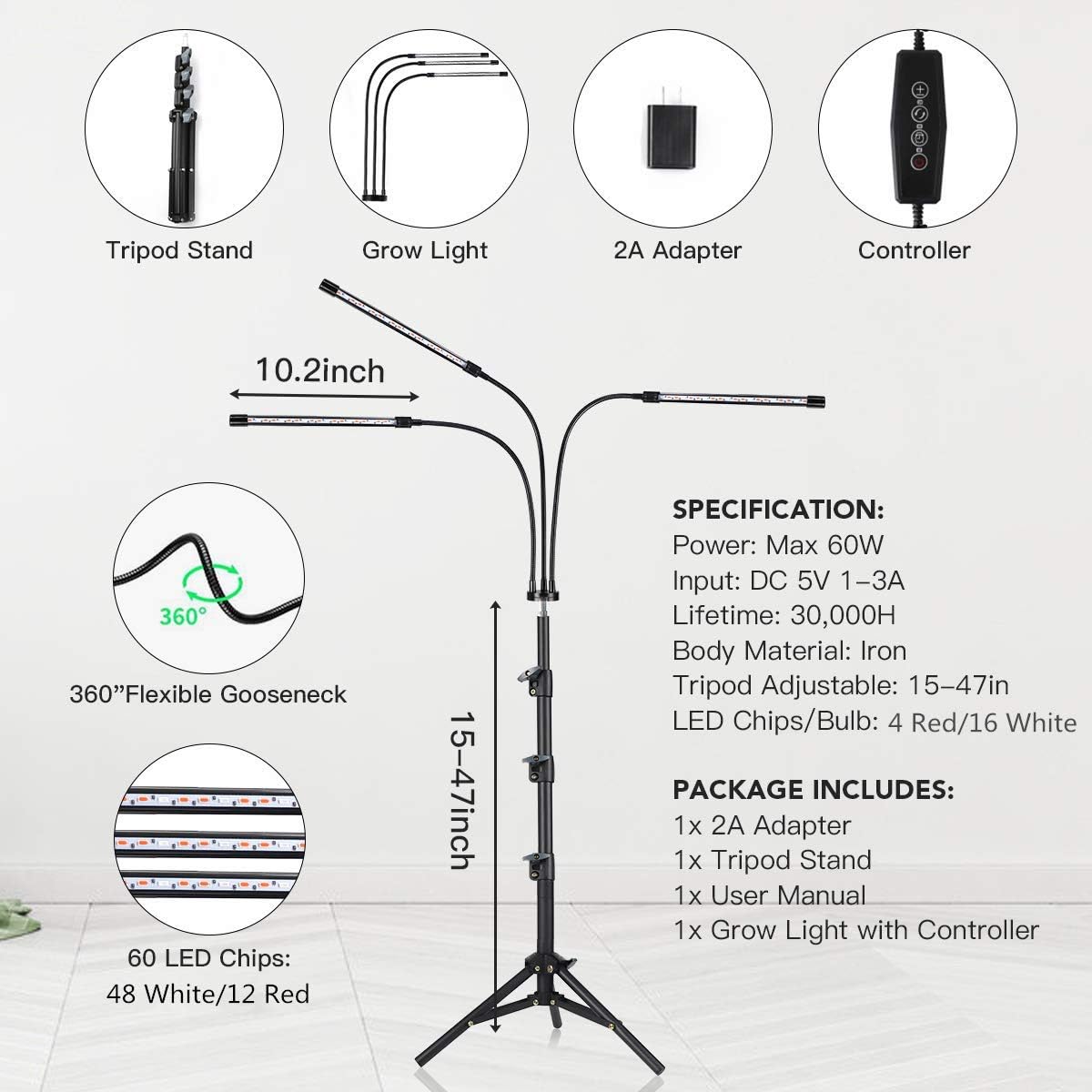
Image: Detailed breakdown of the LED configuration, highlighting the 12 deep red LEDs and 48 white LEDs for full spectrum output.
6. Penyelenggaraan
- Pembersihan: Ensure the light is unplugged before cleaning. Use a soft, dry cloth to wipe down the light bars and stand. Do not use abrasive cleaners or immerse any part in water.
- Storan: When not in use for extended periods, unplug the light, disassemble the stand if desired, and store it in a cool, dry place.
7. Penyelesaian masalah
- Lampu tidak menyala:
- Check if the power adapter is securely plugged into both the wall outlet and the grow light's USB port.
- Pastikan alur keluar dinding berfungsi.
- Tekan butang kuasa pada pengawal.
- Pemasa tidak berfungsi:
- Verify that both the power button and the selected timer button are illuminated on the controller.
- Ensure the timer was set correctly (4H/8H/12H).
- Cahaya berkelip-kelip atau malap:
- Check the brightness level setting using the + button.
- Pastikan sambungan kuasa stabil.
Jika anda menghadapi masalah yang tidak disenaraikan di sini, sila hubungi khidmat pelanggan.
8. Spesifikasi
| Ciri | Spesifikasi |
|---|---|
| Jenama | GHodec |
| Nombor Model | Grow Light with Stand |
| Jenis Sumber Cahaya | LED |
| Suhu Warna | 5500 Kelvin |
| Output Cahaya Maksimum | 1000 Lumen |
| Wattage | 80 Watt |
| Aras Boleh Dimalapkan | 5 |
| Pilihan Pemasa | 4H / 8H / 12H |
| Tripod Adjustable Height | 15-47 inci |
| bahan | Aluminium, Besi, Plastik |
| Sumber Kuasa | Elektrik Bertali |
| Dimensi Produk | 1"L x 1"W x 1"H (Light head dimensions) |
| Berat Barang | 2.73 paun |
9. Waranti dan Sokongan
GHodec products are manufactured with quality and performance in mind. For warranty information, technical support, or any questions regarding your GHodec Grow Light with Stand, please refer to the contact information provided with your purchase or visit the official GHodec webtapak.


