1. Pengenalan
Thank you for choosing the AeroCool D502A Mid Tower Case. This manual will guide you through the installation, operation, and maintenance of your new PC chassis. The D502A is designed to provide excellent airflow and component compatibility for a powerful and stylish PC build. Please read this manual carefully before beginning your assembly.
2. Ciri-ciri Utama
- Panel Hadapan Mesh Bergaya: The front panel features a modern mesh design that not only enhances the aesthetic appeal but also provides superior air ventilation for improved cooling performance.
- Mid Tower Form Factor: Designed as a mid-tower case, it offers ample space for high-performance components, making it suitable for a wide range of PC builds.
- Sokongan Penyejukan yang meluas: Supports liquid coolers up to 360mm on both the top and front panels, ensuring efficient heat dissipation for demanding systems.
- Pelepasan Komponen Tinggi: Accommodates Graphics Processing Units (GPUs) up to 400mm in length (without a front radiator installed) and CPU coolers up to 171mm in height.
- Penapis Habuk Magnetik: Equipped with magnetic dust filters on the top and side panels, along with a removable filter on the bottom, simplifying maintenance and keeping your components clean.
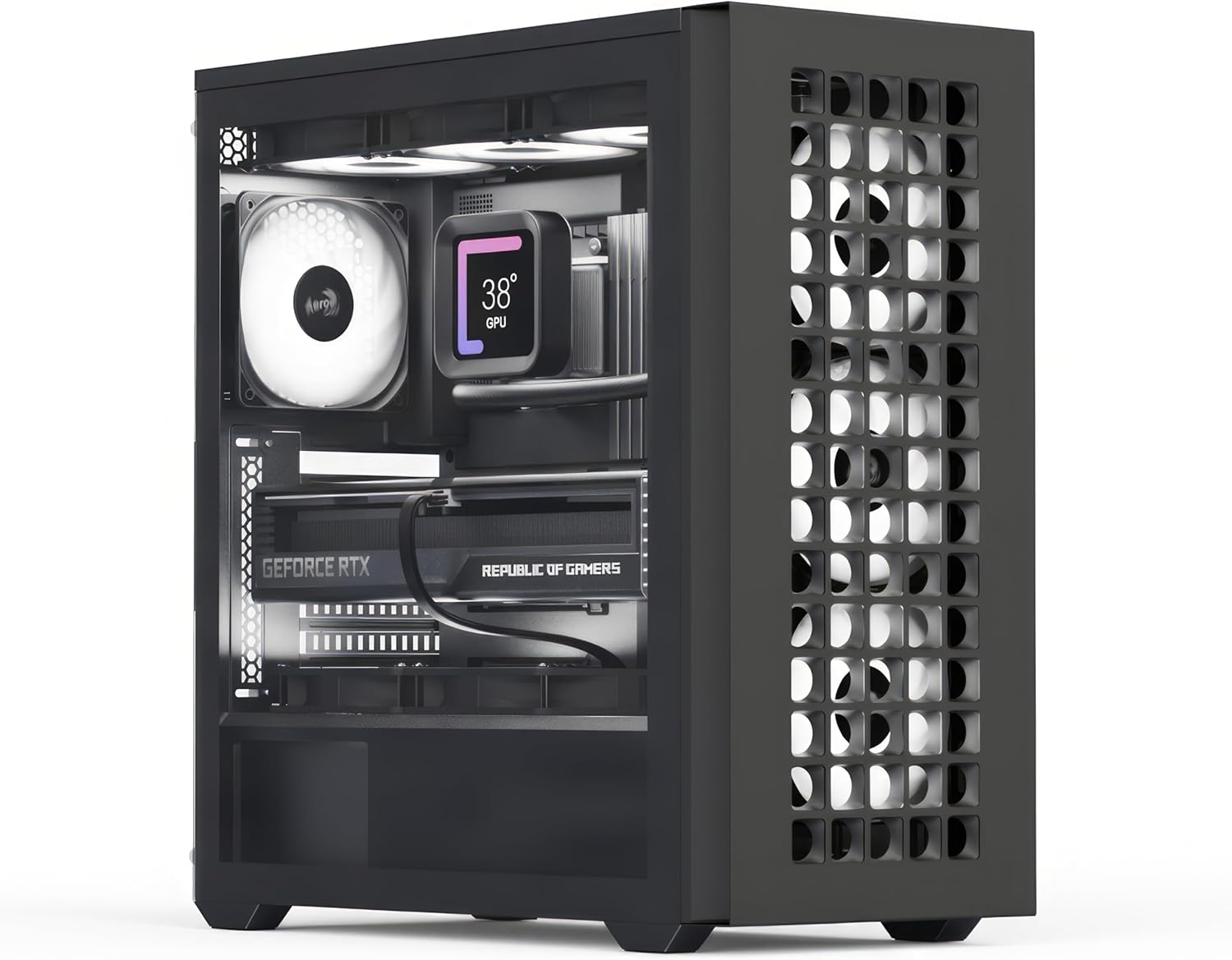
The AeroCool D502A Mid Tower Case, showcasing its spacious interior and mesh front panel.

The stylish mesh front panel design of the D502A, providing both aesthetics and optimal airflow.

Illustration of the generous clearance for high-end GPUs (400mm) and CPU coolers (171mm).

Detailed diagram illustrating the various fan mounting locations and sizes for air cooling configurations.

Detailed diagram illustrating the various radiator mounting locations and sizes for liquid cooling configurations.

The convenient magnetic dust filters on the top and side panels, designed for easy removal and cleaning.
3. Kandungan Pakej
Sila sahkan bahawa semua komponen terdapat dalam pakej:
- Sarung AeroCool D502A Mid Tower
- Kotak Aksesori (mengandungi skru, pengikat, pengikat kabel, dll.)
- Manual Pengguna (dokumen ini)
If any items are missing or damaged, please contact your retailer or AeroCool customer support.
4. Persediaan dan Pemasangan
Follow these steps for assembling your PC within the AeroCool D502A case. Ensure your system is powered off and unplugged before beginning any installation.
4.1. Menyediakan Kes
- Carefully remove the side panels. The tempered glass side panel is typically secured with thumbscrews.
- Identify the motherboard standoffs. Pre-installed standoffs usually support ATX motherboards. Adjust or add standoffs as needed for Micro ATX or Mini ITX motherboards.
4.2. Pemasangan Papan Induk
- Install your motherboard's I/O shield into the rear opening of the case.
- Align your motherboard with the standoffs and gently place it into position.
- Pasangkan papan induk dengan skru yang disediakan. Jangan terlalu ketatkan.
4.3. Pemasangan Unit Bekalan Kuasa (PSU).
- The D502A supports rear-mounted power supplies. Slide your PSU into the designated compartment at the bottom rear of the case.
- Pasangkan PSU pada bekas menggunakan skru dari belakang.
4.4. Pemasangan Pemacu Storan
- Locate the drive bays for 2.5" SSDs and 3.5" HDDs.
- Install your storage drives into the appropriate trays or mounting points and secure them.
4.5. Graphics Card (GPU) and Expansion Card Installation
- Tanggalkan penutup slot PCIe yang diperlukan dari belakang kes itu.
- Insert your graphics card or other expansion cards into the motherboard's PCIe slots.
- Selamatkan kad dengan skru.
4.6. Pemasangan Kipas dan Radiator
- The D502A offers extensive fan and radiator support (refer to Section 2, Key Features).
- Install your chosen fans or liquid cooling radiators to the front, top, rear, or side mounting points as desired.
- Ensure proper airflow direction for optimal cooling.
4.7. Pengurusan Kabel
- Utilize the cable routing cutouts and tie-down points behind the motherboard tray to manage cables.
- Connect all necessary power cables from the PSU to your components (motherboard, GPU, drives, fans).
- Connect the front panel connectors (USB, audio, power/reset buttons, LED indicators) to your motherboard according to your motherboard manual.
5. Mengendalikan Casing PC Anda
Setelah semua komponen dipasang dan kabel disambungkan, anda boleh menghidupkan sistem anda.
- Pastikan semua peranti luaran (monitor, papan kekunci, tetikus) disambungkan.
- Plug the power cord into the PSU and a wall outlet.
- Pusingkan suis kuasa pada PSU ke kedudukan 'ON'.
- Press the power button on the front panel of the AeroCool D502A case to start your computer.
6. Penyelenggaraan
Regular maintenance helps ensure the longevity and optimal performance of your PC components.
6.1. Pembersihan Penapis Habuk
- The AeroCool D502A features magnetic dust filters on the top and side, and a removable filter on the bottom.
- Periodically remove these filters and clean them with compressed air or by rinsing them with water (ensure they are completely dry before re-installing).
- Cleaning dust filters prevents dust buildup inside the case, which can impede airflow and cause components to overheat.
6.2. Pembersihan Am
- Gunakan yang lembut, damp cloth to wipe down the exterior of the case. Avoid abrasive cleaners.
- For the tempered glass panel, use a glass cleaner and a microfiber cloth to avoid streaks.
- Occasionally, use compressed air to blow out any dust that accumulates inside the case, especially around fans and heatsinks.
7. Penyelesaian masalah
Bahagian ini menangani isu biasa yang mungkin anda hadapi.
7.1. System Does Not Power On
- Semak Sambungan Kuasa: Ensure the PSU is properly plugged into the wall and the PSU's power switch is ON. Verify all internal power cables (24-pin ATX, 8-pin CPU, PCIe, SATA) are securely connected to the motherboard and components.
- Penyambung Panel Depan: Double-check that the front panel power button connector is correctly attached to the motherboard's F_PANEL header. Refer to your motherboard manual for the correct pinout.
- Fungsi PSU: If possible, test the PSU independently or with another system to confirm it is working.
7.2. Kipas Tidak Berputar / Tiada Pencahayaan RGB
- Tajuk Peminat: Ensure all fan cables are securely connected to the appropriate fan headers on the motherboard or a fan controller.
- RGB Connections: If your fans have RGB lighting, verify that the RGB cables are connected to the correct RGB headers on the motherboard or an RGB controller.
- Software/BIOS Settings: Check your motherboard's BIOS/UEFI settings or any fan control software to ensure fans are enabled and configured correctly.
7.3. Port USB Tidak Berfungsi
- Internal USB Headers: Confirm that the internal USB 2.0 and USB 3.0/3.1 cables from the case's front panel are correctly plugged into the corresponding headers on your motherboard.
- Isu Pemandu: Ensure you have installed the latest chipset drivers for your motherboard.
8. Spesifikasi
| Spesifikasi | Perincian |
|---|---|
| Jenama | AeroCool |
| Nama Model | D502A |
| Nombor Model Item | D502A-G-BK-v1 |
| Jenis Kes | Mid Tower |
| Keserasian Papan Induk | ATX, Mikro ATX, Mini ITX |
| bahan | SPCC Steel, Tempered Glass |
| warna | Hitam |
| Berat Barang | 17.2 paun |
| Dimensi Produk (LxWxH) | 21.65 x 20.08 x 11.02 inci |
| Pembersihan GPU | Sehingga 400mm (tanpa radiator hadapan) |
| Kelegaan Penyejuk CPU | Sehingga 171mm |
| Liquid Cooling Support (Top) | Up to 360mm radiator |
| Liquid Cooling Support (Front) | Up to 360mm radiator |
| Slot Peminat | 11 (various sizes, see cooling diagrams) |
| Penapis Habuk | Magnetic (Top & Side), Removable (Bottom) |
| Pelabuhan I / O Depan | Number of USB 2.0 Ports: 4 (specific configuration may vary) |
9. Waranti dan Sokongan
AeroCool products are manufactured to high standards and come with a manufacturer's warranty. For specific warranty terms and conditions, please refer to the documentation included with your purchase or visit the official AeroCool website. For technical support, product inquiries, or warranty claims, please contact AeroCool customer service or your point of purchase.
You can find more information about AeroCool products and support at the official AeroCool website or through their Amazon brand page: AeroCool on Amazon.


