1. Pengenalan
Thank you for choosing the ATTACK SHARK L80 Wireless Gaming Headset. This manual provides detailed instructions for setting up, operating, and maintaining your headset to ensure optimal performance and longevity. Please read this manual thoroughly before using the product.
2. Kandungan Pakej
Carefully unpack your ATTACK SHARK L80 headset and verify that all items listed below are included:
- ATTACK SHARK L80 Wireless Gaming Headset
- Mikrofon boleh tanggal
- Kabel Pengecas USB
- Kabel Audio 3.5mm
- USB & Type-C 2.4GHz Wireless Receiver
- Manual Pengguna (dokumen ini)

Image: All components included in the ATTACK SHARK L80 headset package.
Video: An unboxing demonstration of the ATTACK SHARK L80 Wireless Gaming Headset, showing all included accessories.
3. Produk Lebihview
The ATTACK SHARK L80 is a versatile gaming headset designed for comfort and high-fidelity audio across multiple platforms.
3.1 Reka Bentuk dan Keselesaan
The headset features a lightweight design, weighing approximately 184 grams, ensuring comfort during extended gaming sessions. The earcups are made with skin-friendly fabric and artificial leather, providing a soft and breathable fit. The headband is adjustable to accommodate various head sizes.
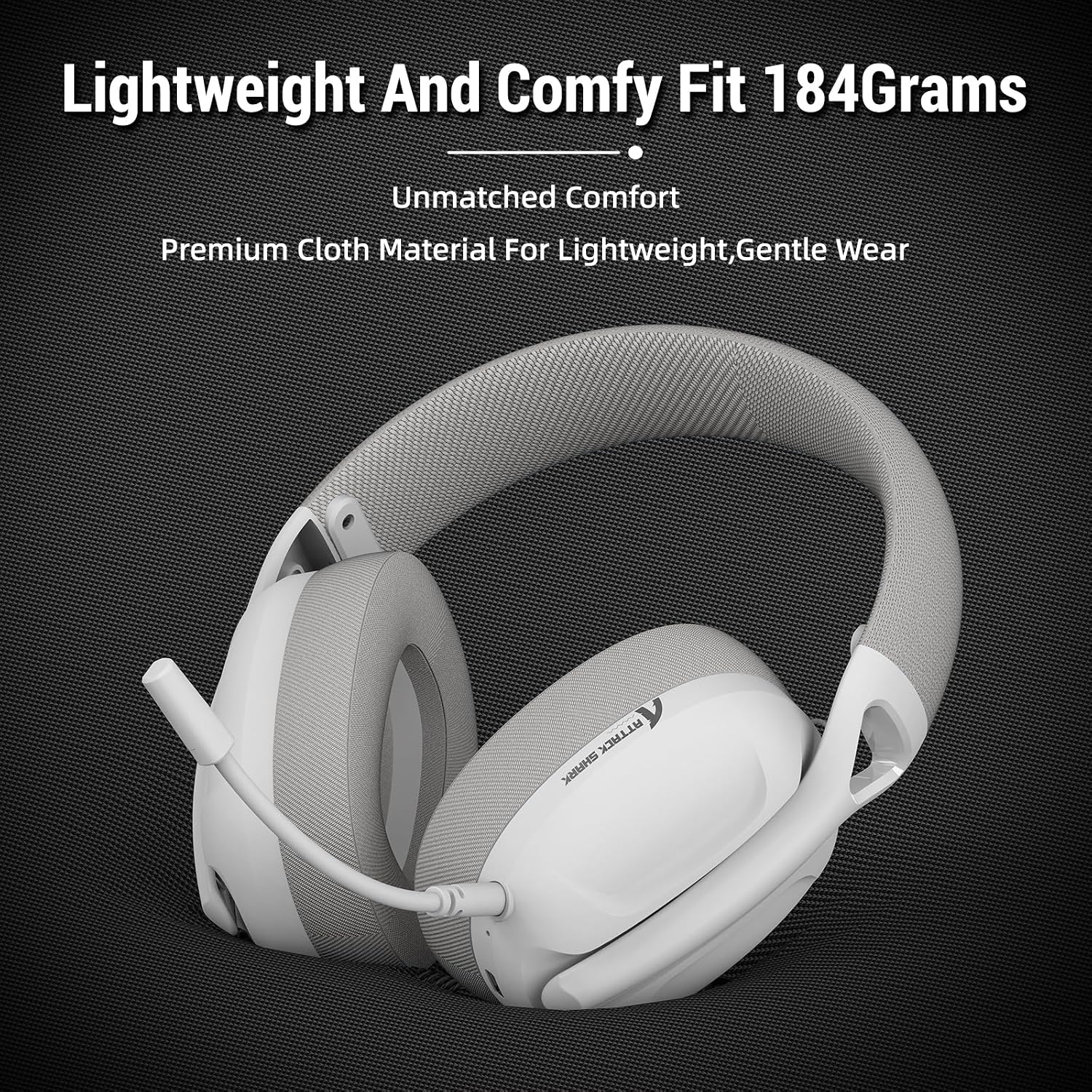
Image: The ATTACK SHARK L80 headset emphasizing its lightweight construction and comfortable ear cushions.
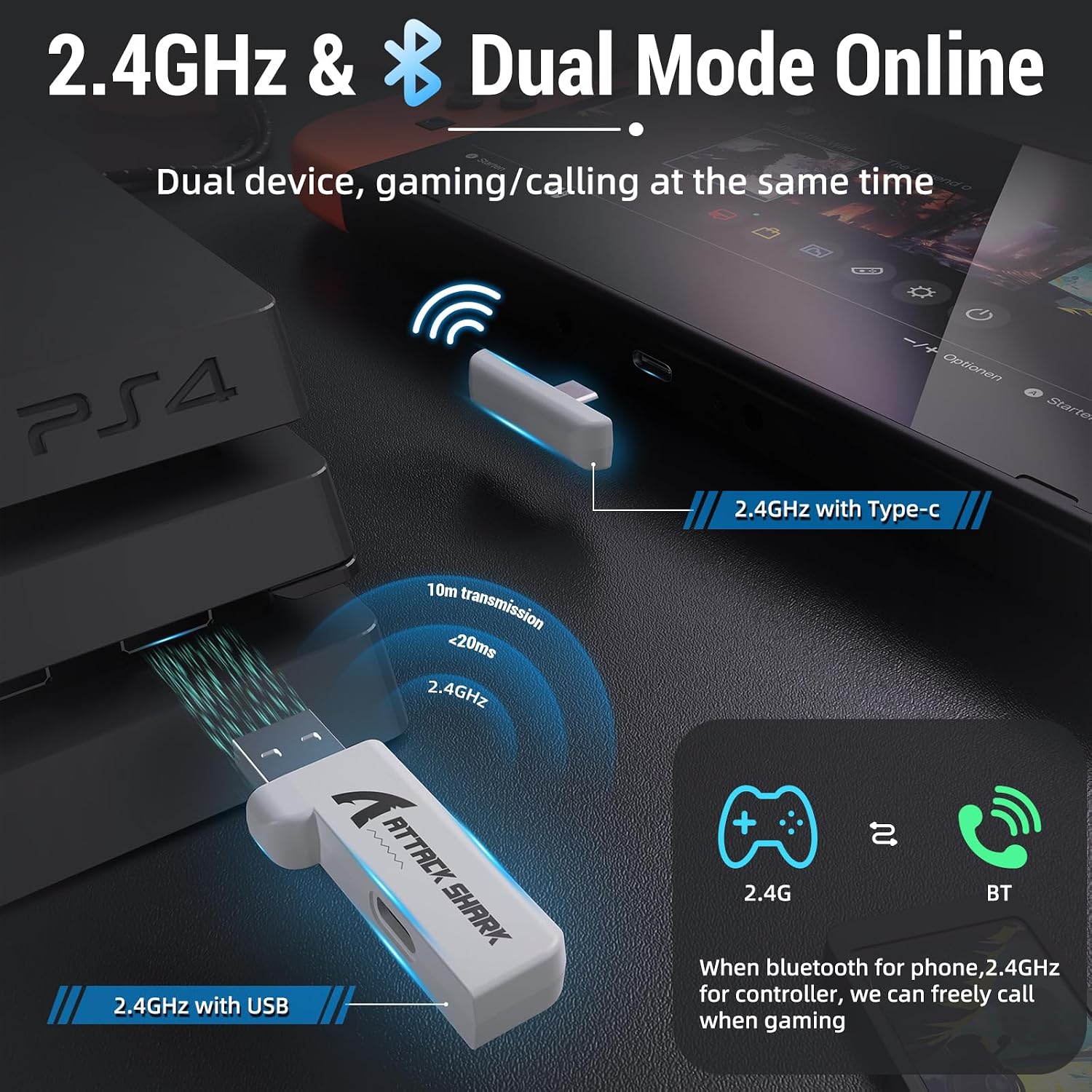
Image: The ATTACK SHARK L80 headset demonstrating its adjustable headband for a customized fit.
3.2 Audio and Microphone
Equipped with 40mm dynamic audio drivers, the L80 delivers balanced, high-fidelity sound with a frequency range of 20Hz to 20,000Hz. The headset includes a detachable, omni-directional microphone with noise-reduction capabilities, ensuring clear communication with teammates.

Imej: Satu dalaman view highlighting the powerful 40mm audio drivers of the headset.

Image: The headset featuring its detachable and adjustable noise-cancelling microphone.
3.3 Hayat Bateri
The L80 headset offers up to 50 hours of playtime at 50% volume on a full charge, which takes approximately 3 hours. A 3.5mm AUX cable is provided for wired use, allowing continued operation even if the battery is depleted.

Image: Visual representation of the headset's long-lasting battery life and charging indicators.
4. Persediaan
The ATTACK SHARK L80 headset supports three connection modes: 2.4GHz wireless, Bluetooth 5.2, and 3.5mm wired.
4.1 Sambungan Wayarles 2.4GHz
This mode provides low-latency, reliable wireless connectivity ideal for gaming. It is compatible with PCs, PS4, PS5, and Nintendo Switch (via USB-C adapter).
- Insert the USB or Type-C 2.4GHz receiver into an available USB port on your device (PC, PS4, PS5, or Nintendo Switch dock).
- Hidupkan alat dengar dengan menekan dan menahan butang Kuasa selama 3 saat.
- The headset will automatically connect to the receiver. The indicator light will show a stable connection.
4.2 Bluetooth 5.2 Sambungan
Bluetooth mode is suitable for mobile devices, tablets, and other Bluetooth-enabled systems.
- Pastikan alat dengar dihidupkan.
- Triple-press the Power button to switch to Bluetooth mode. The indicator light will flash, indicating pairing mode.
- On your device, go to Bluetooth settings and select "ATTACK SHARK L80" from the list of available devices to pair.
- Once connected, the indicator light will become stable.
4.3 Sambungan Berwayar 3.5mm
For universal compatibility or when battery is low, use the 3.5mm audio cable.
- Sambungkan satu hujung kabel audio 3.5mm ke bicu 3.5mm alat dengar.
- Connect the other end to the 3.5mm audio output of your device (PC, console controller, mobile phone, etc.).
- Note: Volume cannot be adjusted via the headset buttons in wired mode; adjust volume directly on your connected device.

Image: The headset demonstrating its compatibility with multiple gaming platforms and devices.
5. Arahan Operasi
Familiarize yourself with the controls located on the headset for easy operation.
5.1 Kawalan Alat dengar
- HIDUP/MATI Kuasa: Tekan dan tahan butang Kuasa selama 3 saat.
- Answer/End Call (Phone Priority)/Play/Pause: Tekan pendek butang Kuasa.
- Bluetooth/2.4G Mode Switching: Tekan butang Kuasa tiga kali.
- Kelantangan: Tekan pendek butang Kelantangan+.
- Lagu Sebelumnya: Long press the Volume+ button.
- Perlahankan suara: Tekan pendek butang Kelantangan.
- Lagu Seterusnya: Long press the Volume- button.
- Mikrofon HIDUP/MATI: Short press the Microphone button.

Imej: A terperinci view of the headset's on-ear control buttons and their functions.
6. Penyelenggaraan
To ensure the longevity and optimal performance of your ATTACK SHARK L80 headset, follow these maintenance guidelines:
- Pembersihan: Gunakan kain lembut dan kering untuk membersihkan alat dengar. Elakkan menggunakan pembersih atau pelarut yang kasar.
- Storan: Simpan alat dengar di tempat yang sejuk dan kering jauh dari cahaya matahari langsung dan suhu yang melampau.
- Penjagaan Kabel: Avoid sharp bends or kinks in the cables. Disconnect cables by pulling the plug, not the cord.
- mikrofon: When not in use, detach the microphone to prevent damage.
- Bateri: Untuk penyimpanan jangka panjang, cas bateri kepada kira-kira 50% setiap beberapa bulan untuk mengelakkan nyahcas yang teruk.
7. Penyelesaian masalah
Jika anda menghadapi masalah dengan set kepala anda, rujuk kepada masalah dan penyelesaian biasa berikut:
| Masalah | Kemungkinan Punca | Penyelesaian |
|---|---|---|
| Tiada bunyi dari set kepala | Headset not powered on; Incorrect connection mode; Volume too low; Device audio output not set to headset. | Ensure headset is powered on. Switch to correct mode (2.4G/BT). Increase headset and device volume. Check device's audio output settings. |
| Mikrofon tidak berfungsi | Microphone muted; Microphone not properly inserted; Device microphone input not set to headset. | Unmute microphone using the headset button. Ensure microphone is fully inserted. Check device's microphone input settings. |
| Cannot connect via 2.4GHz | Receiver not properly inserted; Headset not in 2.4GHz mode; Interference. | Ensure receiver is fully inserted. Triple-press Power button to switch to 2.4GHz mode. Move closer to the receiver or away from other wireless devices. |
| Tidak dapat menyambung melalui Bluetooth | Headset not in pairing mode; Device Bluetooth off; Already connected to another device. | Triple-press Power button to enter Bluetooth pairing mode. Ensure device Bluetooth is on. Disconnect from other devices. |
| Hayat bateri pendek | Battery not fully charged; High volume usage. | Ensure headset is fully charged (approx. 3 hours). Reduce volume to extend battery life. |
8. Spesifikasi
| Ciri | Spesifikasi |
|---|---|
| Nama Model | Alat dengar L80 |
| Teknologi Ketersambungan | Wireless (2.4GHz, Bluetooth 5.2), Wired (3.5mm) |
| Saiz Pemacu Audio | 40 Milimeter |
| Julat Kekerapan | 20Hz - 20,000Hz |
| Impedans | 30 Ohm |
| Hayat Bateri | Sehingga 50 Jam |
| Masa Mengecas | lebih kurang 3 Jam |
| Mikrofon | Detachable Omni-directional, Noise-reduction |
| Berat badan | 12 auns (lebih kurang 340g) |
| Dimensi Produk | 7.09 x 4.13 x 8.66 inci |
| Peranti Serasi | PCs, PS5, PS4, Nintendo Switch, Tablets, Phones |
9. Waranti dan Sokongan
For warranty information and customer support, please refer to the warranty card included in your product packaging or visit the official ATTACK SHARK webtapak. Simpan resit pembelian anda sebagai bukti pembelian untuk sebarang tuntutan waranti.
If you require further assistance or have questions not covered in this manual, please contact ATTACK SHARK customer service.


