1. Pengenalan
This manual provides detailed instructions for the installation, operation, and maintenance of the Axis M3126-LVE Network Surveillance System. Please read this manual thoroughly before using the product to ensure proper functionality and safety. The Axis M3126-LVE is an outdoor-rated, vandal-proof, and weather-resistant network camera designed for reliable surveillance.
2. Maklumat Keselamatan
Patuhi langkah berjaga-jaga keselamatan berikut untuk mengelakkan kerosakan pada produk dan memastikan keselamatan pengguna:
- Pemasangan: Pemasangan mesti dilakukan oleh kakitangan yang berkelayakan mengikut semua kod dan peraturan tempatan.
- Sumber Kuasa: Use only the specified Power over Ethernet (PoE) source. Do not use unauthorized power adapters.
- Persekitaran: Although the camera is weather-resistant, avoid direct exposure to extreme conditions beyond its operating specifications.
- Pembersihan: Putuskan kuasa sebelum membersihkan. Gunakan kain lembut dan kering. Jangan gunakan pembersih cecair atau aerosol.
- Servis: Jangan cuba servis produk ini sendiri. Rujuk semua perkhidmatan kepada pegawai perkhidmatan yang berkelayakan.
3. Kandungan Pakej
Sahkan bahawa semua item terdapat dalam pakej:
- Axis M3126-LVE Network Surveillance Camera
- Panduan Pemasangan
- Aksesori Pemasangan
- Templat Bor
- Resistorx T20 tool
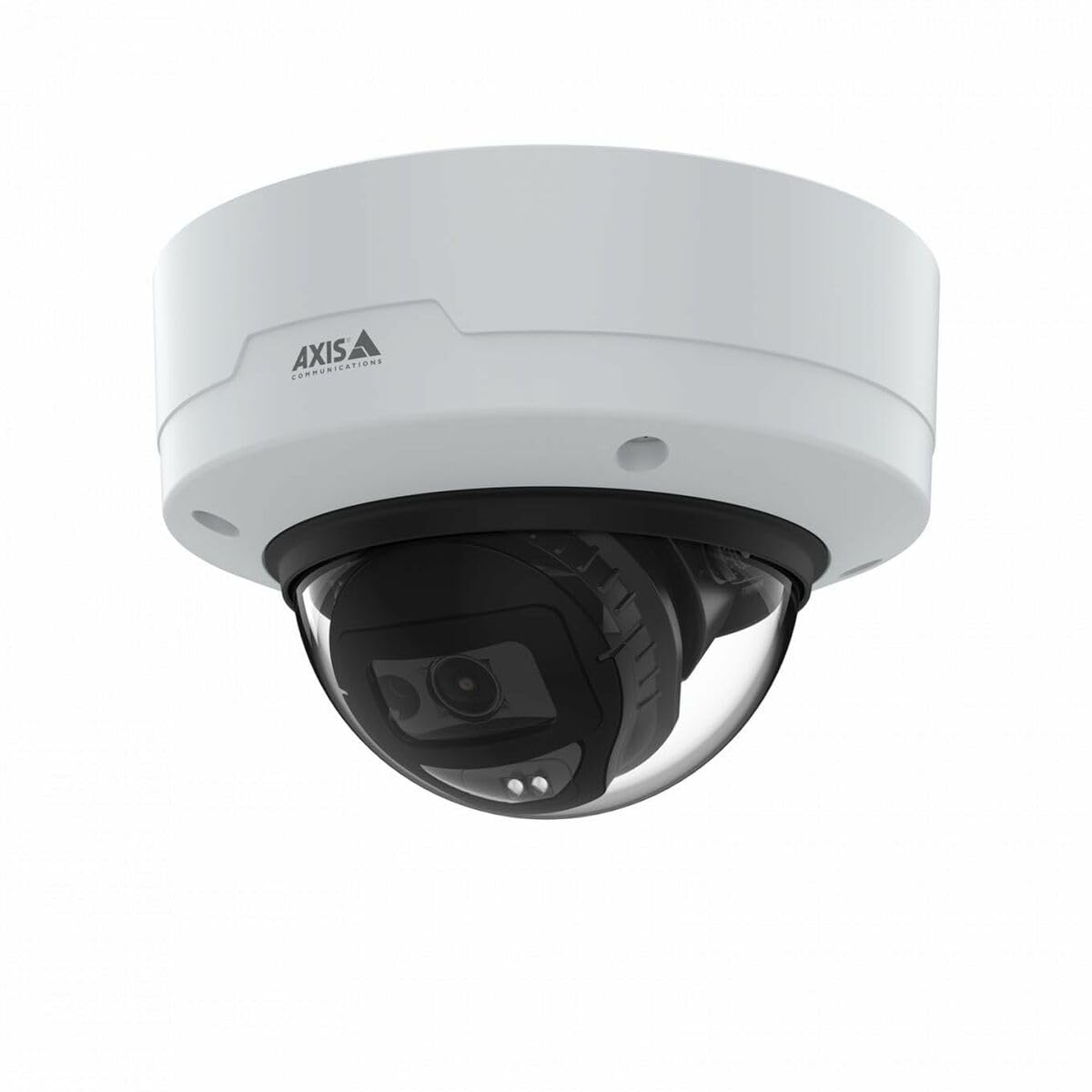
Image: The Axis M3126-LVE Network Surveillance System, a white dome camera, shown with its included mounting accessories.
4. Persediaan dan Pemasangan
4.1 Memasang Kamera
The Axis M3126-LVE is designed for ceiling mount installation in outdoor environments. Ensure the mounting surface is strong enough to support the camera's weight (approximately 1.1 kg / 2.42 lbs).
- Pilih Lokasi: Choose a suitable outdoor location for optimal surveillance coverage, considering power and network cable access.
- Sediakan Permukaan: Use the provided drill template to mark and drill holes for mounting screws and cable routing.
- Pemasangan Selamat: Attach the camera's mounting base securely to the ceiling using appropriate screws and anchors.
- Sambungkan Kabel: Route the Ethernet cable through the designated opening. Connect the Ethernet cable to the camera's M12 connection port. This camera supports Power over Ethernet (PoE) for both power and data transmission.
- Pasangkan Badan Kamera: Secure the camera body to the mounting base. Ensure all seals are properly seated to maintain weather resistance.
4.2 Sambungan Rangkaian dan Konfigurasi Awal
The camera connects to your network via a wired PoE Ethernet connection.
- Hidupkan kuasa: Once connected to a PoE-enabled network switch or injector, the camera will power on automatically.
- Kamera Temui: Use the Axis IP Utility or Axis Device Manager software (available on the Axis Communications website) untuk menemui kamera pada rangkaian anda.
- Tetapkan Alamat IP: Assign a static IP address or configure DHCP settings as required by your network infrastructure.
- Akses Web Antara muka: Buka a web pelayar dan masukkan alamat IP kamera untuk mengaksesnya web antara muka.
- Log Masuk Awal: Follow the on-screen prompts to set a strong password for the administrator account.
- Tetapan Asas: Configure essential settings such as date, time, and video resolution (up to 4 MP, 2688 x 1512).
5. Mengendalikan Kamera
The Axis M3126-LVE offers advanced surveillance capabilities. Access the camera's web interface for full control and configuration.
5.1 Langsung View dan Rakaman
- Langsung View: daripada web antara muka, navigasi ke "Langsung View" section to see real-time video feed.
- Kualiti Video: Adjust video stream settings (resolution, frame rate, compression using MJPEG, H.264, H.265, Zipstream) to optimize for network bandwidth and storage.
- Rakaman: Configure recording schedules, motion detection triggers, and storage locations (e.g., network-attached storage, SD card if supported).
5.2 Ciri Lanjutan
- Penglihatan Malam IR: The camera automatically switches to infrared (IR) night vision in low-light conditions, providing clear black and white video.
- Julat Dinamik Luas (WDR): WDR technology ensures clear images even in scenes with both very bright and very dark areas.
- Audio: The camera supports audio input for surveillance with sound. Configure audio settings in the web antara muka.
- Pengurusan Acara: Set up event triggers (e.g., motion detection, tampering alarm) and corresponding actions (e.g., send email, start recording, upload video).
6. Penyelenggaraan
Regular maintenance ensures optimal performance and longevity of your surveillance system.
- Membersihkan Lensa: Periodically clean the camera lens with a soft, lint-free cloth. For stubborn dirt, use a mild lens cleaning solution. Do not use abrasive materials.
- Kemas kini Firmware: Regularly check the Axis Communications weblaman web untuk kemas kini perisian tegar. Mengemas kini perisian tegar memastikan akses kepada ciri terkini, tampalan keselamatan dan penambahbaikan prestasi.
- Pemeriksaan Kabel: Periksa semua kabel secara berkala untuk tanda-tanda haus atau kerosakan, terutamanya dalam pemasangan luar.
- Keselamatan Pemasangan: Verify that the camera remains securely mounted and that all screws are tight.
7. Penyelesaian masalah
This section addresses common issues you might encounter with the Axis M3126-LVE.
| Masalah | Kemungkinan Punca | Penyelesaian |
|---|---|---|
| Tiada suapan video | No power; Network cable disconnected; Incorrect IP address. | Check PoE connection; Verify network cable is securely connected; Confirm IP address and network settings. |
| Kualiti imej yang lemah | Dirty lens; Incorrect video settings; Insufficient lighting. | Clean the camera lens; Adjust resolution, compression, and WDR settings; Ensure IR night vision is active in low light. |
| Tidak boleh akses web antara muka | Alamat IP salah; Isu sambungan rangkaian; Akses disekat oleh tembok api. | Verify IP address; Check network cable and switch; Temporarily disable firewall for testing; Use Axis IP Utility to find camera. |
| Camera offline intermittently | Unstable network connection; Faulty PoE injector/switch; Loose cable connection. | Check network infrastructure; Test PoE equipment; Secure all cable connections. |
8. Spesifikasi
Key technical specifications for the Axis M3126-LVE Network Surveillance System:
- Nama Model: AXIS M3126-LVE
- Nombor Bahagian: 02918-001
- Penggunaan Dalaman/Luar: Luar
- Protokol Ketersambungan: Ethernet
- Jenis Pemasangan: Pemasangan Siling
- warna: putih
- Berat Barang: 1.1 Kilogram (2.42 paun)
- Format Tangkapan Video: MPEG-4, H.264, H.265, MJPEG
- Pengeluar: Komunikasi Paksi
- Ciri Khas: 4 MP HD, IR night vision, WDR (Wide Dynamic Range), Zipstream, rugged weather/vandal resistance
- Teknologi Ketersambungan: Wired PoE Ethernet, extensive network protocol support
- Resolusi: Up to 2688 x 1512 (4 MP)
- Komponen yang Disertakan: Camera, Mounting Accessories
- Bateri Diperlukan: Tidak
- Penggunaan yang Disyorkan: Outdoor/indoor security, wide-area monitoring, day/night surveillance, smart detection
9. Waranti dan Sokongan
For detailed warranty information, please refer to the official Axis Communications website or the warranty card included with your product. Axis Communications provides technical support and resources for their products.
Sokongan dalam talian: Visit the official Axis Communications support portal for FAQs, documentation, and software downloads.
Hubungi Sokongan: For direct assistance, contact Axis Communications customer support through their webtapak atau maklumat hubungan yang diberikan dalam dokumentasi produk anda.
Nota: Protection plans may be available from third-party providers. These are separate from the manufacturer's warranty.


