pengenalan
The Klarstein CircleDry 16L Smart Dehumidifier is designed to maintain an optimal indoor climate by efficiently removing excess moisture from the air. This manual provides essential information for the safe and effective operation, setup, and maintenance of your dehumidifier. Please read these instructions thoroughly before use and keep them for future reference.
Arahan Keselamatan
- Pastikan bekalan kuasa sepadan dengan voltage dinyatakan pada label penarafan perkakas.
- Do not operate the dehumidifier with a damaged power cord or plug. Contact qualified service personnel for repairs.
- Jauhkan perkakas daripada sumber haba, cahaya matahari langsung dan bahan mudah terbakar.
- Do not block the air inlet or outlet. Maintain adequate clearance around the unit for proper airflow.
- Always unplug the dehumidifier before cleaning, maintenance, or when not in use.
- Jangan rendam unit, kord kuasa, atau palamkan ke dalam air atau cecair lain.
- Perkakas ini tidak dimaksudkan untuk digunakan oleh orang yang kurang keupayaan fizikal, deria, atau mental, atau kurang pengalaman dan pengetahuan, melainkan mereka telah diberi pengawasan atau arahan mengenai penggunaan perkakas oleh orang yang bertanggungjawab untuk keselamatan mereka.
- Kanak-kanak harus diawasi untuk memastikan mereka tidak bermain dengan perkakas.
- The dehumidifier uses R290 refrigerant. Handle with care and ensure proper ventilation during maintenance.
Produk Selesaiview
The Klarstein CircleDry 16L Smart Dehumidifier is a compact and efficient unit designed for rooms up to 32 m². It features a powerful compressor, smart humidity control, and Wi-Fi connectivity for remote operation.

Ciri-ciri Utama:
- Kecekapan Tinggi: Mengeluarkan sehingga 16 liter kelembapan setiap hari.
- Smart Humidity Control: Adjustable relative humidity between 30% and 90%, or Comfort Mode.
- Kesambungan Wi-Fi: Control via the Klarstein IoT app.
- Pemasa 24 Jam: Flexible scheduling for operation.
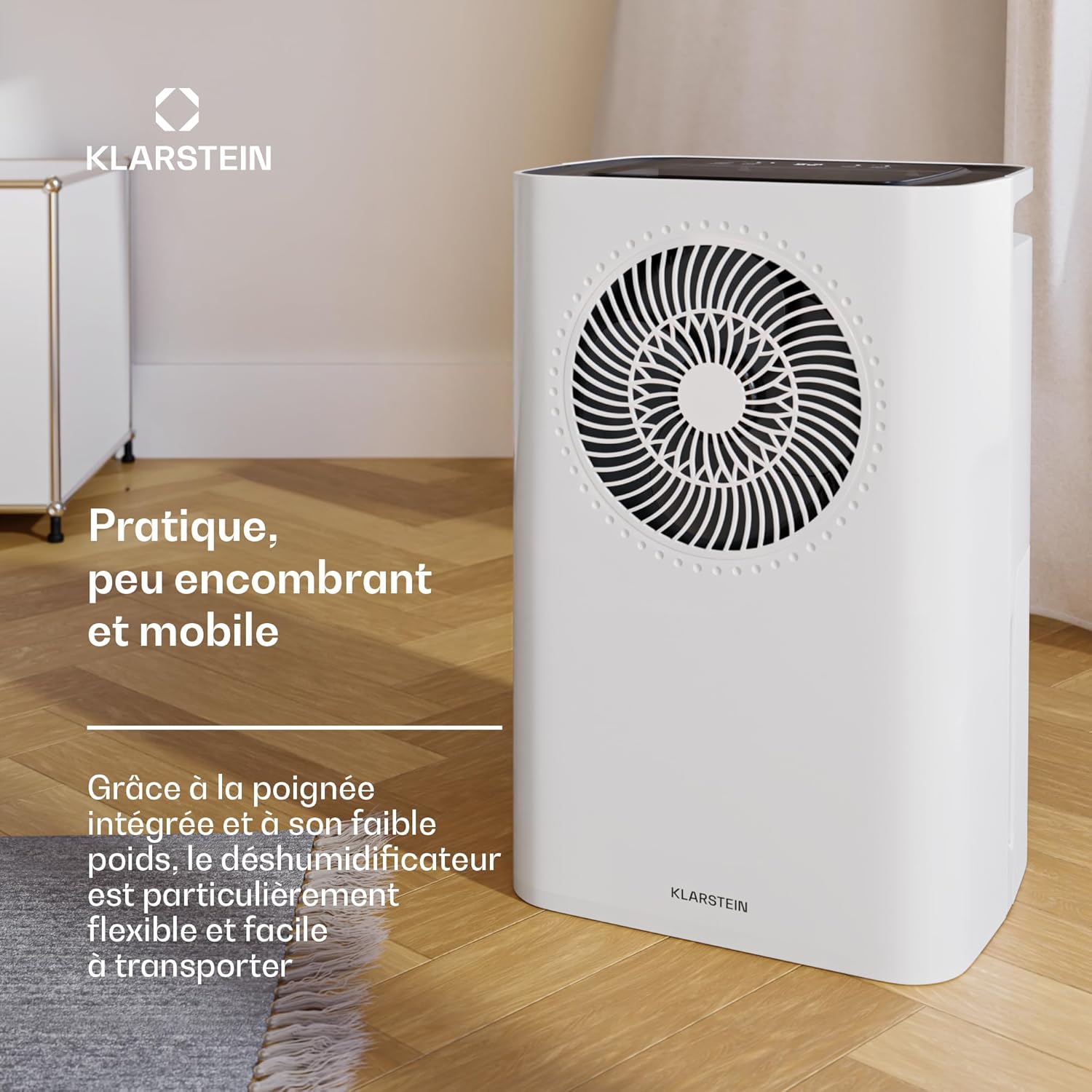
- Reka Bentuk Mudah Alih: Lightweight with an integrated handle for easy transport.
- Tangki Air boleh tanggal: Kapasiti 2 liter dengan penutupan automatik apabila penuh.
- Saliran Berterusan: Option for direct water drainage.
- Washable Nylon Filter: Untuk penyelenggaraan yang mudah.
- Operasi senyap: Noise level between 38-41 dB.
Persediaan
1. Membongkar
- Keluarkan dehumidifier dengan berhati-hati daripada pembungkusnya.
- Keluarkan semua bahan pembungkusan dan pastikan tiada komponen yang hilang atau rosak.
2. penempatan
- Letakkan penyahlembap pada permukaan yang kukuh dan rata.
- Ensure there is at least 20 cm (8 inches) of space around the unit for proper air circulation.
- Avoid placing the unit near walls, furniture, or curtains that could obstruct airflow.
3. Sambungan Kuasa
- Palamkan kord kuasa ke salur keluar elektrik yang dibumikan.
- Do not use extension cords or multi-plugs unless absolutely necessary and rated for the appliance's power requirements.
4. Water Drainage Options
The dehumidifier offers two drainage methods: using the removable water tank or continuous drainage.
a. Removable Water Tank
- The unit comes with a 2-liter removable water tank.
- Ensure the tank is correctly inserted before operation. The unit will automatically shut off when the tank is full.
b. Continuous Drainage
- For continuous operation without emptying the tank, connect a drainage hose (not included) to the continuous drainage port.
- Ensure the hose is sloped downwards to allow gravity drainage into a suitable receptacle or drain.

Arahan Operasi
Panel Kawalan Terlaluview
The dehumidifier features an intuitive LED display and control buttons on the top panel.

1. Hidupkan/Mati Kuasa
- Tekan ke kuasa butang untuk menghidupkan atau mematikan unit.
2. Menetapkan Kelembapan yang Diingini
- Gunakan Kelembapan buttons (usually '+' and '-') to set the desired relative humidity level between 30% and 90%.
- Unit ini akan beroperasi sehingga tahap kelembapan yang ditetapkan dicapai, kemudian hidupkan dan matikan kitaran untuk mengekalkannya.
3. Mod Keselesaan
- Pilih Mod Selesa for automatic humidity control optimized for typical living conditions. The unit will adjust its operation to maintain a comfortable humidity level.
4. Fungsi Pemasa
- Tekan ke Pemasa button to set a delayed start or stop time (up to 24 hours).
- Adjust the hours using the appropriate buttons.
5. Kelajuan Kipas
- The unit offers two fan speeds (High and Low). Select the desired speed using the Kelajuan Kipas butang.
6. Wi-Fi and App Control
The Klarstein CircleDry 16L can be controlled remotely via the Klarstein IoT app.
- Muat turun Klarstein IoT app daripada gedung aplikasi telefon pintar anda (tersedia untuk iOS dan Android).
- Ikut arahan dalam apl untuk menyambungkan penyahlembap anda ke rangkaian Wi-Fi rumah anda.
- Once connected, you can control power, humidity settings, timer, and monitor the unit from anywhere.

Penyelenggaraan
Penyelenggaraan tetap memastikan prestasi optimum dan memanjangkan jangka hayat penyahlembap anda.
1. Mengosongkan Tangki Air
- When the water tank is full, the unit will automatically shut off and an indicator light will illuminate.
- Tarik keluar tangki air dari unit dengan berhati-hati.
- Kosongkan air yang terkumpul.
- Reinsert the empty water tank firmly into the unit until it clicks into place. The unit will resume operation.
2. Membersihkan Penapis Udara
The washable nylon filter should be cleaned regularly (every 2-4 weeks, depending on usage) to prevent dust buildup and maintain efficiency.
- Cabut plag penyahlembap daripada salur keluar kuasa.
- Locate and remove the air filter (refer to the product diagram for exact location).
- Gently wash the filter with warm, soapy water. Rinse thoroughly.
- Biarkan penapis kering sepenuhnya sebelum memasukkannya semula ke dalam unit. Jangan gunakan pengering atau haba langsung.
3. Membersihkan Bahagian Luar Unit
- Lap bahagian luar dehumidifier dengan lembut, damp kain.
- Jangan gunakan bahan kimia yang keras, pembersih yang kasar atau pelarut, kerana ini boleh merosakkan permukaan.
4. Penyimpanan
- If storing the unit for an extended period, ensure the water tank is empty and clean, and the air filter is clean and dry.
- Simpan penyahlembap di tempat yang sejuk dan kering, jauh daripada cahaya matahari langsung dan suhu yang melampau.
Menyelesaikan masalah
Sebelum menghubungi sokongan pelanggan, sila rujuk panduan penyelesaian masalah berikut untuk isu biasa.
| Masalah | Kemungkinan Punca | Penyelesaian |
|---|---|---|
| Dehumidifier tidak dihidupkan. | Tiada bekalan kuasa. Water tank is full or incorrectly inserted. | Periksa sama ada kord kuasa dipasang dengan selamat. Kosongkan dan masukkan semula tangki air dengan betul. |
| Unit berjalan tetapi tidak mengumpul air. | Kelembapan bilik sudah rendah. Penapis udara tersumbat. Suhu terlalu rendah (di bawah 5°C). | Check the current humidity level. The unit will stop if the set humidity is reached. Bersihkan penapis udara. The unit operates between 5°C and 32°C. |
| Aliran udara lemah atau bising. | Penapis udara tersumbat. Saluran masuk/keluar udara terhalang. | Bersihkan penapis udara. Ensure there is no obstruction around the unit. |
| Isu sambungan Wi-Fi. | Kata laluan Wi-Fi salah. Dehumidifier too far from router. Router settings (2.4GHz required). | Sahkan kata laluan Wi-Fi. Move the dehumidifier closer to the Wi-Fi router. Ensure your router is broadcasting a 2.4GHz network. Consult your router's manual. |
Spesifikasi
Technical specifications for the Klarstein CircleDry 16L Smart Dehumidifier.
| Ciri | Perincian |
|---|---|
| Nombor Model | DXJ10-Kl-CDS-16-WH |
| Jenama | KLARSTEIN |
| Kapasiti Dehumidifikasi | 16 Liter/hari |
| Kapasiti Tangki Air | 2 Liter |
| Saiz Bilik yang Disyorkan | Sehingga 32 m² |
| kuasa | 290 Watt |
| Tahap Kebisingan | 38 - 41 dB |
| Bahan penyejuk | R290 (mesra alam) |
| Julat Suhu Operasi | 5°C hingga 32°C |
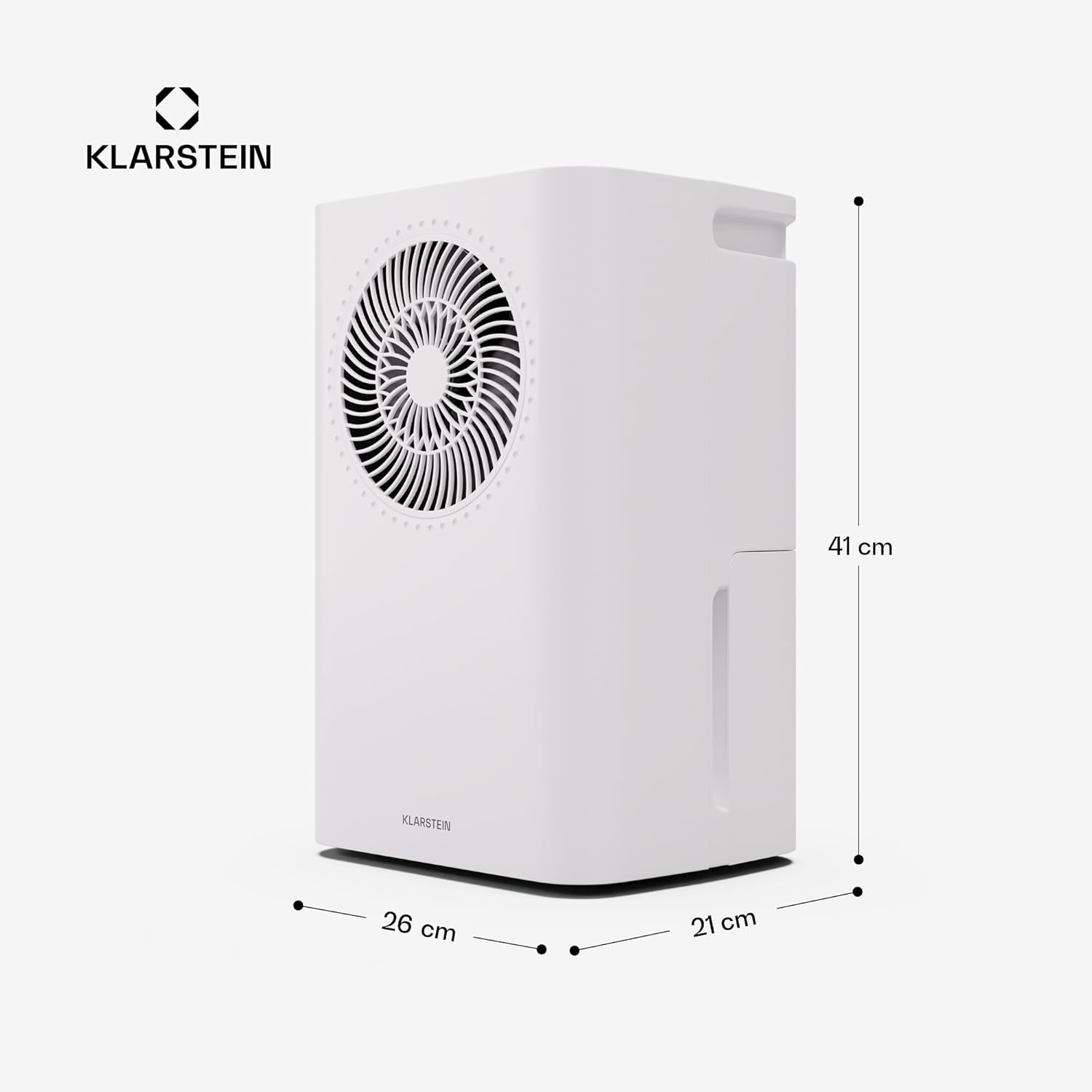
| Dimensi (L x W x H) | 26 x 21 x 40 cm |
| Berat badan | 9 Kilogram |
| bahan | Plastik ABS, Logam |
Waranti dan Sokongan
Untuk maklumat waranti, sila rujuk dokumentasi yang diberikan bersama pembelian anda atau lawati Klarstein rasmi website. If you encounter any issues not covered in this manual or require technical assistance, please contact Klarstein customer support.
Sokongan dalam talian: melawat www.klarstein.com untuk Soalan Lazim, pendaftaran produk dan maklumat perhubungan.


