Ourlife 5K Action Camera User Manual
Model: AT-M41TR
1. Pengenalan
This user manual provides comprehensive instructions for the Ourlife 5K Action Camera. It covers product features, setup, operation, maintenance, and troubleshooting. Please read this manual thoroughly before using your camera to ensure proper operation and to maximize its capabilities.
2. Maklumat Keselamatan
- Jangan dedahkan kamera kepada suhu yang melampau atau cahaya matahari langsung untuk tempoh yang lama.
- Jauhkan kamera dan aksesori daripada capaian kanak-kanak.
- Use only original or certified compatible accessories.
- Pastikan bekas kalis air ditutup rapat sebelum merendam kamera di dalam air.
- Elakkan daripada menjatuhkan atau menyebabkan kamera mengalami hentaman yang teruk.
- Jangan cuba membuka atau mengubah suai kamera.
3. Apa yang ada di dalam Kotak
Ourlife 5K Action Camera package includes the following items:
- Ourlife 5K Action Camera
- Kad SD 32GB
- 2 x Bateri Boleh Dicas Semula 1050mAh
- Sarung Kalis Air
- Alat Kawalan Jauh
- Mikrofon Luaran
- Dok Pengecasan Dual Slot
- Various Multifunctional Mounting Kits
- Kabel USB
- Kain Pembersih
- Manual Pengguna

Image: All accessories included with the Ourlife 5K Action Camera.
4. Produk Lebihview
Ourlife 5K Action Camera is designed for capturing high-quality video and photos in various environments. It features dual screens for versatile framing, a wide-angle lens, and robust waterproofing.

Image: The Ourlife 5K Action Camera and its primary components.
Ciri-ciri Utama:
- High-Resolution Capture: Records video at 5K/30FPS, 4K/30FPS, 4K/60FPS, 1080P, and captures photos from 8MP to 50MP.
- Dual Screen Design: Front and rear screens for easy framing, especially for selfies or vlogging.
- Boleh laras View Sudut: Selectable angles including 170°, 140°, 110°, and 70°.
- Kawalan Jauh Wayarles: Conveniently control recording and photo capture from a distance.
- Wi-Fi terbina dalam: Connects to the XDV App for wireless photo/video sharing and remote control.
- Sokongan Mikrofon Luaran: Improves audio quality by reducing ambient noise.
- Keupayaan kalis air: Submersible up to 140ft (40m) with the included waterproof case.
- Advanced Shooting Modes: Includes time-lapse, loop recording, slow motion, and 5x zoom.
- Penstabilan Anti Goncang: Built-in template performs vibration correction for smoother footage.

Imej: Selesaiview of the camera's features and touch screen usage.
5. Persediaan
5.1. Pemasangan Bateri
- Buka penutup petak bateri di bahagian bawah kamera.
- Insert one of the two included 1050mAh batteries, ensuring the correct orientation.
- Tutup penutup petak bateri dengan selamat.
5.2. Pemasangan Kad SD
- Cari slot kad SD di sisi kamera.
- Insert the included 32GB SD card with the metal contacts facing the front of the camera until it clicks into place.
- Untuk mengalih keluar, tolak kad masuk perlahan-lahan sehingga ia keluar.
5.3. Mengecas Bateri
Use the provided dual slot charging dock and USB cable to charge the batteries. Connect the USB cable to a power source (e.g., computer USB port or USB wall adapter). The indicator lights on the dock will show charging status.
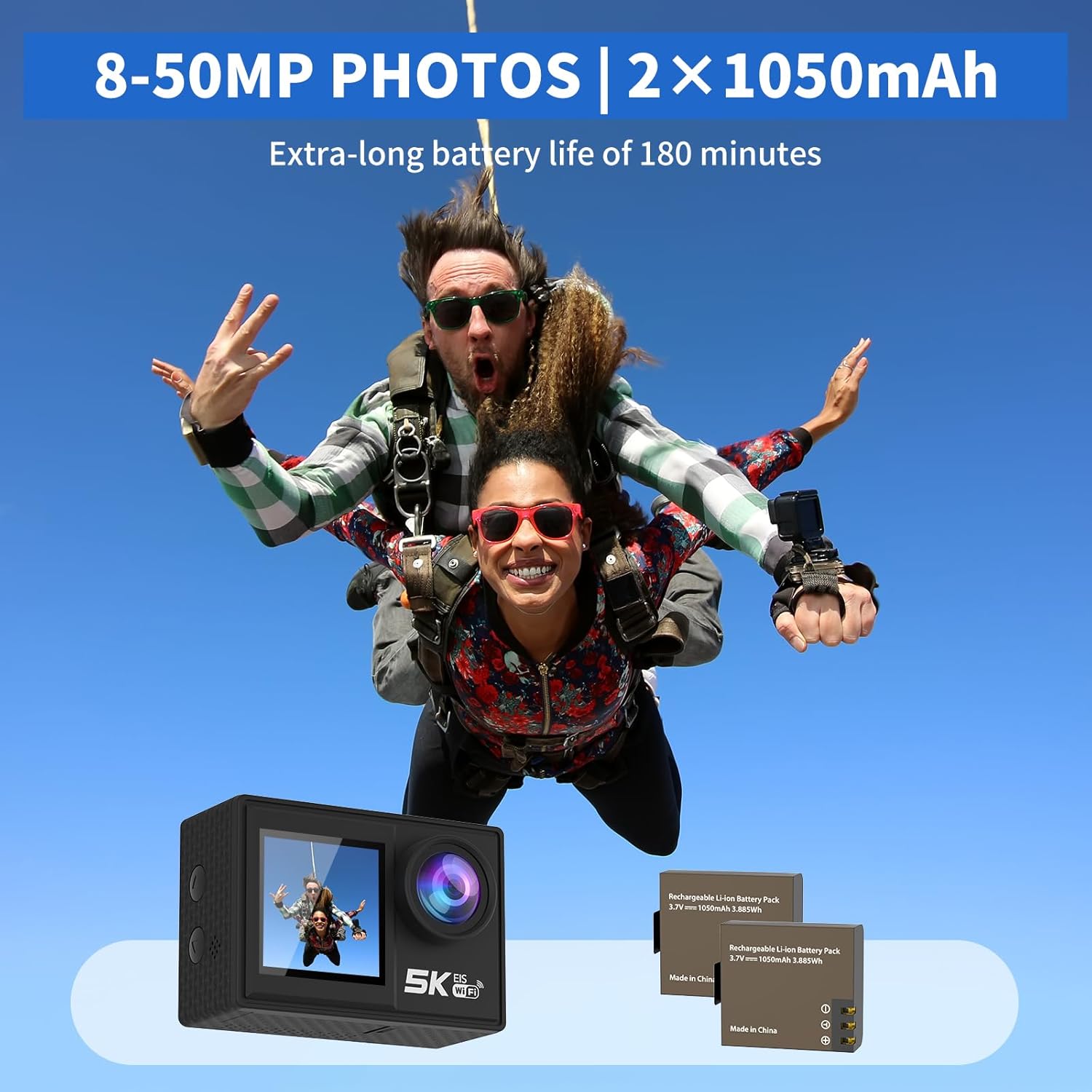
Image: The camera and its two rechargeable batteries.
5.4. Menggunakan Sarung Kalis Air
The waterproof case allows the camera to be used underwater up to a depth of 140 feet (40 meters). Ensure the camera is dry before placing it inside the case. Close the latch securely and perform a dry test before submerging with the camera inside.
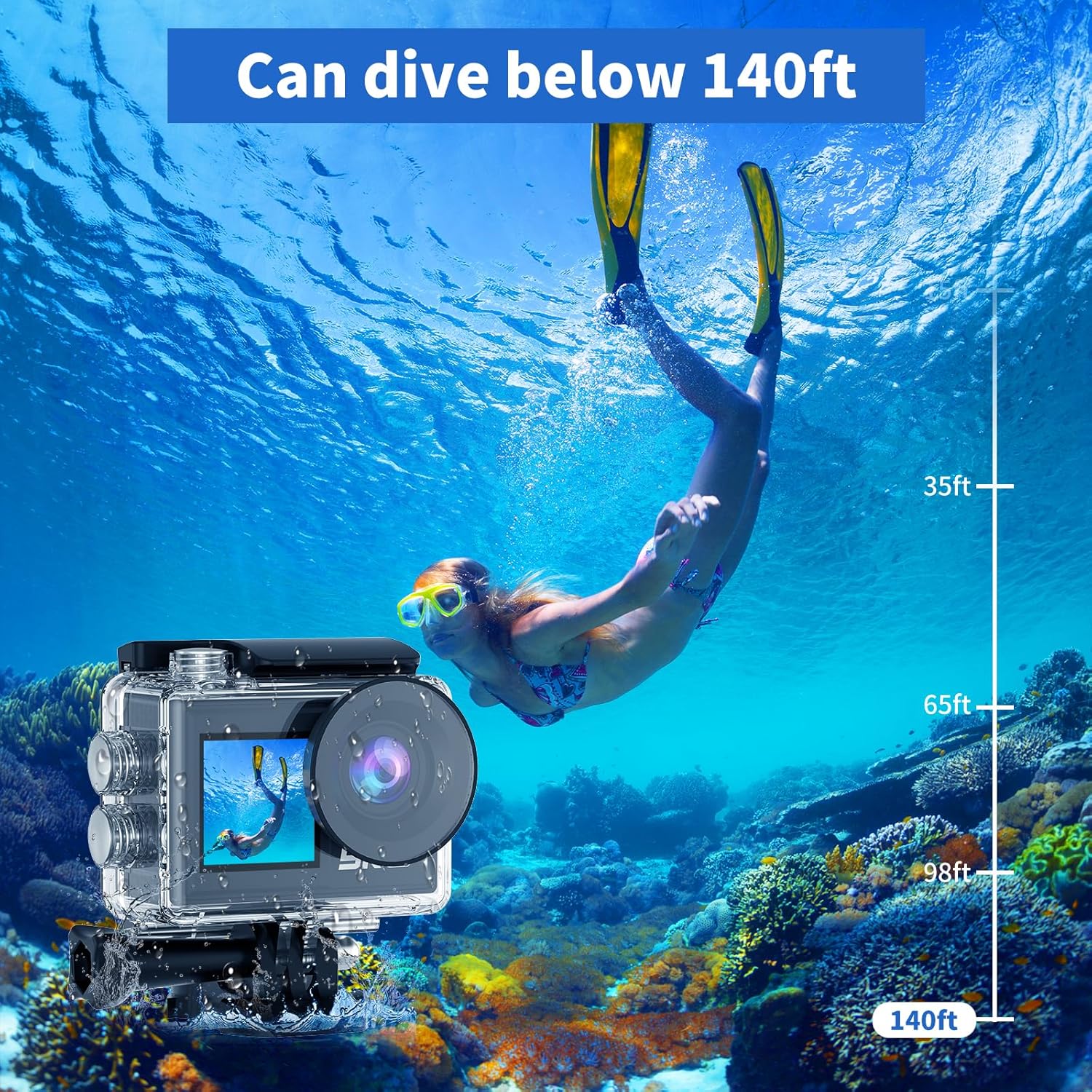
Image: The camera in its waterproof housing, suitable for diving.
6. Mengendalikan Kamera
6.1. Hidupkan/Mati Kuasa
- To power on, press and hold the Power/Mode button until the screen lights up.
- Untuk mematikan kuasa, tekan dan tahan butang Kuasa/Mod sehingga skrin dimatikan.
6.2. Pemilihan Mod
Tekan butang Kuasa/Mod berulang kali untuk beralih antara mod yang berbeza: Rakaman Video, Tangkapan Foto, Main Semula dan Tetapan.
6.3. Rakaman Video
- In Video Recording mode, press the Shutter/OK button to start recording.
- Press the Shutter/OK button again to stop recording.
- Supported resolutions include 5K/30FPS, 4K/30FPS, 4K/60FPS, 2.7K/30FPS, and 1080P/30FPS.
6.4. Tangkapan Foto
- In Photo Capture mode, press the Shutter/OK button to take a photo.
- Photo resolutions range from 8MP to 50MP.
6.5. Dual Screen Usage
The camera features both a rear main screen and a front screen. You can switch between screens by pressing a dedicated button (refer to camera diagram for exact button location) or through the settings menu. The front screen is ideal for framing self-portraits or vlogs.
6.6. Melaraskan View sudut
Navigate to the settings menu to adjust the camera's view angle. Options include 170°, 140°, 110°, and 70°, allowing you to choose between a wide field of view or a narrower perspective.
6.7. Menggunakan Alat Kawalan Jauh
The included wireless wrist remote control allows for convenient operation from a distance. Pair the remote with the camera via the settings menu. Once paired, you can start/stop recording or take photos without touching the camera.
6.8. Wi-Fi Connectivity and XDV App
The camera supports Wi-Fi connectivity with a range of up to 10 meters. Download the "XDV" app on your smartphone or tablet. Enable Wi-Fi on the camera and connect your device to the camera's Wi-Fi network. Through the app, you can view hidup footage, control the camera, and transfer photos/videos wirelessly.

Image: Wireless sharing of content via the XDV app.
6.9. External Microphone Usage
Connect the external microphone to the camera's designated port to enhance audio recording quality, especially in noisy environments. The external microphone helps to eliminate unwanted background noise.
6.10. Mod Penggambaran Khas
- Masa berlalu: Captures a series of photos at set intervals and combines them into a video.
- Rakaman Gelung: Records video continuously, overwriting the oldest footage apabila kad memori penuh.
- Pergerakan Perlahan: Records video at a higher frame rate to allow for slow-motion playback.
- Zum 5x: Digitally zoom in on your subject during recording or photo capture.
- Anti gegaran: Activates electronic image stabilization to reduce blur from camera movement.

Image: Demonstration of the camera's anti-shake feature.
7. Penyelenggaraan
7.1. Membersihkan Kamera
- Use a soft, lint-free cloth to clean the camera body and lens.
- Untuk kotoran degil, sedikit dampbilas kain dengan air. Jangan gunakan bahan kimia yang keras.
- Ensure the camera is dry before storing or using the waterproof case.
7.2. Penjagaan Bateri
- Simpan bateri di tempat yang sejuk dan kering apabila tidak digunakan.
- Avoid fully discharging batteries before recharging them.
- If storing for extended periods, charge batteries to about 50% capacity.
7.3. Penyimpanan
When not in use, store the camera in a protective case or bag to prevent scratches and damage. Remove the battery if storing for a long duration.
8. Penyelesaian masalah
| Masalah | Kemungkinan Punca | Penyelesaian |
|---|---|---|
| Kamera tidak dihidupkan. | Bateri mati atau tidak dimasukkan dengan betul. | Cas bateri atau masukkan semula dengan betul. |
| Tidak boleh merakam video/mengambil gambar. | SD card is full, corrupted, or not inserted. | Insert SD card, format it, or delete old files. |
| Isu sambungan Wi-Fi. | Incorrect password, too far from camera, or app issue. | Ensure correct password, stay within 10m range, restart camera/app. |
| Kualiti audio yang lemah. | External microphone not connected, or high ambient noise. | Ensure external microphone is connected properly. Use in quieter environments if possible. |
| Kamera membeku atau menjadi tidak bertindak balas. | Gangguan perisian atau bateri lemah. | Remove and reinsert the battery to reset. Ensure battery is charged. |
9. Spesifikasi
| Ciri | Perincian |
|---|---|
| Nombor Model | AT-M41TR |
| Resolusi Video | 5K/30FPS, 4K/30FPS, 4K/60FPS, 2.7K/30FPS, 1080P/30FPS |
| Resolusi Foto | 8MP - 50MP |
| Teknologi Penderia Foto | CMOS |
| Saiz Skrin | 2 Inches (Dual Screen) |
| Ketersambungan | Wi-Fi |
| Kedalaman Kalis Air | Up to 140ft (40m) with waterproof case |
| Jenis Bateri | Lithium Ion (2 x 1050mAh included) |
| Penyimpanan | Supports SD card (32GB included) |
| Berat Barang | 2.82 auns |
| Dimensi Produk | 0.96 x 2.31 x 1.57 inci |
| Panjang Fokus Maksimum | 16 Milimeter |
| Apertur Maksimum | 3.5 f |
| Format Tangkapan Video | MP4 |
| Format Audio yang Disokong | MP4 |
10. Waranti dan Sokongan
Ourlife products are manufactured to high quality standards. For warranty information, technical support, or service inquiries, please refer to the contact information provided on the product packaging or visit the official Ourljika webtapak. Sila simpan bukti pembelian anda untuk tuntutan waranti.
Untuk bantuan lanjut, anda juga boleh merujuk kepada Ourlife Store on Amazon.


