1. Pengenalan
Thank you for choosing the SHIHOT 42-Inch Black Ceiling Fan. This manual provides detailed instructions for installation, operation, and maintenance to ensure safe and efficient use of your new ceiling fan. Please read this manual thoroughly before installation and keep it for future reference.
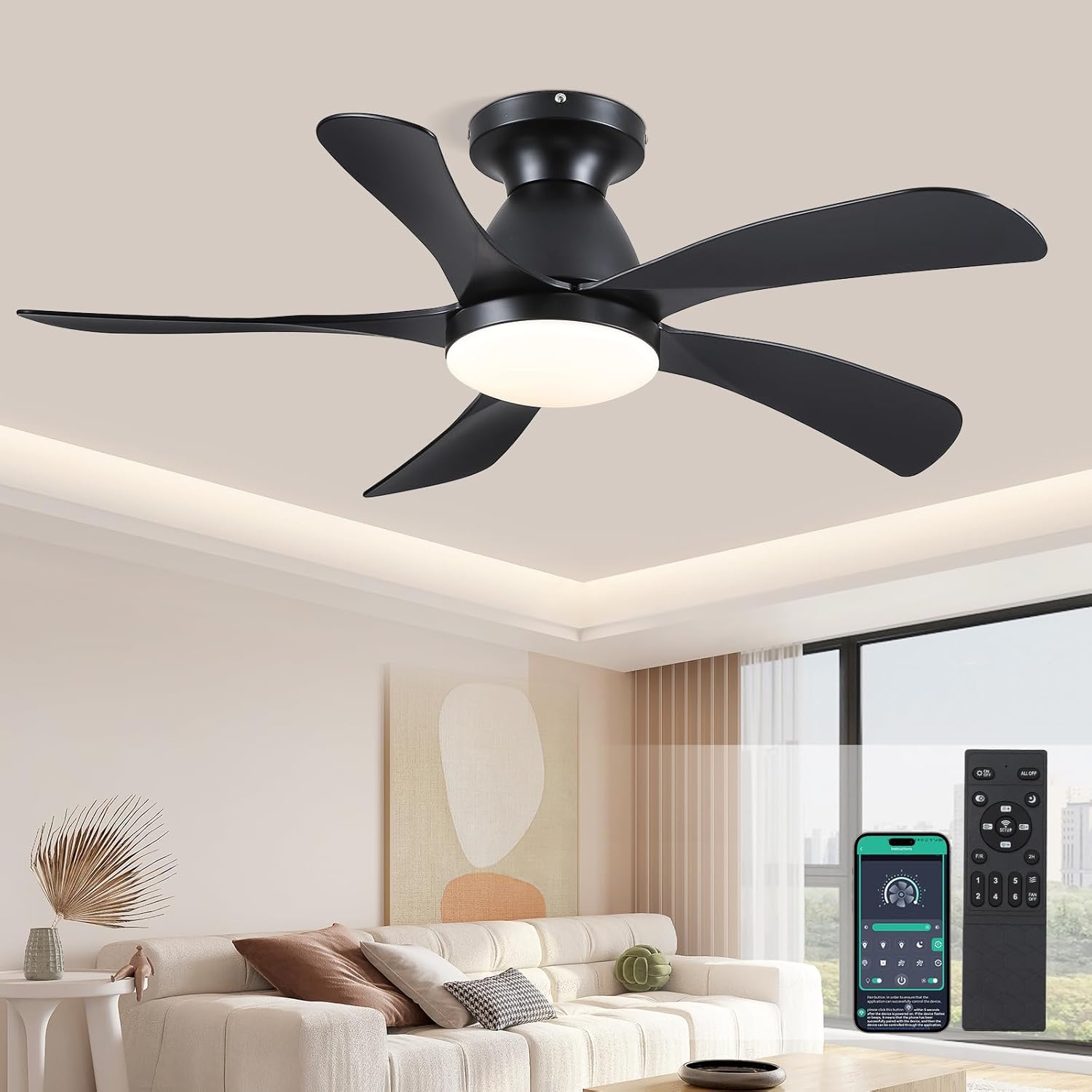
Figure 1: SHIHOT 42-Inch Black Ceiling Fan with remote and app control.
2. Maklumat Keselamatan
Sentiasa ikuti langkah berjaga-jaga keselamatan asas semasa memasang dan mengendalikan peralatan elektrik untuk mengurangkan risiko kebakaran, kejutan elektrik dan kecederaan diri.
- Baca semua arahan dengan teliti sebelum memulakan pemasangan.
- Pastikan kuasa dimatikan pada pemutus litar sebelum pemasangan atau penyelenggaraan.
- Semua pendawaian mestilah mengikut kod elektrik nasional dan tempatan.
- Rujuk juruelektrik yang berkelayakan jika anda tidak pasti tentang pendawaian atau pemasangan.
- Pasangkan kipas hanya pada kotak saluran keluar yang bertanda "Boleh Diterima untuk Sokongan Kipas 35 paun (15.9 kg) atau kurang" dan gunakan skru pelekap yang disediakan bersama kotak saluran keluar.
- Jangan masukkan objek ke dalam laluan bilah kipas.
3. Kandungan Pakej
Sahkan bahawa semua komponen hadir sebelum memulakan pemasangan:
- Pemasangan badan kipas
- Papan gantung
- 5 Bilah Boleh Balik
- LED Lampteduh
- Receiver & Remote control
- Skru dan perkakasan pemasangan

Figure 2: Product components and dimensions.
4. Panduan Pemasangan
For a visual guide, please refer to the official installation video below. Detailed steps are also provided.
Video 1: SHIHOT Ceiling Fan Installation Guide (Model 8906).
4.1 Assembling the Fan Blades
- Unscrew the existing screws from the fan body assembly.
- Align each of the 5 fan blades with the screw holes on the fan body assembly.
- Secure each blade using the provided screws and a power drill, ensuring they are firmly attached.
- Pasangkan LED lampshade to the bottom of the fan body assembly by aligning it and securing it with screws.
4.2 Mounting the Hanging Board and Wiring
- Pastikan kuasa DIMATIKAN pada pemutus litar.
- Mount the hanging board securely to the ceiling outlet box using appropriate screws.
- Connect the fan's wiring to the household wiring according to the wiring diagram (typically black to black, white to white, and green/ground to green/ground). Ensure all connections are secure.
- Hang the fan body assembly onto the hanging board using the safety cable.
- Connect the receiver and remote control wiring as shown in the video, ensuring correct polarity.
- Carefully tuck all wires into the ceiling canopy.
- Secure the ceiling canopy to the hanging board with screws.
5. Arahan Operasi
Your SHIHOT ceiling fan can be operated using the included remote control or a compatible mobile application.
Video 2: SHIHOT Ceiling Fan Features Demonstration (Model 8906).
5.1 Fungsi Kawalan Jauh
- Hidupkan/Mati Kuasa: Tekan butang kuasa untuk menghidupkan atau mematikan kipas dan lampu.
- Pelarasan Kelajuan Kipas: Select from 6 wind speeds (Low-Mid-High) to suit your comfort needs.
- Suhu Warna Cahaya: Adjust the light color temperature between 3000K (Warm light), 4500K (Natural light), and 6000K (White light).

Figure 3: Light color temperature options.
- Pelarasan Kecerahan: Malapkan atau cerahkan cahaya dari 20% hingga 100%.
- Tetapan Pemasa: Set the fan to turn off automatically after a specified period (e.g., 2 hours).
- Fungsi terbalik: Press the 'R' key on the remote for 5-8 seconds. The fan will stop completely and then automatically reverse its rotation. This function allows for summer forward rotation (downward airflow for cooling) and winter reversal (upward airflow for circulating warm air).
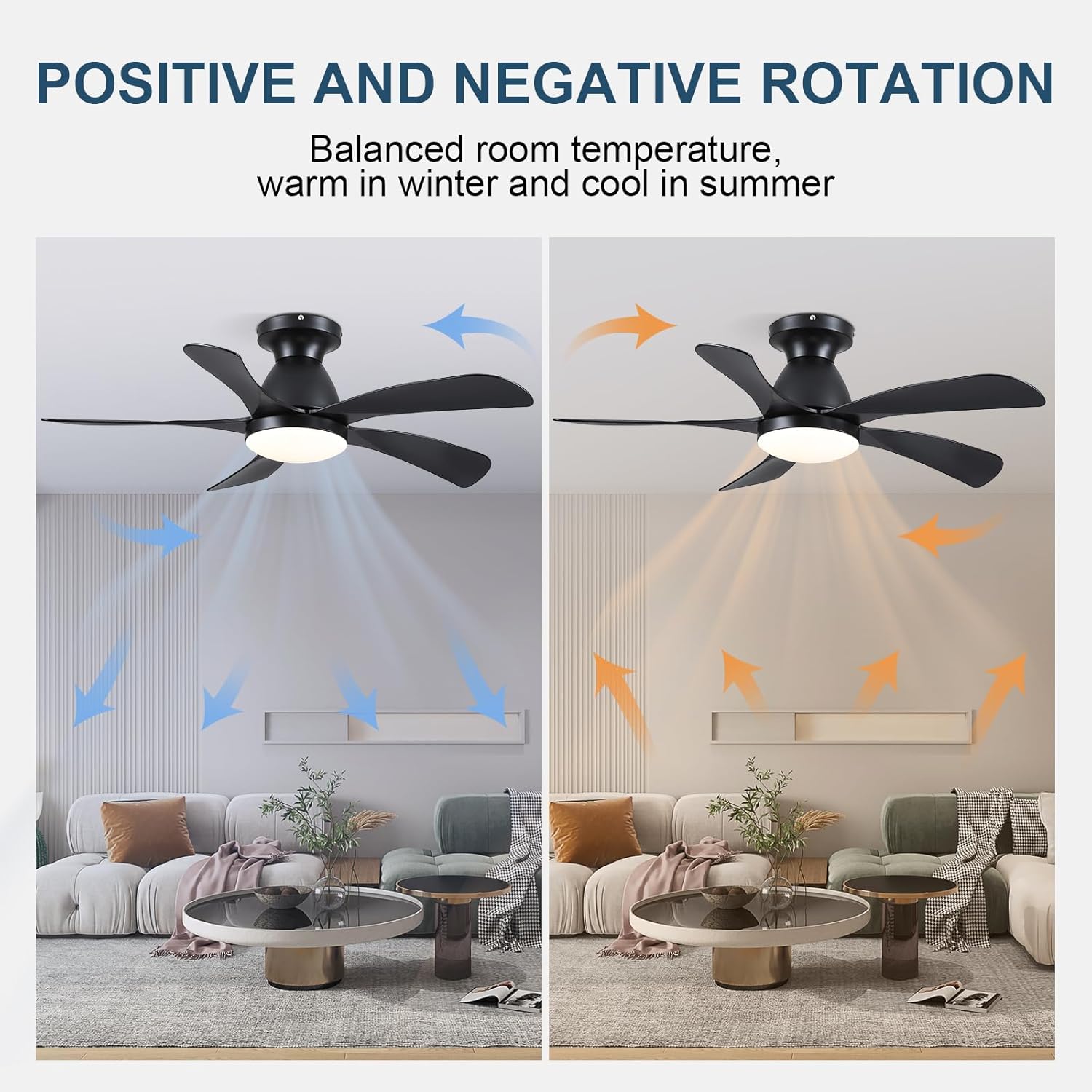
Figure 4: Fan reverse function for seasonal use.
- Tahap Kelajuan Angin:
- 1-2 Speeds: Comfortable wind suitable for sleep.
- 3-4 Speeds: Natural wind suitable for daily life.
- 5-6 Speeds: Strong wind suitable for hot summer.

Figure 5: Fan speed recommendations.
- Motor DC senyap: The fan operates smoothly and quietly, with sound less than 50dB, providing a comfortable and peaceful environment.

Figure 6: Quiet operation of the DC motor.
- Kawalan APP: The fan can also be controlled via a compatible mobile application. Refer to the app's instructions for pairing and usage.
6. Penyelenggaraan
Penyelenggaraan tetap memastikan jangka hayat dan prestasi optimum kipas siling anda.
- Pembersihan: Untuk mengelakkan kerosakan pada kemasan, bersihkan kipas dengan kain lembutamp kain. Jangan gunakan pembersih atau pelarut yang melelas.
- Penjagaan Bilah: Periodically check the fan blades for dust buildup. Clean them gently to maintain balance and airflow.
- Keketatan: Check all screw connections on the fan and mounting bracket periodically to ensure they are secure.
7. Penyelesaian masalah
| Masalah | Kemungkinan Punca | Penyelesaian |
|---|---|---|
| Kipas tidak bermula | Tiada kuasa kepada kipas; Sambungan wayar longgar; Bateri kawalan jauh lemah. | Periksa pemutus litar; Sahkan semua sambungan wayar selamat; Gantikan bateri alat kawalan jauh. |
| Kipas bergoyang | Loose fan blades; Improperly mounted hanging board; Unbalanced blades. | Tighten all blade screws; Ensure hanging board is securely fastened; Use a balancing kit (not included) if necessary. |
| Cahaya tidak berfungsi | Loose wire connection to light kit; Faulty LED module. | Check light kit wiring; Contact customer support for LED module replacement if needed. |
| Alat kawalan jauh tidak berfungsi | Battery low or incorrectly inserted; Remote not paired with receiver. | Replace battery, ensure correct polarity; Follow pairing instructions in the manual (if applicable). |
8. Spesifikasi
- Jenama: SYAHIT
- Nama Model: 8906
- Dimensi Produk: 42"D x 42"W x 20"H
- warna: Hitam
- Bilangan bilah: 5
- Sumber Kuasa: DC
- Voltage: 110 Volt
- Tetapan Kelajuan: 6 RPM
- Kaedah Kawalan: Apl, Jauh
- Ciri Khas: Remote Controlled, LED Light, Timer, Reversible DC Motor
- Jenis Bilik: Bedroom (Suitable for Living Room, Office, Study, Kitchen)
- Penggunaan Dalaman/Luar: Dalaman
- Berat Barang: 11.45 paun
9. Waranti dan Sokongan
For warranty information or technical support, please refer to the product's packaging or contact SHIHOT customer service directly. Keep your purchase receipt as proof of purchase.
Visit the official SHIHOT store for more products and support: SHIHOT Store


