pengenalan
The Haozee Smart Watering Computer is an intelligent water timer designed for garden hoses, offering automated irrigation control. It features an upgraded rotatable brass inlet for enhanced durability and leak prevention. This device supports two watering modes: timed and periodic, allowing for flexible scheduling of up to 20 different irrigation plans. Remote control is available via an app when paired with a Tuya Zigbee Hub, and it also supports Home Assistant via Zigbee2mqtt. Advanced features include rain delay and manual watering options, providing efficient water management for your lawn and garden.
Persediaan
1. Unboxing dan Pemeriksaan Awal
Carefully remove all components from the packaging. Inspect the Haozee Smart Watering Computer for any visible damage. Ensure all parts are present before proceeding with installation.
2. Pemasangan Bateri
Locate the battery compartment on the device. Insert the required batteries (typically AA or AAA, refer to packaging for exact type and quantity) ensuring correct polarity. Close the battery compartment securely.
3. Pemasangan Fizikal

Connect the Haozee Smart Watering Computer to your outdoor faucet. The device features an upgraded rotatable brass inlet, which provides a more secure and leak-free connection compared to traditional plastic threads. Hand-tighten the brass inlet onto the faucet until snug. Do not overtighten.
Next, connect your garden hose to the outlet of the watering computer. Ensure this connection is also secure to prevent leaks.
4. App Pairing and Connectivity

To enable remote control and smart features, the watering computer must be paired with a Tuya Zigbee Hub.
- Download the Tuya Smart or Smart Life app from your device's app store.
- Ensure your Tuya Zigbee Hub is powered on and connected to your home network.
- Open the app and follow the instructions to add a new device. Select the "Water Timer" or "Irrigation Device" category.
- Put the Haozee Smart Watering Computer into pairing mode (refer to the device's LED indicator for status).
- Complete the pairing process within the app.
Note: No official product videos with "Seller" creator type were found in the provided data to embed in this section.
Arahan Operasi
1. Watering Modes

The Haozee Smart Watering Computer offers two primary watering modes:
- Timed Watering: Set a specific start time and duration for irrigation. This mode is ideal for regular, scheduled watering.
- Periodic Watering: Define a cycle (e.g., water every X hours/days) and a duration for each watering event. This is useful for plants requiring more frequent, shorter watering sessions.
2. App Remote Control and Programming

Once paired with your Tuya Zigbee Hub, you can manage your watering schedules from anywhere using the app. The app allows you to:
- Create, modify, and delete watering plans.
- View irrigation records.
- Activate manual watering.
- Set rain delay.
- Share control with family members.
3. Fungsi Kelewatan Hujan
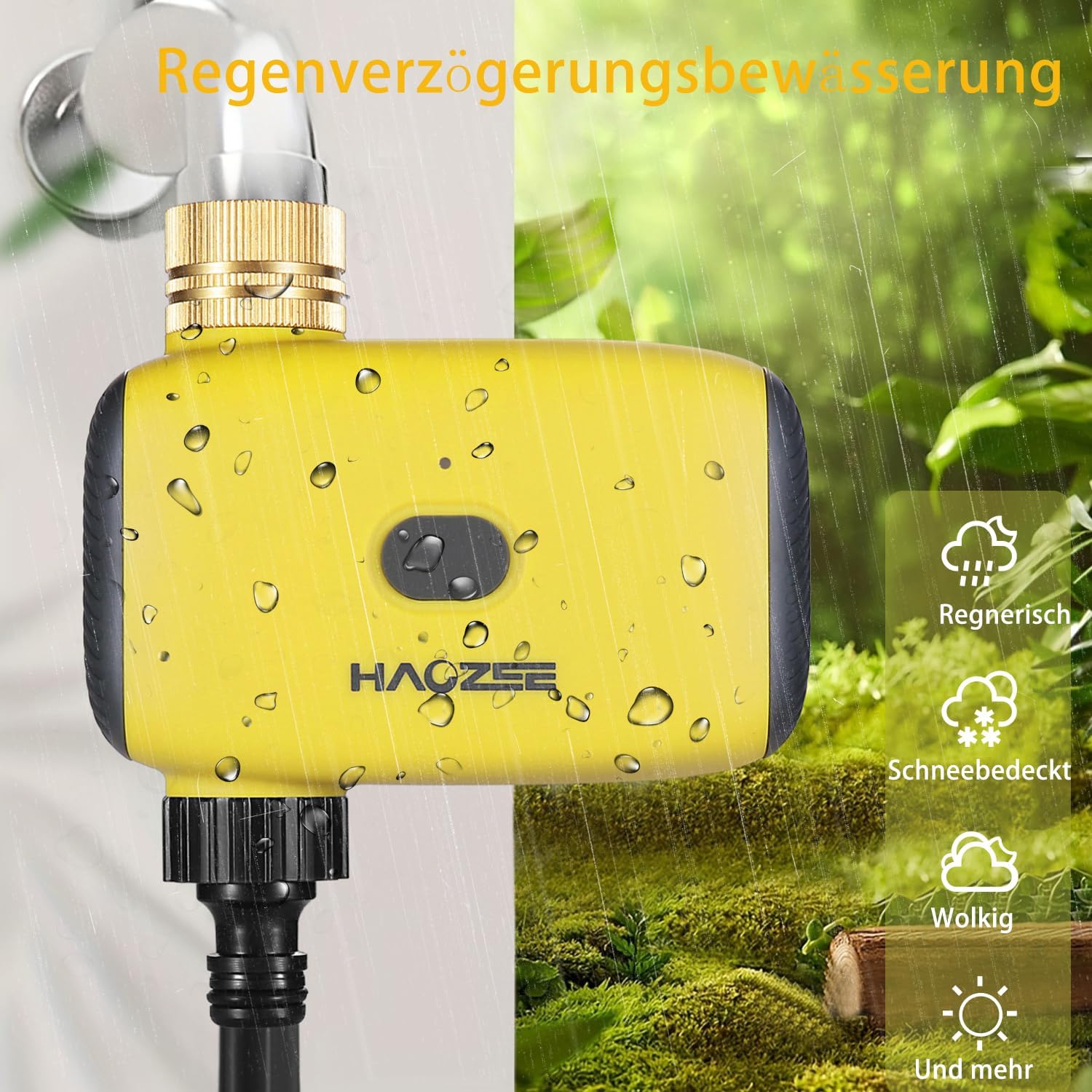
The Zigbee hose timer can automatically skip watering based on local weather forecasts (rainy, snowy, cloudy conditions). You can also manually activate a rain delay for 24, 48, or 72 hours through the app. This feature helps conserve water and prevents overwatering.
4. Penyiraman Manual
For immediate watering needs, you can activate manual watering through the app. This allows you to water as often as needed, with adjustable durations from 1 minute to 23 hours and 59 minutes, without interrupting your pre-set watering schedule.
5. Integrasi Rumah Pintar

The Haozee Smart Watering Computer is compatible with Amazon Alexa and Google Assistant when integrated through the Tuya ecosystem. This allows for voice control of your watering system. Additionally, it can be linked with other Tuya sensors, such as soil temperature and humidity sensors, to create more sophisticated automated routines.
Penyelenggaraan
1. Pembersihan
Periodically clean the exterior of the watering computer with a damp cloth. Do not use abrasive cleaners or submerge the device in water. Ensure the brass inlet and hose outlet are free from debris or mineral buildup.
2. Penggantian Bateri
When the battery indicator in the app shows low power, or if the device stops responding, replace the batteries promptly. Open the battery compartment, remove old batteries, and insert new ones, observing correct polarity. Dispose of old batteries responsibly.
3. Musim sejuk
Before the first frost, disconnect the watering computer from the faucet and hose. Drain any remaining water from the device. Store the unit indoors in a dry, temperature-controlled environment to prevent damage from freezing temperatures.
4. Brass Inlet Care
The brass inlet is designed for durability. If you notice any mineral buildup around the threads, gently clean it with a brush and a mild descaling solution. Ensure the rubber washer inside the inlet is intact and properly seated to maintain a leak-free seal.
Menyelesaikan masalah
Device Not Responding / No Power
- Semak Bateri: Pastikan bateri dipasang dengan betul dan tidak habis. Gantikan jika perlu.
- Petak Bateri: Verify the battery compartment is securely closed.
No Water Flow / Low Pressure
- Faucet On: Ensure the outdoor faucet is fully open.
- Hose Kinks: Check the garden hose for any kinks or blockages.
- Skrin penapis: Inspect the filter screen inside the brass inlet for debris. Clean if clogged.
- Jadual Penyiraman: Verify that a watering schedule is active or manual watering is initiated.
Isu Ketersambungan Apl
- Zigbee Hub: Ensure your Tuya Zigbee Hub is online and functioning correctly.
- Device Proximity: Move the watering computer closer to the Zigbee Hub if connection is unstable.
- Pasangkan semula Peranti: If connection is lost, try re-pairing the watering computer with the Zigbee Hub through the app.
- Kemas Kini Apl: Ensure your Tuya Smart/Smart Life app is updated to the latest version.
Kebocoran di Connections
- Ketatkan Sambungan: Ensure both the faucet and hose connections are hand-tight. Do not overtighten.
- Check Washers: Verify that rubber washers are present and properly seated in both the brass inlet and the hose outlet. Replace if damaged or missing.
- Thread Damage: Inspect threads on the faucet, hose, and watering computer for damage.
Spesifikasi
| Ciri | Perincian |
|---|---|
| Jenama | Haozee |
| Nombor Model | HZ-HS-WFWT-DE |
| warna | kuning |
| Dimensi Produk | 5 x 12 x 11.5 cm |
| bahan | Brass (inlet) |
| Berat Barang | 300 g |
| Ketersambungan | Zigbee (requires Tuya Zigbee Hub) |
| Program Penyiraman | Up to 20 individual programs |
| Tempoh Penyiraman | 1 minute to 23 hours 59 minutes (manual mode) |
| UPC | 640712053019 |
Waranti & Sokongan
Maklumat Waranti
For detailed warranty information regarding your Haozee Smart Watering Computer, please refer to the warranty card included with your product packaging or visit the official Haozee website. Warranty terms and conditions may vary based on region and retailer.
Sokongan Pelanggan
If you encounter any issues or have questions not covered in this manual, please contact Haozee customer support. Contact details can typically be found on the official Haozee website or on your purchase documentation. When contacting support, please have your product model number (HZ-HS-WFWT-DE) and purchase date available.


