1. Pengenalan
This manual provides instructions for the proper setup, operation, and maintenance of your Califone On-Ear Headset with Gooseneck Microphone, Model CAFKH08GTBK. This headset is designed for clear verbal communication and audio listening, featuring a unidirectional gooseneck microphone and in-line volume control. Please read this manual thoroughly before using the product to ensure optimal performance and longevity.
2. Produk Lebihview
2.1 Ciri-ciri Utama
- Inline volume control for easy audio adjustment.
- Durable 6-foot CaliTuff cord, designed to be cut and chew-resistant.
- Comfortable leatherette ear cushions for extended wear.
- Adjustable headband for a secure and comfortable fit.
- Unidirectional gooseneck microphone that swings up when not in use.
2.2 Kandungan Pakej
Pakej produk termasuk:
- 1 x Califone On-Ear Headset with Gooseneck Microphone (Model CAFKH08GTBK)
2.3 Komponen Produk

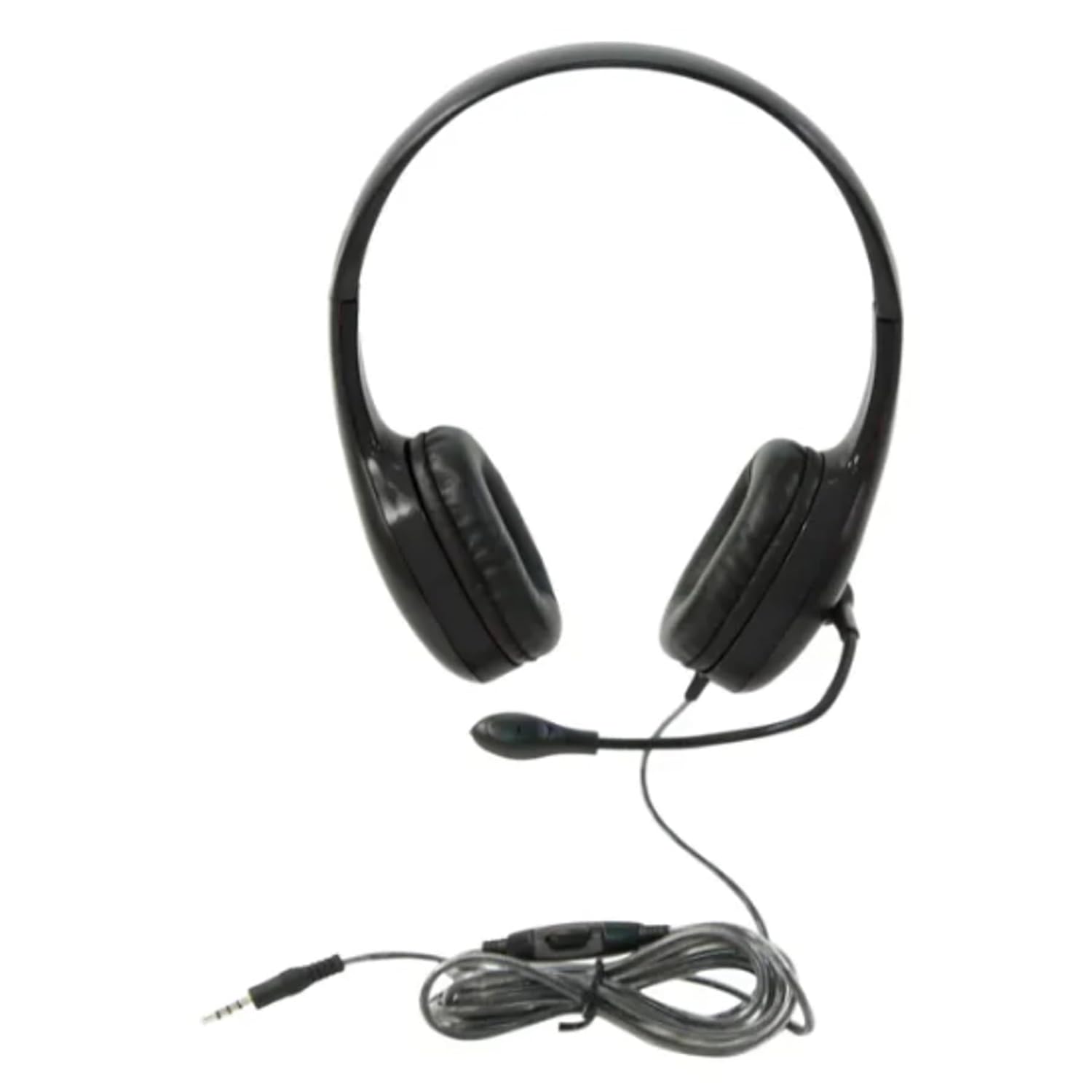
Rajah 1: Califone On-Ear Headset. This image shows the complete headset with the adjustable headband, on-ear earcups, and the flexible gooseneck microphone extended. The attached cord with the 3.5mm jack and inline volume control is also visible.
Rajah 2: 3.5mm Jack and Inline Volume Control. This image focuses on the 3.5mm audio jack and the inline control unit located on the headset's cord. The control unit features a rotary dial for adjusting volume.
3. Persediaan
- Sambungkan Alat dengar: Locate the 3.5mm audio jack on your computer, tablet, smartphone, or other compatible audio device. Insert the 3.5mm plug from the headset firmly into the audio jack.
- Laraskan ikat kepala: Place the headset on your head. Adjust the headband by sliding the earcups up or down until they rest comfortably over your ears and the headband fits securely.
- Letakkan Mikrofon: Gently bend the flexible gooseneck microphone to position it approximately 1-2 inches (2.5-5 cm) from your mouth for optimal voice pickup. Ensure it is not directly in front of your mouth to avoid breath noises.
- Pemeriksaan Isipadu Awal: Before playing audio or speaking, ensure the inline volume control is set to a low level to prevent sudden loud sounds.
4. Arahan Operasi
4.1 Main Balik Audio
Once connected, your device should automatically recognize the headset. Play audio from your device. Adjust the volume using the inline volume control on the headset cord or through your device's system volume settings.
4.2 Menggunakan Mikrofon
For voice communication (e.g., video calls, online gaming, voice recording):
- Ensure the microphone is positioned correctly (refer to Section 3.3).
- In your device's audio settings, select the Califone headset as the input (microphone) device.
- If not in use, the gooseneck microphone can be swung upwards and away from your face.
5. Penyelenggaraan
5.1 Pembersihan
- Putuskan sambungan alat dengar daripada peranti anda sebelum membersihkannya.
- Wipe the ear cushions and exterior surfaces with a soft, damp kain. Jangan gunakan bahan kimia yang keras atau pembersih yang kasar.
- Avoid getting moisture into the earcup speakers or microphone.
5.2 Storage and Cord Care
- Store the headset in a clean, dry place away from extreme temperatures.
- Avoid tightly wrapping the cord around the headset or pulling on it excessively, despite its durable CaliTuff design.
- Do not expose the cord to sharp objects or excessive bending.
6. Penyelesaian masalah
| Masalah | Penyelesaian yang Mungkin |
|---|---|
| Tiada bunyi dari set kepala. |
|
| Mikrofon tidak berfungsi. |
|
| Bunyi herot atau tidak jelas. |
|
7. Spesifikasi
| Ciri | Perincian |
|---|---|
| Nombor Model | CAFKH08GTBK |
| Teknologi Ketersambungan | Berwayar (bicu 3.5mm) |
| Penempatan Telinga | Di Telinga |
| Jenis Mikrofon | Gooseneck, Unidirectional |
| Panjang Kord | 6 feet (CaliTuff) |
| Ciri Khas | Adjustable Headband, Inline Volume Control |
| Dimensi Produk | 26.67 x 24.13 x 21.59 cm |
| Berat Barang | 159 g |
| warna | Hitam |
| Pengeluar | Caliphone International |
| Negara Asal | USA |
8. Maklumat Waranti
This Califone On-Ear Headset (Model CAFKH08GTBK) is covered by a Waranti 3 tahun from the date of purchase. This warranty covers manufacturing defects and workmanship under normal use. For warranty claims or detailed terms and conditions, please refer to the official Califone webtapak atau hubungi sokongan pelanggan mereka.
9. Sokongan Pelanggan
If you encounter any issues not covered in the troubleshooting section or require further assistance, please contact Califone customer support. You can typically find contact information, FAQs, and additional resources on the official Califone webtapak.
Please have your product model number (CAFKH08GTBK) and proof of purchase ready when contacting support.


