1. Pengenalan
The Edifier V80 Hybrid Active Noise Cancelling Headphones are designed to provide a superior audio experience with advanced noise cancellation technology and comfortable wear. This manual provides essential information for setting up, operating, and maintaining your headphones.
- Hybrid ANC & Clear Calls: Block out unwanted noise with hybrid active noise cancellation featuring multiple modes. The built-in mic with AI noise cancellation technology ensures crystal-clear calls.
- Audio Hi-Res: 40mm dynamic driver with a titanium-coated composite diaphragm delivers high-fidelity sound, certified for Hi-Res audio in wired mode.
- Bluetooth 5.4 & Multipoint Connection: Seamless audio streaming and stable dual-device connection, allowing instant switching between music, videos, and calls on two devices simultaneously.
- 45H Playtime & Fast Charging: Get up to 45 hours of playtime with ANC off (26 hours with ANC on) and 8 hours of use from just 15 minutes of charging. Enjoy 0.06s low latency for immersive gaming.
- Comfortable & User-Friendly Design: Lightweight, foldable, and comfortable design with soft ear cushions. Compatible with the EDIFIER ConneX app for personalized settings, EQ presets, and more.
2. Produk Lebihview
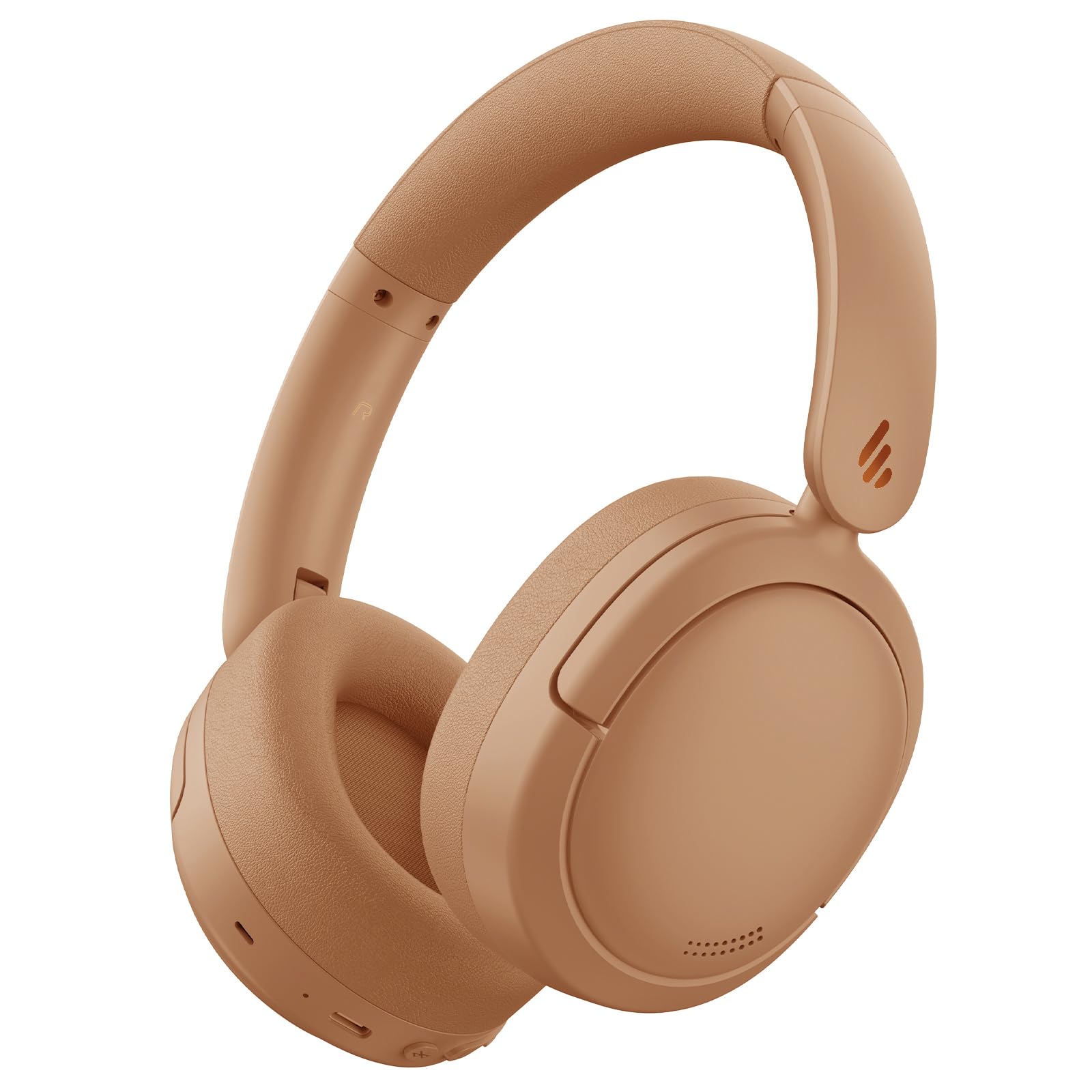
Figure 1: Edifier V80 Hybrid Active Noise Cancelling Headphones in Brown.

Gambar 2: Lebihview of Edifier V80 headphones highlighting Hybrid ANC, Hi-Res Audio, Bluetooth V5.4, Ultra-Low Latency Gaming, 45 hours playtime, 10 mins fast charging, and clear calls.
Ciri-ciri Utama
- Pembatalan Bunyi Aktif Hibrid (ANC): Reduces ambient noise by up to 44dB, offering High Noise Cancellation Mode and Ambient Sound Mode. Features a built-in microphone with AI noise cancellation for clear calls.
- Audio Hi-Res: Equipped with 40mm dynamic drivers and titanium-coated composite diaphragms for high-fidelity sound, certified for Hi-Res audio when used in wired mode.
- Bluetooth 5.4: Menyediakan sambungan wayarles yang stabil dan cekap.
- Sambungan berbilang titik: Allows simultaneous connection to two devices, enabling seamless switching between audio sources.
- Hayat Bateri yang Panjang: Up to 45 hours of playback with ANC off, and 26 hours with ANC on.
- Pengecasan Cepat: Pengecasan selama 15 minit memberikan masa bermain sehingga 8 jam.
- Permainan Latensi Rendah: Offers an ultra-low latency of 0.06s for an immersive gaming experience.
- Reka bentuk yang selesa: Lightweight, foldable, and portable with soft, protein-like leather ear cushions and an adjustable headband for extended wear.
- Apl EDIFIER ConneX: Customize settings, EQ presets, and manage noise control modes via the dedicated mobile application.
3. Persediaan
3.1 Mengecas Fon Kepala
Before first use, fully charge your headphones. Use the provided USB-C charging cable to connect the headphones to a power source. A full charge provides up to 45 hours of playtime (ANC off) or 26 hours (ANC on). A quick 15-minute charge can provide up to 8 hours of use.

Figure 3: Edifier V80 headphones connected for fast charging, indicating 15 minutes of charge provides 8 hours of playtime.
3.2 Berpasangan Bluetooth
- Pastikan fon kepala dicas.
- Press and hold the power button (usually the play/pause button) until the indicator light flashes, indicating pairing mode.
- On your device (smartphone, tablet, laptop), enable Bluetooth and search for "Edifier V80".
- Select the headphones to connect. Once connected, the indicator light will show a steady blue.
3.3 Sambungan Berbilang Titik
The Edifier V80 supports connecting to two Bluetooth devices simultaneously. After pairing with the first device, put the headphones back into pairing mode and connect to the second device. The headphones will intelligently switch between devices for calls and media playback.

Figure 4: Edifier V80 headphones demonstrating multipoint connection, seamlessly switching between a laptop and a smartphone.
3.4 Aplikasi EDIFIER ConneX
Download the EDIFIER ConneX app from your device's app store to unlock full customization options, including EQ presets, noise control settings, and more. Download the EDIFIER ConneX App

Figure 5: Screenshot showing the EDIFIER ConneX app interface for personalized settings.
4. Arahan Operasi
4.1 Kawalan
Kawalan utama terletak pada cup telinga kanan:
- Butang Kuasa/Main/Jeda: Press and hold to power on/off. Press once to play/pause music or answer/end calls.
- Kelantangan Naik (+): Tingkatkan kelantangan.
- Perlahankan suara (-): Kurangkan volum.
- Butang ANC: Cycle through noise control modes (Hybrid ANC, Ambient Sound, ANC Off).
- Bicu Audio 3.5mm: For wired connection (Hi-Res Audio certified in this mode).
- Port USB-C: Untuk mengecas.
4.2 Mod Kawalan Bunyi
Press the ANC button to switch between the following modes:
- ANC Hibrid: Actively reduces ambient noise for an immersive listening experience.
- Mod Suara Ambient: Membolehkan anda mendengar persekitaran anda sambil mendengar audio, berguna untuk kesedaran dalam persekitaran yang sibuk.
- ANC Dimatikan: Disables noise cancellation, extending battery life.

Figure 6: Visual representation of the three noise control modes: High Noise Cancellation, Ambient Sound Mode, and Noise Cancellation Off.
4.3 Reka Bentuk Boleh Lipat
The headphones feature a foldable design for easy storage and portability. Gently fold the earcups inwards to make them compact for travel or storage in a bag.

Figure 7: Edifier V80 headphones demonstrating their foldable design for convenient storage.
5. Integrasi Media
5.1 Imej Produk

Figure 8: A woman wearing Edifier V80 headphones, illustrating the enhanced hybrid active noise cancellation feature with up to 44 dB noise suppression.

Rajah 9: Satu terperinci view of the 40mm dynamic driver with a titanium-coated composite diaphragm, highlighting its Hi-Res Audio certification for wired connections.
5.2 Video Produk Rasmi
Video 1: This 30-second video from the Edifier Online Store provides a brief overview of the Edifier V80 Active Noise Cancelling Bluetooth Headphones, showcasing their design and key features.
Video 2: This 1-minute 14-second video from the Edifier Online Store offers a more detailed look at the V80 Hybrid Active Noise Cancelling Bluetooth Headphones, highlighting their comfort, sound quality, and noise cancellation capabilities.
6. Spesifikasi
| Ciri | Perincian |
|---|---|
| Nama Model | V80 |
| Kawalan Bunyi | Pembatalan Bunyi Hibrid |
| Teknologi Ketersambungan | Wayarles (Bluetooth 5.4) |
| Julat Bluetooth | 10 Meter |
| Saiz Pemacu Audio | 40 Milimeter |
| Respons Kekerapan | 20 Hz - 40 KHz |
| Hayat Bateri | 45 Hours (ANC off), 26 Hours (ANC on) |
| Masa Mengecas | 15 minit untuk 8 jam masa bermain |
| Jack Fon Kepala | Jack 3.5 mm |
| Latensi Audio | 60 milisaat |
| Berat Barang | 0.43 Kilogram (15.1 auns) |
| bahan | Kulit Tiruan |
| Komponen yang Disertakan | Headphones, USB-C Charging Cable, 3.5mm Audio Cable |
7. Penyelenggaraan
7.1 Pembersihan
Regularly clean your headphones to ensure optimal performance and hygiene. Use a soft, dry cloth to wipe the earcups and headband. For stubborn dirt, a slightly damp cloth can be used, but ensure no moisture enters the ports or speaker grilles. Avoid harsh chemicals or abrasive materials.
7.2 Penyimpanan
When not in use, store the headphones in a cool, dry place away from direct sunlight and extreme temperatures. Utilize the foldable design to minimize space and protect them from damage.
8. Penyelesaian masalah
8.1 Isu Berpasangan
- Pastikan fon kepala berada dalam mod berpasangan (lampu penunjuk berkelip).
- Semak sama ada Bluetooth didayakan pada peranti anda.
- Alihkan fon kepala lebih dekat dengan peranti anda.
- Jika sebelum ini dipasangkan, cuba lupakan peranti pada telefon anda dan pasangkan semula.
8.2 Tiada Bunyi
- Check headphone and device volume levels.
- Pastikan fon kepala disambungkan dengan betul melalui Bluetooth atau kabel 3.5mm.
- Restart both the headphones and your audio device.
8.3 Masalah Pengecasan
- Verify the USB-C cable is securely connected to both the headphones and the power source.
- Cuba kabel USB-C atau penyesuai kuasa yang lain.
- Pastikan port pengecasan pada fon kepala bersih dan bebas daripada serpihan.
9. Waranti dan Sokongan
Edifier products typically come with a limited warranty. Please refer to the warranty card included in your product packaging or visit the official Edifier website for detailed warranty information and support options. For technical assistance, product registration, or to find authorized service centers, please visit www.edifier.com.


