1. Pengenalan
Thank you for choosing the Fdit DAB/DAB+ FM Radio. This portable digital radio offers a versatile listening experience with DAB/DAB+ and FM reception, Bluetooth 5.0 connectivity, and a clear 2.4-inch LCD display. This manual provides detailed instructions to help you set up, operate, and maintain your device for optimal performance.
2. Produk Lebihview
The Fdit DAB/DAB+ FM Radio is designed for portability and ease of use, featuring a robust 1200mAh rechargeable battery. Its 2.4-inch LCD screen provides clear text and image display, enhancing user interaction. With support for 9 languages, it caters to a wide range of users.
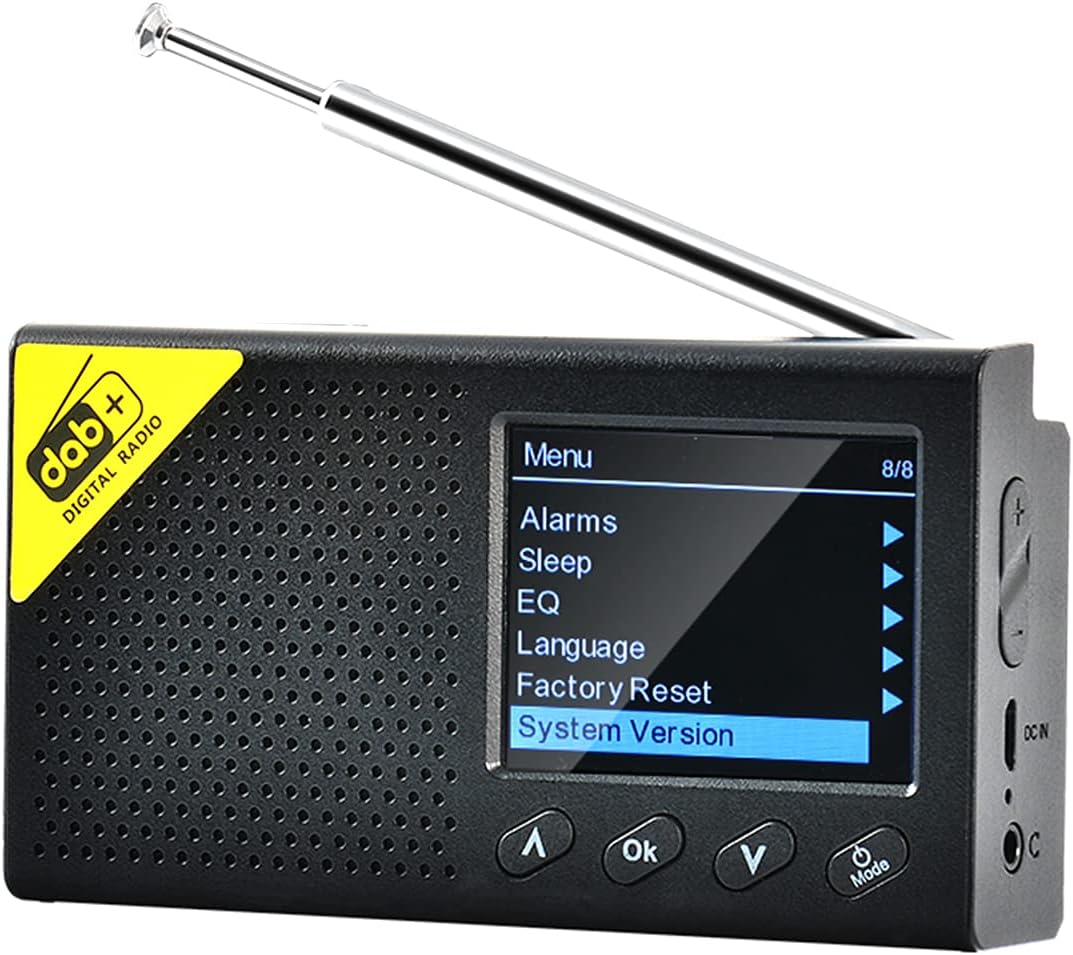
Imej 2.1: Fdit DAB/DAB+ FM Radio, front view with screen displaying menu options. The radio features a black casing, a perforated speaker grille, and a retractable antenna. The screen shows a menu with options like 'Alarms', 'Sleep', 'EQ', 'Language', 'Factory Reset', and 'System Version'. Control buttons for navigation and 'OK' are visible below the screen.
3. Maklumat Keselamatan
- Jangan dedahkan peranti kepada suhu yang melampau, cahaya matahari langsung atau kelembapan yang tinggi.
- Elakkan daripada menjatuhkan atau meletakkan peranti kepada kesan yang kuat.
- Jangan cuba membuka atau mengubah suai peranti. Ini akan membatalkan jaminan.
- Gunakan hanya kabel pengecas dan penyesuai yang dinyatakan.
- Jauhkan daripada kanak-kanak.
4. Kandungan Pakej
Sila semak pakej untuk item berikut:
- Fdit DAB/DAB+ FM Radio
- Kabel Pengecas USB
- Manual Pengguna
5. Persediaan
5.1 Mengecas Peranti
Before first use, fully charge the radio. Connect the USB charging cable to the device's charging port and the other end to a compatible USB power adapter (not included) or a computer USB port. The charging indicator will show the charging status.
5.2 Pelarasan Antena
Extend the telescopic antenna fully for optimal reception of DAB/DAB+ and FM signals.
5.3 Penghidupan Awal dan Pemilihan Bahasa
- Tekan dan tahan butang Kuasa/Mod butang untuk menghidupkan radio.
- Upon first power-on, you may be prompted to select a language. Use the Atas/Bawah butang untuk mengemudi dan OK button to confirm your selection. The radio supports 9 languages including English, German, Norwegian, Italian, French, Polish, Swedish, Danish, and Finnish.

Imej 5.1: The Fdit DAB/DAB+ FM Radio on a wooden surface, showing the 'Backlight' option selected in the menu. This image illustrates the radio's menu interface, which is navigated during initial setup for language and other settings.
6. Arahan Operasi
6.1 Hidupkan/Mati Kuasa
Tekan dan tahan butang Kuasa/Mod butang untuk menghidupkan atau mematikan radio.
6.2 Pemilihan Mod
Tekan sebentar Kuasa/Mod button to cycle through available modes: DAB/DAB+, FM, and Bluetooth.
6.3 DAB/DAB+ Radio Operation
- Pilih mod DAB menggunakan Mod butang.
- The radio will automatically scan for available DAB/DAB+ stations upon first use in this mode. To perform a full scan manually, navigate to the 'Full Scan' option in the DAB menu and press OK.
- Gunakan Atas/Bawah butang untuk menyemak imbas senarai stesen yang tersedia.
- Tekan OK to select and listen to a station.

Imej 6.1: The Fdit DAB/DAB+ FM Radio on a wooden serving board, tuned to a DAB station 'NRK KLASSISK'. The screen displays station information, signal strength, and battery level, demonstrating active DAB reception.
6.4 Operasi Radio FM
- Pilih mod FM menggunakan Mod butang.
- To auto-scan and save FM stations, navigate to the 'Auto Scan' option in the FM menu and press OK.
- Gunakan Atas/Bawah buttons to manually tune the frequency or select a saved station.
- Tekan OK untuk mengesahkan.
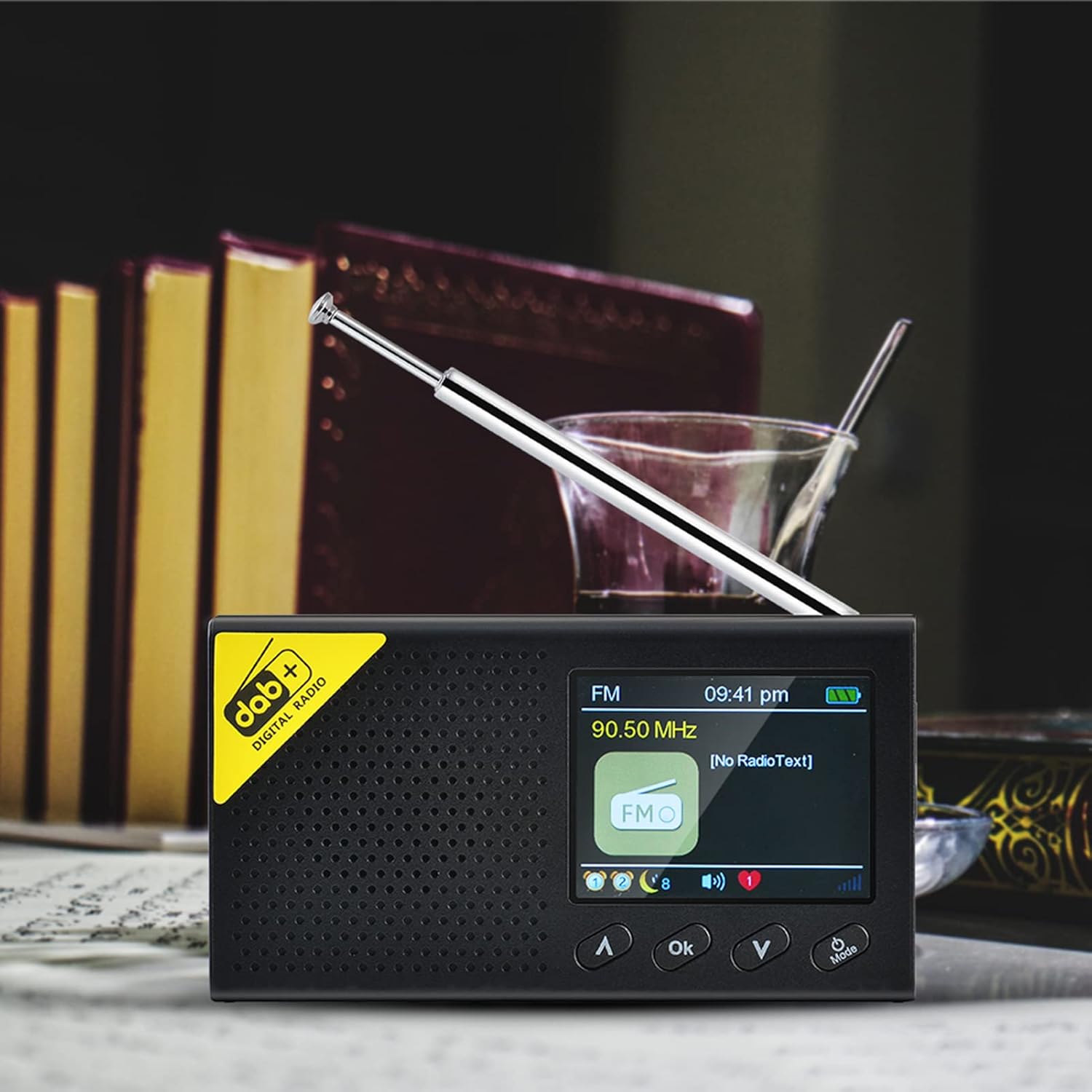
Imej 6.2: The Fdit DAB/DAB+ FM Radio displaying an FM frequency (90.50 MHz) and 'No RadioText' on its screen. This image shows the radio operating in FM mode, indicating the current frequency and the absence of additional text information from the broadcast.
6.5 Bluetooth (BT) Mode Operation
- Select BT mode using the Mod button. The radio will enter pairing mode, indicated on the screen.
- Pada telefon pintar atau peranti Bluetooth anda yang lain, dayakan Bluetooth dan cari peranti yang tersedia.
- Select 'Fdit Radio' (or similar name) from the list to pair.
- Setelah dipasangkan, anda boleh menstrim audio daripada peranti anda ke radio.

Imej 6.3: The Fdit DAB/DAB+ FM Radio connected via Bluetooth to a smartphone, displaying music information on its screen. This image demonstrates the radio's Bluetooth functionality, showing a smartphone playing music and the radio's screen displaying track details.
6.6 Fungsi Penggera
The radio features a dual alarm setting. To set an alarm:
- Access the 'Alarms' option from the main menu.
- Pilih Penggera 1 atau Penggera 2.
- Set the alarm time, source (DAB, FM, or Buzzer), and frequency (daily, once, weekends, weekdays).
- Sahkan tetapan dengan menekan OK.

Imej 6.4: The Fdit DAB/DAB+ FM Radio showing the current time and date on its LCD screen. This image highlights the radio's clock display, which is essential for setting and managing alarm functions.
6.7 Pemasa Tidur
Untuk menetapkan pemasa tidur:
- Access the 'Sleep' option from the main menu.
- Select the desired duration (e.g., 15, 30, 60 minutes). The radio will automatically turn off after the set time.
6.8 Penyama (EQ)
Adjust the audio output to your preference:
- Access the 'EQ' option from the main menu.
- Choose from preset equalizer settings or customize your own.
6.9 Tetapan Sistem
The 'System Version' option displays the current firmware version of the device. 'Factory Reset' will restore all settings to their default values.
7. Penyelenggaraan
7.1 Pembersihan
Wipe the radio with a soft, dry cloth. Do not use abrasive cleaners or solvents, as they may damage the surface.
7.2 Penjagaan Bateri
To prolong battery life, avoid fully discharging the battery frequently. If the radio will not be used for an extended period, charge it periodically.
8. Penyelesaian masalah
| Masalah | Kemungkinan Punca | Penyelesaian |
|---|---|---|
| Tiada kuasa | Bateri habis | Cas radio sepenuhnya. |
| Penerimaan radio yang lemah | Antena tidak dipanjangkan, kawasan isyarat lemah | Extend the antenna fully. Try moving the radio to a different location. Perform a full scan for stations. |
| Bluetooth tidak bersambung | Radio not in pairing mode, device not discoverable | Ensure the radio is in BT mode and visible. Restart both the radio and your Bluetooth device. |
| Tiada bunyi | Volume too low, muted | Increase the volume. Check if the device is muted. |
9. Spesifikasi
- Jenama: Fdit
- Nombor Model: Fdito7z54ehbki
- warna: Hitam
- Teknologi Ketersambungan: Bluetooth 5.0
- Teknologi Penalaan: DAB+, FM
- Pancaragam Radio yang Disokong: DAB/DAB+/FM
- Respons Kekerapan: 20Hz-2KHz
- Kuasa Output: 4Ω 1W
- Jarak Bluetooth: 8m
- paparan: LCD 2.4 inci (resolusi 320 x 240)
- Bateri: Built-in 1200mAh Polymer Rechargeable Battery
- Peranti Serasi: Smartphone, headphones
- Pilihan Bahasa: 9 (UK, Germany, Norway, Italy, France, Poland, Sweden, Denmark, Finland)
10. Waranti dan Sokongan
10.1 Waranti Pengilang
This product comes with a 2-year manufacturer warranty. Please retain your proof of purchase for warranty claims. The warranty covers defects in materials and workmanship under normal use.
10.2 Sokongan Pelanggan
For technical assistance, troubleshooting, or warranty inquiries, please contact your retailer or the manufacturer's customer support. Refer to the product packaging or the retailer's webtapak untuk butiran hubungan khusus.