pengenalan
Thank you for choosing the EUQQ Bluetooth Headset Model 520-1-B. This manual provides detailed instructions on how to set up, operate, and maintain your headset to ensure optimal performance and a clear communication experience. Please read this manual thoroughly before using the device.

Image: The EUQQ Bluetooth Headset Model 520-1-B, a sleek black wireless earpiece with an ear hook design.
Kandungan Pakej
Pastikan semua item ada dalam pakej:
- 1 x EUQQ Headset
- 1 x Kes Pengecasan
- 1 x Kabel Pengecasan USB-C
- 3 x Different Size Eartips (S/M/L)
- 1 x Manual Pengguna (dokumen ini)
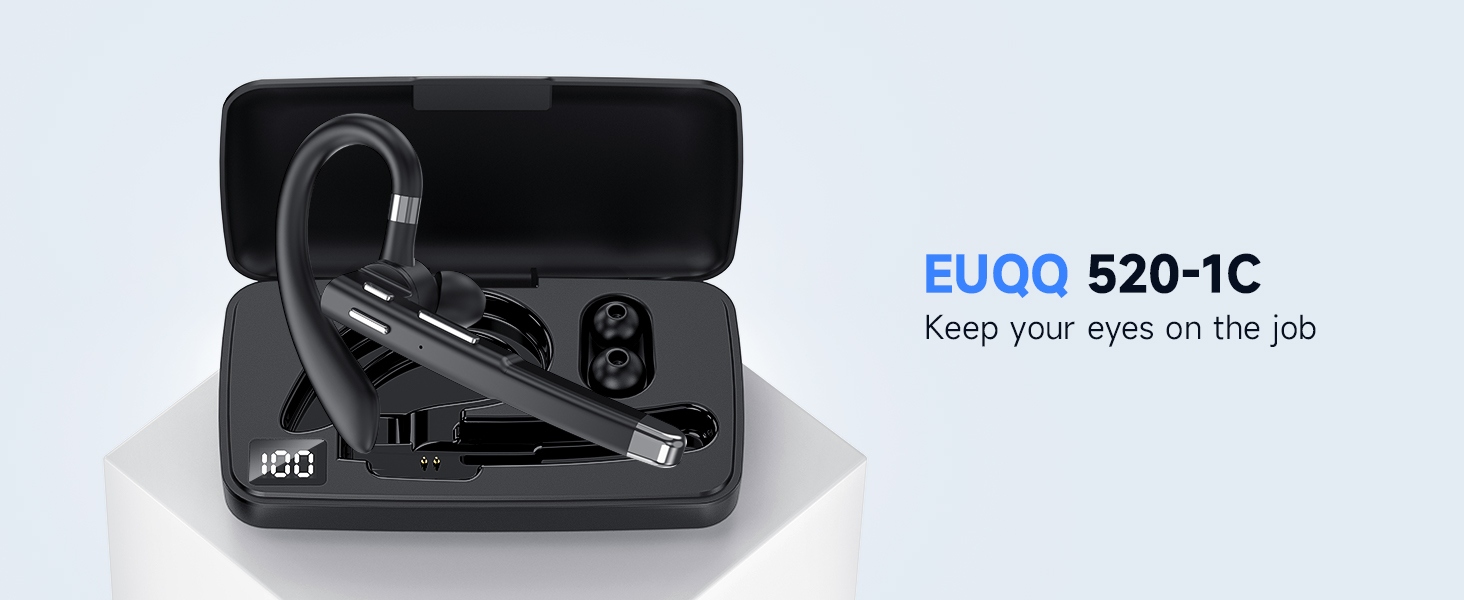
Imej: Tamatview of the EUQQ Bluetooth Headset package contents, including the headset, charging case, USB-C cable, eartips, and user manual.
Persediaan
1. Mengecas Alat Dengar
Before first use, fully charge the headset. Connect the provided USB-C charging cable to the headset's charging port and a compatible USB power source. The charging indicator will show the charging status.
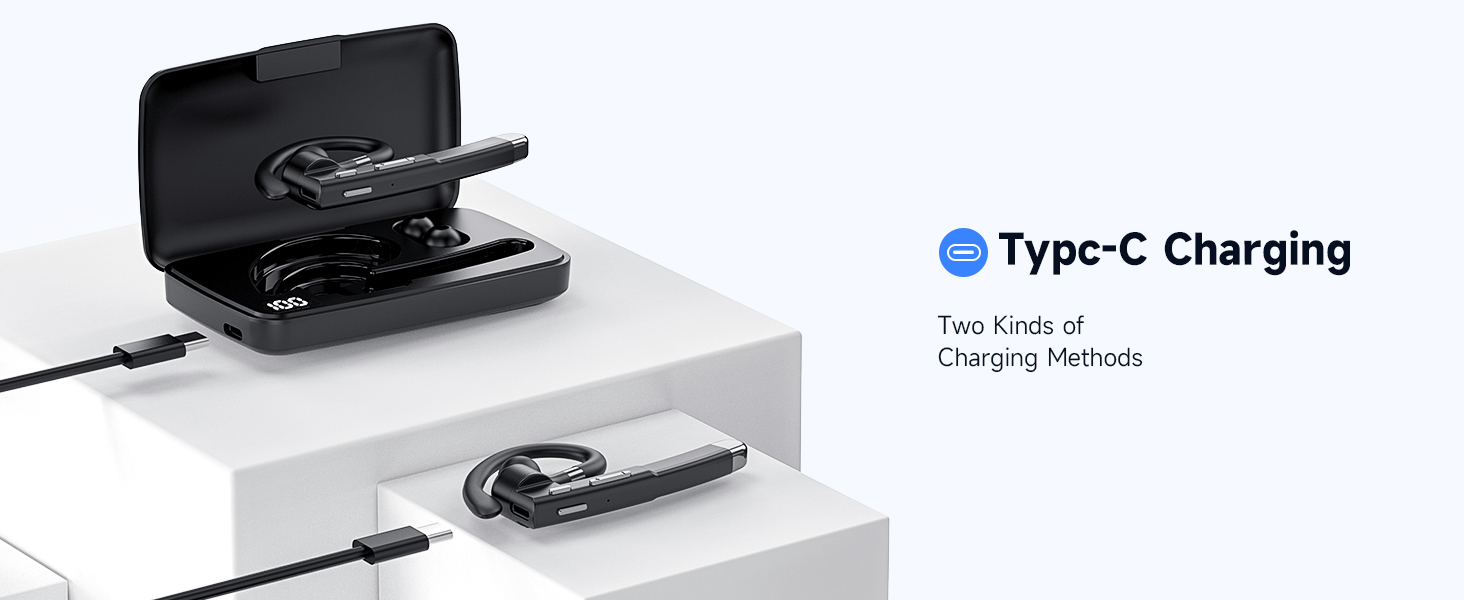
Image: Illustration of the Type-C charging port on the headset and the charging case, demonstrating two methods of charging.
2. Menghidupkan/Mematikan
- Hidupkan kuasa: Press and hold the Multi-function Button for approximately 3 seconds until the indicator light flashes.
- Matikan: Tekan dan tahan Butang Pelbagai fungsi selama lebih kurang 5 saat sehingga lampu penunjuk padam.
3. Berpasangan Bluetooth
- Pastikan alat dengar dimatikan.
- Press and hold the Multi-function Button for about 5-7 seconds until the indicator light flashes red and blue alternately, indicating pairing mode.
- Pada peranti anda (telefon pintar, tablet, komputer), dayakan Bluetooth dan cari peranti yang tersedia.
- Select "EUQQ 520-1B" from the list of found devices.
- Setelah disambungkan, lampu penunjuk akan berkelip biru perlahan-lahan.
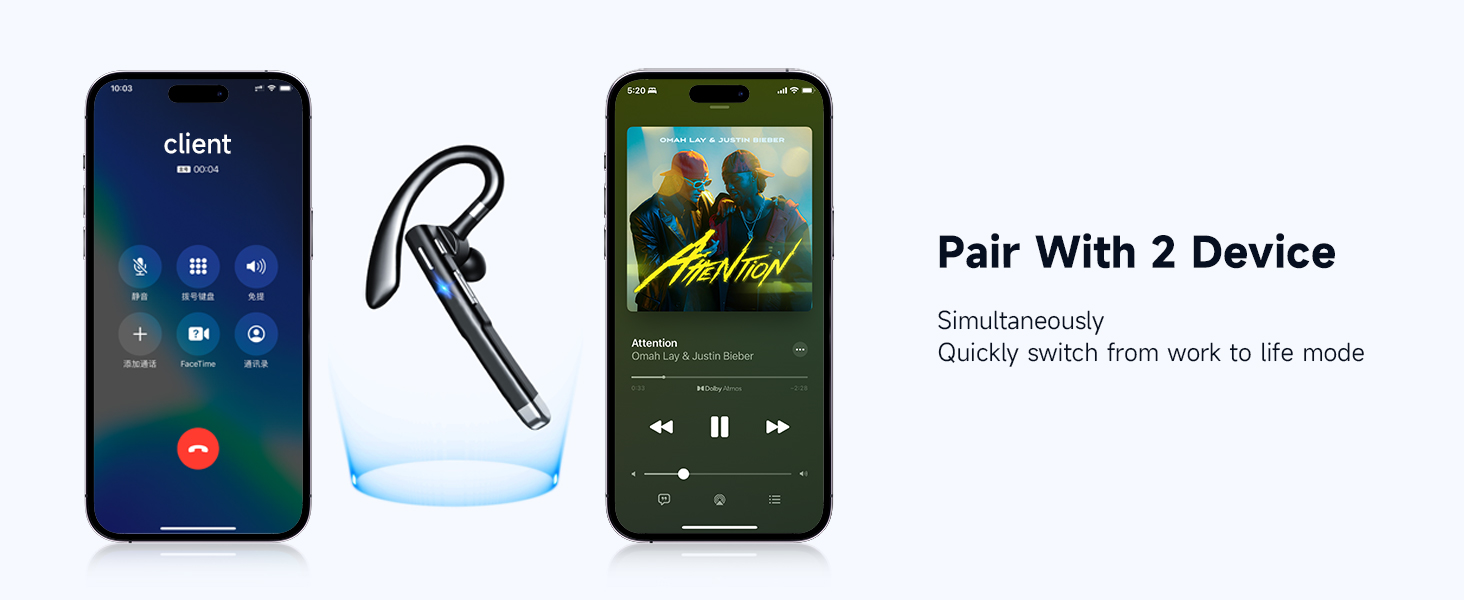
Image: A smartphone screen showing Bluetooth settings with the EUQQ headset listed as connected, demonstrating the one-step pairing process.
The headset supports simultaneous connection to two devices. After connecting to the first device, disable Bluetooth on the first device, pair with the second device, then re-enable Bluetooth on the first device. The headset should connect to both.

Image: The EUQQ Bluetooth Headset positioned between two smartphones, illustrating its ability to connect to two devices concurrently for seamless switching.
4. Memakai Alat dengar
The headset is designed for comfort and can be worn on either the left or right ear. Adjust the ear hook for a secure and comfortable fit. Choose the appropriate ear tip size (S/M/L) for optimal sound and comfort.

Image: Diagrams showing the headset's ear hook rotating 270 degrees and the microphone arm rotating 360 degrees, allowing it to be worn on either the right or left ear. Different ear tip sizes (S, M, L) are also shown.
Arahan Operasi
Kawalan Alat dengar
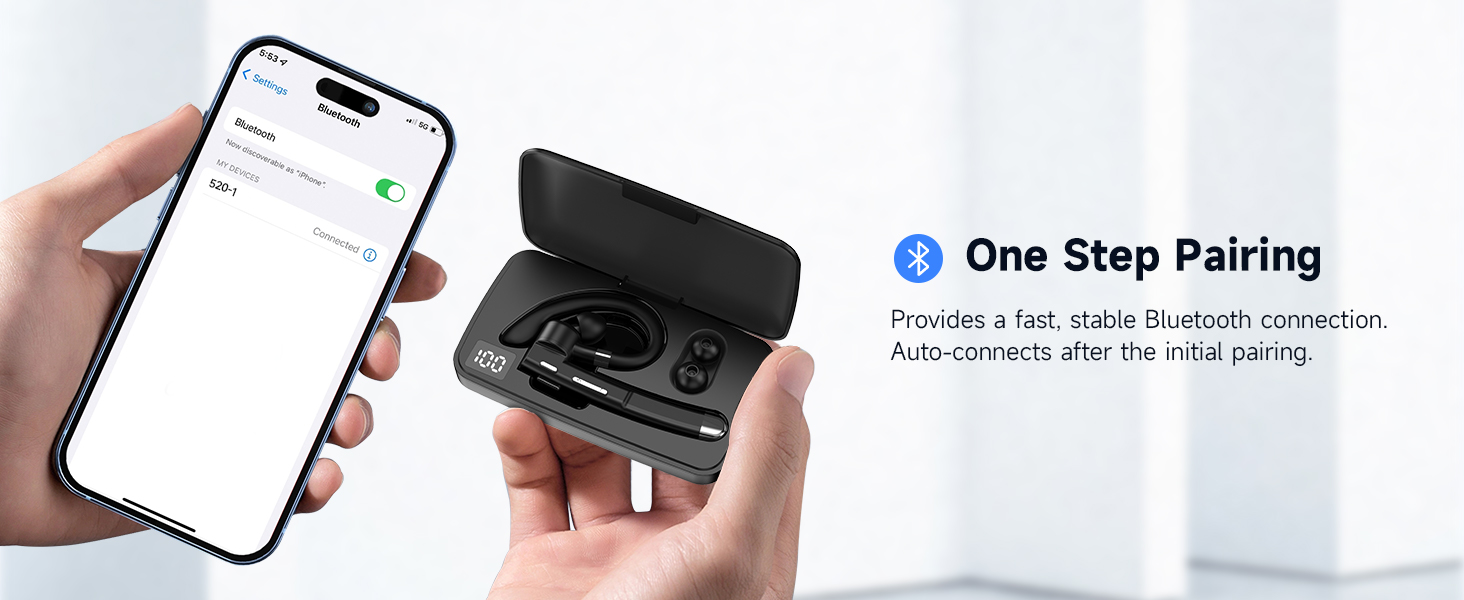
Image: A detailed diagram of the EUQQ Bluetooth Headset highlighting its buttons and their corresponding functions for music playback, call management, volume, and voice assistant activation.
- Main/Jeda: Ketik Butang Pelbagai fungsi sekali.
- Jawab/Tamatkan Panggilan: Tap the Multi-function Button once during an incoming call or active call.
- Tolak Panggilan: Tap the Multi-function Button twice during an incoming call.
- Kelantangan: Tap the Volume + button once.
- Perlahankan suara: Tap the Volume - button once.
- Lagu Seterusnya: Tekan lama butang Kelantangan +.
- Lagu Sebelumnya: Tekan lama butang Kelantangan -.
- Aktifkan Pembantu Suara (Siri): Press the Multi-function Button for 1 second.
- Redam/Nyahredam Mikrofon: Press and hold the Mute button (often integrated with volume or a dedicated button) during a call.

Image: A person using the EUQQ Bluetooth Headset while on a video call at a desk, demonstrating the one-button mute function for privacy.
Call Management and Noise Reduction
The headset features advanced ENC (Environmental Noise Cancellation) technology and multiple built-in microphones to ensure clear conversations by reducing background noise. This is particularly useful in noisy environments like offices or while driving.

Image: A man wearing the EUQQ Bluetooth Headset while driving a truck, with a phone screen showing an active call, illustrating the effectiveness of the 4 built-in microphones and noise cancellation in noisy environments.
Penyelenggaraan
- Pembersihan: Gunakan kain lembut dan kering untuk membersihkan set kepala. Elakkan menggunakan bahan kimia yang keras atau bahan yang melelas.
- Storan: Store the headset in a cool, dry place away from direct sunlight and extreme temperatures. When not in use for extended periods, store it in its charging case.
- Penjagaan Bateri: Untuk memanjangkan hayat bateri, elakkan menyahcas sepenuhnya set kepala dengan kerap. Mengecasnya dengan kerap, walaupun tidak digunakan secara berterusan.
Menyelesaikan masalah
| Masalah | Penyelesaian |
|---|---|
| Alat dengar tidak dihidupkan. | Ensure the headset is charged. Connect it to a power source using the USB-C cable. |
| Tidak boleh berpasangan dengan peranti. |
|
| Tiada bunyi atau kelantangan rendah. |
|
| Poor call quality or static. |
|
| Hayat bateri pendek. |
|
Spesifikasi
| Ciri | Perincian |
|---|---|
| Nama Model | YYK-520 |
| Nombor Model Item | 520-1-B |
| Teknologi Ketersambungan | Wayarles (Bluetooth) |
| Versi Bluetooth | 5.3 |
| Julat Bluetooth | 15 Meter (49 kaki) |
| Hayat Bateri | Sehingga 24 Jam (Masa Bercakap) |
| Port Pengecasan | USB-C |
| Kawalan Bunyi | Pembatalan Bunyi Aktif (ENC) |
| Mikrofon | Built-in (4 microphones for ENC) |
| Bentuk alat dengar | cangkuk |
| Berat badan | 0.4 auns (lebih kurang 11.3 gram) |
| Peranti Serasi | Cellphones, Desktops, Tablets, Television |
| Tahap Ketahanan Air | Kalis air |
| Julat Kekerapan | 20 Hz - 20,000 Hz |
| Saiz Pemacu Audio | 16.3 Milimeter |
| UPC | 762304992602 |
Waranti dan Sokongan
For warranty information and customer support, please refer to the documentation included with your purchase or contact the seller directly. Keep your purchase receipt as proof of purchase for any warranty claims.


