pengenalan
Thank you for choosing the EUQQ YYK-520 Wireless Bluetooth Headset. This manual provides detailed instructions for setting up, operating, and maintaining your headset to ensure optimal performance and a clear communication experience. Please read this manual thoroughly before use.
Kandungan Pakej
Sahkan bahawa semua item yang disenaraikan di bawah disertakan dalam pakej anda:
- 1 x EUQQ Headset
- 1 x Kes Pengecasan
- 1 x Kabel Pengecasan USB-C
- 3 x Different Size Eartips (S/M/L)
- 1 x Manual Pengguna (dokumen ini)
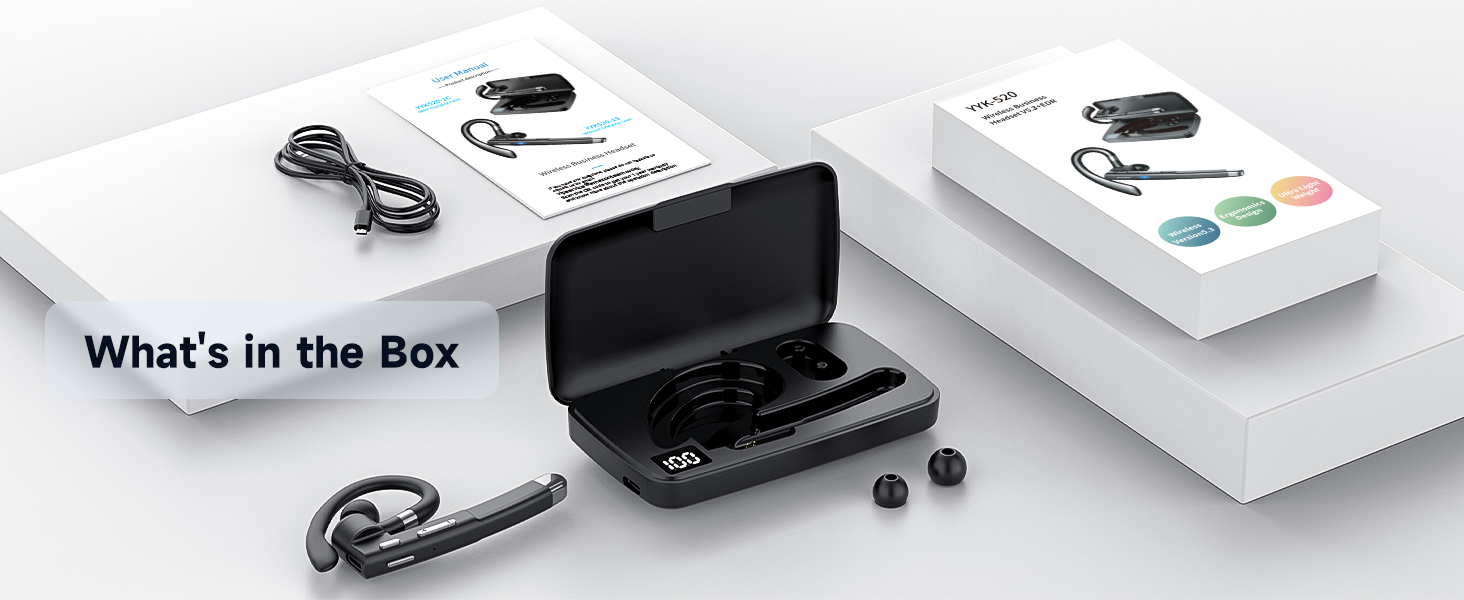
Image: The EUQQ YYK-520 headset, charging case, USB-C charging cable, and three sizes of ear tips are displayed, representing the complete package contents.
Produk Selesaiview
The EUQQ YYK-520 headset is designed for comfort and clear communication. It features an ergonomic ear hook, intuitive controls, and a portable charging case.
Komponen Alat dengar

Imej: A terperinci view of the EUQQ YYK-520 headset, showcasing its design, ear hook, and the accompanying charging case with extra ear tips.
- Cangkuk Telinga: Boleh laras untuk kesesuaian yang selamat dan selesa.
- Alat dengar: Delivers audio directly into the ear.
- Ledakan Mikrofon: Houses multiple microphones for clear voice pickup.
- Butang Kawalan: For power, volume, call management, and music playback.
- Port Pengecasan (Jenis-C): For direct charging of the headset.
- Sarung Pengecasan: Provides additional battery life and protection for the headset.
Fungsi Kawalan
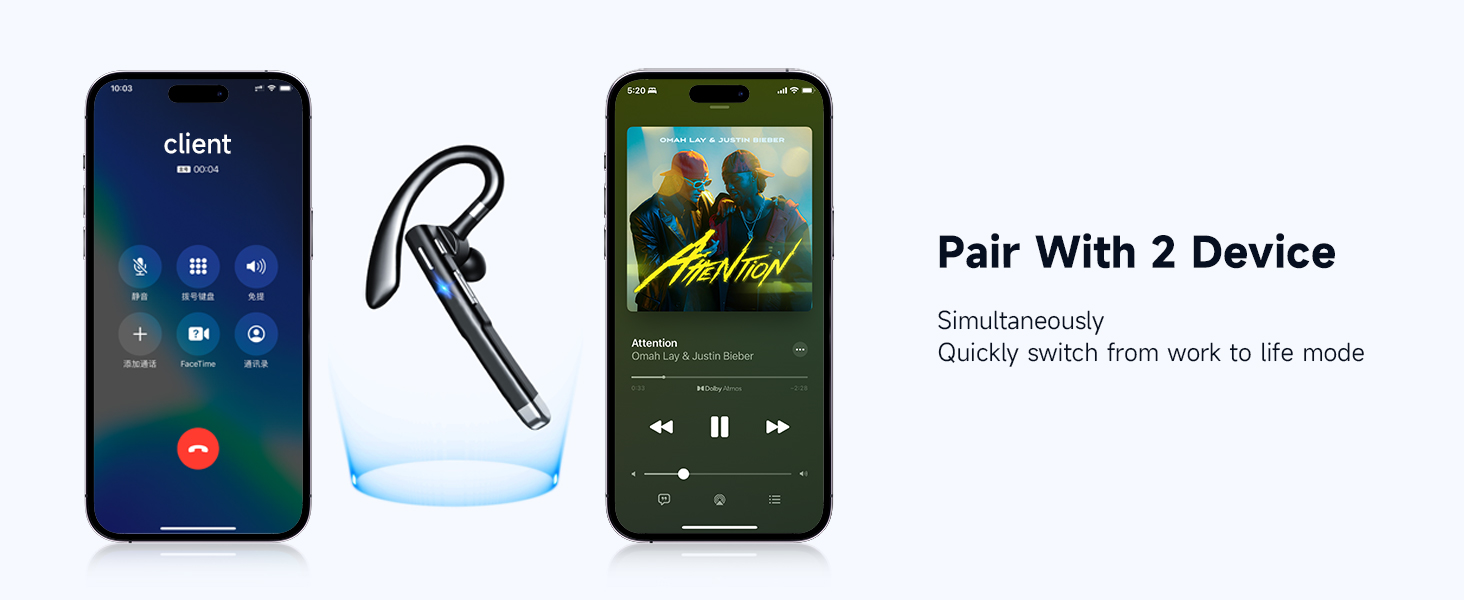
Image: An illustration detailing the various button controls on the headset, including functions for calls, music, and voice assistant activation.
- Tap x1 (Multi-function Button): Main/Jeda muzik, Jawab/Tamatkan panggilan.
- Tap x2 (Multi-function Button): Tolak panggilan masuk.
- Press for 1s (Multi-function Button): Activate Voice Assistant (Siri).
- Tap x1 (+ button): Tingkatkan Kelantangan.
- Tap x1 (- button): Kurangkan Kelantangan.
- Long Press (+ button): Lagu Seterusnya.
- Long Press (- button): Last Song.
- Press and hold (Mute button): Mute/Unmute microphone during a call.
Persediaan
1. Charging the Headset and Charging Case
Before first use, fully charge both the headset and the charging case.
- Mengecas Alat dengar: Place the headset into the charging case. Ensure the charging contacts align. The LED indicator on the headset will show charging status.
- Mengecas Kes: Connect the provided USB-C charging cable to the charging port on the case and to a USB power source (e.g., wall adapter, computer USB port). The digital display on the case will indicate the battery level.
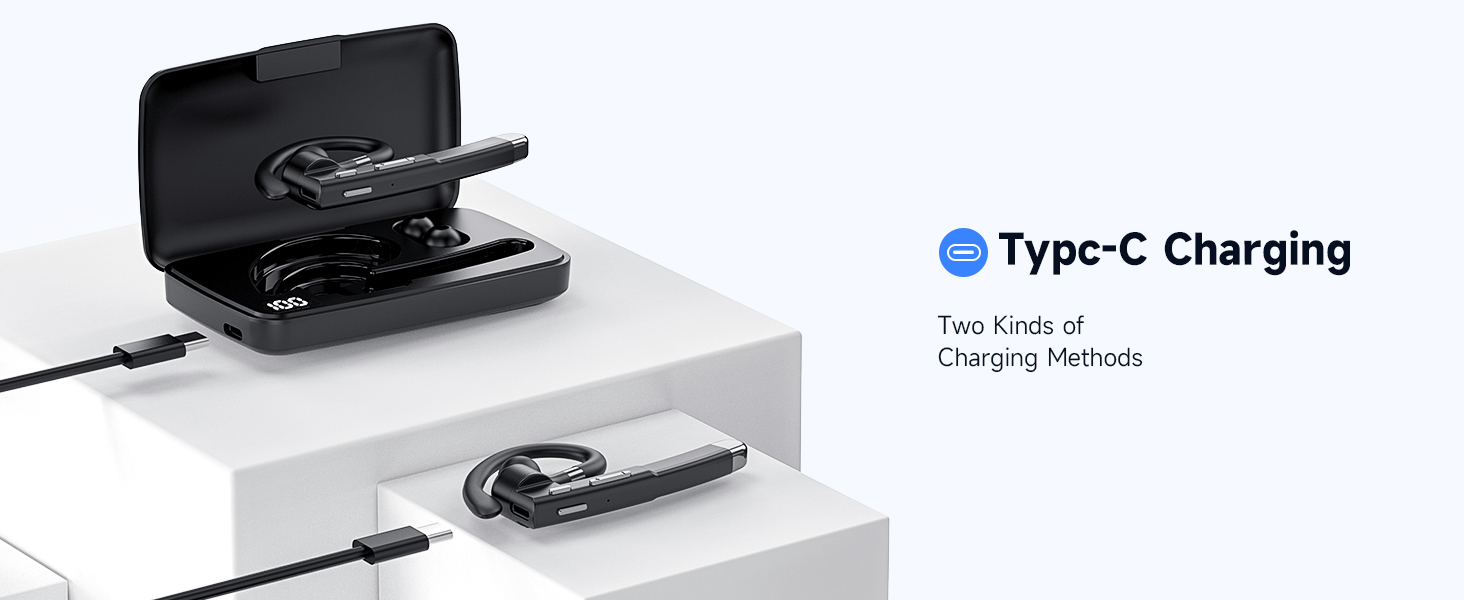
Image: The headset is shown inside its charging case, which is connected to a power source via a USB-C cable, illustrating the charging process.
A full charge provides up to 120 hours of playback with the charging case. Fast charging allows for 1 hour of call time after just 8 minutes of charging.
2. Hidupkan/Mati Kuasa
- Hidupkan kuasa: Take the headset out of the charging case, or press and hold the multi-function button for approximately 3 seconds until you hear a power-on prompt.
- Matikan: Place the headset back into the charging case, or press and hold the multi-function button for approximately 5 seconds until you hear a power-off prompt.
3. Berpasangan Bluetooth
The headset supports one-step quick pairing for a fast and stable connection.
- Ensure the headset is powered on and in pairing mode (indicated by a flashing LED light).
- Pada peranti anda (telefon pintar, tablet, komputer), pergi ke tetapan Bluetooth.
- Cari untuk available devices and select "YYK-520" from the list.
- Once connected, the headset LED will stop flashing, and you will hear a connection confirmation.
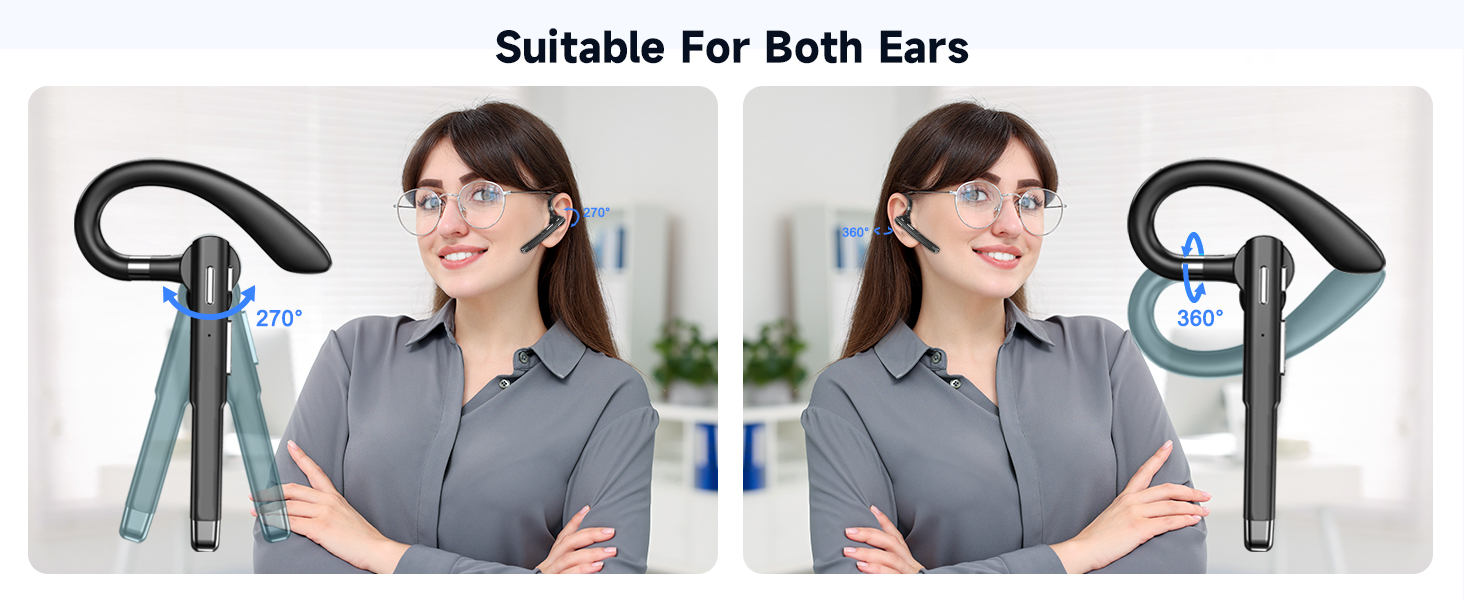
Image: A visual guide demonstrating the one-step pairing process, showing the headset and a smartphone displaying the Bluetooth connection menu.
Arahan Operasi
Pengurusan Panggilan
- Jawab Panggilan: Tap the multi-function button once.
- Tamatkan Panggilan: Tap the multi-function button once during a call.
- Tolak Panggilan: Tap the multi-function button twice when an incoming call rings.
- Redam/Nyahredam: Press and hold the dedicated mute button during a call.
Main balik Muzik
- Main/Jeda: Tap the multi-function button once.
- Lagu Seterusnya: Tekan lama butang kelantangan '+'.
- Lagu Sebelumnya: Tekan lama butang kelantangan '-'.
Kawalan Kelantangan
- Tingkatkan Kelantangan: Tap the '+' volume button.
- Kurangkan Kelantangan: Tap the '-' volume button.
Pengaktifan Pembantu Suara
Press and hold the multi-function button for 1 second to activate your device's voice assistant (e.g., Siri, Google Assistant).
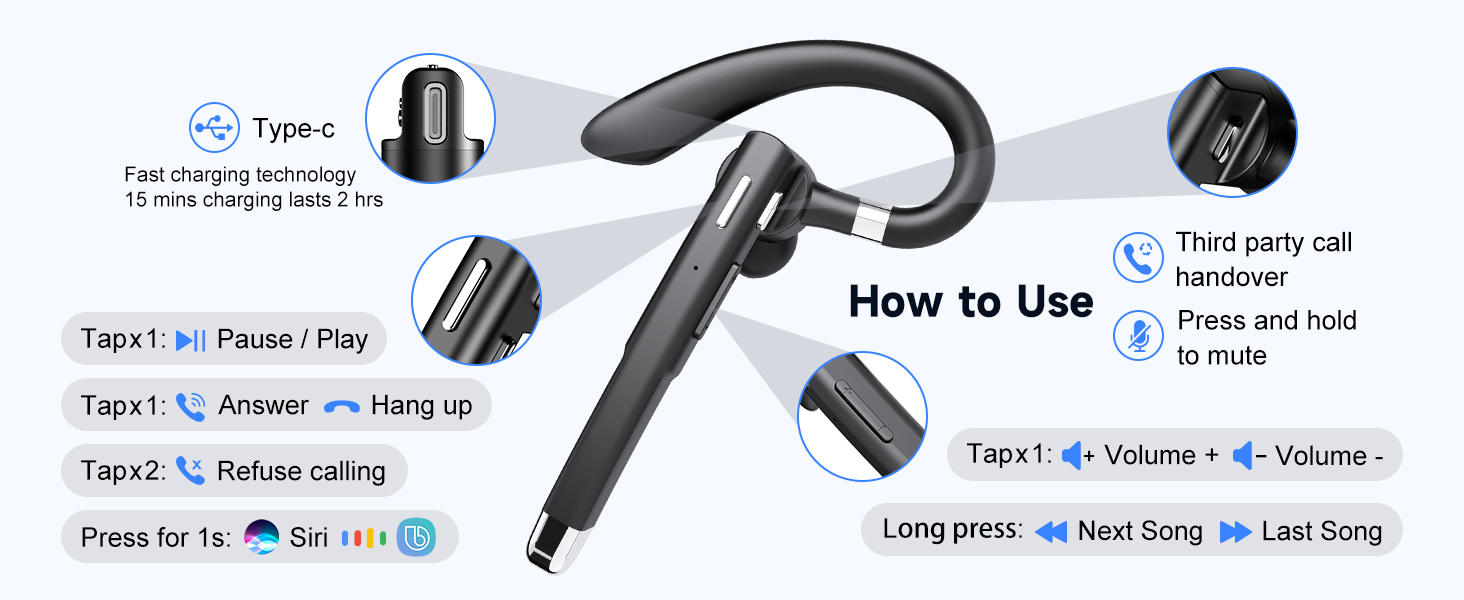
Image: A user demonstrating the voice assistant feature while driving, showing the headset in use and a phone displaying the Siri interface.
Sambungan Peranti Dwi
The headset supports simultaneous connection to two different Bluetooth devices, allowing seamless switching between them.
- Connect the headset to the first device as described in the "Bluetooth Pairing" section.
- Disable Bluetooth on the first device. The headset will re-enter pairing mode.
- Connect the headset to the second device.
- Dayakan semula Bluetooth pada peranti pertama. Fon kepala sepatutnya bersambung secara automatik ke kedua-dua peranti.
- To switch between devices, pause audio/end call on one device, then initiate audio/call on the other.

Image: The headset is depicted wirelessly connected to two separate smartphones, illustrating its ability to manage both a phone call and music playback from different devices.
Keselesaan dan Fit
The EUQQ YYK-520 headset is designed for all-day comfort with its ergonomic and lightweight structure (approximately 0.4 ounces).
- Adjustable Ear Hook: The ear hook can be rotated 270° and the earpiece 360° to fit comfortably on either your left or right ear.
- Interchangeable Eartips: Three sizes of silicone eartips (S/M/L) are included to ensure a secure and personalized fit, optimizing sound quality and comfort.
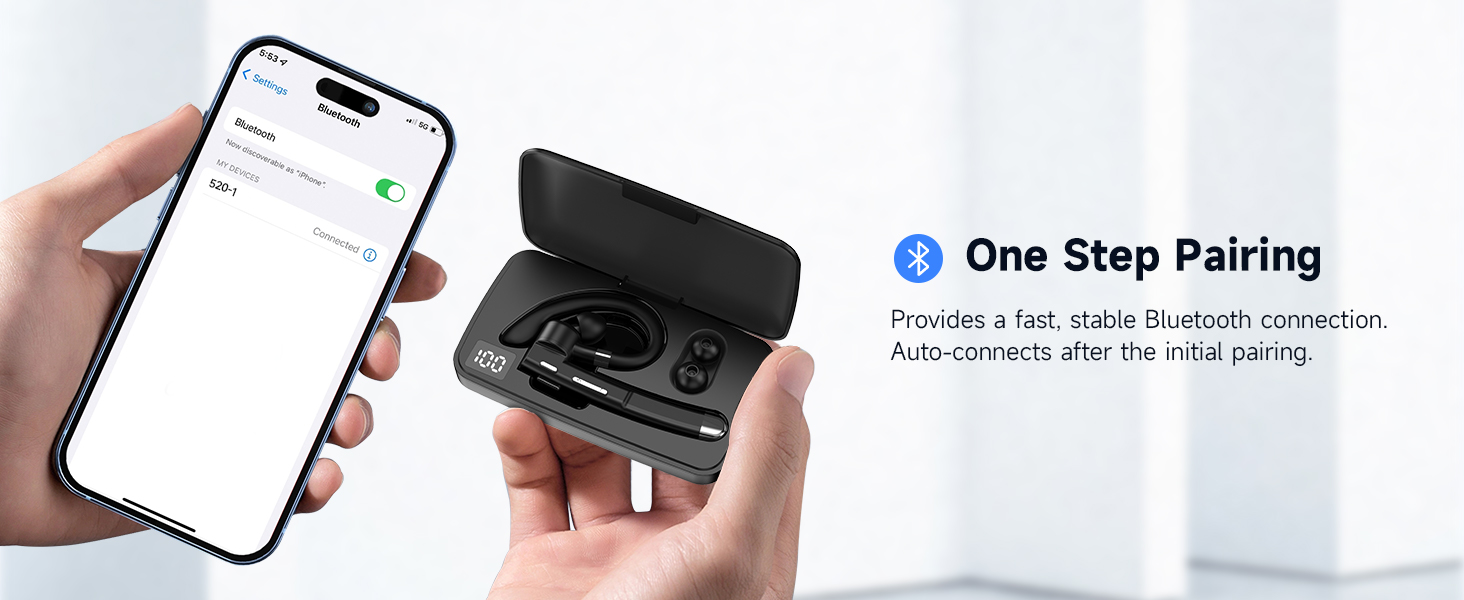
Image: An illustration demonstrating the headset's flexibility, showing how it can be adjusted for both left and right ear wear, along with the three sizes of ear tips.
Penyelenggaraan
Penyelenggaraan yang betul memastikan ketahanan dan prestasi alat dengar anda.
- Pembersihan: Lap alat dengar dan bekas pengecas secara berkala dengan kain lembut, kering dan tidak berbulu. Elakkan penggunaan bahan kimia yang keras atau bahan yang melelas.
- Telinga: Remove and clean the silicone eartips with mild soap and water, then dry thoroughly before reattaching.
- Storan: When not in use, store the headset in its charging case to protect it from dust and damage.
- Elakkan Kelembapan: While the headset is water-resistant, avoid prolonged exposure to water or extreme humidity. Do not submerge it.
- mengecas: Use only the provided USB-C cable and a certified power adapter for charging.
Menyelesaikan masalah
| Masalah | Penyelesaian yang Mungkin |
|---|---|
| Alat dengar tidak dihidupkan. | Ensure the headset is charged. Place it in the charging case or connect directly via USB-C. |
| Tidak boleh berpasangan dengan peranti. |
|
| Tiada bunyi atau kelantangan rendah. |
|
| Call quality is poor / Noise during calls. |
|
| Fon kepala kerap terputus sambungan. |
|
Spesifikasi
| Ciri | Perincian |
|---|---|
| Nama Model | YYK-520 |
| Teknologi Ketersambungan | Wayarles (Bluetooth) |
| Versi Bluetooth | 5.3 |
| Julat Bluetooth | 15 Meter |
| Kawalan Bunyi | Pembatalan Bunyi Aktif (ENC) |
| Hayat Bateri (Fon Kepala) | Up to 24 Hours (with charging case, up to 120 hours total playback) |
| Port Pengecasan | USB-C |
| Jenis Kawalan | Kawalan Butang |
| Berat Barang | 0.4 auns (lebih kurang 11.3 gram) |
| Tahap Ketahanan Air | Tahan Air |
| Peranti Serasi | Smartphones, Tablets, Desktop Computers, TVs |
| Ciri Khas | 3D Surround Sound, Noise Isolation, Multi-Microphone, Fast Charging, One Button Mute, Dual Device Connection, Long Playback, Dual Charging Method |
Waranti dan Sokongan
For warranty information or technical support, please refer to the documentation included with your purchase or contact EUQQ customer service through the retailer where the product was purchased. Keep your proof of purchase for warranty claims.


