1. Pengenalan
Thank you for choosing the innioasis G1 MP3 Player. This device is designed to provide a versatile portable audio and video experience, featuring Bluetooth, Wi-Fi connectivity, and a 4.0-inch touch screen. It comes pre-installed with popular streaming applications and offers robust parental control options, making it suitable for various users.
2. Apa yang ada di dalam Kotak
Sila semak kandungan pakej untuk memastikan semua item ada:
- 1 x innioasis G1 MP3 Player
- 1 x Kabel Pengecasan USB-C
- 1 x Fon Kepala Berwayar
- 1 x 64GB SD Card (pre-installed or separate)
- 1 x Manual Pengguna
3. Produk Lebihview
3.1 Susun atur Peranti
The innioasis G1 MP3 Player features a compact design with essential controls and ports.

Rajah 1: Depan view of the innioasis G1 MP3 Player, displaying the 4.0-inch touch screen with various application icons.
Rajah 2: Belakang view of the innioasis G1 MP3 Player, featuring the brand logo and regulatory information.
3.2 Butang dan Port
- Butang Kuasa: Located on the side, press and hold to power on/off or short press to lock/unlock the screen.
- Butang Kelantangan: Located on the side, use to adjust audio volume.
- Port USB-C: Terletak di bahagian bawah, digunakan untuk pengecasan dan pemindahan data.
- Bicu Fon Kepala 3.5mm: Located at the bottom, for wired headphone connection.
- Slot Kad MicroSD: Located on the side, for expandable storage up to 1TB.
- Pembesar Suara Terbina dalam: Located at the bottom, for audio playback without headphones.
4. Persediaan
4.1 Mengecas Peranti
Before first use, fully charge the MP3 player. Connect the provided USB-C cable to the device and a compatible USB power adapter (not included). A full charge takes approximately 2 hours.
4.2 Memasukkan Kad MicroSD
The device supports MicroSD cards up to 1TB for expanded storage. Locate the MicroSD card slot on the side of the device. Gently insert the 64GB MicroSD card (included) or your own compatible card until it clicks into place. Ensure the device is powered off before inserting or removing the card.
4.3 Initial Power-On and Wi-Fi Connection
- Press and hold the Power button until the screen turns on.
- Ikut gesaan pada skrin untuk memilih bahasa dan wilayah anda.
- Untuk bersambung ke Wi-Fi, navigasi ke Tetapan > Rangkaian & Internet > Wi-Fi.
- Pilih rangkaian Wi-Fi yang anda inginkan dan masukkan kata laluan jika digesa.

Figure 3: The device's screen showing Wi-Fi and Bluetooth connection status, highlighting its strong network capabilities.
4.4 Berpasangan Bluetooth
- Navigasi ke Tetapan > Peranti Bersambung > Bluetooth.
- Turn on Bluetooth. The device will scan for available Bluetooth devices.
- Select your Bluetooth headphones, speakers, or car audio system from the list to pair.
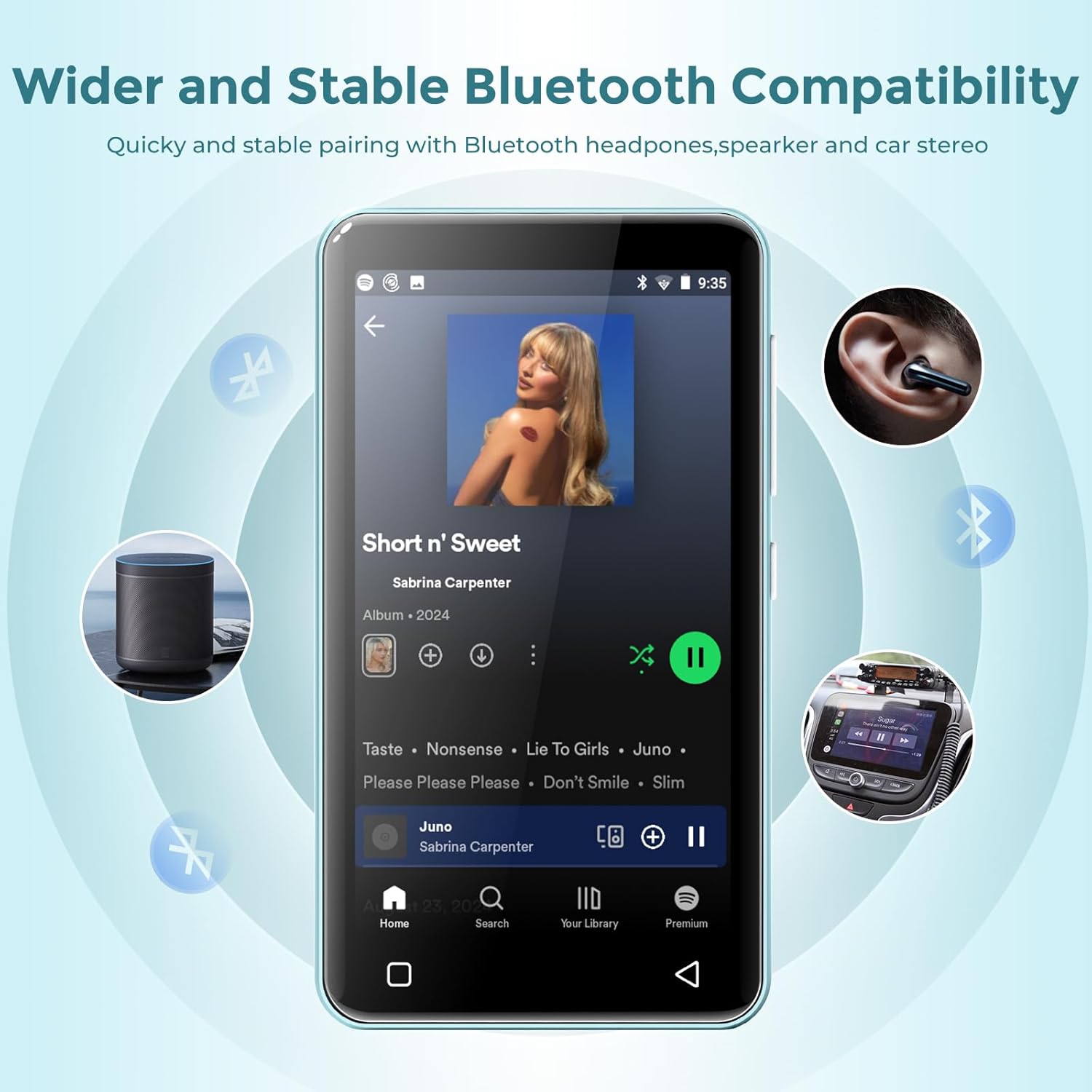
Figure 4: The MP3 player connected via Bluetooth to various audio devices, illustrating its wide compatibility.
5. Arahan Operasi
5.1 Navigasi
The innioasis G1 features a 4.0-inch IPS full touch LCD screen for intuitive navigation. Swipe left/right to browse app pages, tap icons to open applications, and use the physical buttons for power and volume control. Swipe down from the top of the screen to access quick settings and notifications.

Figure 5: A user interacting with the touch screen, highlighting the ease of use for navigating applications.
5.2 Main balik Muzik
The device supports multiple audio formats including MP3, WAV, FLAC, AAC, APE, OGG, M4A, WMA, and MP2. Use the pre-installed Music app to manage and play your audio files.
- Buka Muzik apl.
- Browse by title, folder, album, or genre.
- Use the music scan feature to load songs from folders with one click.
- Create unlimited playlists and easily find songs using the search function.
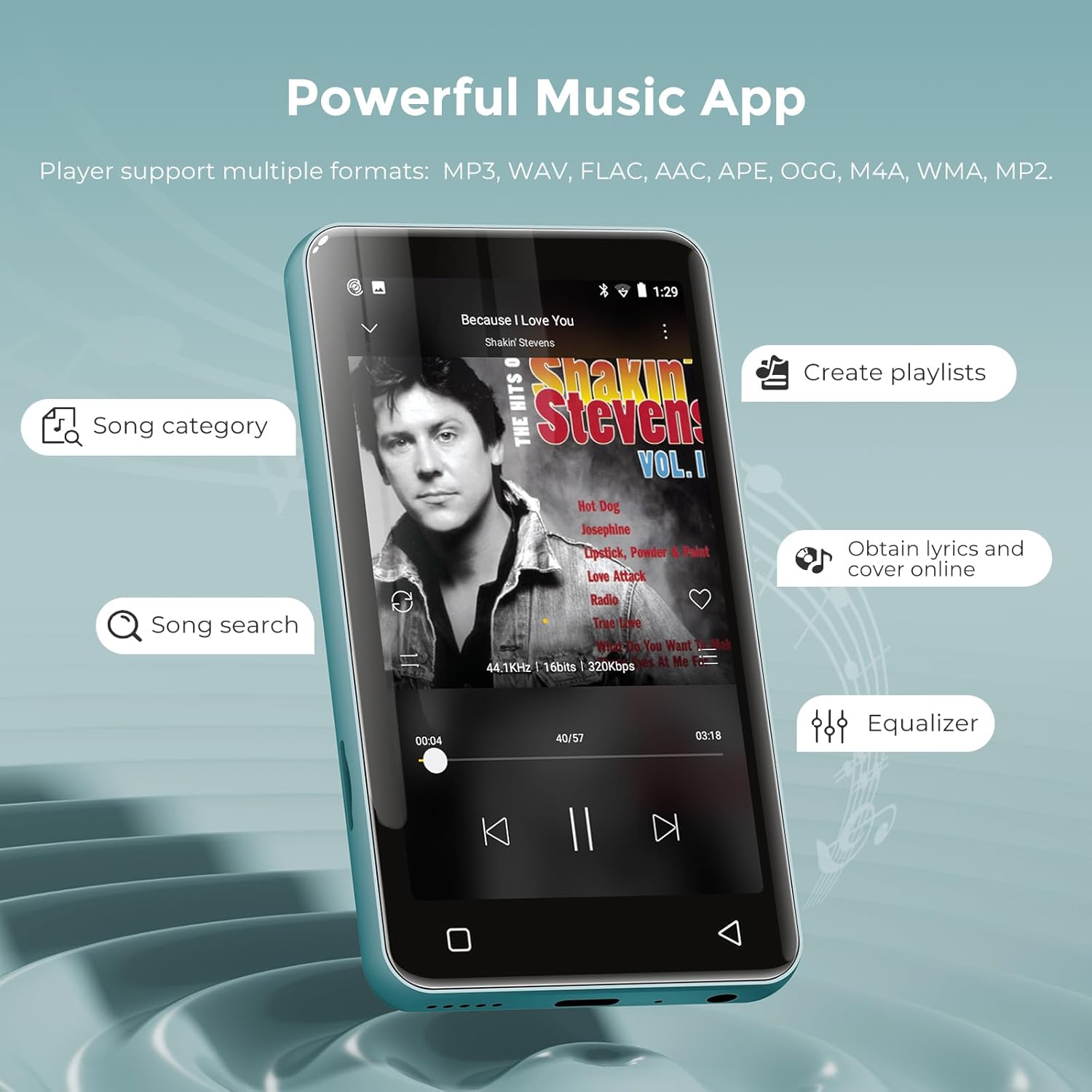
Figure 6: The music application interface, showing various features for organizing and playing music.
5.3 Main balik Video
The innioasis G1 also functions as an MP4 player with a 4-inch IPS screen supporting 480x800 pixel HD video playback. Compatible video formats include RM, AVI, RMVB, FLV, MP4, DAT, MKV, MPG, MOV, TS, and 3GP.
- Buka Video apl.
- Pilih video file untuk bermain.
- Enjoy features like loop/random playback, variable speed, and gesture zoom/expansion.
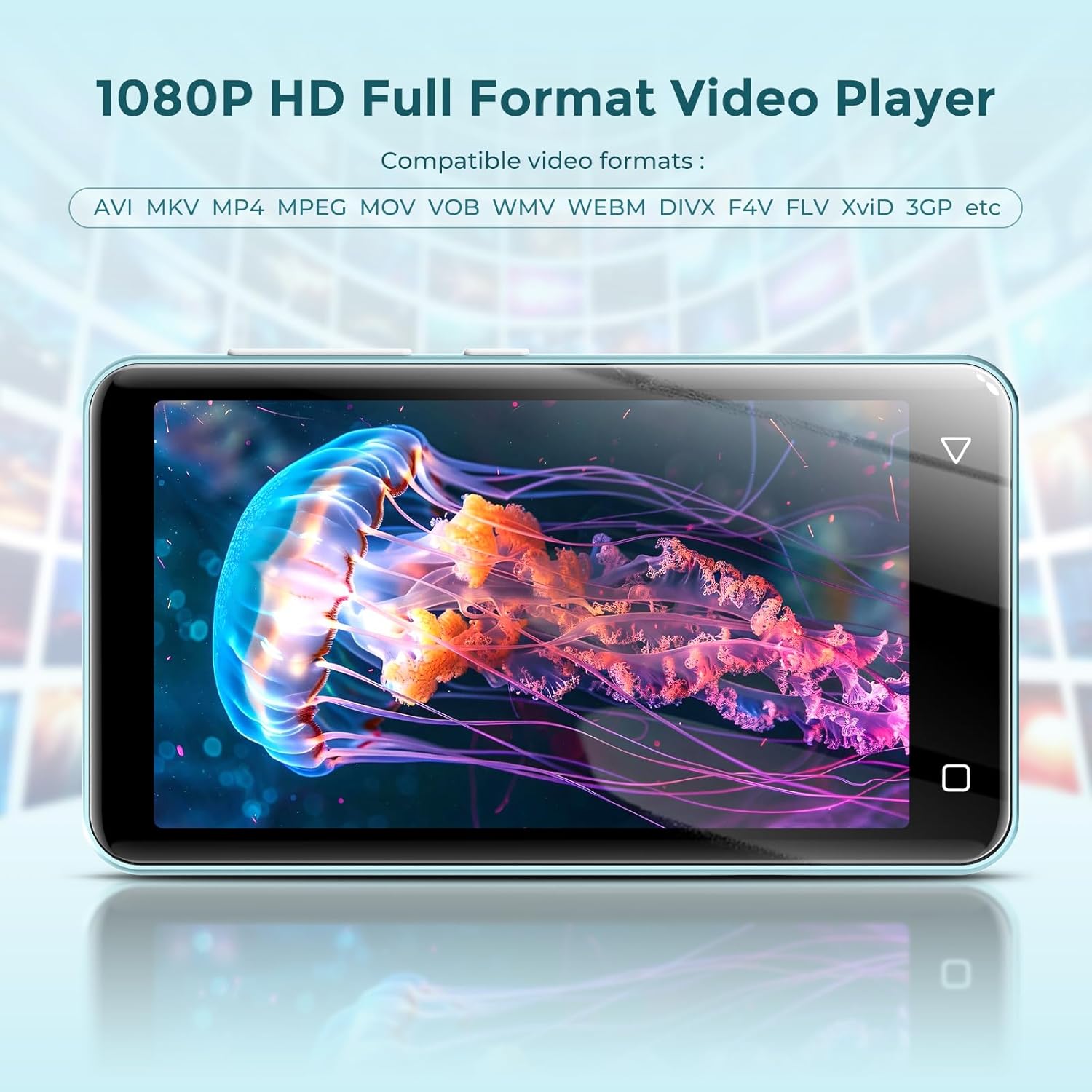
Figure 7: The MP3 player displaying a video, demonstrating its MP4 playback functionality.
5.4 Online Streaming
The device comes pre-installed with popular streaming apps like Spotify, Spotify Kids, Amazon Music, Pandora, Audible, Tidal, and Deezer. Connect to Wi-Fi to access these services.

Figure 8: The home screen of the MP3 player, highlighting the pre-installed online music streaming applications.
5.5 Radio FM
The device includes a recordable FM radio. To use this feature, connect wired headphones as they act as the antenna.
- Plug in your wired headphones into the 3.5mm jack.
- Buka Radio FM apl.
- Scan for available stations or manually tune to your desired frequency.

Figure 9: The FM Radio interface, allowing users to access news, sports, and music stations.
5.6 File Pemindahan
You can transfer music and video files to your innioasis G1 MP3 Player using several methods:
- Melalui Kabel USB: Connect the device to your computer using the provided USB-C cable. The device will appear as a removable storage drive, allowing you to drag and drop files.
- Via Wi-Fi (File Transfer App): Gunakan yang telah dipasang terlebih dahulu File Transfer app to wirelessly transfer files from your smartphone or computer when both devices are connected to the same Wi-Fi network.
- Via MicroSD Card: Directly load files onto the MicroSD card using a card reader on your computer, then insert the card into the device.
6. Kawalan Ibu Bapa
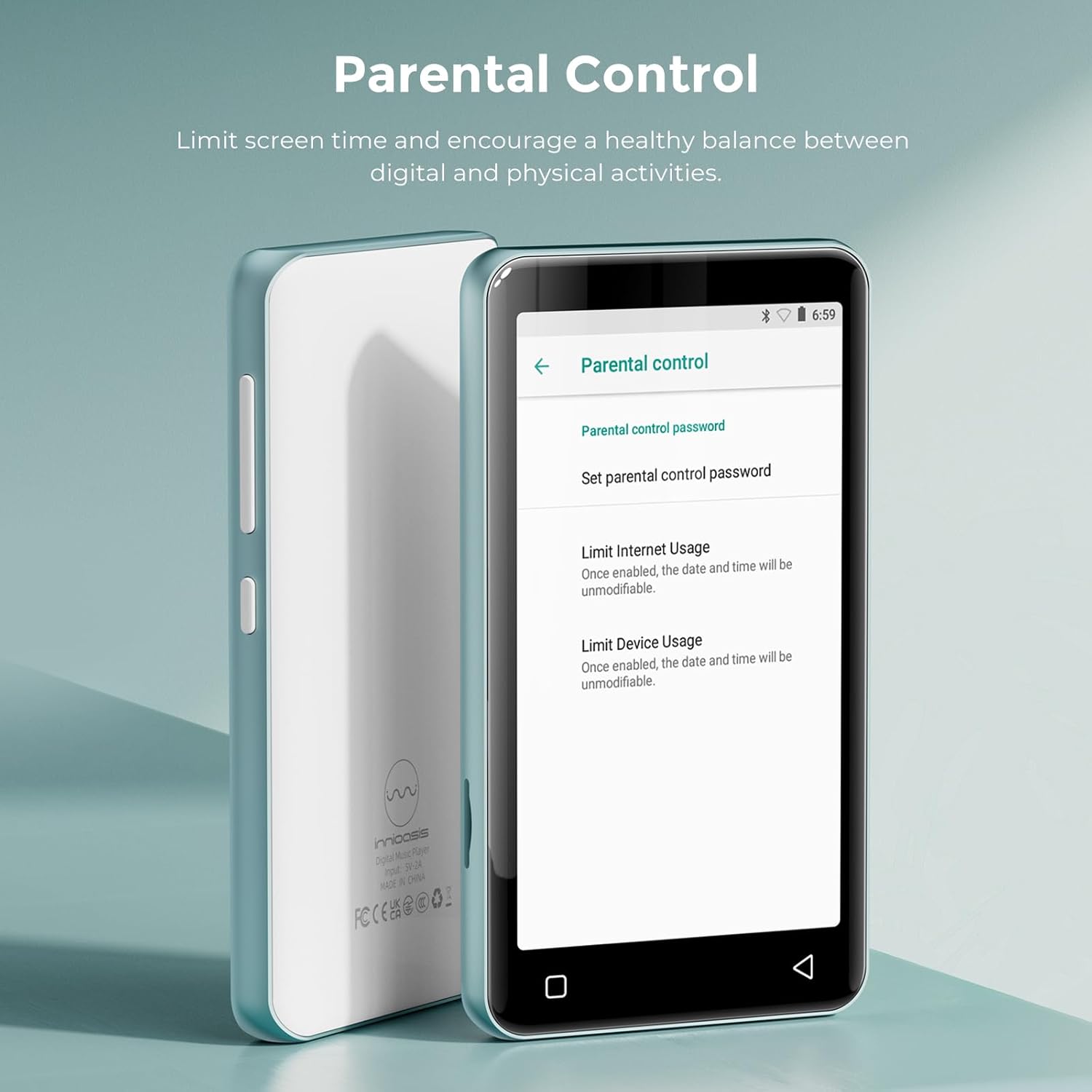
The innioasis G1 MP3 Player offers comprehensive parental control features to ensure a safe digital environment for children.

Figure 10: The Parental Control interface, detailing options for managing device access and content.
- Pengurusan Apl: The player does not allow the installation of additional apps, preventing access to unapproved content. You can also uninstall any pre-installed apps you do not wish for your child to use.
- Tetapkan Semula Kunci: Set a reset lock to prevent the device from being restored to factory settings without permission.
- Had Penggunaan: Limit the duration of both internet and overall player usage to promote a healthy balance between digital and physical activities.
Video 1: Tamatview of the innioasis MP3 Player's features, including its Bluetooth, Wi-Fi, and touchscreen capabilities, provided by the seller.
Video 2: Demonstrates how kids can stream music and how parents can remove unwanted applications, provided by the seller.
Video 3: Instructions on setting up parental controls to manage content access for children, provided by the seller.
7. Penyelenggaraan
7.1 Penjagaan Bateri
The device is equipped with a 1500mAh lithium battery. To maximize battery life:
- Elakkan menyahcas sepenuhnya bateri dengan kerap.
- Use a standard charger (5V/1A or 5V/2A) for optimal charging. Fast chargers may cause issues if the battery is completely drained.
- Simpan peranti di tempat yang sejuk dan kering apabila tidak digunakan untuk tempoh yang lama.
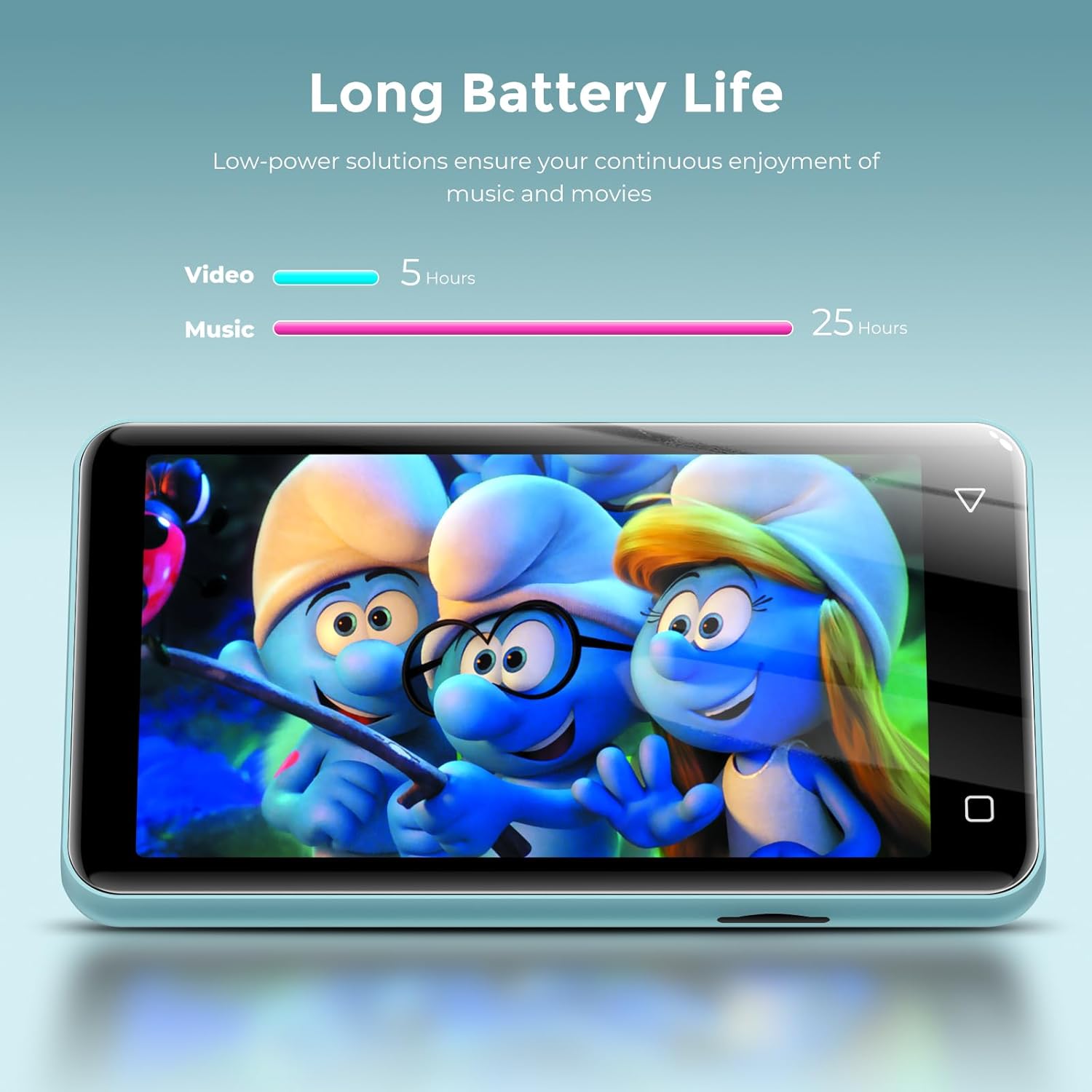
Figure 11: Battery life performance, indicating up to 25 hours for music and 5 hours for video playback.
7.2 Pembersihan
Lap peranti dengan kain lembut dan kering. Elakkan menggunakan bahan kimia yang keras atau bahan kasar yang boleh merosakkan skrin atauasing.
8. Penyelesaian masalah
- Device will not power on after full discharge: If the device does not turn on after being fully discharged, try using a lower amperage charger (e.g., a standard 5V/1A charger) for a few minutes before attempting to power it on again.
- Music skipping or inconsistent audio: Ensure the device's software is up to date. If playing from an SD card, try reformatting the card or using a different one.
- Tidak dapat menyambung ke Wi-Fi/Bluetooth: Verify that Wi-Fi/Bluetooth is enabled in settings. Ensure you are within range of the network/device and that the password is correct.
- Apl tidak berfungsi dengan betul: Try clearing the app's cache or data in Settings > Apps & Notifications > [App Name] > Storage. If issues persist, consider uninstalling and reinstalling the app (if applicable) or performing a factory reset (note: this will erase all data).
9. Spesifikasi
| Ciri | Penerangan |
|---|---|
| Nama Model | G1 |
| Dimensi Produk | 0.39 x 2.36 x 4.33 inci |
| Berat Barang | 5.9 auns |
| Kapasiti Penyimpanan Memori | 80 GB (kad dalaman 16GB + kad SD 64GB) |
| Storan Boleh Dikembangkan | Sehingga 1TB melalui kad MicroSD |
| Saiz Skrin | 4 Inches IPS Full Touch LCD |
| Resolusi Skrin | 480x800 piksel |
| Teknologi Ketersambungan | Bluetooth (two-way sending/receiving), USB, Wi-Fi (2.4GHz & 5GHz) |
| Ciri Khas | Built-In Speaker, Equalizer, FM Radio, Video Playback, Voice Recorder, Parental Controls |
| Peranti Serasi | Headphones, Bluetooth Speakers, Car Audio Systems |
| Format Audio yang Disokong | MP3, WAV, FLAC, AAC, APE, OGG, M4A, WMA, MP2 |
| Format Video yang Disokong | RM, AVI, RMVB, FLV, MP4, DAT, MKV, MPG, MOV, TS, 3GP |
| Hayat Bateri | Up to 25 hours (music with wired earbuds), 5 hours (video) |
| Masa Mengecas | Approx. 2 hours (Type-C port) |
10. Waranti dan Sokongan
For warranty information and customer support, please refer to the documentation included with your purchase or visit the official innioasis webtapak. Simpan bukti pembelian anda untuk sebarang tuntutan waranti.


