Produk Selesaiview
The Sharp 4T-C55FS1UR AQUOS OLED 4K Ultra HD Roku TV offers a premium viewing experience with its advanced display technology and integrated smart TV platform. This bundle includes a Walts TV Medium Full Motion Mount for flexible installation and a Walts HDTV Screen Cleaner Kit for optimal display maintenance.
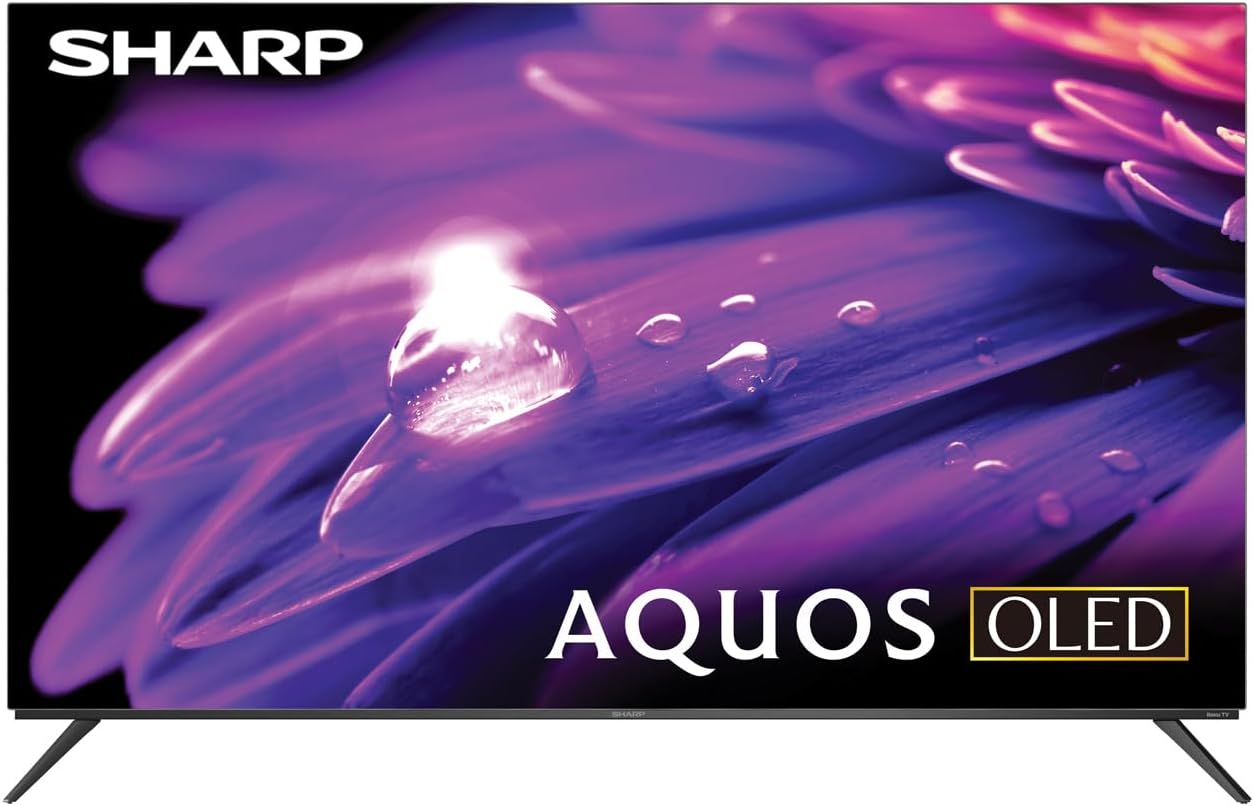
Imej: Depan view of the Sharp AQUOS OLED 4K Ultra HD Roku TV.
This image displays the sleek design of the Sharp AQUOS OLED TV, highlighting its thin bezels and modern aesthetic. The OLED technology ensures vibrant colors and deep blacks for an immersive viewpengalaman dalam.

Image: Sharp AQUOS OLED TV displaying the Roku TV home screen.
The TV features the intuitive Roku TV interface, providing access to a vast library of streaming services and apps directly from the home screen. This integration simplifies content discovery and navigation.
Video: Sharp FS1UR Series TV Product Review by Walts TV.
Video ini menyediakan semula yang komprehensifview of the Sharp FS1UR Series TV, detailing its features, design, and performance. It offers visual demonstrations of the TV's capabilities and user interface.
Arahan Persediaan
1. Unboxing dan Peletakan Awal
- Keluarkan semua komponen dari pembungkusan dengan berhati-hati. Simpan pembungkusan untuk pengangkutan atau perkhidmatan masa hadapan.
- Place the TV on a stable, flat surface or prepare for wall mounting.
- Pastikan pengudaraan yang mencukupi di sekeliling TV.
2. Pemasangan Stand (Pilihan)
If using the included TV stand:
- Attach the two stand legs to the designated slots on the bottom of the TV using the provided screws.
- Ensure the legs are securely fastened. The stand provides 3.5 inches of clearance, suitable for soundbars.

Imej: Side profile of the Sharp AQUOS OLED TV on its stand.
Imej ini menggambarkan slim profile of the TV and the design of its stand, which offers sufficient clearance for external audio devices.
3. Pemasangan Dinding (Pilihan)
If using the Walts TV Medium Full Motion Mount:
- Refer to the separate instruction manual provided with the Walts TV mount for detailed installation steps.
- The mount is compatible with 32"-65" TVs and supports VESA mounting up to 400mm x 400mm.
- It features a +3 to -10 degree viewing angle adjustment and cable management.

Imej: Depan view of the Walts TV Medium Full Motion Mount.
This image shows the robust construction of the full motion TV mount, designed for secure and flexible wall mounting.
4. Menyambung Peranti
The TV features side-angled ports for easy access:
- Port HDMI: Connect up to 4 HDMI devices (e.g., gaming consoles, Blu-ray players). One port supports eARC for enhanced audio return.
- Port USB: Connect USB devices (e.g., flash drives) to the 2 available USB ports.
- Antena/Kabel Masuk: Connect an antenna or cable TV source.
- Pelabuhan Ethernet: Untuk sambungan internet berwayar.
- Audio Digital Keluar: Untuk menyambungkan sistem audio luaran.

Image: Close-up of the input/output ports on the back of the Sharp AQUOS OLED TV.
This image details the various connectivity options available on the TV, including multiple HDMI and USB ports, designed for convenient access whether wall-mounted or on a stand.
5. Hidupkan Kuasa dan Persediaan Awal
- Sambungkan kord kuasa ke TV dan salur keluar dinding.
- Tekan butang kuasa pada alat kawalan jauh atau TV.
- Follow the on-screen instructions to complete the initial Roku TV setup, including network connection and channel scanning.
Arahan Operasi
1. Roku TV Interface Navigation
- Use the directional pad on the remote to navigate menus.
- Tekan ke OK butang untuk memilih item.
- The Rumah button returns to the main Roku TV screen.
- Dedicated buttons for popular streaming services (e.g., Netflix, Disney+) provide quick access.
2. Tetapan Gambar dan Bunyi
Access picture and sound settings through the Roku TV menu to optimize your viewpengalaman dalam.
- Mod Gambar: Select from various preset modes (e.g., Movie, Standard, Vivid) or customize settings like brightness, contrast, and color.
- Sokongan HDR: The TV supports HDR10, HLG, and Dolby Vision IQ for enhanced contrast and color with compatible content.
- Kadar Segar Semula: Enjoy smooth motion with the 120Hz refresh rate, ideal for gaming and fast-paced action.
- Audio Dolby: Utilize Dolby Audio for rich, immersive sound. Adjust audio settings for different content types.
3. Ciri-ciri Permainan
For an optimal gaming experience:
- Kadar Segar Semula Boleh Ubah (VRR): Automatically adjusts the display's refresh rate to match the game's frame rate, reducing screen tearing.
- Latensi Rendah: Minimizes input lag for a more responsive gaming experience.
- Connect your next-gen consoles to the HDMI ports for full utilization of these features.
Penyelenggaraan
1. Pembersihan Skrin
Use the Walts HDTV Screen Cleaner Kit for safe and effective cleaning:
- Ensure the TV is turned off and cool.
- Spray the non-ammonia, alcohol-free cleaning solution onto the included microfiber cloth, not directly onto the screen.
- Gently wipe the screen in a circular motion to remove dust, dirt, and fingerprints.
- The solution cleans without dripping, streaking, or staining, leaving no film or residue.

Image: Walts HDTV Screen Cleaner Kit packaging.
This image shows the Walts HDTV Screen Cleaner Kit, which is designed to safely clean various display screens without causing damage or leaving residue.
2. Penjagaan Am
- Elakkan meletakkan objek berat di TV.
- Jauhkan TV daripada cahaya matahari langsung dan sumber haba.
- Jangan menyekat bukaan pengudaraan.
- Cabut palam TV semasa ribut petir atau apabila tidak digunakan untuk tempoh yang lama.
Menyelesaikan masalah
| Masalah | Kemungkinan Punca / Penyelesaian |
|---|---|
| Tiada Kuasa |
|
| Tiada Gambar / Kualiti Gambar Lemah |
|
| Tiada Bunyi / Kualiti Bunyi Lemah |
|
| Alat Kawalan Jauh Tidak Berfungsi |
|
| Isu Sambungan Rangkaian |
|
For further assistance, please refer to the full user manual or contact Sharp customer support.
Spesifikasi
- Jenama: tajam
- Nama Model: 4T-C55FS1UR
- Saiz Skrin: 55 Inci (Pepenjuru skrin yang boleh dilihat: 55" / 140 cm)
- Teknologi Paparan: AQUOS OLED
- Resolusi: 4K Ultra HD (8.3 Million Pixels)
- Kadar Segar Semula: 120 Hz
- Ciri Khas: HDR10, HLG, Dolby Vision IQ, Full Roku TV Experience Built-in, Dolby Digital Audio, Variable Refresh Rate (VRR) with Low Latency for Optimized Gaming, Voice Remote Control
- Ketersambungan: 4 HDMI (1 eARC), 2 USB, Wi-Fi Compatible, Ethernet
- Dimensi Produk (D x W x H): 9.84"D x 48.27"W x 31.18"H
- Berat Barang: 38.5 paun
- warna: Hitam
- Perkhidmatan Internet yang Disokong: Netflix, Disney+, Apple TV, Roku Channel, Discovery+, HBO Max, Paramount+, and More
Aksesori yang disertakan:
- Sharp 4T-C55FS1UR 55" AQUOS OLED 4K Ultra HD with Dolby Audio Roku TV
- Walts TV Medium Full Motion Mount for 32-65 Inch Compatible TV's
- Walts HDTV Screen Cleaner Kit (6.8oz / 200ML, Non-Ammonia, No Alcohol)
Waranti dan Sokongan
For warranty information, please refer to the documentation included with your product at the time of purchase or visit the official Sharp webtapak. Terma dan syarat jaminan khusus mungkin berbeza-beza.
Untuk sokongan pelanggan, sila layari Kedai Sharp di Amazon atau hubungi perkhidmatan pelanggan mereka secara terus.


