1. Pengenalan
This manual provides detailed instructions for the setup, operation, and maintenance of your ProtoArc EKM01 Plus Ergonomic Wireless Keyboard and Mouse Combo. This combo is designed to enhance comfort and productivity with its ergonomic features and multi-device connectivity.
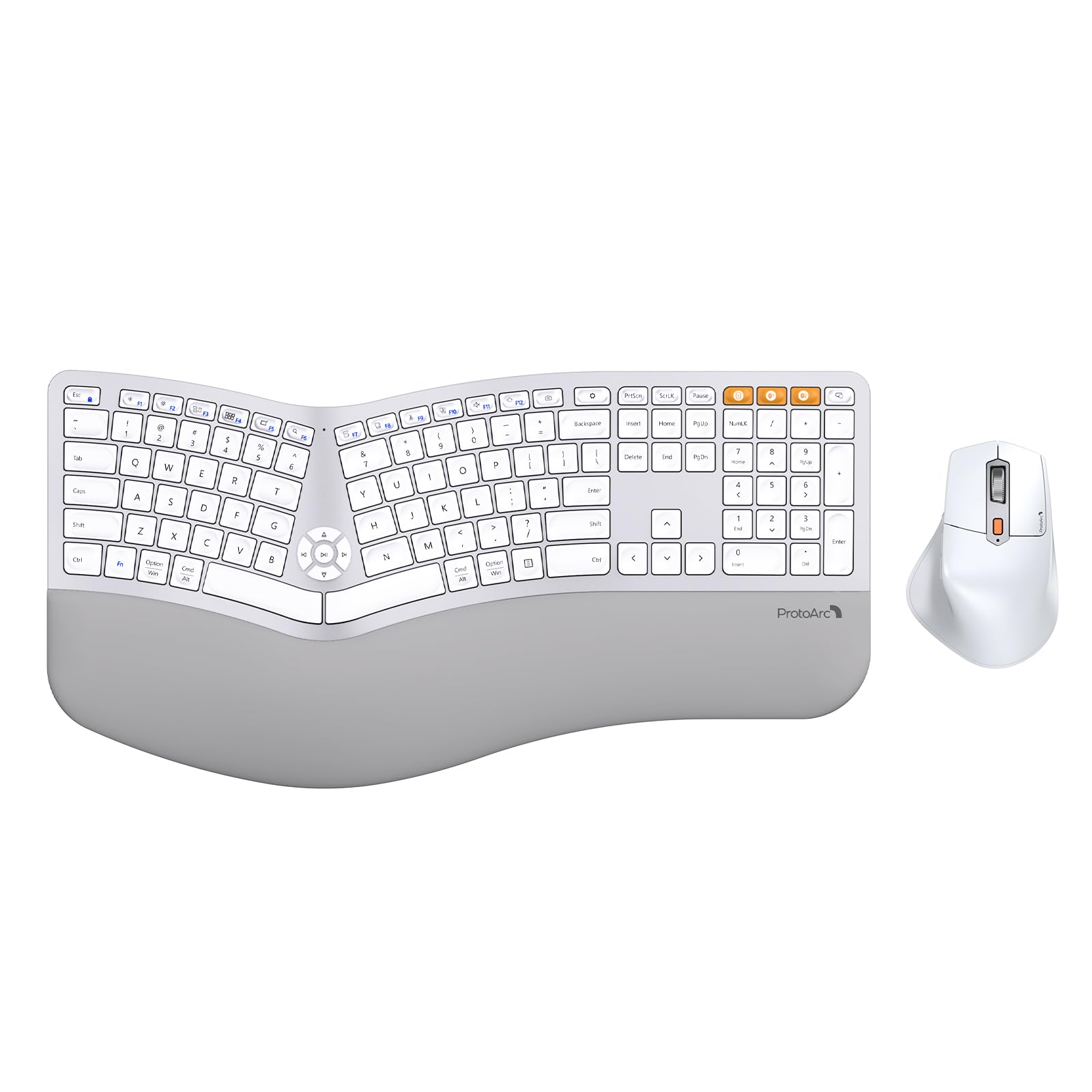
Image 1.1: ProtoArc EKM01 Plus Ergonomic Wireless Keyboard and Mouse Combo (White Silver).
2. Kandungan Pakej
Pastikan semua item ada dalam pakej anda:
- Papan Kekunci Wayarles Ergonomik ProtoArc EKM01 Plus
- Tetikus Tanpa Wayar Ergonomik ProtoArc
- USB-A to USB-C Charging Cable (31 inches)
- 2.4G USB Receiver (stored in the keyboard's back compartment)
- Manual Pengguna
- Panduan Mula Pantas
3. Produk Lebihview
The ProtoArc EKM01 Plus combo features a full-size, curved, and split ergonomic design for natural hand and wrist positioning. Both the keyboard and mouse are rechargeable and support multi-device connectivity.
3.1. Reka Bentuk Ergonomik
The keyboard's split keyframe and curved layout promote a natural, relaxed posture for your wrists and forearms. Scooped keys are designed to fit your fingertips for comfortable typing. The integrated cushioned wrist rest provides additional support.

Image 3.1.1: Full-size, curved, split design of the keyboard and mouse.

Image 3.1.2: Hands positioned on the ergonomic keyboard.
3.2. Cushioned Wrist Rest
The keyboard features a soft memory foam layer wrist rest, reducing wrist bending and providing comfort during extended use. Adjustable tilt legs allow you to set the keyboard at an optimal angle.
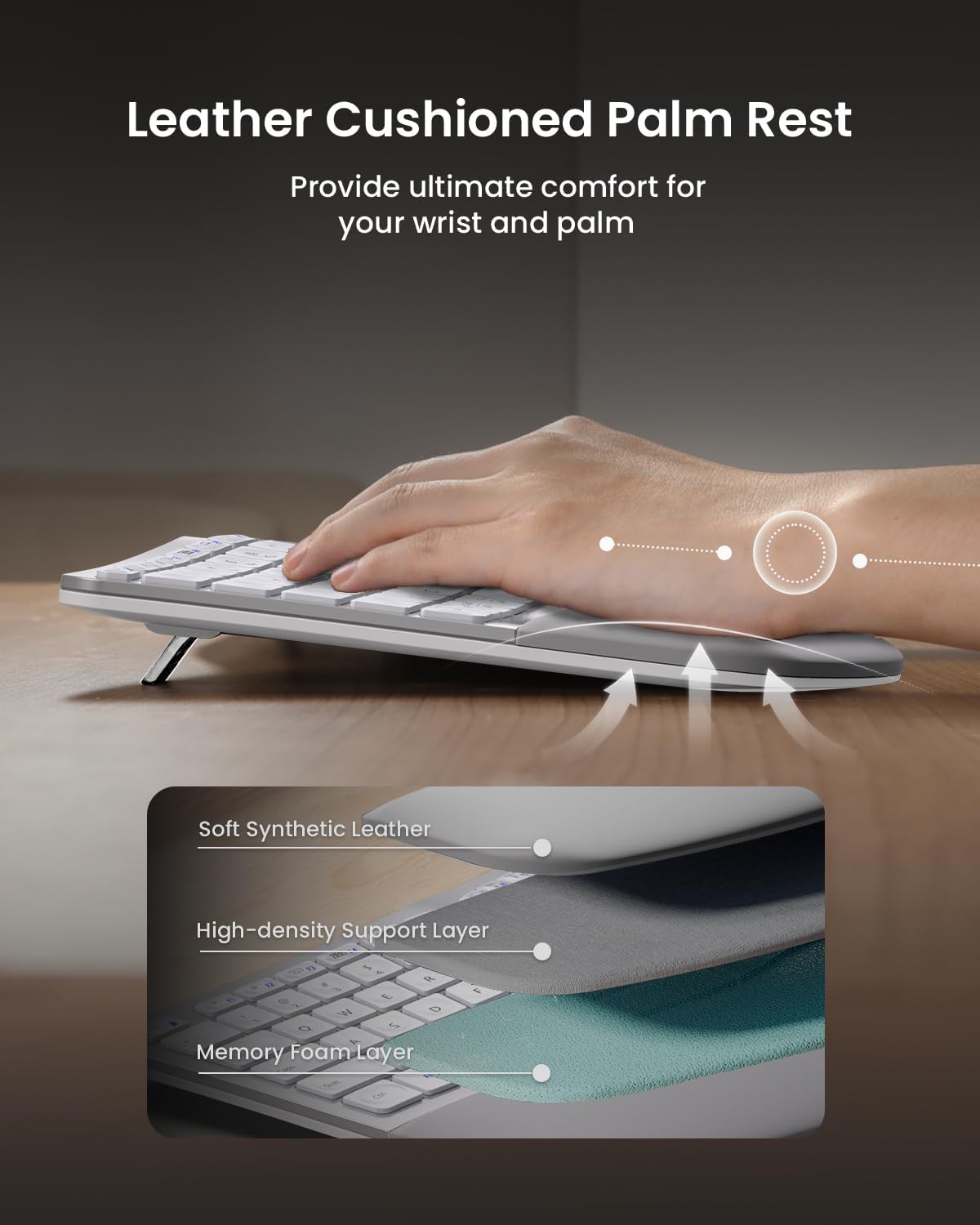
Image 3.2.1: Leather cushioned palm rest construction.

Image 3.2.2: Adjustable tilt legs for customized keyboard angle.
3.3. Ergonomic Mouse
The wireless ergonomic mouse is sculpted to fit the hand naturally, with a palm and thumb rest to reduce wrist strain. It features 2000 DPI for precise control and includes forward/backward buttons for convenient web melayari.

Image 3.3.1: Comfortable contoured shape of the ergonomic mouse.
4. Persediaan
4.1. Mengecas Peranti
Both the keyboard and mouse are equipped with built-in 500mAh lithium batteries. Use the included USB-A to USB-C cable to recharge them. An auto-sleep mode activates after 30 minutes of inactivity to conserve power.

Image 4.1.1: Type-C rechargeable design for keyboard and mouse.
4.2. Menyambung ke Peranti
The combo supports connection to up to three devices simultaneously via a 2.4G USB receiver or Bluetooth. Quick switching between devices is possible with a single button press.
4.2.1. 2.4G USB Receiver Connection
- Locate the 2.4G USB receiver stored in the back compartment of the keyboard.
- Palamkan penerima USB ke dalam port USB yang tersedia pada komputer anda.
- Turn on the keyboard and mouse. They should automatically connect to your computer.
4.2.2. Sambungan Bluetooth
- Hidupkan papan kekunci dan tetikus.
- On the keyboard, press the Bluetooth channel button (B1 or B2) for 3 seconds until the indicator light flashes, indicating pairing mode.
- On your device (computer, laptop, tablet), go to Bluetooth settings and select 'ProtoArc EKM01 Plus' to pair.
- Repeat for the mouse by pressing its Bluetooth channel button.
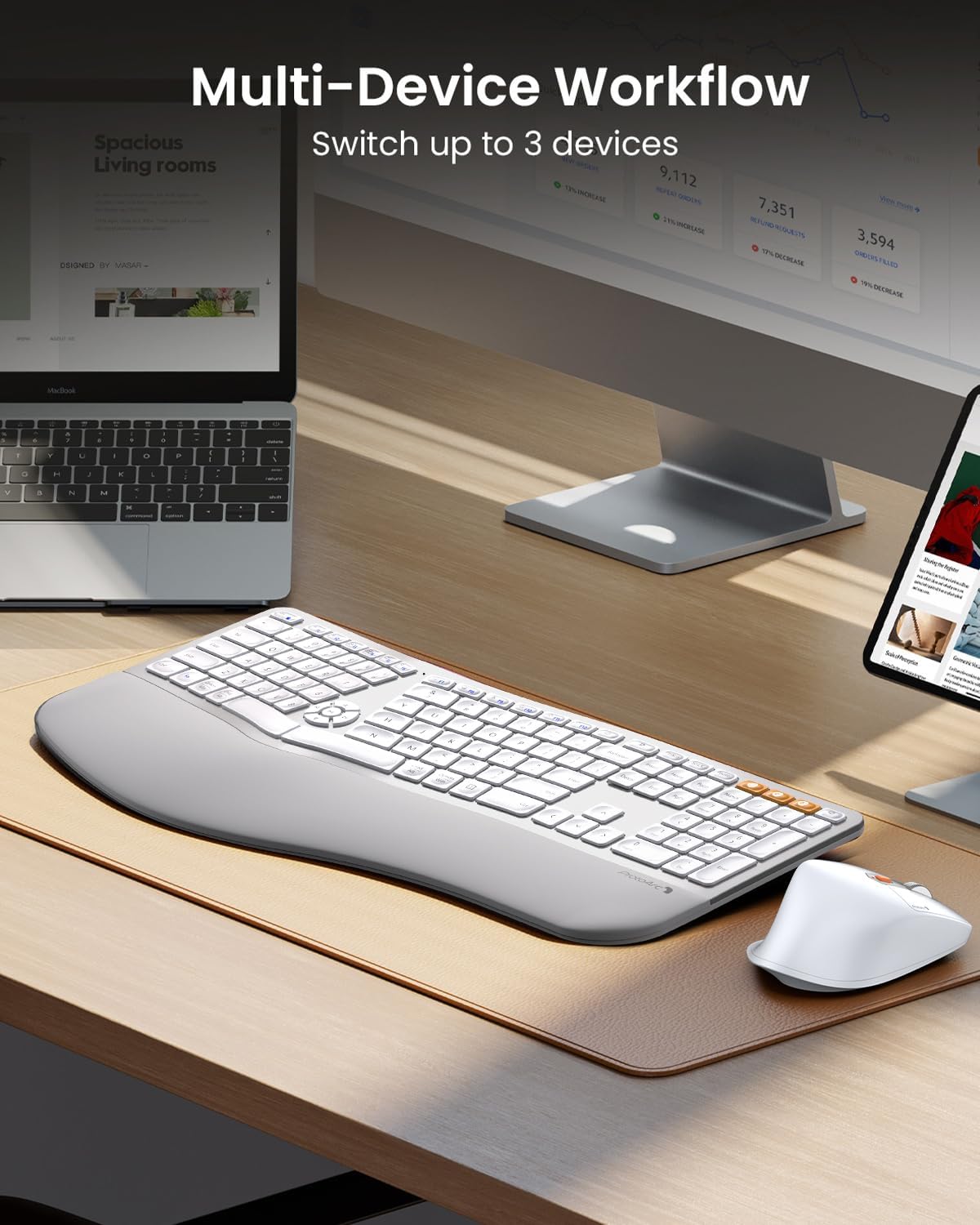
Image 4.2.1: Multi-device workflow setup.
5. Arahan Operasi
5.1. Ciri-ciri Papan Kekunci
- Reka Bentuk Berpecah: Reduces wrist strain by allowing a more natural hand position.
- Tempat Letak Pergelangan Tangan Berkusyen: Provides comfort and support for your wrists.
- Kaki Tilt Boleh Laras: Customize the keyboard angle for optimal comfort.
- Kekunci Multimedia: Dedicated keys for media control (play/pause, volume, etc.) are centrally located.
- Keserasian: Compatible with Windows 7/8/10, Mac OS X 10.12 or higher, and Android 4.3 or higher.

Image 5.1.1: Key switch mechanism for quiet typing.
5.2. Ciri-ciri Tetikus
- Bentuk Ukiran Ergonomik: Designed for palm and thumb rest, reducing wrist strain.
- DPI boleh laras: 2000 DPI for precise cursor control.
- Butang Maju/Mundur: Mudah untuk web navigasi halaman.

Image 5.2.1: Mouse DPI settings indicator.

Image 5.2.2: Mouse side buttons for enhanced functionality.
5.3. Penukaran Berbilang Peranti
To switch between connected devices, simply press the corresponding channel button (e.g., B1, B2 for Bluetooth, or the 2.4G indicator) on the keyboard or the mode switch button on the mouse. The devices will seamlessly transition to the selected connection.
6. Penyelenggaraan
- Pembersihan: Gunakan yang lembut, damp cloth to clean the surfaces of the keyboard and mouse. Avoid harsh chemicals.
- Penutup habuk: Utilize the included dust cover to protect the keyboard from dust and spills when not in use.
- mengecas: Recharge the devices when the low battery indicator appears to ensure uninterrupted use.
- Storan: Store the USB receiver in its designated slot on the keyboard's back when not in use to prevent loss.
7. Penyelesaian masalah
| Isu | Penyelesaian yang Mungkin |
|---|---|
| Keyboard/Mouse not connecting via 2.4G USB receiver | Ensure the USB receiver is securely plugged into a working USB port. Turn the keyboard/mouse off and on again. Try a different USB port. |
| Papan Kekunci/Tetikus tidak bersambung melalui Bluetooth | Ensure Bluetooth is enabled on your device. Press and hold the Bluetooth channel button (B1/B2 on keyboard, mode switch on mouse) for 3 seconds to enter pairing mode. Re-pair the device in your computer's Bluetooth settings. Ensure the device is within range. |
| Tindak balas lewat atau tertangguh | Check battery levels and recharge if necessary. Ensure no strong interference sources (e.g., other wireless devices) are nearby. Move the receiver closer to the devices if using 2.4G. |
| Kunci tidak bertindak balas | Check if the keyboard is powered on and connected. Recharge the keyboard. Clean under the affected keys if debris is suspected. |
| Kursor tetikus tidak menentu atau tidak bergerak | Check if the mouse is powered on and connected. Recharge the mouse. Clean the optical sensor on the bottom of the mouse. Ensure you are using the mouse on a suitable surface. |
8. Spesifikasi
- model: EKM01 Plus
- Jenama: ProtoArc
- Teknologi Ketersambungan: Bluetooth, USB (2.4G Wireless)
- Ciri Khas: Ergonomic, Rechargeable, Wrist Rest, Split Design, Multi-Device
- Peranti Serasi: Laptop, Personal Computer (Windows 7/8/10, Mac OS X 10.12+, Android 4.3+)
- Keyboard Battery Capacity: Bateri Litium 500mAh
- Kapasiti Bateri Tetikus: Bateri Litium 500mAh
- DPI tetikus: Sehingga 2000 DPI
- Berat Barang: 4.24 pounds (approximate for combo)
- Dimensi Pakej: 20.7 x 12.8 x 2.6 inci
9. Waranti dan Sokongan
The ProtoArc EKM01 Plus Ergonomic Wireless Keyboard and Mouse Combo comes with a Waranti 2 tahun. For customer support, please refer to the contact information provided on your warranty card or visit the official ProtoArc webtapak.
Contact information for support is typically available via phone number and email address on the warranty card.