1. Pengenalan
Thank you for choosing the Oraolo BS02 Portable Bluetooth Speaker. This manual provides essential information for setting up, operating, and maintaining your speaker. Please read it carefully before use to ensure optimal performance and longevity of your device.
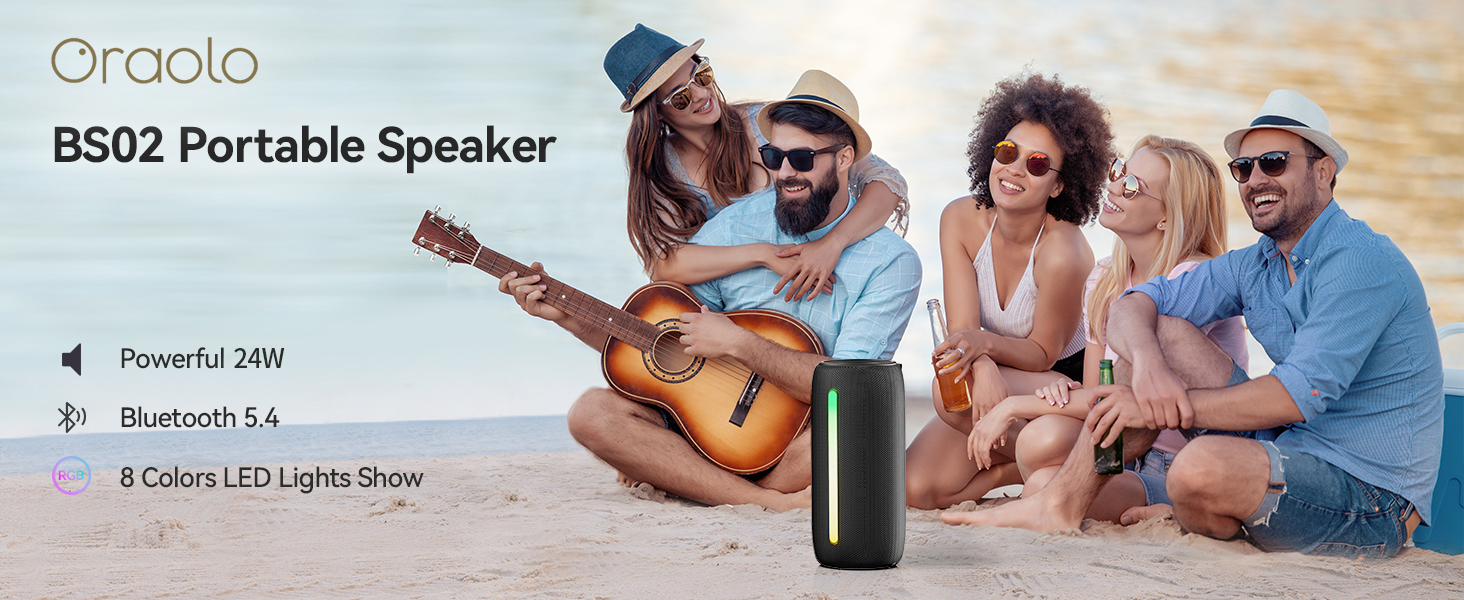
Image: The Oraolo BS02 Portable Speaker in an outdoor setting, highlighting its portability and suitability for gatherings.
2. Kandungan Pakej
Sila semak pakej untuk item berikut:
- 1 x Oraolo BS02 Bluetooth Speaker
- 1 x Kabel Pengecas Jenis-C
- 1 x AUX IN Cable
- 1 x Manual Pengguna (dokumen ini)
3. Produk Lebihview
Biasakan diri anda dengan komponen dan kawalan pembesar suara.
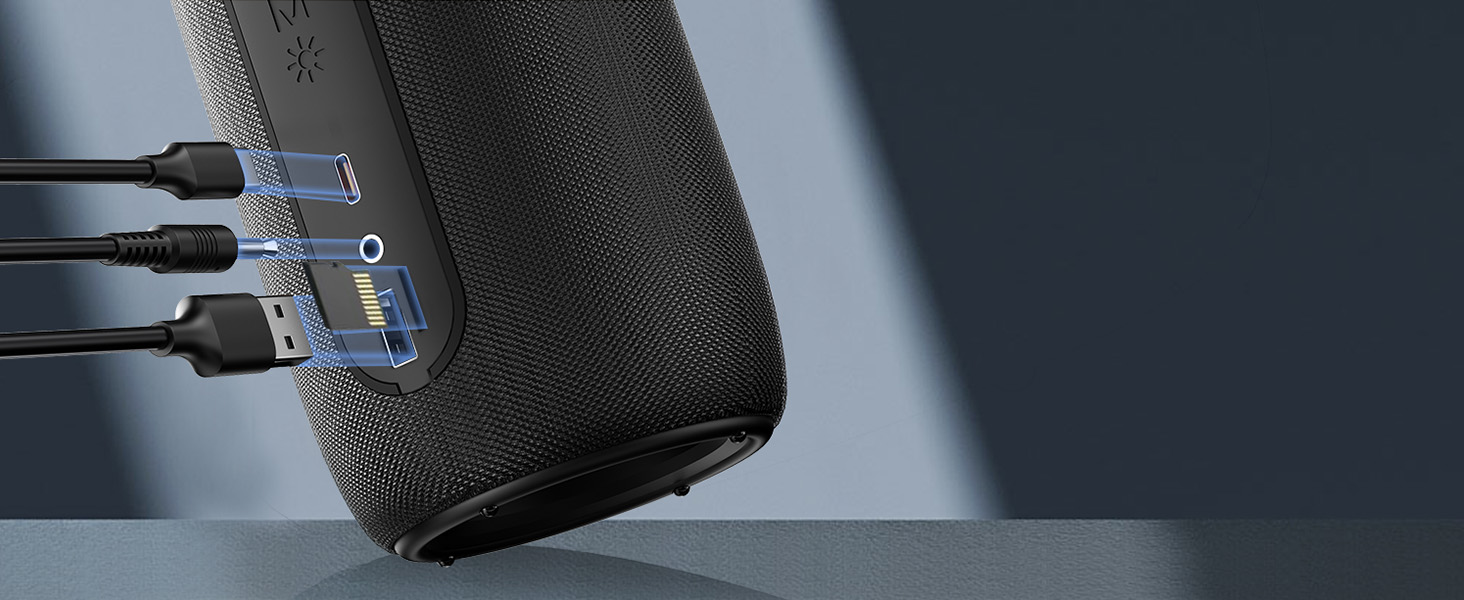
Image: Detailed diagram showing the control buttons and their corresponding functions on the Oraolo BS02 speaker.
3.1. Butang dan Fungsi
| Butang / Petunjuk | Akhbar Ringkas | Tekan Panjang | Twice Press |
|---|---|---|---|
| Butang kuasa (⏸) | Main / Jeda | HIDUP / MATI | Phone Call Option |
| Naikkan Kelantangan (+) | Kelantangan Naik | Trek Seterusnya | T/A |
| Kelantangan Rendah (-) | Kelantangan Kurang | Trek Sebelumnya | T/A |
| Butang Cahaya (☀) | Perubahan Cahaya | Lampu ON / OFF | T/A |
| Butang Mod (M) | Mod Input | Mod Bluetooth | Pasangan TWS |
3.2. Pelabuhan

Imej: A terperinci view of the speaker's connectivity ports, including Type-C for charging, AUX-in, TF Card slot, and USB port.
- Pelabuhan Jenis-C: Untuk mengecas pembesar suara.
- Port AUX-masuk: Untuk menyambungkan peranti audio luaran melalui kabel audio 3.5mm.
- Slot Kad TF: Untuk memainkan muzik terus daripada kad TF (MicroSD).
- Port USB: For connecting USB storage devices to play music.
4. Persediaan dan Sambungan
4.1. Mengisi Speaker
Before first use, fully charge the speaker. Connect the provided Type-C charging cable to the speaker's Type-C port and the other end to a USB power adapter (not included) or a computer's USB port. The charging indicator light will show charging status and turn off when fully charged. A full charge takes approximately 2 hours.
Image: The speaker connected via its Type-C port for charging, illustrating the charging process.
4.2. Berpasangan Bluetooth
- Hidupkan kuasa: Tekan lama butang Kuasa (⏸) to turn on the speaker. It will automatically enter Bluetooth pairing mode, indicated by a flashing blue light.
- Dayakan Bluetooth: Pada peranti anda (telefon pintar, tablet, komputer), dayakan Bluetooth.
- Pilih Penceramah: Cari untuk "Oraolo BS02" in the Bluetooth device list and select it to connect.
- Pengesahan Sambungan: Once connected, the speaker will emit a confirmation tone, and the blue light will stop flashing and remain solid.
Pembesar suara akan menyambung semula secara automatik ke peranti pasangan terakhir apabila dihidupkan, jika peranti berada dalam julat dan Bluetooth didayakan.
4.3. Gandingan True Wireless Stereo (TWS).
You can pair two Oraolo BS02 speakers together for a powerful 48W 360° surround sound experience.
- Power On Both Speakers: Turn on both Oraolo BS02 speakers. Ensure they are not connected to any other Bluetooth devices.
- Initiate TWS Pairing: On one of the speakers (this will be the primary speaker), double press the Mode button (M). The speaker will enter TWS pairing mode.
- Sambungan Automatik: The two speakers will automatically search for and connect to each other. A confirmation tone will sound once TWS pairing is successful.
- Sambung ke Peranti: Now, connect your device to the primary speaker via Bluetooth as described in section 4.2. Both speakers will play audio simultaneously.

Image: Illustration of two Oraolo BS02 speakers connected via TWS, demonstrating the enhanced 48W stereo sound.
To disconnect TWS, double press the Mode button (M) on either speaker again.
4.4. Mod AUX-masuk
Connect an external audio device (e.g., MP3 player, computer) to the speaker using the provided 3.5mm AUX IN cable. The speaker will automatically switch to AUX-in mode. Use your connected device to control playback.
4.5. TF Card / USB Mode
Insert a TF (MicroSD) card or a USB flash drive into the respective port. The speaker will automatically detect the storage device and begin playing audio files. Use the speaker's controls to manage playback.
5. Arahan Operasi
5.1. Main balik Muzik
- Main/Jeda: Tekan sebentar butang Kuasa (⏸).
- Kelantangan: Tekan sebentar butang Naikkan Kelantangan (+).
- Perlahankan suara: Tekan sebentar butang Kelantangan Turun (-).
- Lagu Seterusnya: Tekan lama butang Naikkan Kelantangan (+).
- Trek Sebelumnya: Tekan lama butang Kelantangan Turun (-).
5.2. Panggilan Bebas Tangan
- Jawab/Tamatkan Panggilan: Double press the Power button (⏸).
- Tolak Panggilan: Tekan lama butang Kuasa (⏸) during an incoming call.
5.3. Mod Pencahayaan RGB
The speaker features dynamic RGB lighting effects. You can change the lighting mode or turn the lights off.

Image: Visual representation of the different RGB lighting modes available on the speaker, including static colors and dynamic effects.
- Tukar Mod Cahaya: Short press the Light button (☀) to cycle through available modes (Solid Color, Breath Gradient, Lights Blink).
- HIDUPKAN/MATIKAN Lampu: Long press the Light button (☀).
Note: Turning off the RGB lights can extend battery playtime significantly.
6. Penyelenggaraan dan Penjagaan
- Pembersihan: Lap pembesar suara dengan lembut, damp kain. Jangan gunakan bahan kimia yang keras atau pembersih yang kasar.
- Tahan Air: The speaker is IPX6 waterproof, meaning it can withstand powerful water jets. Do not submerge the speaker in water. Ensure the charging port cover is securely closed before exposure to water.
- Storan: Simpan pembesar suara di tempat yang sejuk dan kering jauh dari cahaya matahari langsung dan suhu yang melampau.
- Bateri: Untuk mengekalkan hayat bateri, cas pembesar suara sekurang-kurangnya sekali setiap tiga bulan jika tidak digunakan dengan kerap.

Image: The speaker being splashed with water, illustrating its IPX6 waterproof capability for outdoor use.
7. Penyelesaian masalah
| Masalah | Kemungkinan Punca | Penyelesaian |
|---|---|---|
| Speaker tidak dihidupkan. | Bateri lemah. | Cas pembesar suara sepenuhnya. |
| Tidak boleh berpasangan dengan peranti Bluetooth. | Speaker not in pairing mode; Device Bluetooth off; Too far from speaker; Previously connected to another device. | Ensure speaker is in pairing mode (flashing blue light). Turn Bluetooth on/off on your device. Move device closer to speaker. Disconnect from other devices. |
| Tiada bunyi. | Kelantangan terlalu rendah; Mod input salah; Peranti tidak dimainkan. | Increase speaker and device volume. Press 'M' button to cycle through input modes. Ensure audio is playing on your device. |
| Gandingan TWS gagal. | Pembesar suara terlalu jauh; Satu pembesar suara sudah disambungkan ke peranti. | Ensure both speakers are close to each other. Disconnect both speakers from any Bluetooth devices before initiating TWS pairing. |
| Hayat bateri pendek. | RGB lights are on; High volume level. | Turn off RGB lights by long pressing the Light button. Reduce volume level. |
8. Spesifikasi
| Ciri | Perincian |
|---|---|
| Nama Model | Oraolo BS02 |
| Kuasa Keluaran | 24W (Single Speaker), 48W (TWS Paired) |
| Versi Bluetooth | 5.4 |
| Penilaian Kalis Air | IPX6 |
| Masa bermain | Up to 10 hours (at 50% volume, lights off) |
| Masa Mengecas | lebih kurang 2 jam |
| Port Pengecasan | Jenis-C |
| Input Audio | Bluetooth, AUX-in, TF Card, USB |
| Dimensi (L x W x H) | 10D x 5W x 20H Sentimeter |
| Berat badan | 0.45 Kilogram |
| bahan | plastik |
9. Waranti dan Sokongan
The Oraolo BS02 Portable Bluetooth Speaker comes with a limited warranty. Please refer to the warranty card included in your package for specific terms and conditions. For technical support, troubleshooting assistance, or warranty claims, please contact Oraolo customer service through the retailer where you purchased the product or visit the official Oraolo webtapak.
Pengeluar: Oraolo
Tempat Perniagaan: US


