1. Pengenalan
This user manual provides detailed instructions for the safe and efficient operation, maintenance, and troubleshooting of your FOHERE 4.8-gallon/18-liter Cool Mist Tower Humidifier. Please read this manual thoroughly before first use and retain it for future reference.
The FOHERE humidifier is designed to provide efficient and uniform humidification for large spaces up to 1500 square feet, including homes, offices, and greenhouses. It features a large capacity, smart humidity control, and user-friendly design for optimal comfort.
2. Arahan Keselamatan Penting
AMARAN: Untuk mengurangkan risiko kebakaran, kejutan elektrik atau kecederaan, sentiasa patuhi langkah berjaga-jaga keselamatan asas semasa menggunakan perkakas ini.
- Sentiasa letakkan pelembap pada permukaan yang rata, rata dan rata.
- Jangan kendalikan pelembap tanpa air di dalam tangki.
- Jauhkan kord kuasa daripada permukaan yang dipanaskan.
- Do not block air vents or mist outlet.
- Unplug the unit before filling, cleaning, or moving.
- Jangan rendam unit ke dalam air atau cecair lain.
- Use only clean, cool tap water. Distilled water is recommended to minimize white dust.
- Jauhkan daripada kanak-kanak dan haiwan peliharaan.
3. Produk Lebihview
Familiarize yourself with the components of your FOHERE Humidifier.

Rajah 3.1: Depan view of the FOHERE Humidifier, showing the control panel and water level indicator.
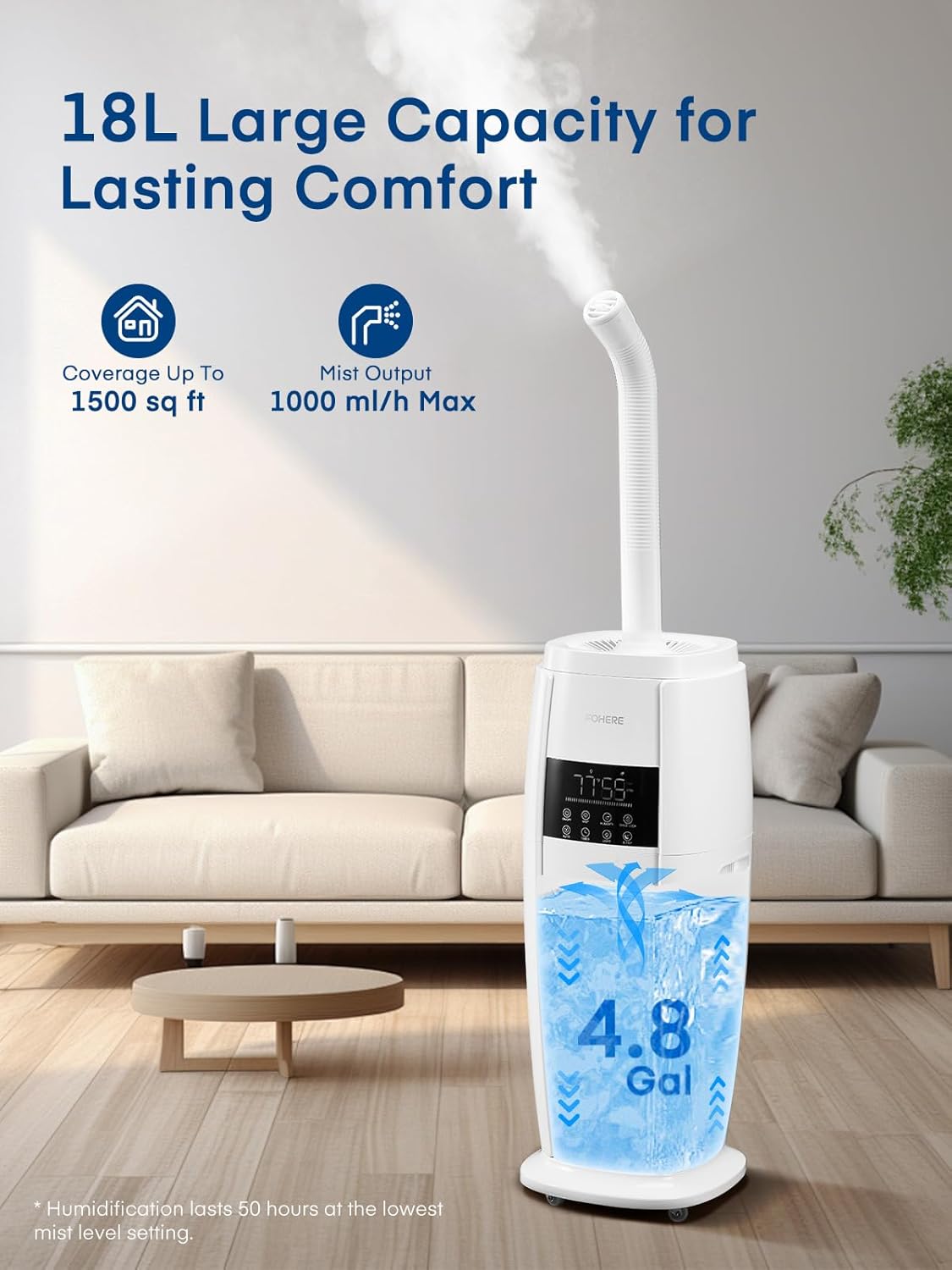
Rajah 3.2: The humidifier highlighting its 18L (4.8 Gallon) large capacity and coverage up to 1500 sq ft.

Rajah 3.3: Demonstrates the top-fill design, built-in portable handle, and swivel casters for easy movement.
Kandungan Pakej:
- 1 x FOHERE Humidifier (Model: HQ-JS2420)
- 1 x Alat Kawalan Jauh
- 1 x Berus Pembersih
- 1 x Manual Pengguna
- 1 x Panduan Mula Pantas
4. Persediaan
4.1 Membongkar
- Carefully remove all packaging materials and the humidifier from the box.
- Ensure all components listed in the "Package Contents" section are present and undamaged.
- Place the humidifier on a flat, stable, water-resistant surface at least 6 inches (15 cm) away from walls and furniture.
4.2 Mengisi Tangki Air
The FOHERE humidifier features an easy top-fill design.
- Ensure the humidifier is unplugged from the power outlet.
- Tanggalkan penutup atas pelembap.
- Pour clean, cool tap water directly into the water tank through the top opening. Distilled or demineralized water is recommended to prevent mineral buildup and white dust.
- Fill the tank up to the MAX fill line. Do not overfill.
- Gantikan penutup atas dengan selamat.
Rajah 4.1: Illustration of the top-fill method for adding water to the humidifier.
4.3 Sambungan Kuasa
Palamkan kord kuasa ke soket elektrik 120V AC standard.
5. Arahan Operasi
5.1 Panel Kawalan dan Alat Kawalan Jauh
The humidifier can be operated using the touch control panel on the unit or the included remote control.
Rajah 5.1: Close-up of the digital control panel and touch buttons.
5.2 Operasi Asas
- Hidupkan/Mati Kuasa: Tekan ke HIDUP/MATI butang untuk menghidupkan atau mematikan unit.
- Pelarasan Tahap Kabus: Tekan ke KABUB button repeatedly to cycle through 5 mist output levels (1st to 5th gear). The display will show the current mist level.
- Tetapan Kelembapan: Tekan ke KELEMBAPAN button to set your desired humidity level from 30% to 95% in 5% increments. The unit will automatically maintain this level.
- Mod Auto: Tekan ke AUTO button to activate Auto Mode. The humidifier will automatically adjust mist output to maintain optimal humidity based on the environment. This mode is ideal for plant care.
- Mod tidur: Tekan ke TIDUR button to enter Sleep Mode. The display lights will turn off, and the unit will operate quietly for undisturbed sleep.
- Fungsi Pemasa: Tekan ke PEMASA button to set an auto-off timer from 1 to 24 hours.
- Kawalan Cahaya: Tekan ke CAHAYA button to turn the blue indicator light on or off.
- Kunci Kanak-kanak: Tekan dan tahan butang KUNCI KANAK-KANAK button for 3 seconds to activate or deactivate the child lock function, preventing accidental changes to settings.
5.3 360° Rotating Nozzle
The humidifier features a 360° rotating nozzle on top. Adjust the direction of the mist output as needed to target specific areas or ensure even distribution.
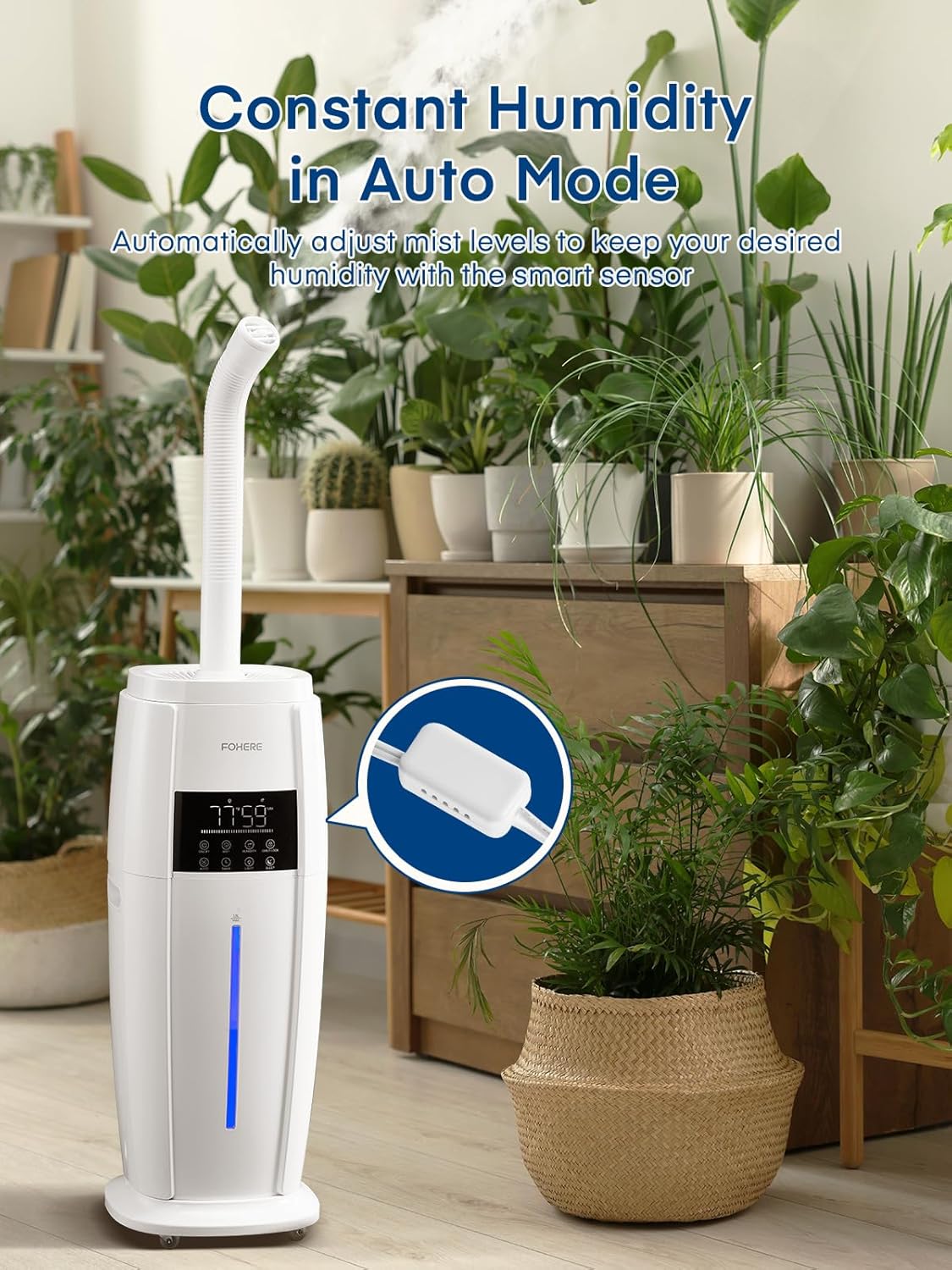
Rajah 5.2: The humidifier with its adjustable 360° rotating nozzle, allowing for directional mist output.
5.4 Aroma Pad Tray
The humidifier includes an aroma pad tray for essential oils. Add a few drops of your favorite essential oil to the aroma pad (located in a small tray near the base or side of the unit, refer to quick start guide for exact location) to diffuse fragrance into the air. Do not add essential oils directly into the water tank.
6. Penyelenggaraan
Pembersihan berkala adalah penting untuk prestasi dan kebersihan yang optimum.
6.1 Penyelenggaraan Harian
- Cabut plag pelembap.
- Kosongkan sebarang baki air dari tangki dan tapak.
- Lap tangki dan tapaknya sehingga kering dengan kain bersih.
- Isi semula dengan air bersih sebelum setiap penggunaan.
6.2 Weekly Cleaning (Mineral Buildup)
To remove mineral deposits (white dust):
- Cabut plag unit dan kosongkan semua air.
- Tuangkan 2-4 sudu besar cuka putih ke dalam tangki air dan tapaknya.
- Biarkan ia terendam selama 20-30 minit.
- Use the provided cleaning brush to gently scrub any mineral buildup from the nebulizer and water tank.
- Rinse the tank and base thoroughly with clean water until the smell of vinegar is gone.
- Keringkan semua bahagian sepenuhnya sebelum dipasang semula.
6.3 Penyimpanan
When storing the humidifier for an extended period:
- Clean and dry all parts thoroughly as per weekly cleaning instructions.
- Simpan unit di tempat yang sejuk dan kering, jauh dari cahaya matahari langsung.
- Do not store with water inside the tank or base.
7. Penyelesaian masalah
| Masalah | Kemungkinan Punca | Penyelesaian |
|---|---|---|
| Tiada kabus atau output kabus yang rendah |
|
|
| Debu putih di sekeliling unit | Air keras yang digunakan | Use distilled or demineralized water. Clean unit regularly. |
| Bau yang luar biasa | Stagair kotor atau tangki kotor | Empty and clean the water tank and base thoroughly. |
| Unit tidak dihidupkan |
|
|
8. Spesifikasi
| Jenama | FOHERE |
| Nama Model | humidifier (HQ-JS2420) |
| Kapasiti | 4.8 Gelen / 18 Liter |
| Kawasan Liputan | Sehingga 1500 kaki persegi |
| Keluaran Kabus | Up to 1000 ml/h (Max) |
| Mod Operasi | Ultrasonik Cool Mist |
| Voltage | 120 Volt |
| Wattage | 100 Watt-jam |
| Kaedah Kawalan | Jauh, Sentuh |
| Dimensi Produk | 10.63"D x 10.63"W x 28.15"H |
| Berat Barang | 12.82 paun |
9. Waranti dan Sokongan
For warranty information, technical support, or customer service inquiries, please refer to the contact information provided in your Quick Start Guide or visit the official FOHERE webtapak.
Please have your model number (HQ-JS2420) and purchase date available when contacting support.


