1. Pengenalan
The Carlinkit CPC200-Tbox S2C is a versatile wireless adapter designed to enhance your in-car entertainment and connectivity. It converts your vehicle's existing wired CarPlay or Android Auto system into a wireless experience, while also providing access to a full Android 13.0 operating system directly on your car's touchscreen. This allows for streaming popular multimedia apps like Netflix, YouTube, and TikTok, downloading additional applications from the Google Play Store, and utilizing advanced navigation features.
2. Apa yang ada di dalam Kotak
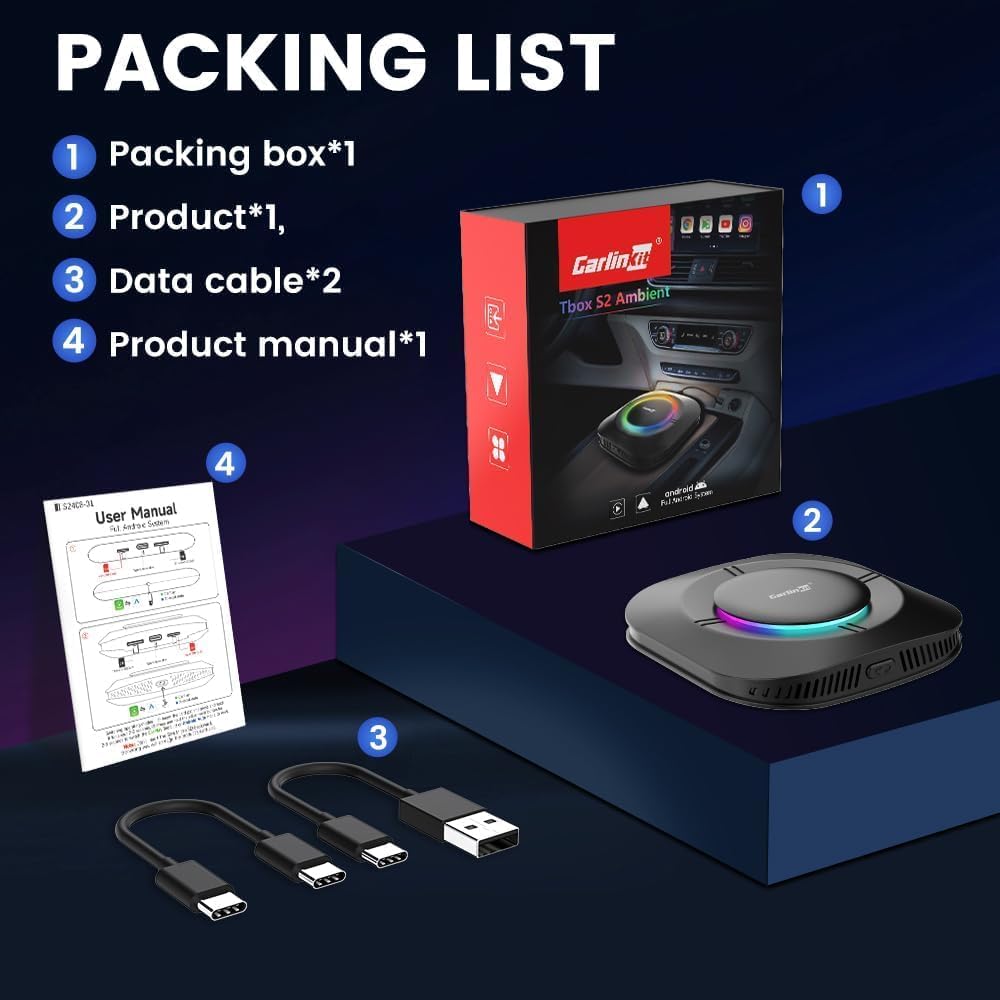
Upon unboxing your Carlinkit CPC200-Tbox S2C, you should find the following items:
- 1 x Kotak Pembungkusan
- 1 x Carlinkit CPC200-Tbox S2C Device
- 2 x Data Cables (USB-A to USB-C, USB-C to USB-C)
- 1 x Manual Produk (dokumen ini)
3. Produk Lebihview & Spesifikasi
The Carlinkit CPC200-Tbox S2C is engineered for seamless integration and powerful performance, transforming your car's infotainment system.
Ciri-ciri Utama:
- Kesambungan Tanpa Wayar: Menukar CarPlay berwayar dan Android Auto kepada wayarles.
- Sistem Android 13.0: Full Android operating system for app installation.
- Multimedia Streaming: Pre-installed apps for Netflix, YouTube, TikTok, and more.
- Sokongan Pembantu Suara: Compatible with Siri and Google Assistant.
- Navigasi Lanjutan: Integrated GPS+Glonass for precise positioning.
- FOTA Updates: Supports Firmware Over-The-Air updates for continuous improvement.
Spesifikasi Teknikal:
| Spesifikasi | Perincian |
|---|---|
| Nombor Model | CPC200-Tbox |
| Pemproses | Qualcomm SM6115 Empat teras |
| Ingatan | 4GB RAM + 64GB Storan |
| Sistem Operasi | Android 13.0 |
| Piawaian Tanpa Wayar | 2.4 GHz & 5.8 GHz Radio Frequency, 802.11a/b/g/n/ac, Bluetooth |
| Ketersambungan | Plug and Play, Wired to Wireless |
| Dimensi Produk | 3.23 x 3.23 x 0.75 inci (82 x 82 x 19mm) |
| Berat Barang | 2.54 auns (72 Gram) |


4. Keserasian
To ensure proper functionality, please verify your vehicle and phone meet the following requirements:
- Kereta Serasi: Your car must have factory-installed wired CarPlay or wired Android Auto. It must also feature a touchscreen display. Note: BMW and Tesla series vehicles are not supported.
- Telefon Serasi: For CarPlay, an iPhone 6 or above with iOS 10.0 or above is required. For Android Auto, an Android phone with Android 11.0 or above is required.
5. Panduan Persediaan
Follow these steps to set up your Carlinkit CPC200-Tbox S2C:
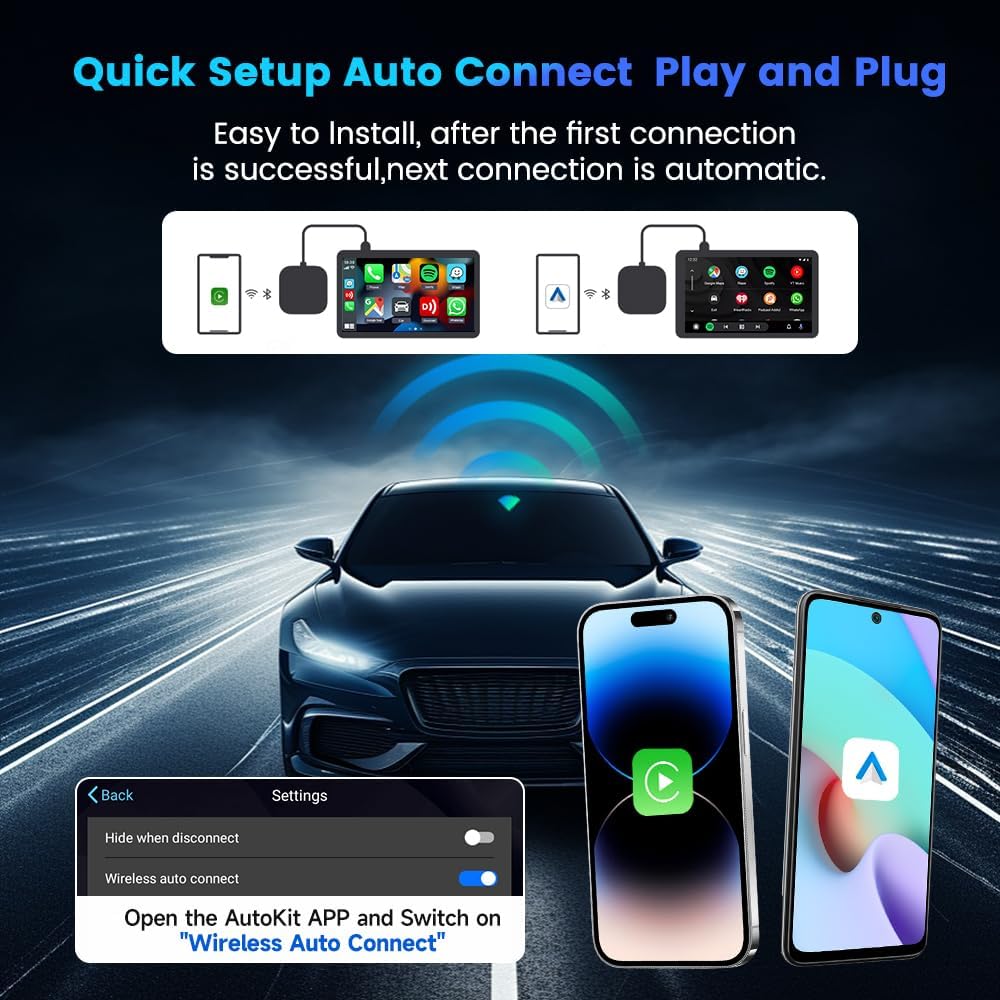
- Sambungkan Peranti: Plug the Carlinkit CPC200-Tbox S2C into your car's USB port (the one used for wired CarPlay/Android Auto) using one of the provided data cables. The device will power on and display a light indicator.
- Gandingan Awal: On your car's infotainment screen, navigate to the CarPlay or Android Auto interface. The device should automatically connect. If prompted, follow the on-screen instructions to pair via Bluetooth and Wi-Fi. Ensure your phone's Bluetooth and Wi-Fi are enabled.
- Sambungan Automatik: After the first successful connection, the device will automatically connect to your phone each time you start the car.
Persediaan Video:
Video 1: This video provides a detailed introduction to the Carlinkit AI Box, demonstrating its features and initial setup process.
6. Arahan Operasi
6.1. CarPlay Wayarles & Android Auto
Once connected, your car's display will show the Android 13.0 interface. You can switch between the Android system, Wireless CarPlay, and Wireless Android Auto modes as needed. The device supports both Apple CarPlay (for iOS 10 and above) and Android Auto (for Android 10.0 and above mobile phones).

6.2. Multimedia Streaming
The Carlinkit CPC200-Tbox S2C comes pre-installed with popular streaming applications, allowing you to enjoy your favorite content directly on your car's screen. Ensure you have an active internet connection (see section 6.5).
- Netflix: Stream movies and TV shows.
- YouTube: Watch videos and listen to music.
- TikTok: Browse short-form video content.

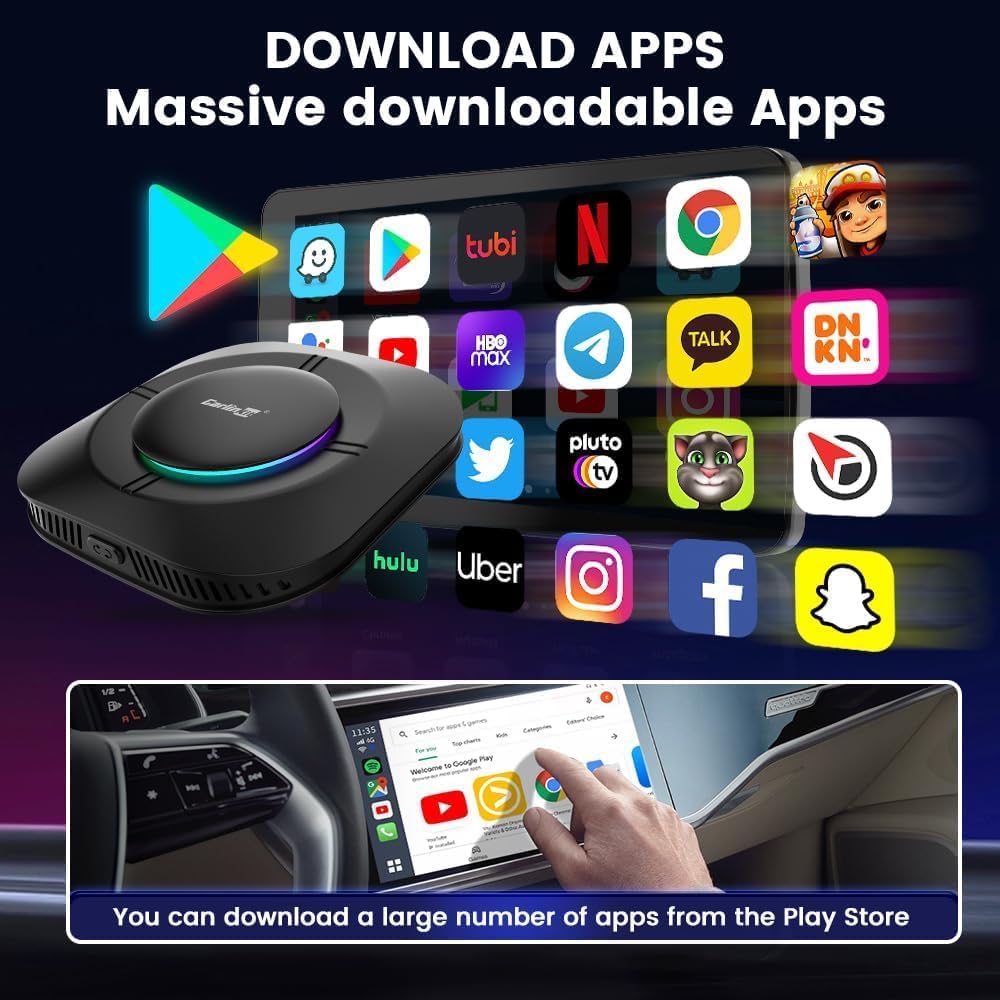
6.3. Muat Turun Apl
With the integrated Android 13.0 system, you can download a wide variety of applications from the Google Play Store, just like on a tablet or smartphone. This expands your car's functionality beyond standard CarPlay/Android Auto features.
6.4. Navigasi
The device features precise GPS+Glonass navigation capabilities. You can use pre-installed navigation apps or download your preferred ones from the Google Play Store for accurate real-time directions.
6.5. Kawalan Suara
Utilize voice commands for hands-free operation. The device supports both Siri (for CarPlay) and Google Assistant (for Android Auto and the Android system), allowing you to control navigation, music, calls, and more safely while driving.
6.6. Sambungan Rangkaian
The Carlinkit CPC200-Tbox S2C requires an internet connection for streaming and app downloads. You have two primary options:
- Connect to Phone WiFi Hotspot: Enable the personal hotspot feature on your smartphone and connect the Carlinkit device to it via Wi-Fi.
- Masukkan Kad SIM: The device includes a Nano SIM card slot. Insert a compatible 4G/3G/2G Nano SIM card to provide direct internet access to the device.

6.7. Firmware Updates (FOTA)
The device supports Firmware Over-The-Air (FOTA) updates to ensure you always have the latest features and improvements. To update:
- Ensure the product is connected to the car's USB port and the light is burning green.
- On the device interface, click on the "FOTA Update" icon.
- Click "Version" to check for the latest version. If an update is detected, click "Upgrade" and then "OK" to confirm. The device will restart after the update.

7. Penyelenggaraan
To ensure the longevity and optimal performance of your Carlinkit CPC200-Tbox S2C:
- Pastikan peranti bersih dan bebas daripada habuk. Gunakan kain lembut dan kering untuk pembersihan.
- Elakkan daripada mendedahkan peranti kepada suhu yang melampau, cahaya matahari langsung untuk tempoh yang lama, atau lembapan.
- Handle the device and cables with care to prevent physical damage.
8. Penyelesaian masalah
If you encounter any issues with your Carlinkit CPC200-Tbox S2C, try the following basic troubleshooting steps:
- Tiada Sambungan: Ensure the device is securely plugged into the correct USB port. Verify your phone's Bluetooth and Wi-Fi are on and paired correctly.
- Lag or Disconnections: Check your internet connection stability. Ensure the device is not overheating. Try restarting both the device and your car's infotainment system.
- Isu Apl: Ensure the device has a stable internet connection. Try clearing the app's cache or reinstalling the app from the Google Play Store.
- Gangguan Perisian: Perform a FOTA update (see section 6.7) to ensure the latest firmware is installed.
9. Waranti & Sokongan
The Carlinkit CPC200-Tbox S2C comes with a 1-year warranty from the date of purchase. For technical support, warranty claims, or any other inquiries, please refer to the contact information provided in your product packaging or visit the official Carlinkit webtapak.
After-Sales Contact Video:
Video 2: This video from Carlinkit provides methods for after-sales contact and support.
10. Maklumat Keselamatan
Keselamatan anda dan orang lain adalah yang utama. Sila patuhi garis panduan keselamatan berikut:
- Focus on Driving: Always prioritize safe driving. Do not operate the device or engage with multimedia content in a way that distracts you from the road.
- Undang-undang Tempatan: Be aware of and comply with all local laws and regulations regarding the use of in-car entertainment systems while driving.
- Passenger Use: Multimedia streaming features are intended for passenger use only when the vehicle is safely parked.


