pengenalan
This manual provides essential instructions for the safe and effective operation of your BMDSAE A1-P 48MP Digital Camera. Please read this manual thoroughly before using the camera and retain it for future reference.
The BMDSAE A1-P is designed for ease of use, featuring 48MP photo resolution, 1080P video recording, 16X digital zoom, anti-shake functionality, and various creative filters, making it suitable for children and beginners.
Kandungan Pakej
Sahkan bahawa semua item terdapat dalam pakej:
- BMDSAE A1-P Digital Camera
- Kad SD 64GB (prapasang atau berasingan)
- Lithium Batteries (x2)
- Kabel Pengecas USB
- Wrist Strap / Lanyard
- Pouch / Carrying Bag
- Manual Pengguna
- Kain Pembersih

Image: The BMDSAE A1-P digital camera in pink, shown with a 64GB SD card, two batteries, and two lanyards, illustrating the complete package contents.
Persediaan
1. Pemasangan dan Pengecasan Bateri
- Open the battery compartment cover located on the bottom or side of the camera.
- Insert a fully charged lithium battery, ensuring correct polarity as indicated inside the compartment.
- Tutup penutup petak bateri dengan selamat.
- To charge the battery, connect the camera to a USB power source using the provided USB cable. The charging indicator light will illuminate.
- Cas penuh biasanya mengambil masa kira-kira 2-3 jam. Lampu penunjuk akan bertukar atau padam apabila pengecasan selesai.
2. SD Card Formatting
The camera comes with a 64GB SD card. For optimal performance and to ensure compatibility, it is recommended to format the SD card before first use.
- Hidupkan kamera.
- Navigate to the camera's menu settings.
- Locate the "Format" or "Format SD Card" option.
- Sahkan proses pemformatan. Warning: Formatting will erase all data on the SD card.
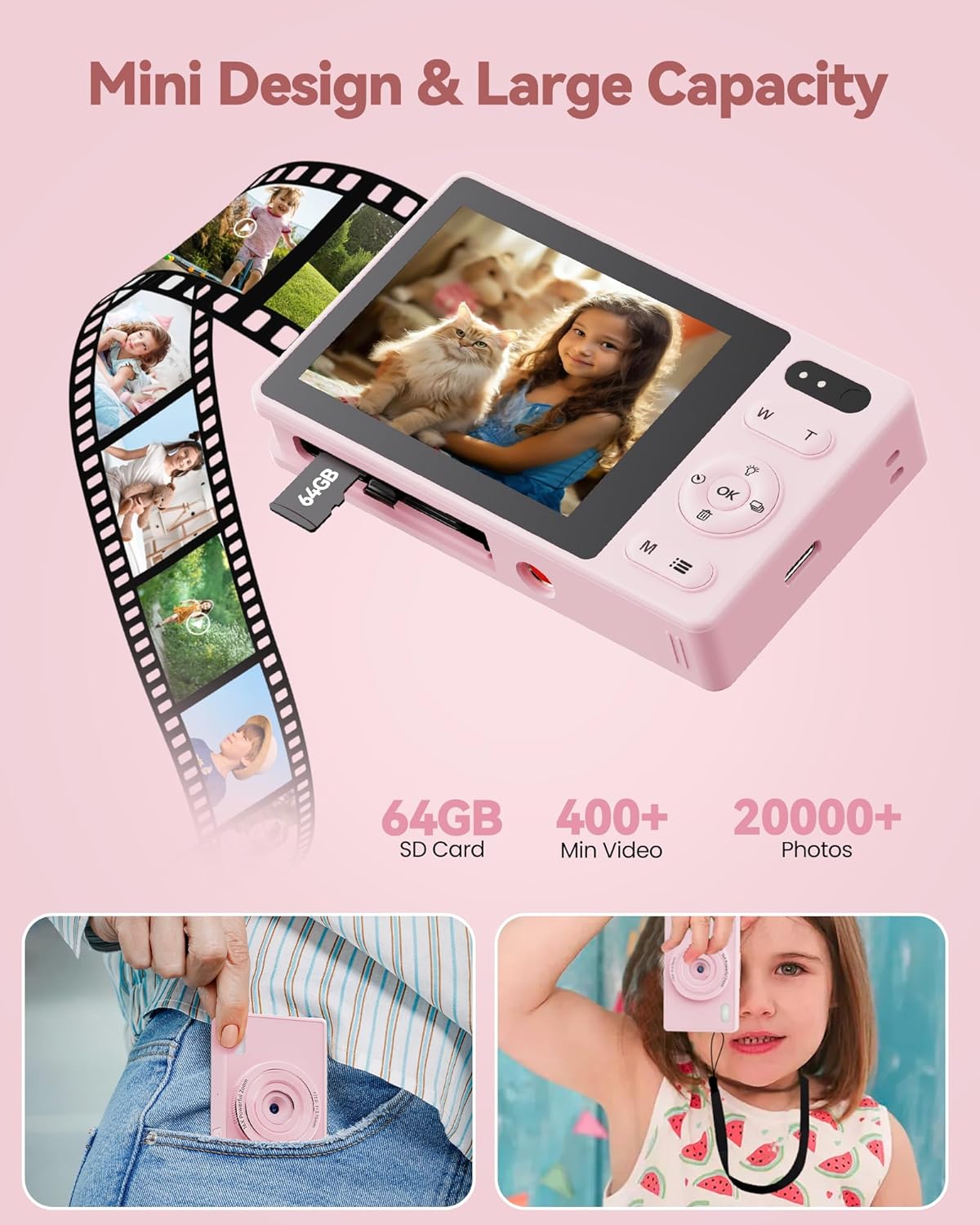
Imej: Dari dekat view of the BMDSAE A1-P digital camera showing a 64GB SD card being inserted into its slot, illustrating the memory card installation process.
Arahan Operasi
1. Hidupkan/Mati Kuasa
Press and hold the Power button (usually marked with an HIDUP/MATI symbol) to turn the camera on or off.
2. Mengambil Foto
- Hidupkan kamera.
- Frame your shot using the 2.4-inch IPS color screen.
- Press the Shutter button (typically located on top of the camera) to capture a photo.
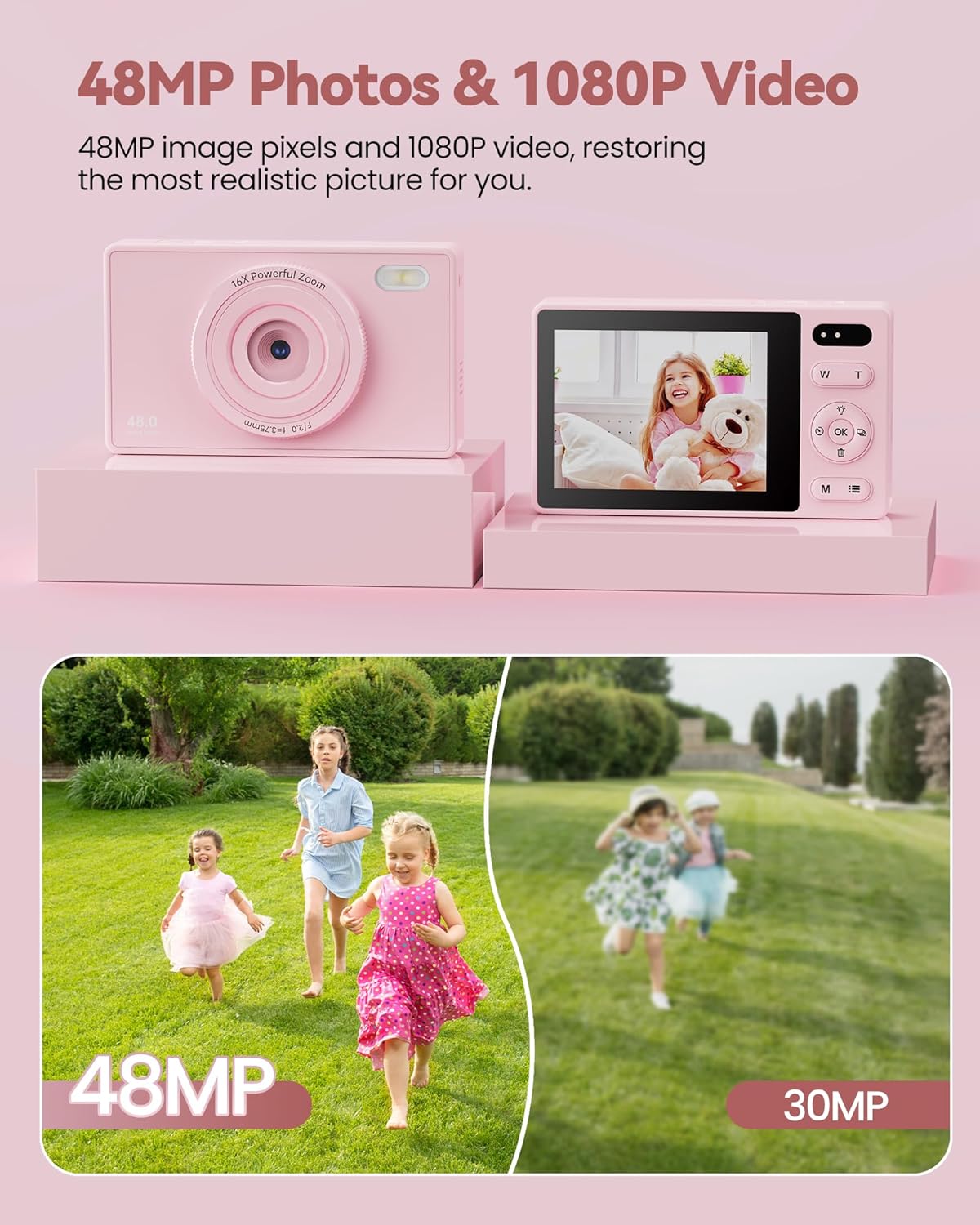
Image: The BMDSAE A1-P digital camera displaying a vibrant image of a child with a teddy bear on its screen, demonstrating its photo capture capability.
3. Merakam Video
- Hidupkan kamera.
- Switch to video mode (refer to the camera's on-screen icons or menu for the video mode option).
- Press the Shutter button to start recording. Press it again to stop recording.
4. Fungsi Zum (Zum Digital 16X)
Gunakan W (Lebar) dan T (Telephoto) buttons, usually located near the shutter, to adjust the digital zoom. Press T untuk mengezum masuk dan W untuk mengezum keluar.
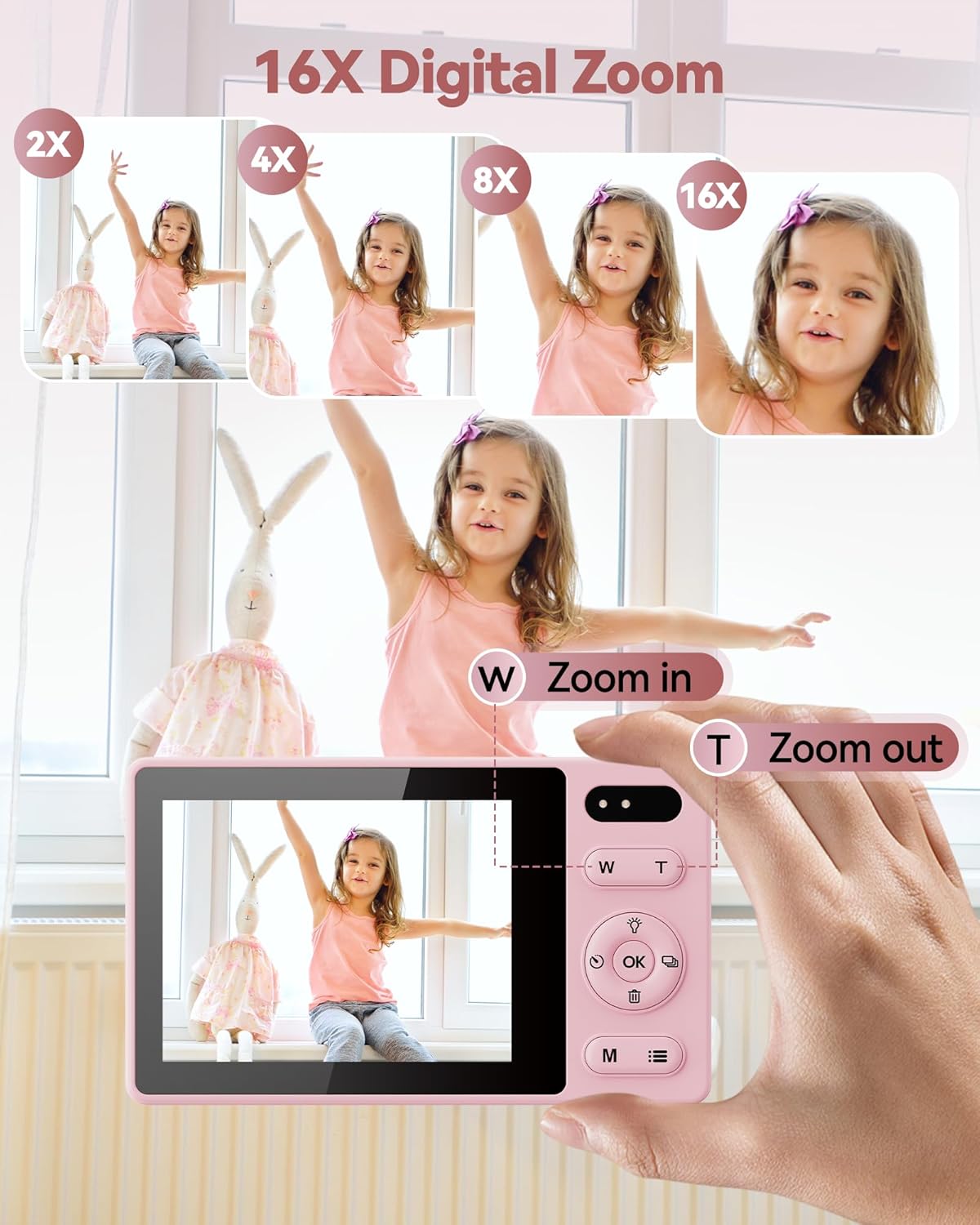
Image: A sequence of images showing a child being zoomed in from 2X to 16X using the BMDSAE A1-P digital camera, highlighting the 16X digital zoom feature.
5. Self-Timer and Continuous Shooting
Access these functions through the camera's menu. The self-timer typically offers 2, 5, or 10-second delays. Continuous shooting allows for multiple photos to be taken in quick succession.
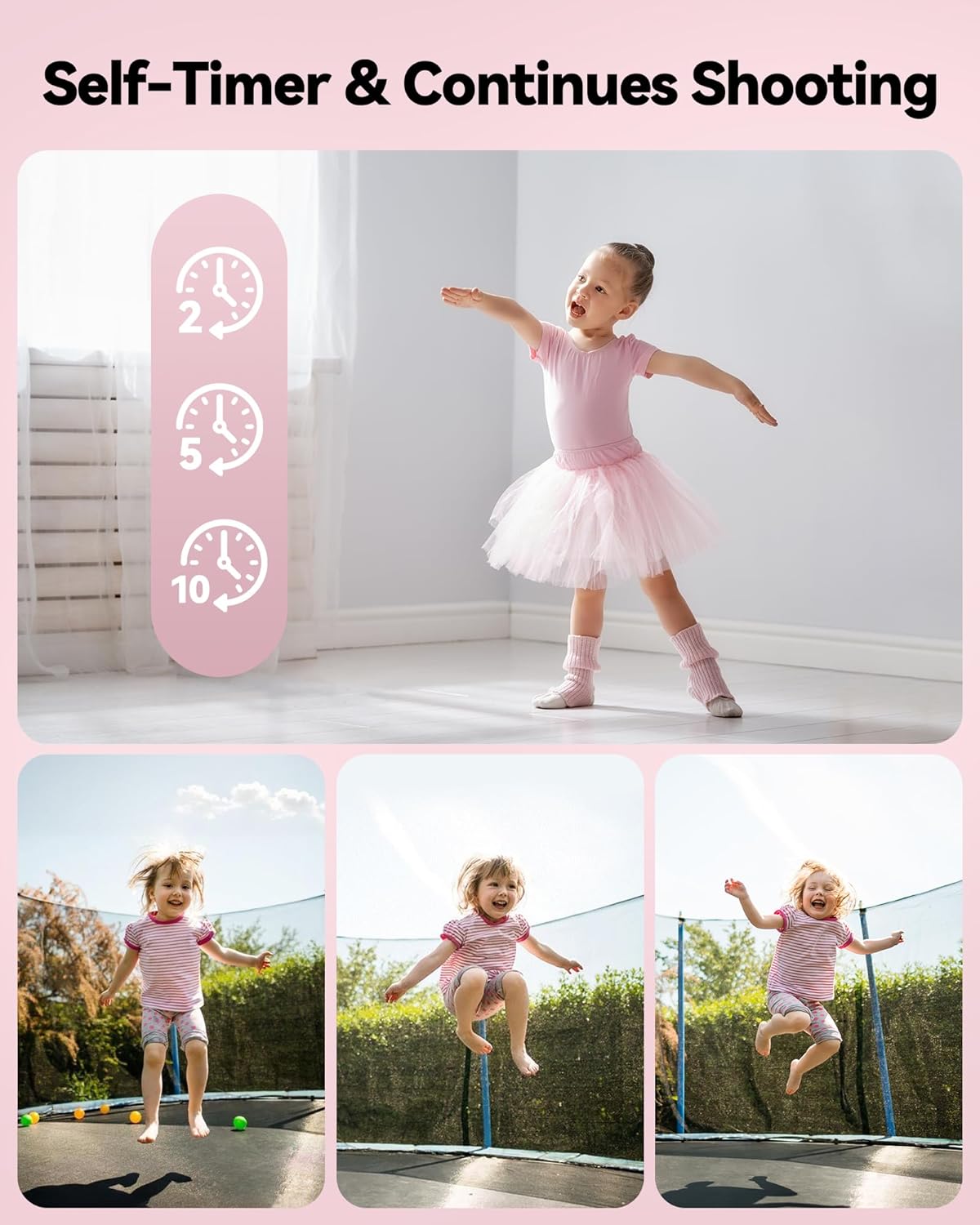
Image: A visual representation of the self-timer function with 2, 5, and 10-second options, and a series of three photos showing a child jumping on a trampoline, illustrating the continuous shooting feature of the BMDSAE A1-P digital camera.
6. Fungsi Anti-Goncang
This feature helps reduce blur caused by camera movement. It can usually be toggled on or off in the camera settings menu.
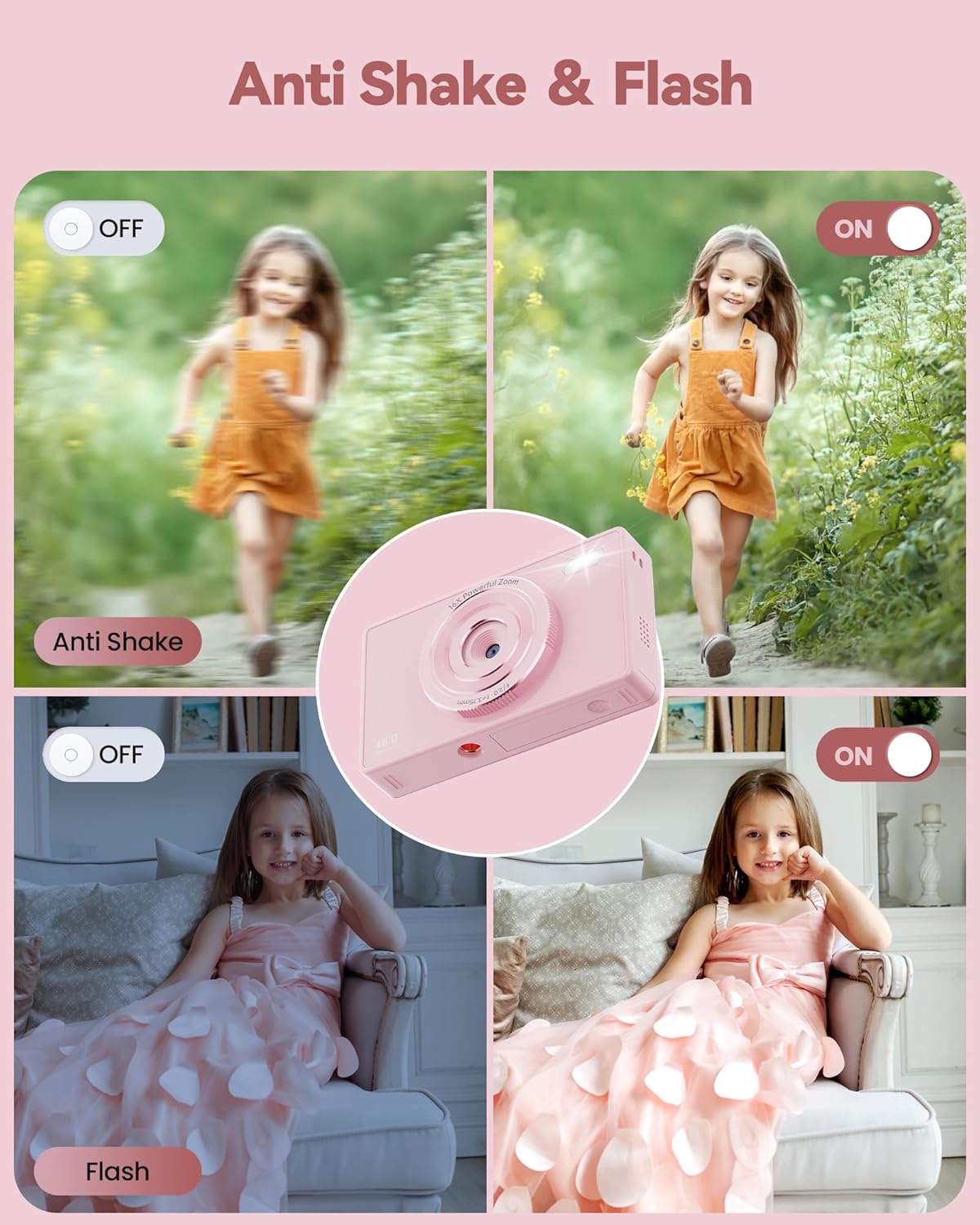
Image: A comparison showing the effect of the anti-shake function (blurry vs. clear image of a running child) and the flash function (dark vs. illuminated image of a child indoors) on the BMDSAE A1-P digital camera.
7. Kawalan Kilat
The built-in flash can be activated for low-light conditions. Look for a flash icon in the menu or a dedicated button to cycle through flash modes (Auto, On, Off).
8. Filters and Effects
The camera includes various filters (e.g., Black/White, Warm, Cold) to add creative effects to your photos. These can be selected from the camera's menu before taking a picture.

Image: A child holding a kitten, shown with four different filter effects: Normal, Black/White, Warm Filter, and Cold Filter, demonstrating the creative options of the BMDSAE A1-P digital camera.
9. Connecting to a Computer (Webcam Function)
Connect the camera to a computer using the USB cable. The camera can function as a webcam for live broadcasting on social media platforms. Select the "Webcam" option on the camera screen if prompted.
Penyelenggaraan
- Pembersihan: Use the provided cleaning cloth to gently wipe the camera body and screen. Do not use liquid cleaners or abrasive materials.
- Storan: When not in use for extended periods, remove the battery and store the camera in a dry, cool place, away from direct sunlight and extreme temperatures.
- Penjagaan Bateri: Recharge batteries regularly, even if not in frequent use, to maintain their lifespan. Avoid fully discharging batteries.
- Kad SD: Handle the SD card carefully. Avoid touching the metal contacts. Eject the card safely from the camera or computer before removal.
Menyelesaikan masalah
| Masalah | Kemungkinan Punca | Penyelesaian |
|---|---|---|
| Kamera tidak dihidupkan. | Bateri mati atau salah dimasukkan. | Charge the battery or re-insert it correctly. Ensure the battery compartment is closed. |
| Tidak boleh mengambil gambar/video. | SD card is full, not inserted, or not formatted. | Insert a formatted SD card, delete unnecessary files, atau formatkan kad (sandaran data dahulu). |
| Gambar kabur. | Camera shake, low light, or subject too close/far. | Enable anti-shake function, use flash in low light, ensure proper distance to subject. |
| Kamera membeku atau menjadi tidak bertindak balas. | Gangguan perisian sementara. | Remove and re-insert the battery to reset the camera. |
Spesifikasi
- model: A1-P
- Resolusi Foto: 48 Megapiksel
- Resolusi Video: 1080P
- Skrin: Skrin Warna IPS 2.4 inci
- Zum: Zum Digital 16X
- Penstabilan Imej: Anti goncang
- Storan: Supports SD Card (64GB included)
- Bateri: Lithium Metal (2 included)
- Ketersambungan: USB (for charging, data transfer, webcam)
- Dimensi: Kira-kira 17.4 x 12.8 x 3.7 cm
- Berat: Kira-kira 290 g
- Disokong File Format: JPEG
- Teknologi Penderia Foto: CMOS
Waranti dan Sokongan
BMDSAE provides a one-year warranty for this product from the date of purchase. This warranty covers manufacturing defects and workmanship under normal use.
For technical support, warranty claims, or any inquiries, please contact BMDSAE customer support through the retailer where the product was purchased or refer to the contact information provided on the product packaging or official BMDSAE webtapak.
Sila simpan bukti pembelian anda untuk perkhidmatan waranti.


