mingwear G39 Smartwatch
Manual Arahan Pengguna
Model: G39
1. Pengenalan
Thank you for choosing the mingwear G39 Smartwatch. This device is designed to enhance your daily life with fitness tracking, communication features, and smart notifications. Please read this manual carefully to ensure proper use and optimal performance of your smartwatch.
2. Maklumat Keselamatan
- Consult your doctor before starting any new exercise program, especially if you have pre-existing health conditions.
- This device is not a medical device and should not be used to diagnose or treat any medical condition.
- Jauhkan peranti daripada suhu yang melampau, cahaya matahari langsung dan cecair yang menghakis.
- Jangan cuba membuka atau mengubah suai peranti. Ini akan membatalkan jaminan.
- Ensure the charging contacts are clean and dry before charging to prevent corrosion or damage.
3. Kandungan Pakej
Sila semak pakej untuk item berikut:
- mingwear G39 Smartwatch (with strap)
- Kabel Pengecasan
- Manual Pengguna
4. Produk Lebihview
Familiarize yourself with the main components of your mingwear G39 Smartwatch:
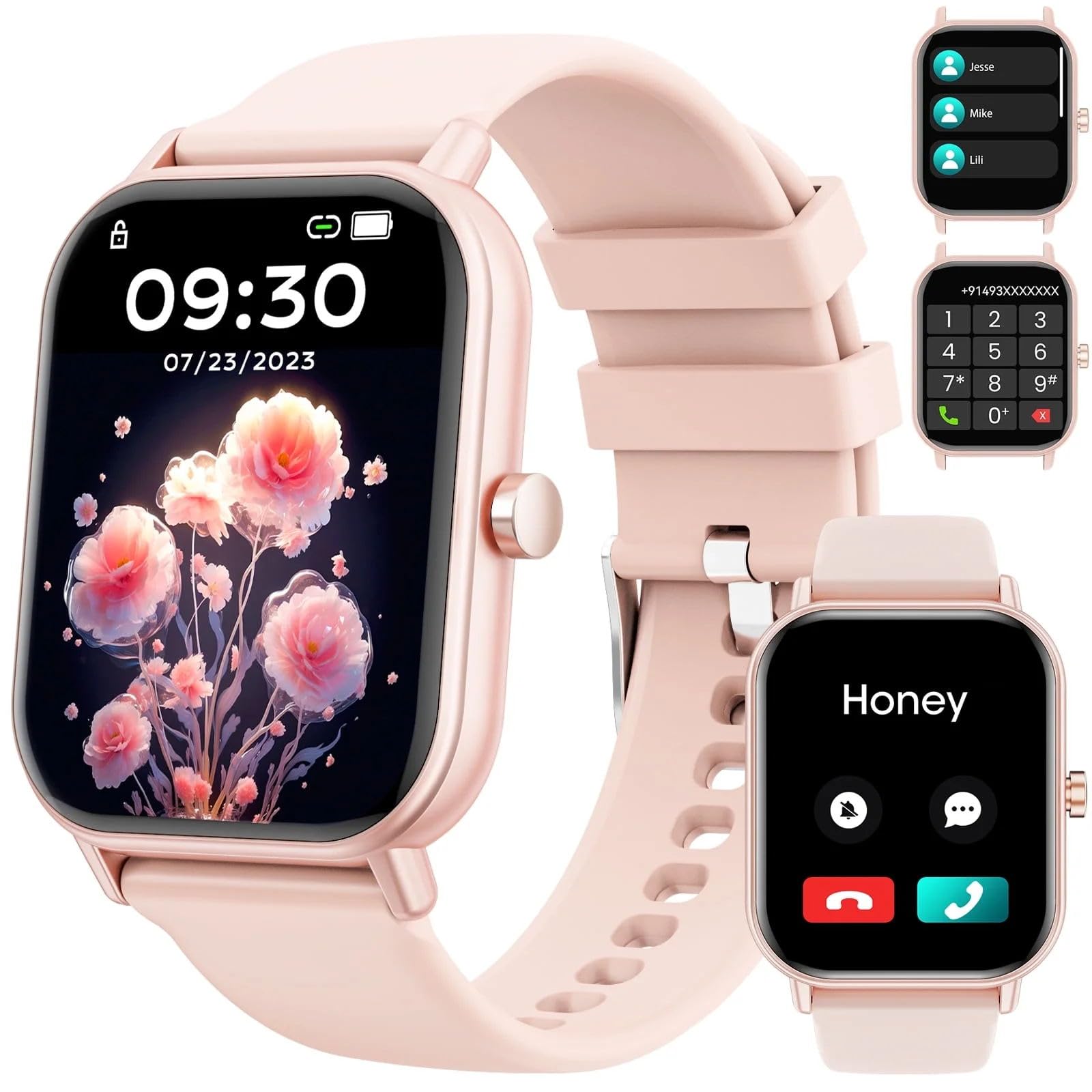
Image: mingwear G39 Smartwatch with a pink strap and a square display, showing the watch face.
- paparan: 1.85-inch full-touch color screen.
- Butang Sisi: Power on/off, return to home screen, menu access.
- Sensors (rear): Heart rate sensor, charging contacts.
- Tali: Adjustable and replaceable strap.
5. Persediaan
5.1 Mengecas Jam Pintar
- Connect the magnetic charging cable to the charging contacts on the back of the smartwatch.
- Palamkan hujung kabel USB ke dalam penyesuai kuasa USB standard (disyorkan 5V/1A) atau port USB komputer.
- The watch display will show a charging indicator. A full charge typically takes about 2-3 hours.
5.2 Downloading and Pairing the App
To unlock all features, you need to pair your smartwatch with your smartphone via the companion app.
- Muat turun Apl: Scan the QR code in the manual or on the watch screen (if available) or search for the designated app name (e.g., 'FitCloudPro' or similar, check packaging for exact name) in the Apple App Store (for iPhone) or Google Play Store (for Android devices).
- Dayakan Bluetooth: Pastikan Bluetooth didayakan pada telefon pintar anda.
- Buka Apl: Lancarkan aplikasi yang dimuat turun dan ikuti arahan pada skrin untuk membuat akaun atau log masuk.
- Tambah Peranti: In the app, navigate to the 'Device' or 'My Device' section and select 'Add Device' or 'Bind Device'. The app will search for your smartwatch.
- pasangan: Select 'G39' or the corresponding device name from the list of found devices. Confirm the pairing request on both your phone and the smartwatch if prompted.
- Keizinan: Grant all necessary permissions requested by the app (e.g., location, notifications, contacts) for full functionality.
6. Arahan Operasi
6.1 Navigasi Asas
- Leret ke Bawah: Access quick settings (e.g., brightness, DND mode).
- Leret ke atas: View pemberitahuan.
- Leret Kiri/Kanan: Navigate through main functions/widgets (e.g., activity data, heart rate, weather).
- Ketik: Pilih item atau masukkan fungsi.
- Tekan Butang Sisi: Return to the watch face or enter the main menu.
6.2 Membuat dan Menjawab Panggilan
Ensure your smartwatch is successfully paired with your phone and Bluetooth calling is enabled in the app settings.
- Membuat Panggilan: From the watch's phone interface, you can dial a number directly or select a contact from your synced phonebook.
- Menjawab Panggilan: Apabila panggilan masuk, jam tangan akan memaparkan ID pemanggil. Ketik ikon hijau untuk menjawab atau ikon merah untuk menolak.
6.3 Penjejakan Kecergasan dan Mod Sukan
- Pedometer: The watch automatically tracks your steps, distance, and calories burned throughout the day. View data on the watch or in the app.
- Mod Sukan: Access the 'Sport' or 'Workout' menu to choose from over 100 different sport modes (e.g., running, cycling, swimming). Select a mode to start tracking your activity.
- Pemantauan Denyut Jantung: The watch continuously monitors your heart rate. You can also initiate a manual measurement from the heart rate interface.
- Pemantauan Tidur: Wear the watch to bed, and it will automatically track your sleep patterns, including deep sleep, light sleep, and wake times.
6.4 Message Notifications
Once paired and app permissions are granted, your smartwatch will display notifications from your smartphone (e.g., SMS, social media alerts, app notifications).
- Ensure notification access is enabled for the app in your phone's settings.
- Leret ke atas pada muka jam ke view pemberitahuan terkini.
6.5 Menyesuaikan Muka Jam
You can change the watch face directly on the device or through the companion app.
- Sedang Dijaga: Long-press the watch face, then swipe left/right to browse available options and tap to select.
- Melalui Apl: In the app, navigate to the 'Dial Market' or 'Watch Face' section to explore more options and customize with your own photos.
7. Penyelenggaraan
7.1 Membersihkan Jam Tangan Pintar
- Lap skrin dan tali jam tangan dengan kerap menggunakan kain lembutamp, kain tidak berbulu.
- Jangan gunakan bahan kimia yang keras, pembersih yang kasar atau pelarut.
- Pastikan jam tangan benar-benar kering sebelum dicas.
7.2 Rintangan Air (IP67)
The mingwear G39 Smartwatch is IP67 water-resistant, meaning it can withstand splashes, rain, and brief immersion in water up to 1 meter for 30 minutes. It is suitable for daily use and light water activities.
- JANGAN use the watch in hot water, saunas, or steam rooms.
- JANGAN press buttons underwater.
- Water resistance is not a permanent condition and may decrease over time with normal wear and tear.
7.3 Penjagaan Bateri
- Elakkan menyahcas sepenuhnya bateri dengan kerap.
- Charge the device using the provided cable and a compatible power adapter.
- Simpan jam tangan di tempat yang sejuk dan kering jika tidak digunakan untuk tempoh yang lama.
8. Penyelesaian masalah
8.1 Jam Tangan Tidak Menyala
- Pastikan jam tangan dicas sepenuhnya. Sambungkannya ke pengecas selama sekurang-kurangnya 30 minit.
- Tekan dan tahan butang sisi selama 10-15 saat untuk memaksa mula semula.
8.2 Tidak Dapat Dipasangkan dengan Telefon
- Pastikan Bluetooth didayakan pada telefon anda dan jam tangan berada dalam julat.
- Mulakan semula kedua-dua telefon anda dan jam tangan pintar.
- Ensure the correct app is installed and has all necessary permissions.
- Jika sebelum ini telah dipasangkan, cuba nyahpasangkan peranti daripada tetapan Bluetooth telefon anda dan kemudian pasangkan semula melalui aplikasi.
8.3 Inaccurate Fitness Data
- Pastikan jam tangan dipakai dengan kemas di pergelangan tangan anda, kira-kira satu jari lebar di atas tulang pergelangan tangan.
- Check that your personal information (height, weight, age) is correctly entered in the app.
- Restart the watch and recalibrate if necessary through the app.
8.4 Pemberitahuan Tidak Muncul
- Verify that the app has notification access enabled in your phone's settings.
- Check if 'Do Not Disturb' mode is active on either your phone or the smartwatch.
- Pastikan aplikasi berjalan di latar belakang dan tidak ditutup oleh ciri penjimatan kuasa telefon anda.
9. Spesifikasi
| Ciri | Penerangan |
|---|---|
| Nama Model | G39 |
| Saiz Skrin | 1.85 Inci |
| Sistem Operasi | Android (Compatible with Android & iOS) |
| Ciri Khas | Activity Tracker, Pedometer, Heart Rate Monitor, Sleep Monitor, Call Function, Message Reminder, 100+ Sport Modes |
| Tahap Ketahanan Air | IP67 (kalis air) |
| Peranti Serasi | Smartphones (Android and iPhone) |
| GTIN/UPC | 614173000738 |
10. Waranti dan Sokongan
Your mingwear G39 Smartwatch comes with a standard manufacturer's warranty. Please refer to the warranty card included in your package for specific terms and conditions.
For technical support, troubleshooting assistance, or warranty claims, please contact mingwear customer service through the contact information provided on our official webtapak atau platform pembelian anda.