1. Pengenalan
This manual provides detailed instructions for the installation, operation, and maintenance of your Leadfan 9-inch car radio stereo. This unit is designed to enhance your driving experience with advanced features such as wireless CarPlay, Android Auto, GPS navigation, Bluetooth connectivity, and a high-definition touchscreen. Please read this manual thoroughly before installation and use to ensure proper functionality and safety.
2. Keserasian
This car radio stereo is specifically designed for Mazda 3 models manufactured between 2009 and 2013. It includes a CANBUS system for seamless integration with your vehicle's electronics.
Nota Penting:
- Before installation, verify your car's model, year, and the shape of the center console to ensure compatibility.
- This car radio is not compatible with vehicles equipped with premium sound systems such as J.B.L, SO.NY Amplifier, or B.ose Speakers.

Confirm your car's version. The image displays compatible and incompatible Mazda 3 center console designs for installation.
3. Kandungan Pakej
The following items are included in your Leadfan car radio stereo package:
- 9-inch Touchscreen Head Unit
- GPS Module/Antenna
- WiFi Connection Module
- Modul Bluetooth 5.1
- Antena Radio FM
- Kamera Sandaran AHD
- Steering Wheel Control Interface (CANBUS)
- 2 x Port USB
- Kabel Input/Output RCA
- External Microphone Jack in RCA Cable
- Kabel Kuasa
- Manual Pengguna

Terperinci view of the head unit dimensions, rear connections, and all included accessories.
4. Persediaan dan Pemasangan
The Leadfan car radio stereo is designed for a plug-and-play installation for compatible Mazda 3 models. However, professional installation is recommended to ensure correct wiring and functionality, especially for the CANBUS and backup camera connections.
4.1 Pemeriksaan Pra-Pemasangan
- Pastikan pencucuhan kenderaan dimatikan dan bateri diputuskan sambungannya sebelum memulakan pemasangan.
- Confirm all included components are present as per the package contents list.
- Review your vehicle's existing wiring and dashboard layout.
4.2 Langkah Pemasangan (Panduan Umum)
- Tanggalkan radio kereta dan kemasan papan pemuka asal dengan berhati-hati. Rujuk manual servis kenderaan anda untuk arahan khusus.
- Connect the main power harness, RCA cables, USB cables, GPS antenna, and FM radio antenna to the new Leadfan head unit.
- Connect the CANBUS decoder to the vehicle's wiring harness. This enables steering wheel control functionality.
- Install the AHD backup camera (if applicable) and route its video cable to the head unit's reverse input.
- Mount the new 9-inch head unit into the dashboard opening.
- Sambungkan semula bateri kenderaan dan uji semua fungsi sebelum memasang semula sepenuhnya kemasan papan pemuka.

The Leadfan car radio seamlessly integrated into a compatible Mazda 3 dashboard.
5. Arahan Operasi
5.1 Hidupkan/Mati Kuasa dan Navigasi Asas
- Tekan butang kuasa untuk menghidupkan atau mematikan unit.
- Navigate through menus and applications using the 9-inch capacitive touchscreen.
5.2 CarPlay Tanpa Wayar dan Android Auto
The unit supports wireless Apple CarPlay and Android Auto for seamless smartphone integration.
- Pastikan Bluetooth dan Wi-Fi telefon anda didayakan.
- Pada stereo kereta, buka aplikasi CarPlay atau Android Auto.
- Follow the on-screen prompts to pair your smartphone via Bluetooth. Once paired, the system will automatically establish a Wi-Fi connection for CarPlay/Android Auto.
- Use voice control (Siri for CarPlay, Google Assistant for Android Auto) for hands-free operation of navigation, music, calls, and messages.
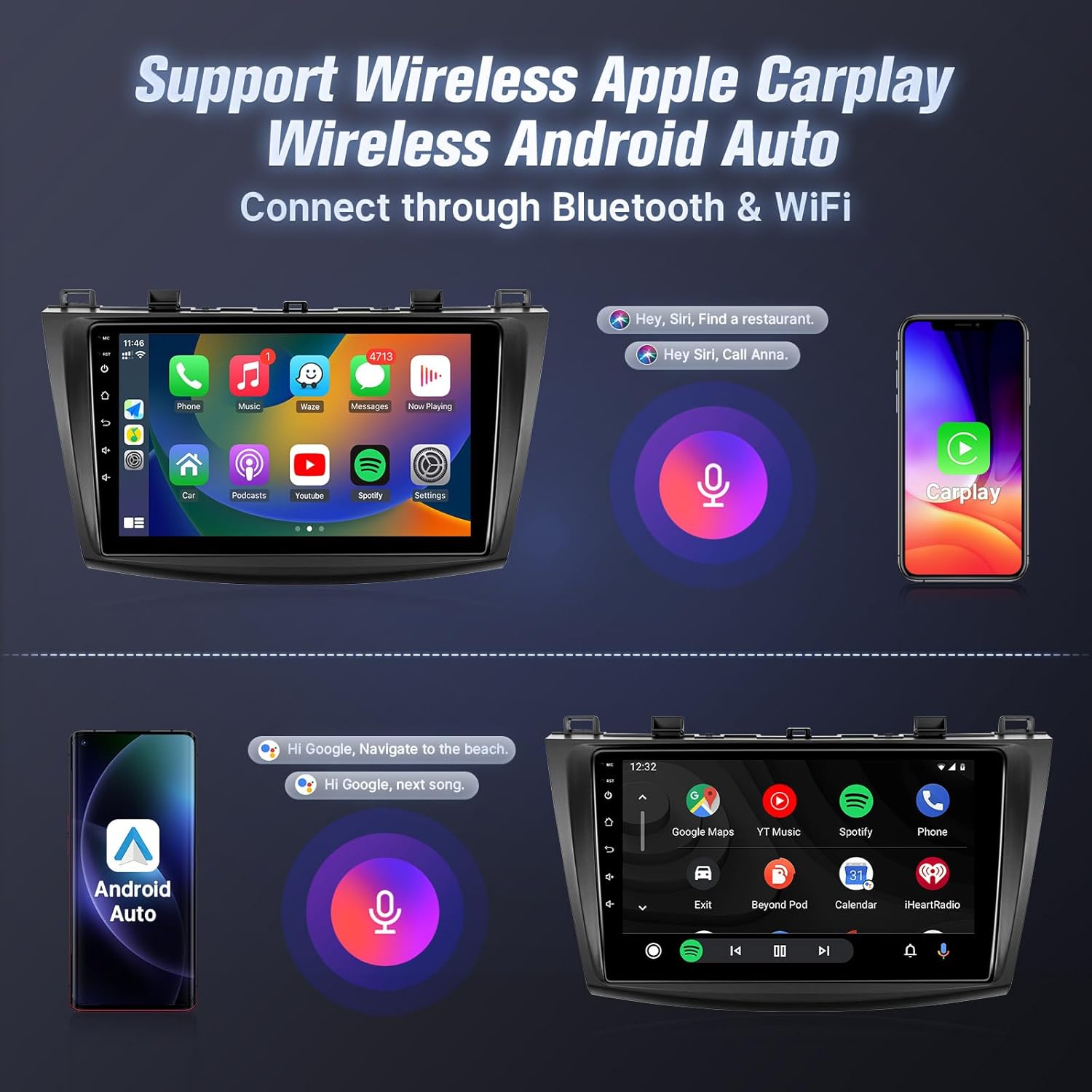
Wireless Apple CarPlay and Android Auto interfaces with voice control.
5.3 Pautan Cermin
Mirror Link allows you to display your smartphone's screen on the car stereo.
- Untuk peranti iOS: Supports one-way wireless connection via Wi-Fi.
- Untuk peranti Android: Supports two-way wired (USB cable) or wireless (Wi-Fi) connection.
- Follow the instructions within the Mirror Link application on the head unit to connect your device.
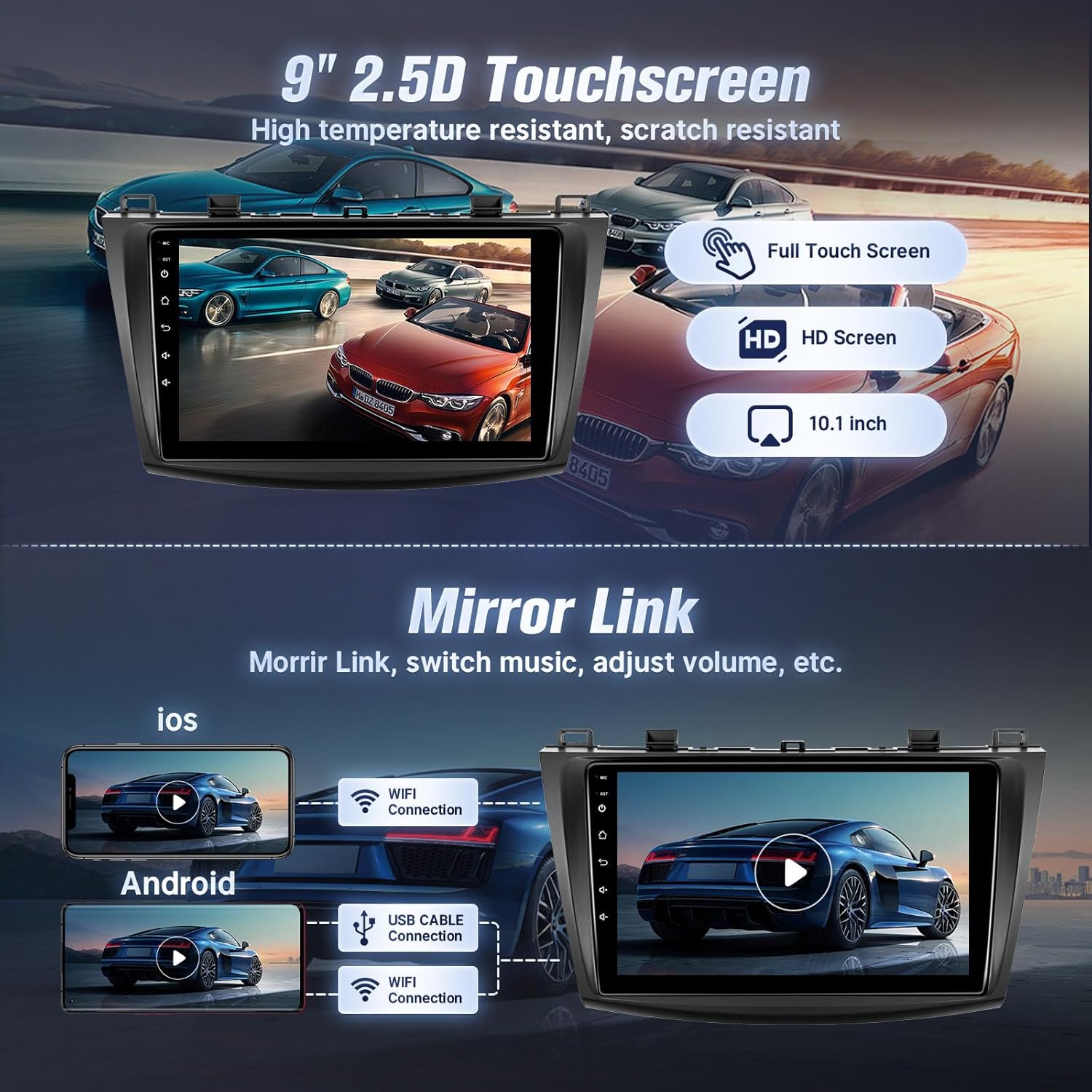
Mirror Link functionality for both iOS and Android devices.
5.4 Kesambungan Bluetooth
Connect your phone via Bluetooth for hands-free calling and music streaming.
- Go to the Bluetooth settings on the car stereo.
- Dayakan Bluetooth pada telefon pintar anda dan cari peranti yang tersedia.
- Select the car stereo from your phone's Bluetooth list and confirm pairing.
- Once connected, you can make/receive calls and play music directly from your phone.

Antara muka Bluetooth untuk panggilan dan penstriman muzik.
5.5 Navigasi GPS dan Wi-Fi
The unit features built-in GPS for navigation and Wi-Fi for internet access.
- GPS: The stereo comes with a GPS antenna and supports both online and offline map files. You can use pre-installed navigation apps or download others from the app store.
- Wi-Fi: Connect to the internet via your mobile hotspot or a Wi-Fi device to browse online, download apps, and use online navigation services.
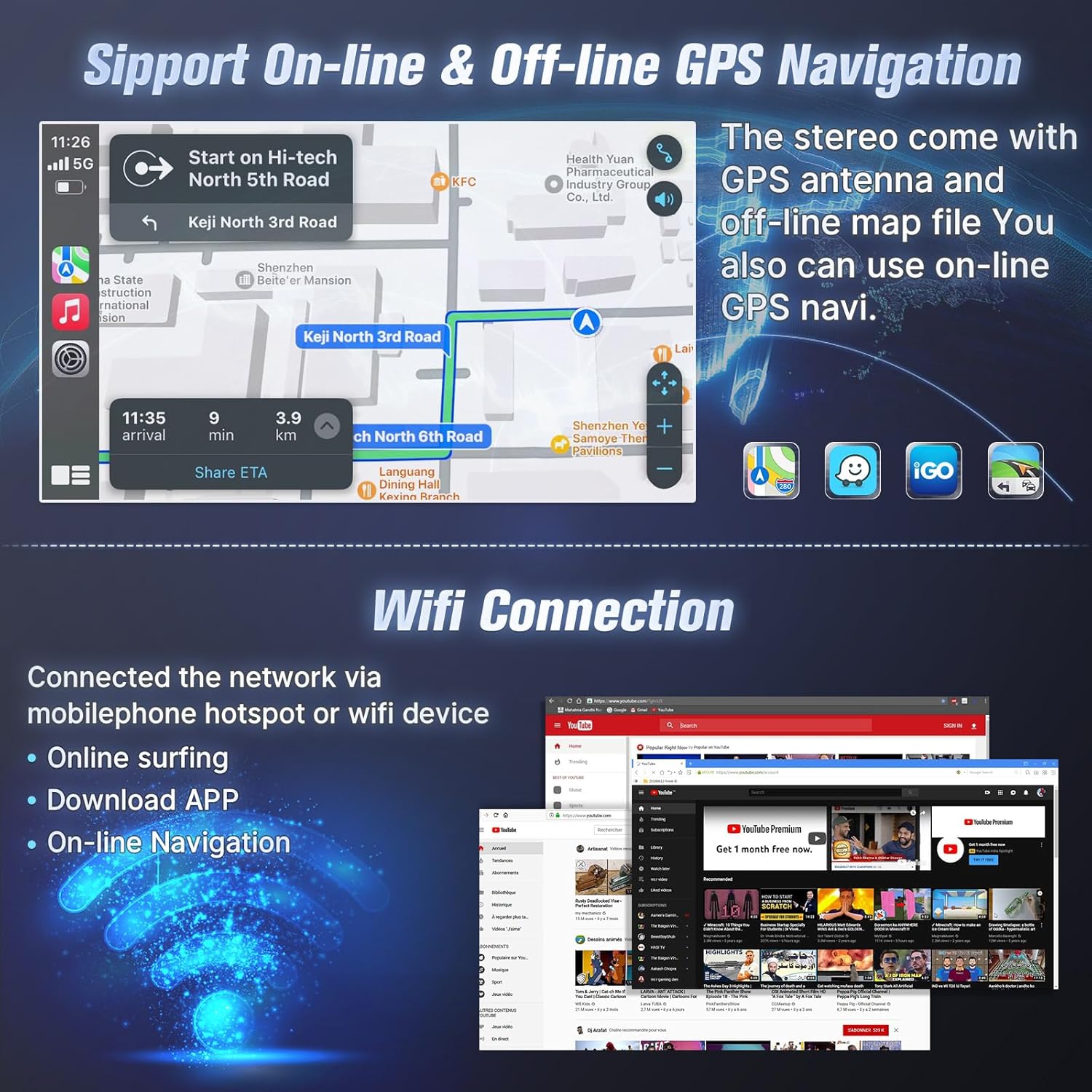
GPS navigation with online/offline map support and Wi-Fi connection for internet access.
5.6 Radio FM
Akses stesen radio tempatan dengan penala FM terbina dalam.
- Buka aplikasi Radio FM.
- Scan for stations automatically or manually tune to your desired frequency.
- Save your favorite stations as presets for quick access.

Antara muka Radio FM dengan pilihan penalaan dan pratetap.
5.7 Kawalan Roda Stereng (SWC)
After correct CANBUS setup, you can control the car stereo using your vehicle's steering wheel buttons.
- Access the SWC settings in the unit's system menu.
- Follow the on-screen instructions to map your steering wheel buttons to specific functions (e.g., volume up/down, track skip, mode change).

Antara muka persediaan kawalan roda stereng.
5.8 EQ Audio Adjustment and UI Themes
- EQ Audio: The unit offers 10-band EQ audio adjustment to customize sound output to your preference. Access this feature in the audio settings.
- Tema UI: Choose from 38 different user interface themes to personalize the display's appearance.
5.9 Kamera Sandaran AHD
Kamera sandaran AHD yang disertakan memberikan yang jelas view apabila terbalik.
- When the vehicle is shifted into reverse gear, the screen will automatically display the camera feed.
- The camera features night vision for improved visibility in low-light conditions.

Kamera sandaran view and physical camera unit.
5.10 Mod Skrin Terpisah
The split-screen feature allows you to run two applications simultaneously on the display.
- While an application is open, long-press the recent apps button or drag an app to one side of the screen (depending on the Android version) to activate split-screen mode.
- Select a second application to run alongside the first.

Voice control and split-screen mode in operation.
6. Penyelenggaraan
To ensure the longevity and optimal performance of your Leadfan car radio stereo, follow these maintenance guidelines:
- Pembersihan: Use a soft, dry cloth to clean the touchscreen and exterior. Avoid abrasive cleaners or solvents that could damage the screen or finish.
- Kemas Kini Perisian: Periodically check for available software updates to ensure the system runs efficiently and has the latest features. Updates can typically be found through the system settings or the manufacturer's webtapak.
- Suhu: Elakkan mendedahkan unit kepada suhu yang melampau. Pendedahan yang berpanjangan kepada cahaya matahari langsung atau keadaan yang sangat sejuk boleh menjejaskan prestasi dan jangka hayat.
- Sambungan: Pastikan semua kabel dan sambungan kekal selamat. Sambungan yang longgar boleh menyebabkan masalah terputus-putus.
7. Penyelesaian masalah
If you encounter issues with your car radio stereo, refer to the following troubleshooting tips:
| Masalah | Kemungkinan Punca | Penyelesaian |
|---|---|---|
| Unit tidak dihidupkan | Loose power connection, blown fuse, incompatible wiring. | Check power cables and fuse. Ensure correct wiring. Consult a professional installer if needed. |
| Tiada keluaran bunyi | Volume too low, incorrect audio source, loose speaker wires, incompatible premium sound system. | Increase volume. Select correct audio source. Check speaker connections. Confirm car does not have a premium sound system. |
| CarPlay/Android Auto tidak bersambung | Bluetooth/Wi-Fi dimatikan pada telefon, pasangan yang salah, isu perisian telefon. | Ensure phone's Bluetooth/Wi-Fi is on. Re-pair the device. Restart phone and head unit. |
| Isyarat GPS hilang atau tidak tepat | GPS antenna obstruction, loose antenna connection, outdated maps. | Pastikan antena GPS mempunyai jernih view dari langit. Periksa sambungan antena. Kemas kini data peta jika perlu. |
| Kamera sandaran tidak dipaparkan | Loose video cable, incorrect wiring to reverse trigger, faulty camera. | Check camera video cable connection. Verify reverse trigger wire is correctly connected. Test camera functionality. |
| Bluetooth/Internet connection unstable | Interference, weak signal, device compatibility. | Move away from sources of interference. Ensure strong Wi-Fi/hotspot signal. Re-pair Bluetooth device. |
If the problem persists after attempting these solutions, please contact Leadfan customer support for further assistance.
8. Spesifikasi
- Saiz Paparan: 9 Inci
- Resolusi: 1080*600 (IPS Touchscreen)
- Sistem pengendalian: Android 12
- RAM: 2GB
- ROM: 32GB
- Pemproses: CPU 4-Teras
- Ketersambungan: Bluetooth 5.1, Wi-Fi
- GPS: Built-in, supports online and offline maps (North America map type)
- Ciri Khas: Wireless CarPlay, Android Auto, Mirror Link, FM Radio, AHD Backup Camera (waterproof, night vision), Steering Wheel Control, Split Screen, 10-band EQ Audio Adjustment, Multiple UI Themes, Dual USB ports, RCA Input/Output, External Microphone Jack.
- Berat Barang: 3.1 paun
- Dimensi Produk: 10.9 x 3.8 x 13.5 inci
- Jenis Pemasangan: Pemasangan Papan Pemuka

Internal specifications including processor, RAM, and ROM.
9. Waranti dan Sokongan
Leadfan provides comprehensive support for your car radio stereo:
- Waranti: 12 months after-sales support and replacement available within 12 months.
- Jaminan Wang Dikembalikan: 30 days money back service.
- Sokongan Teknikal: 24-hour after-sales technical support to assist with installation and operation problems.
Cara Menghubungi Sokongan:
For installation or technical assistance, please follow these steps:
- Pergi ke halaman produk di Amazon.
- Click on the 'Leadfan' store link.
- Click the 'Ask a question' button.
- Provide details of your installation or operation questions, including pictures or videos if helpful.
The Leadfan support team aims to respond within 24 hours.

Steps to contact Leadfan customer support for assistance.


