1. Pengenalan
Thank you for choosing the EDYELL A1 Truly Wireless Bluetooth Earbuds. This manual provides essential information for setting up, operating, and maintaining your earbuds to ensure optimal performance and longevity. Please read this manual thoroughly before use.

Image 1.1: EDYELL A1 Earbuds and Charging Case
2. Kandungan Pakej
Sahkan bahawa semua item terdapat dalam pakej anda:
- 1 Pair of EDYELL A1 Earbuds
- 1 Kes Pengecasan
- 1 Kabel Pengecas Jenis-C
- 2 Pairs of Earplugs (different sizes)
- Manual Pengguna 1
3. Persediaan
3.1. Mengecas Fon Telinga dan Sarung
Before first use, fully charge the earbuds and charging case. Connect the provided Type-C charging cable to the charging port on the case and a compatible USB power source. The LED indicators on the case will show charging status. A full charge provides up to 48 hours of total music playback with the charging case.

Image 3.1: Charging and Battery Life Overview
3.2. Berpasangan dengan Peranti Bluetooth
- Pastikan fon telinga dicas.
- Buka bekas pengecas. Fon telinga akan memasuki mod berpasangan secara automatik.
- Pada peranti anda (telefon pintar, tablet, dll.), dayakan Bluetooth.
- Cari untuk available Bluetooth devices and select "A1" from the list.
- Once connected, the earbuds will automatically pair with the last connected device when removed from the case.

Image 3.2: Fast Automatic Pairing Technology
3.3. Memasang Putik Telinga
For optimal sound quality and comfort, choose the correct size earplugs and ensure a secure fit.
- Select the earplug size that best fits your ear canal.
- Gently insert the earbud into your ear.
- Rotate and adjust the earbud until it feels comfortable and snug, creating a good seal.

Image 3.3: Comfortable Fit with 4 Sizes
4. Arahan Operasi
4.1. Kawalan Sentuh
The EDYELL A1 earbuds feature touch controls for various functions. Specific touch gestures may vary; refer to the quick start guide included in your package for detailed control mapping.
- Main/Jeda: Ketik sekali pada salah satu fon telinga.
- Lagu Seterusnya: Ketik dua kali pada fon telinga kanan.
- Trek Sebelumnya: Ketik dua kali pada fon telinga kiri.
- Jawab/Tamatkan Panggilan: Ketik sekali pada salah satu fon telinga.
- Tolak Panggilan: Tekan dan tahan salah satu fon telinga.
- Aktifkan Pembantu Suara: Ketik tiga kali pada salah satu fon telinga.
- Mod ANC/Ketelusan: Press and hold the left earbud (typically 2 seconds) to cycle through modes.
4.2. Pembatalan Bunyi Aktif (ANC)
The earbuds feature up to 35dB Active Noise Cancellation to reduce ambient sound. Activate or deactivate ANC using the touch controls as described above. This feature is designed to enhance your listening experience in noisy environments.

Imej 4.1: Pembatalan Bunyi Aktif Sedang Digunakan
4.3. Fungsi Panggilan
Equipped with 4 built-in microphones and CVC8.0 technology, the earbuds provide clear call quality by reducing background noise and enhancing your voice.
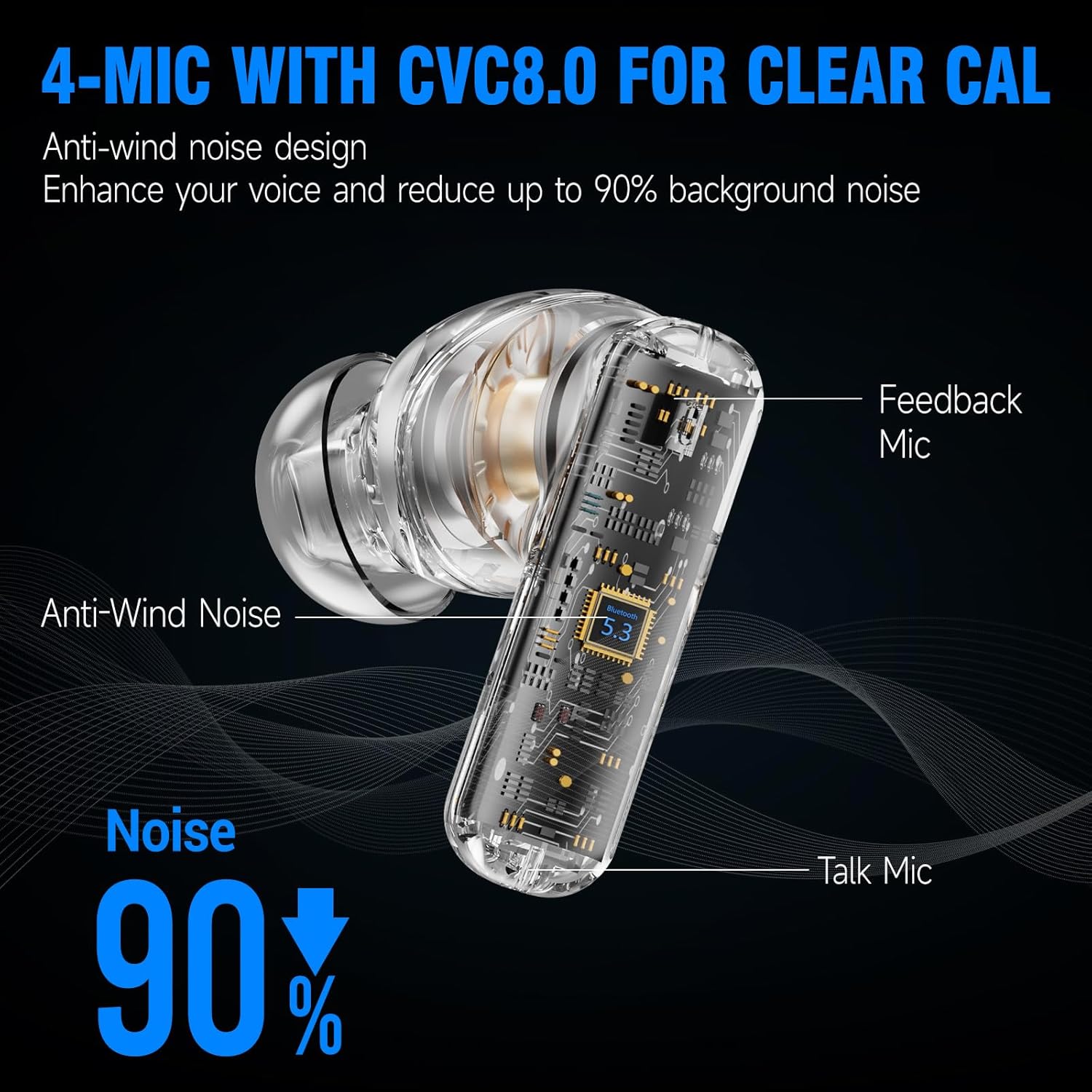
Image 4.2: 4-Mic with CVC8.0 for Clear Calls
4.4. Sound Experience
The EDYELL A1 earbuds feature 13mm Titanized Diaphragm Dynamic Drivers, designed to deliver HiFi stereo sound with deep bass and clear treble.

Image 4.3: 13mm Driver Delivers HiFi Stereo Sound
5. Penyelenggaraan
5.1. Pembersihan
Regularly clean your earbuds and charging case to maintain performance and hygiene. Use a soft, dry, lint-free cloth. Do not use abrasive cleaners or solvents. For earplugs, remove them and clean with mild soap and water, then dry thoroughly before reattaching.
5.2. Tahan Air
The earbuds are IPX5 water-resistant, meaning they can withstand splashes and sweat. They are not designed for submersion in water. Avoid exposing them to heavy rain or swimming.

Imej 5.1: Rintangan Air IPX5
6. Penyelesaian masalah
| Isu | Penyelesaian yang Mungkin |
|---|---|
| Fon telinga tidak berpasangan | Pastikan fon telinga dicas. Matikan dan hidupkan Bluetooth pada peranti anda. Lupakan peranti dalam tetapan Bluetooth dan pasangkan semula. |
| Tiada suara atau kelantangan rendah | Check device volume. Ensure earbuds are properly connected. Clean earbud mesh if blocked. |
| Sambungan terputus-putus | Ensure no obstructions between earbuds and device. Keep device within Bluetooth range (approx. 10 meters). Avoid strong electromagnetic interference. |
| Mikrofon tidak berfungsi | Ensure earbuds are selected as the audio input device. Clean microphone ports. |
| ANC tidak berkesan | Ensure earbuds are properly seated in your ears with a good seal. Verify ANC is activated. |
7. Spesifikasi
| Ciri | Perincian |
|---|---|
| Nama Model | FM-Earbuds-A1 |
| Kawalan Bunyi | Pembatalan Bunyi Aktif (sehingga 35dB) |
| Teknologi Ketersambungan | Bluetooth 5.3 |
| Jenis Pemacu Audio | Pemacu Dinamik 13mm |
| Hayat Bateri | Sehingga 48 Jam (dengan kes pengecasan) |
| Port Pengecasan | Jenis-C |
| Mikrofon | 4-built-in microphones with CVC8.0 |
| Tahap Ketahanan Air | IPX5 |
| Jenis Kawalan | Kawalan Sentuh |
| bahan | plastik |
| Berat Barang | 100 Gram |
| Dimensi Produk | 11 x 11 x 4 cm |
| Komposisi Sel Bateri | Litium Ion |
| Negara Asal | China |
8. Waranti dan Sokongan
The EDYELL A1 Earbuds come with a 12-month EDYELL India Warranty. For any quality problems or warranty claims, please contact customer support via Amazon or directly using the contact information below.
Penjagaan Pelanggan:
- e-mel: support@fenman.in
- Telefon: +91 8882786235


