1. Pengenalan
Thank you for choosing Jxrev Wireless Earbuds. This manual provides essential information for setting up, operating, and maintaining your new earbuds. Please read it carefully to ensure optimal performance and longevity of your device.
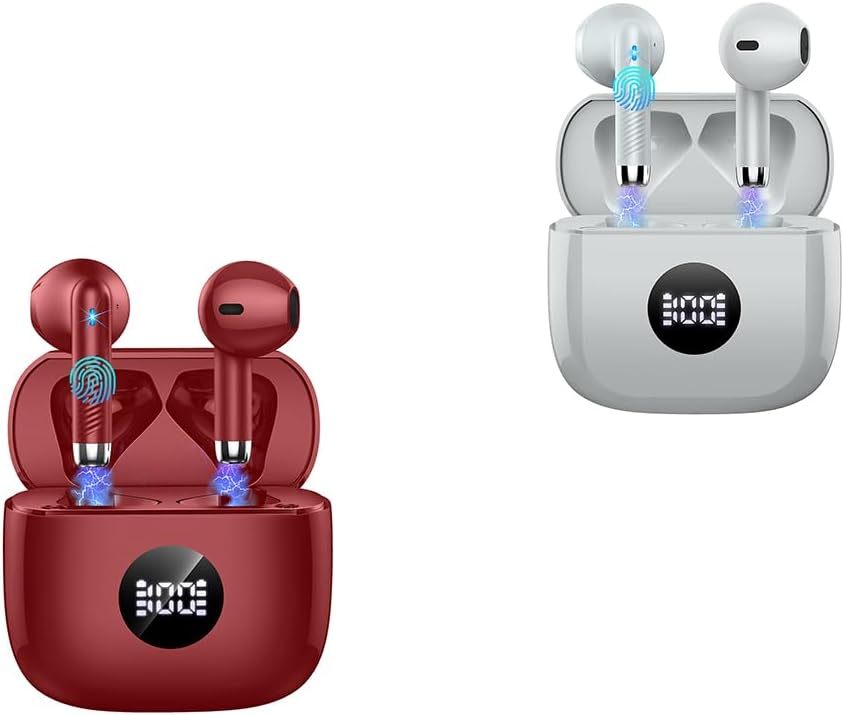
Image: Jxrev Wireless Earbuds (Red and Grey)
2. Produk Lebihview
The Jxrev Wireless Earbuds are designed for a rich audio experience and clear calls, featuring 13mm dynamic speakers and ENC noise cancellation. They come with a portable charging case with an LED power display.
Ciri-ciri Utama:
- 13mm Dynamic Speakers: Delivers Hi-Fi stereo sound with crisp highs and deep bass.
- ENC Noise Cancelling Microphones: Reduces environmental noise by up to 35dB for clearer calls.
- Padat dan Ringan: Each earbud weighs only 3g, designed for comfortable wear.
- LED Power Display Charging Case: Shows real-time battery levels for earbuds and case.
- Masa Main Dilanjutkan: Up to 8 hours on a single charge, with the case providing up to 40 hours total playback.
- Bluetooth 5.4: Ensures fast, stable, and automatic connection.
- IP7 Kalis Air: Protects against sweat and light rain.
- Kawalan Sentuhan Mudah: Manage music, calls, and voice assistance directly from the earbuds.

Image: Compact design of the earbud and charging case
3. Persediaan
3.1 Mengecas Fon telinga dan Sarung
- Letakkan fon telinga ke dalam bekas pengecasan. Pastikan mereka duduk dengan betul.
- Sambungkan bekas pengecasan kepada sumber kuasa menggunakan kabel USB yang disediakan.
- Paparan LED pada bekas pengecas akan menunjukkan peratusan bateritage. A full charge for the case takes approximately 1 hour.
- The earbuds will charge automatically when placed in the powered case. They provide up to 8 hours of playback on a single charge. The fully charged case can provide approximately 4 full recharges for the earbuds, totaling up to 40 hours of playback.
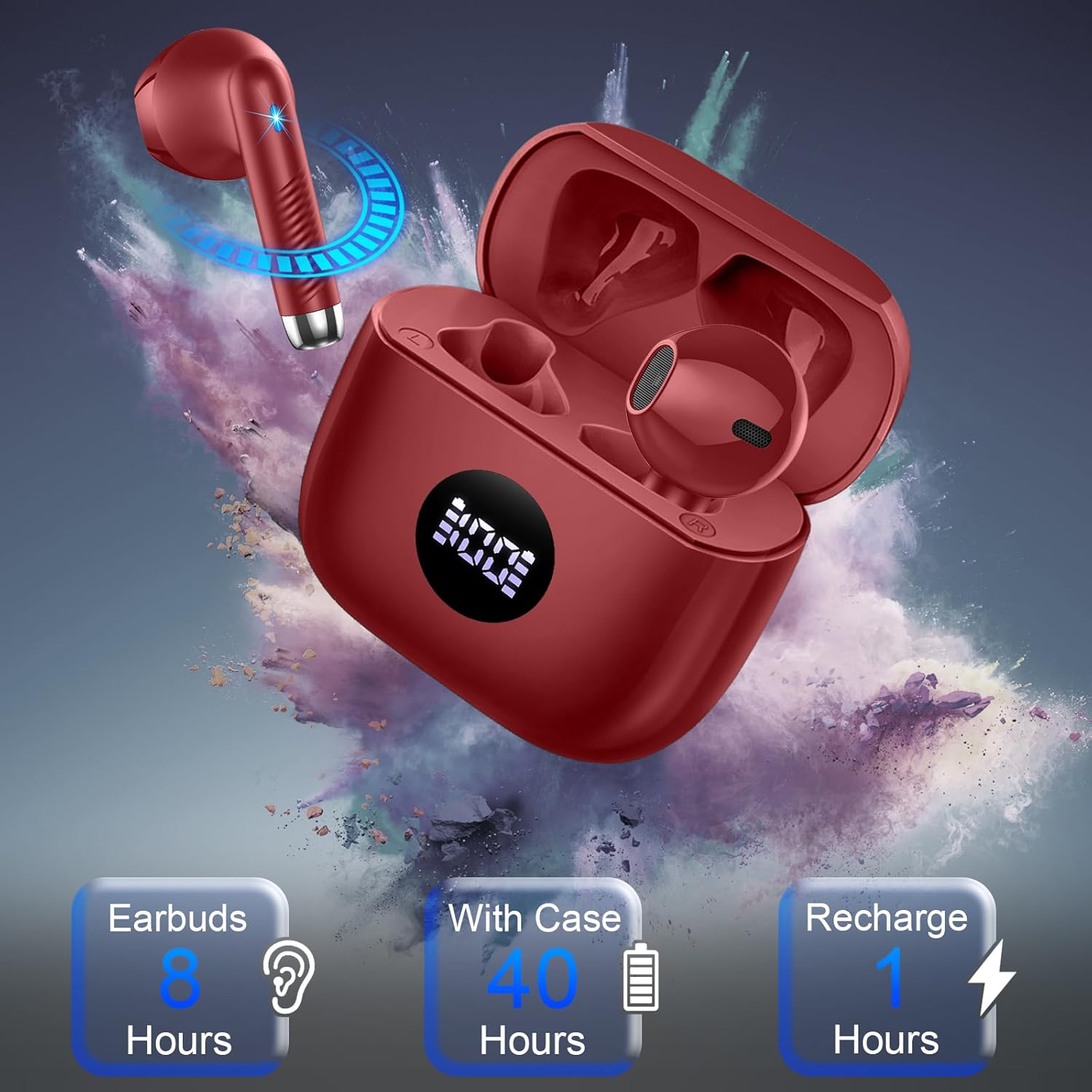
Image: Earbud charging and battery life indicators
3.2 Berpasangan dengan Peranti Anda
- Pastikan fon telinga dicas.
- Buka penutup bekas pengecas. Fon telinga akan memasuki mod berpasangan secara automatik.
- On your smartphone, tablet, computer, or other Bluetooth-enabled device, go to the Bluetooth settings.
- Cari untuk available devices and select "Jxrev Earbuds" (or similar name) from the list.
- Setelah disambungkan, anda akan mendengar nada pengesahan dan fon telinga akan sedia untuk digunakan.
- For subsequent connections, simply open the charging case lid, and the earbuds will automatically reconnect to the last paired device.

Image: Bluetooth 5.4 connectivity
4. Arahan Operasi
4.1 Memakai Fon Telinga
The earbuds feature an ergonomic semi-in-ear design. Gently insert each earbud into your ear canal and adjust for a snug and comfortable fit. The lightweight design (3g per earbud) helps disperse pressure for extended wear.
4.2 Kawalan Sentuhan
Each earbud has a sensitive touch control area. The following actions can be performed:
- Main/Jeda: Ketik sekali pada salah satu fon telinga.
- Lagu Seterusnya: Ketik dua kali pada fon telinga kanan.
- Trek Sebelumnya: Ketik dua kali pada fon telinga kiri.
- Kelantangan: Ketik tiga kali pada fon telinga kanan.
- Perlahankan suara: Ketik tiga kali pada fon telinga kiri.
- Jawab/Tamatkan Panggilan: Ketik sekali pada sama ada fon telinga semasa panggilan masuk atau panggilan aktif.
- Tolak Panggilan: Tekan dan tahan salah satu fon telinga selama 2 saat semasa panggilan masuk.
- Aktifkan Pembantu Suara: Tekan dan tahan salah satu fon telinga selama 3 saat.
4.3 Mod Fon Telinga Tunggal/Dua
The earbuds can be used together for stereo sound or individually. If you only take one earbud out of the case, it will automatically connect in mono mode. To switch to stereo, simply take the other earbud out of the case.

Image: Hi-Fi Stereo Sound and Clear Calls
5. Penyelenggaraan
5.1 Pembersihan
- Bersihkan fon telinga dan bekas pengecas dengan kerap menggunakan kain yang lembut, kering dan tidak berbulu.
- Jangan gunakan pembersih yang melelas, alkohol atau pelarut kimia.
- Pastikan kenalan pengecas pada kedua-dua fon telinga dan sarung bersih dan bebas daripada serpihan untuk pengecasan yang betul.
5.2 Rintangan Air (IP7)
The earbuds are IP7 waterproof, meaning they are protected against immersion in water up to 1 meter for 30 minutes. This makes them suitable for sports and use in light rain. However, the charging case is not waterproof. Do not submerge the earbuds or expose the charging case to water.
6. Penyelesaian masalah
- Fon telinga tidak berpasangan: Ensure both earbuds are charged. Place them back in the case, close the lid, then open it again to re-enter pairing mode. Check your device's Bluetooth settings.
- Hanya satu fon telinga berfungsi: Place both earbuds back in the charging case, close the lid, then open it again. Ensure both earbuds are taken out simultaneously.
- Tiada bunyi: Periksa tahap kelantangan pada kedua-dua peranti dan fon telinga anda. Pastikan fon telinga disambungkan dengan betul ke peranti anda.
- Isu pengecasan: Bersihkan sentuhan pengecasan pada kedua-dua fon telinga dan bekas. Pastikan kabel pengecasan dan sumber kuasa berfungsi dengan betul.
- Kualiti panggilan yang lemah: Ensure the earbuds are positioned correctly in your ears. Check for any obstructions around the microphone area.
7. Spesifikasi
| Ciri | Spesifikasi |
|---|---|
| Jenama | Jxrev |
| Penempatan Telinga | Di Telinga |
| Faktor Bentuk | Di Telinga |
| Ciri Khas | Ergonomic, Lightweight, Noise Cancellation (ENC) |
| Saiz Pemandu | 13mm Dinamik |
| Versi Bluetooth | 5.4 |
| Masa Main Earbud | Sehingga 8 jam |
| Jumlah Masa Main (dengan kes) | Sehingga 40 jam |
| Berat Earbud | 3g (single earbud) |
| Penilaian Kalis Air | IP7 |
8. Waranti dan Sokongan
Jxrev products are manufactured to high-quality standards. For warranty information or technical support, please refer to the contact details provided with your purchase or visit the official Jxrev webtapak. Simpan bukti pembelian anda untuk tuntutan waranti.


